Crypto Commerce
LuckyBliss B4K2 body camera vs NovoSphere: plan the recording before clipping on a camera
Compare LuckyBliss B4K2 body camera by video, GPS, battery, storage, clips, and recording controls.
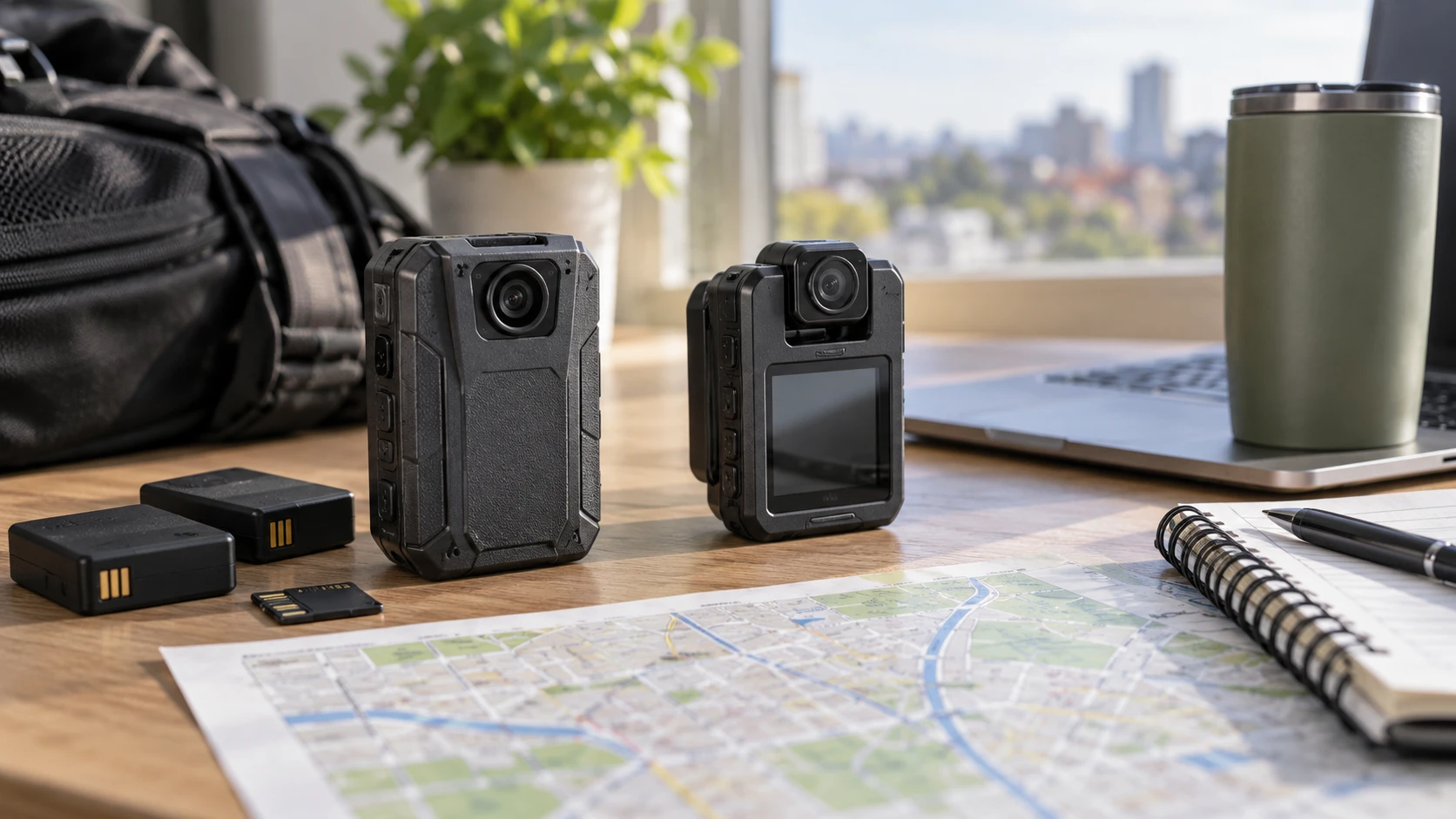
The LuckyBliss B4K2 body camera lists 4K video at 30 frames per second, GPS route data, two removable batteries, and an included 128GB card. This guide to setting recording boundaries in a shared workspace addresses a decision that comes before choosing wearable hardware: where a camera may be used and what may appear in its view. The NovoSphere body camera lists 2K or 4K recording, a rotating lens, a rear clip, and TF card expansion. The guide does not establish permission for either camera in any particular workplace.
LuckyBliss gives more detail about route coordinates, removable power, and what is in the box. NovoSphere describes the position of its lens, a screen for playback, and simple recording controls. Neither description is an independent image-quality test. Before comparing headline resolution, decide whether the camera will travel along a route, remain clipped in one position, or record short events that someone must review on the device.
Begin with the permitted view — guide to setting recording boundaries in a shared workspace
A body camera can catch people and spaces beyond its intended subject. At a shared desk, doorway, or workbench, the edge of a wide view may include a screen, conversation, or visitor. The linked guide is about drawing the boundary before recording. For either camera, make a test frame from the actual mounting point and identify what enters it when the wearer turns. Set the camera angle within the boundaries that apply to the location. The product listings describe hardware; they do not grant permission to record a person or place.
If the assignment involves a route, decide which locations should be recorded and which should stay out of the file. LuckyBliss's GPS feature adds location information to that planning. A route trace may be useful for the intended task, but it can also reveal places the operator passed. Ask who needs that information, how files will be stored, and whether the location feature should be enabled for the session. The saved product excerpt does not describe every GPS setting or file-sharing control.
NovoSphere's rotating lens makes the boundary check especially practical. Its listing says the lens rotates 180 degrees and the rear clip can attach to a pocket or collar. A change in lens direction changes the scene without moving the clip. Mark a starting angle and check it on the built-in screen before recording. If the wearer adjusts the lens during the day, the view should be checked again. The excerpt does not give a measured field of view, so do not assume that the same clip position covers the same area as LuckyBliss.
Separate video claims from usable footage — NovoSphere body camera
LuckyBliss lists 3840-by-2160 video at 30 fps and still photographs up to 30MP. NovoSphere lists 2K and 4K video but gives no matching frame-rate figure in the saved excerpt. The shared 4K label therefore cannot rank motion or detail. Record a short sample while walking, standing still, and turning toward the subject. Replay the original files at full size. Check whether the event remains legible near the edge of the frame and whether motion makes a detail hard to see.
NovoSphere lists motion stabilization and a lens that rotates. These are useful features to test while the camera is clipped to clothing, where each step can move the image. The entry does not supply a stabilization test or say which recording modes use it. LuckyBliss's description does not give a comparable stabilization specification. An absent line in a listing is a question for the manual, not a performance result. Compare actual clips from the planned mount and movement before choosing based on this feature.
Both entries mention recording in low light. LuckyBliss names six infrared lights for night vision. NovoSphere names four infrared lights and says it adjusts to bright and dim conditions to retain highlight and shadow detail. LED count alone cannot predict the visible range, exposure, or how a subject looks at night. Try the usual recording distance in the darkest intended location. Check whether the subject can be identified in the saved video and whether a nearby bright area changes the exposure. Do not treat either model's low-light description as a guarantee for every setting.
LuckyBliss also lists still photographs. NovoSphere has a separate control for photography as well as one-click video recording. If the task requires a quick photograph, test the button while the camera is clipped on, with the same gloves or clothing the wearer normally uses. Then find the resulting file and check its detail. A control that is easy to locate on a table may be difficult to reach on a collar. Neither source gives a measured shutter delay, so a short hands-on test is more informative than the button count.
Plan the battery interval, then test it — NovoSphere body camera
LuckyBliss includes two 3000mAh batteries, one installed, and a charging dock. Its Republeq's catalog states a recording duration of 14 to 16 hours, but the saved wording does not say clearly whether that duration applies to one battery, both batteries, or a particular mode. Treat it as a claim to verify under the intended resolution and GPS setting. A removable spare can help when a safe pause exists; it does not keep a file continuous while the battery is being exchanged.
NovoSphere lists a 1000mAh lithium battery and about eight hours of continuous recording with its screen off. That condition matters. If the operator often wakes the screen to review clips, or uses a different video setting, the practical duration may differ. The description does not name a removable spare or charging dock. Ask how charging works during the planned shift and test a full interval before depending on the stated eight hours. Allow time for file transfer and review at the end of the shift.
For a long assignment, write down the start time, planned breaks, video setting, and whether location recording is on. Run one representative trial and note when each camera stops or requests charging. That exposes the important difference between a replaceable battery kit and a device with a listed screen-off runtime. It also prevents a capacity number, measured in mAh, from being mistaken for hours of operation. The two products have different hardware and modes, so their battery capacities are not directly comparable as runtime figures.
Check where the files go — NovoSphere body camera
LuckyBliss includes a 128GB card and names an external card slot supporting C10/A1 media. NovoSphere says TF card storage can expand to 512GB. Its saved excerpt does not say a card is included. Confirm the precise card type and package contents before assuming recording can start as soon as the box arrives. Format a compatible card as directed by the camera manual, make a sample video, and verify that the file opens on the computer that will be used for review.
The amount of footage that fits cannot be calculated accurately from these descriptions because neither gives a bitrate for each video mode. A 4K file may consume storage at a different rate from a 2K file, and the chosen settings can change that rate. Record ten minutes in the intended mode, note the file size, and estimate the full session from that observed result. Allow room for unexpected extra recording and still photographs. If the device splits long recordings into several files, check that the time and order of those files are clear after transfer.
LuckyBliss's GPS Player is described as a Windows PC tool for viewing recorded locations and retracing a route. That operating-system limit matters if the review station uses another platform. Verify the ordinary video file opens separately from the GPS viewer, and determine whether route data remains available in the workflow you actually have. NovoSphere's entry mentions on-device playback and file deletion through its color screen but gives no comparable route tool. A screen helps inspect a clip immediately; it does not replace a checked copy of a file for later review.
If the recordings are being kept as records, decide who copies and names them, when the original card may be cleared, and where the copy will live. NovoSphere's playback screen includes deletion, so an operator needs to know when deletion is appropriate. LuckyBliss's included USB-C cable may support a transfer setup, but the saved excerpt does not specify transfer behavior. Test the actual cable and computer before the first important session. The camera's own menus and software should be checked as part of that process.
Fit the mount to the wearer and the work — NovoSphere body camera
LuckyBliss includes both a short and a long 360-degree rotating clip. Those options may help place the camera on different garments, but the listing does not show how securely each holds during the planned movement. NovoSphere uses a rear clip for a pocket or collar and has a lens that rotates 180 degrees. Try each mounting position while walking, bending, and reaching. Inspect the resulting video as well as how the equipment feels. A tilted image or blocked lens can spoil a recording even when the device itself works.
The LuckyBliss package also lists the dock, two batteries, a USB-C cable, and a manual. NovoSphere's saved description focuses on its camera features and does not list a comparable set of accessories. Confirm the current contents of the exact variant at checkout. The catalog snapshot lists LuckyBliss at $322.30 and NovoSphere at $254. Those prices describe the saved catalog, so check the live price, card, power accessories, and return terms before comparing total cost.
The LuckyBliss excerpt gives more route-recording detail: GPS coordinates, a Windows viewer, a spare battery, and an included card. Those details create specific checks around location data and runtime. NovoSphere's rotating lens, rear clip, screen, and separate recording controls deserve a closer look when the camera stays on one garment but its recording angle changes. For either choice, make a permitted, full-length recording from the actual clip position, then transfer and review it on the equipment that will hold the files.