Keyboards & Input Devices
Logitech G309 vs SteelSeries Rival 650: AA power or rapid charging for a wireless gaming mouse?
Compare Logitech G309 and SteelSeries Rival 650 wireless gaming mice by AA power, optional POWERPLAY, charging breaks, weight adjustment and desk connections.
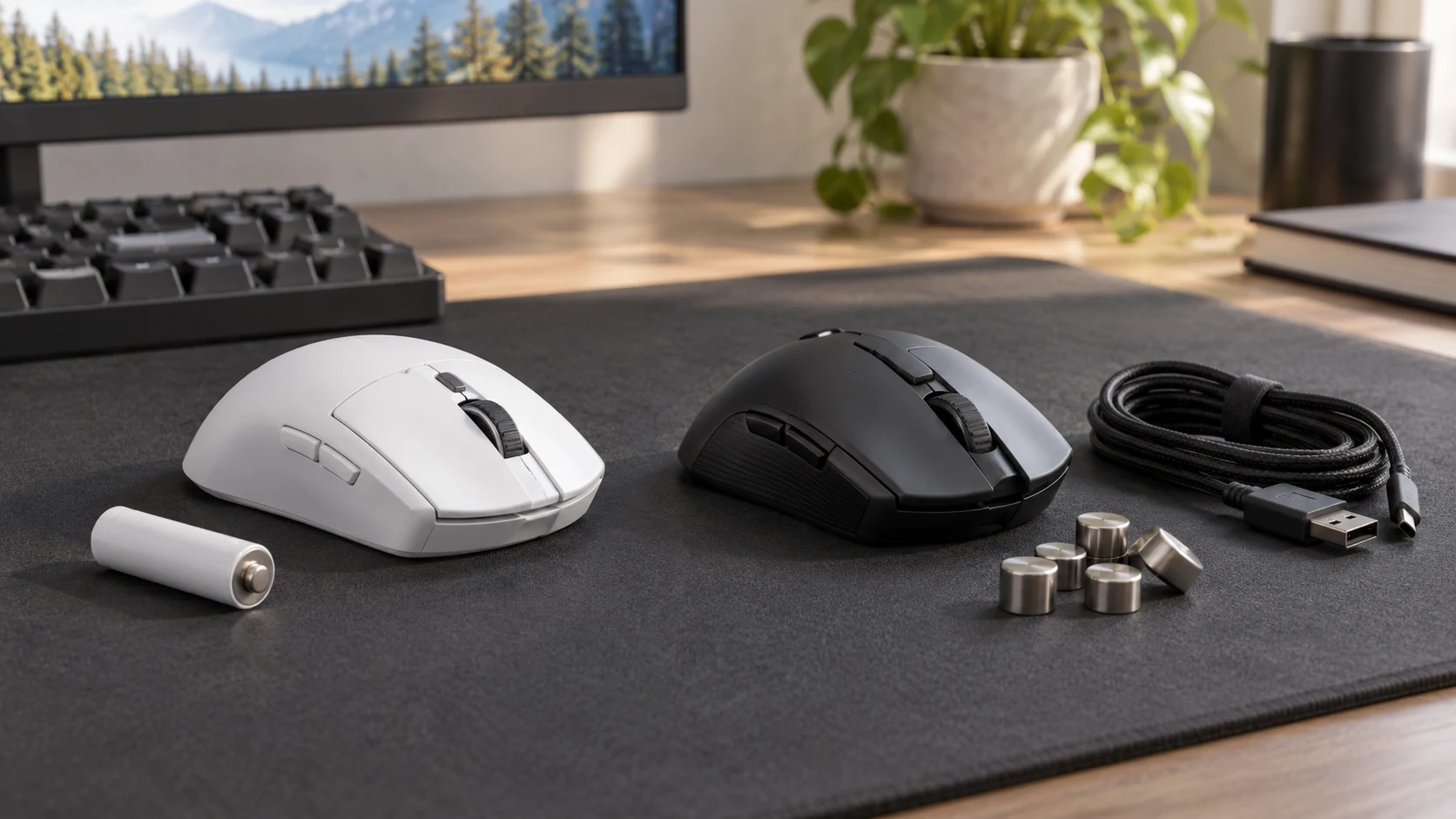
G309 runs on one replaceable AA battery. Rival 650 emphasizes rapid charging and adjustable weight placement. This Logitech G309 vs SteelSeries Rival 650 buying guide compares those power arrangements with the way you actually use the desk. Logitech’s compatible POWERPLAY system is a separate purchase, so include it in the budget only if you intend to use it.
These actual Republeq offers are both wireless gaming mice in PC Gaming, with native brands identified as Logitech G and SteelSeries. The G309 listing is White; the Rival listing describes the Rival 650 Wireless. This guide compares those models and their documented power and adjustment choices. It does not rank their latency, tracking accuracy or comfort from a matched test.
G309 belongs on the shortlist when an AA replacement routine or its documented Bluetooth option fits the devices you use. Rival 650 deserves attention when short charging breaks and physical balance adjustment are useful. Neither is automatically the better purchase from a longer runtime headline or a higher sensitivity number.
Choose a power routine before comparing gaming features
The Logitech G309 LIGHTSPEED listing specifies a single AA battery and a claimed runtime above 300 hours. Logitech’s model announcement gives that figure for LIGHTSPEED operation on one alkaline AA battery and states above 600 hours in Bluetooth mode. The connection mode matters when reading those numbers.
The SteelSeries Rival 650 Wireless listing gives a claimed battery life of 24+ hours and says a 15-minute rapid charge provides 10 hours of use. SteelSeries’ model page describes the rapid-charge result as 10 or more hours. These are published claims under their respective conditions, rather than results from one controlled comparison.
For G309, think about where a replacement battery will come from when the mouse needs one. Keeping the correct spare near the desk can make a battery change straightforward. It also means remembering to maintain that supply. Do not assume the quoted alkaline-battery runtime applies to every battery chemistry or condition.
For Rival, think about where the charging cable will live and when you can plug in. A short break is useful only when the necessary charging equipment is available. The current source text does not establish that every USB power source reproduces the advertised rapid-charge result. Confirm the exact charging procedure and included equipment before making that result essential to the purchase.
POWERPLAY changes the G309 purchase
Logitech says the G309 can operate without an AA battery when used with the POWERPLAY Wireless Charging System, sold separately. That makes POWERPLAY another item to budget and accommodate on the desk. It should not be counted as an included accessory in this mouse offer simply because the product description names compatibility.
The setup guide describes attaching the POWERCORE component supplied with POWERPLAY and following that system’s setup instructions. If you already own a mat, confirm the exact model and required parts. If you are buying the whole arrangement, compare the delivered cost and the space it needs with the ordinary AA-powered option.
Without the AA battery, the manual says the mouse functions immediately on POWERPLAY, may take up to two minutes to charge its supercapacitor fully, and works for only a few minutes after being removed from the mat. That qualification matters if you move the mouse to another desk. POWERPLAY operation is not a promise of indefinite untethered use anywhere.
An owner who often takes a mouse to a laptop elsewhere should decide whether to keep using an AA battery for that routine. Someone who plays almost entirely at one prepared desk may find the mat arrangement more relevant. Buy the extra system for a use you expect, rather than turning an optional feature into a mandatory expense.
Compare weight placement with the mouse you already use
Logitech states a G309 weight of 86 grams with an alkaline AA battery and 68 grams without that battery when paired with POWERPLAY. Those two figures describe different power arrangements. The lower figure should not be presented as the normal AA-equipped carrying weight.
SteelSeries describes removable side panels and eight included four-gram weights for the Rival 650. Its advertised 256 configurations concern the arrangements of those weights. The useful question is whether changing the balance helps your particular grip and movement, rather than whether the configuration count is large.
The sources examined here do not establish a directly comparable Rival base-weight figure. They therefore cannot support a precise complete-mouse weight ranking against the G309. If total weight is decisive, obtain the exact current measurement with the battery, weights and other parts you intend to use.
Compare each mouse with the one you currently use on your usual surface. Try reaching the buttons and moving across the available space. Adjustable weights do not prove a comfortable shape, and a lighter published configuration does not guarantee that you will prefer it. A practical trial should use the configuration you expect to keep.
Match connection and software requirements to your computer
The G309 setup guide documents LIGHTSPEED through a USB receiver and a Bluetooth connection option. It also describes changing the Bluetooth host through the pairing control and the host’s settings. For a computer with few free USB ports, the documented Bluetooth path may be useful after its compatibility with your actual device is confirmed.
The manual names Windows 10 or later and macOS 12 or later for G HUB software. Software compatibility and basic mouse connection are separate checks. Confirm the functions you need on the operating system you use, particularly if a work computer restricts software installation.
Logitech’s announcement describes receiver sharing with specified compatible LIGHTSPEED keyboards through its pairing tool. Do not extend that statement to every Logitech keyboard or to a keyboard from another brand. Verify the exact two models and the supported pairing procedure before removing a second receiver from the shopping plan.
The Rival description names customizable RGB lighting, and SteelSeries describes Engine software for those settings and onboard storage for selected configurations. Check the present software requirements and which settings are retained on the mouse. Neither listing establishes that every customization feature behaves identically on every computer.
The G309 setup guide advises using the included USB extender when the mouse sits farther than 20 centimeters from the computer. If a desktop tower is beneath the desk, plan that receiver placement before buying a separate accessory. The instruction gives a setup procedure, rather than a measured comparison against Rival. Check the exact boxed cable and receiver for the current offer.
A wireless keyboard comparison helps plan the rest of the desk
The existing wireless keyboard comparison examines Logitech Alto Keys K98M and MageGee LIGHT100. It is relevant when choosing the rest of an input setup because it separates actual connection information from assumptions about included receivers and cables. It does not certify either keyboard for G309 receiver sharing.
List the keyboard, mouse, headset receiver and any storage or camera accessories you intend to connect. Count the physical ports they need in the chosen modes. A Bluetooth option can change that inventory, but it does not prove the same settings or behavior as a receiver connection.
USB dock peripheral connections for the charging and receiver plan
If a laptop uses a dock, the OWC and Dell buying guide examines USB dock peripheral connections. Its relevant lesson is to check the host, socket types and occupied ports together. The dock guide supplies no gaming-mouse latency test and does not establish a rapid-charging result for either offer.
Put the receiver or charging cable where it can be reached without moving the rest of the setup. If you take the mouse away from the desk, decide which parts travel with it and which remain connected. The full arrangement can be inconvenient even when the mouse itself meets every listed specification.
Use sensor and lighting claims to ask specific questions
The native G309 description names the HERO 25K sensor, LIGHTFORCE switches and six programmable buttons. Rival’s description names a dual-sensor system and customizable eight-zone lighting. Those are documented feature descriptions; they do not provide a shared test proving that one mouse improves your performance in a particular game.
Check whether the buttons you use are reachable in your normal grip and whether their assignments can be retained in the software or device state you need. A large sensitivity setting is not a reason to buy a mouse if its shape or button placement does not suit the way you play.
For lighting, decide whether you will actually use the customization. SteelSeries offers named RGB adjustment, while the G309 listing places more emphasis on its sensor, switches and power arrangement. The sources do not provide a matched runtime test with every lighting configuration, so keep the power plan separate from assumptions about decorative settings.
Which wireless gaming mouse should you buy?
Choose G309 when the documented AA-powered routine, Bluetooth option and available button configuration fit your setup. Price POWERPLAY separately if you want that arrangement, and account for its mat-dependent behavior without the AA battery. Check the exact operating-system requirements for the software features you intend to use.
Choose Rival 650 when you can keep the required charging setup available and its adjustable weight placement is something you expect to use. Confirm the charging instructions behind the short-charge claim and the complete weight of your intended configuration. Its published runtime and sensor descriptions remain claims to evaluate in your own use.
Before checkout, recheck the exact offer, current delivered price, included receiver or charging equipment, and return terms. This guide does not supply a verified current-price winner or a hands-on comfort result. If you routinely leave charging cables at another desk, check whether the Rival charging plan is realistic before ordering. If keeping replacement batteries is the nuisance you want to avoid, price and verify the complete G309 POWERPLAY arrangement instead of assuming the mouse alone provides it.