Crypto Commerce
LKT Mini tattoo stencil printer vs Nelko D810 tattoo stencil printers for mobile work
Compare LKT Mini tattoo stencil printer by device connection, transfer paper, portability, and questions to settle before buying.
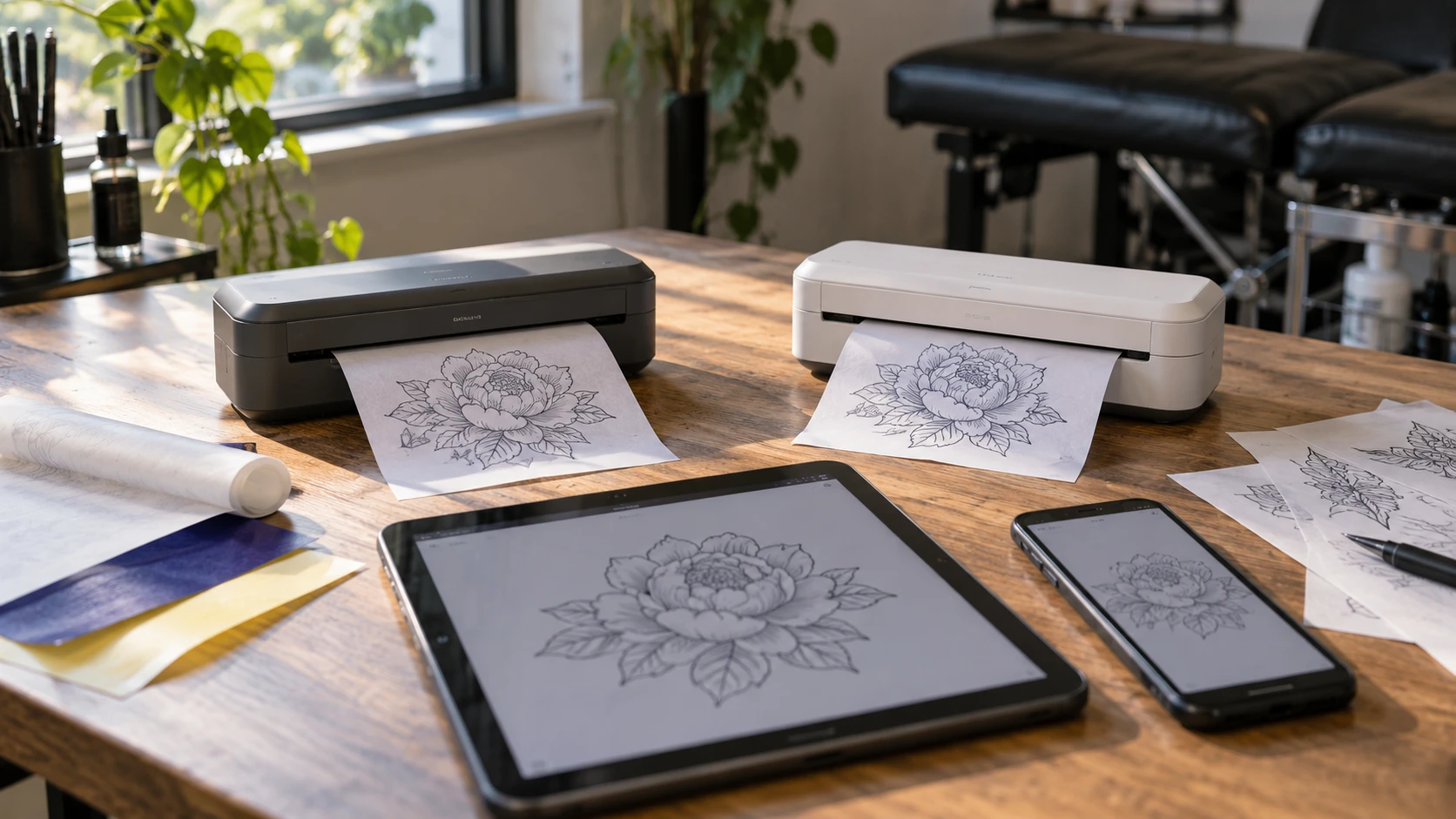
A portable stencil printer is useful when the design changes after you leave the desk. That might mean resizing a drawing in the studio, bringing a revised outline to a guest appointment, or preparing several placements before the client settles on one. Check how an image gets from the device in your hand onto the transfer paper you use; that route will tell you more than a portability claim.
The saved Republeq listings identify two candidates: the LKT Mini and Nelko D810 models. Both describe thermal stencil output without ink or toner, and both describe wireless and USB routes. The details of those routes differ. Nelko's listing names a phone app, supported phone systems, a separate USB driver route for PCs, and a built-in battery. LKT's listing describes USB or Bluetooth upload and basic image adjustments but gives fewer details about supported devices and power. Those missing details are questions to resolve before ordering, especially if the printer must work away from the usual workstation.
Begin with the device that holds your artwork — Nelko D810 portable thermal tattoo stencil printer
Start with a real design file and the device from which you would send it. The LKT Mini tattoo stencil printer listing says artwork can be uploaded through USB or wireless Bluetooth. It also says users can resize, rotate, and position an image for a stencil. It does not name a companion app, minimum operating-system version, or supported computer platform in the saved description. If your workflow depends on a particular tablet, phone, or laptop, ask for the exact software and connection instructions for that device. "Bluetooth" by itself does not tell you whether a laptop can send a job directly or whether an app must manage the connection.
Nelko gives a more specific route. Its D810 listing names iOS 13 or later and Android for phone use, with printing through the Nelko app over Bluetooth. For a PC, the listing directs users to obtain a driver from Nelko or the included U-disk and connect over USB. It expressly says computers do not support Bluetooth printing for this model and excludes Chromebooks. A buyer who edits on a Windows PC and carries an iPhone should test the two paths separately. A buyer whose only computer is a Chromebook should treat that exclusion as a serious obstacle unless Republeq's catalog confirms a supported alternative for the exact model.
Write down where each artwork file starts, whether the file needs another edit, and which device will send the final version. A phone-first artist may value an app that can crop a large image before printing. Someone who keeps final files on a computer may care more about installing and maintaining the USB driver. The saved descriptions do not establish which file formats either device accepts, how reliably either app transfers a detailed drawing, or whether the output retains a particular line weight. Request current instructions or a demonstration using the sort of file you actually use.
The published Republeq guide on tattoo stencil image resolution explains how a digital image’s pixel dimensions relate to its intended print size. It discusses photographic prints, so it cannot certify either thermal stencil printer. Use the sizing question when asking what file dimensions, transfer-paper size, and printable area each exact device supports.
Paper is part of the purchase — Nelko D810 portable thermal tattoo stencil printer
Thermal printing removes an ink or toner purchase from this comparison. It does not remove the need for suitable paper. Nelko's listing says the D810 requires tattoo transfer paper or thermal paper and does not support regular copy paper. It recommends Nelko Tattoo Transfer Paper for best results. Before buying, confirm the size and type of the transfer sheets you already use, which side must face the print path, and whether the current package includes any sheets. The saved catalog text does not establish that paper is included with either machine.
LKT calls its machine a thermal stencil transfer device and gives a maximum transfer size of A4. It says larger designs require multiple transfers. Its description also advises against continuous transfers to reduce the risk of jams and calls for cooling after extended use. That matters if an appointment involves repeated revisions or a sheet with several design variations. A4 may cover many designs, but the relevant test is the maximum outline size and placement you make in practice. A large back piece or design that spans multiple sheets needs a deliberate method for alignment; a product description cannot promise that two separate transfers will meet cleanly.
For either printer, separate the machine's nominal sheet size from the usable drawing area. Margins, feed direction, and the transfer paper's own construction may reduce what can appear on one sheet. Neither saved listing provides a measured usable image area or a controlled paper-feed test. If your work often reaches the edge of A4, check Republeq's product page for a sample made at that size. Bring a representative file with fine lines and a wide dark area. Inspect whether important strokes remain visible and whether the transfer paper feeds without skewing.
Do not infer skin-transfer quality from a sharp image on the paper alone. The final stencil also depends on preparation, transfer medium, placement, and handling. A purchase comparison should keep those steps separate. You can examine a printer's output for continuity and placement without claiming it will produce a particular result on skin. The saved product descriptions contain no independent side-by-side stencil test, so neither model has an evidenced quality win here.
What portable means during a working day — Nelko D810 portable thermal tattoo stencil printer
LKT lists dimensions of 10.9 by 2.95 by 1.65 inches and a weight of 1.1 pounds. It says a carrying bag is included. Nelko lists a weight of 1.17 pounds and describes a compact body, but the saved description does not give comparable dimensions. Both appear easy to carry by weight; only the LKT listing lets you check the stated footprint against a particular case or shelf. Verify the current package and measure the space where the printer will sit with paper entering and leaving it. A machine that fits a bag still needs a stable place to feed a sheet.
The D810 listing states that its built-in 1,500 mAh battery provides up to 49 minutes of continuous operation on a full charge and is sufficient for about 200 sheets of tattoo transfer paper. Those are listing claims, not results measured under your file sizes, connection conditions, or printing pace. The words "up to" and "about" matter. For work away from an outlet, ask about charge time, charging cable, battery replacement or service, and what happens if a job begins with a low battery. A practical trial would print several of your typical designs after a normal charge and record how much battery remains.
LKT's saved listing does not state a battery capacity or unplugged run time. Its portability claim therefore answers carrying more clearly than power. Before treating it as an off-grid option, confirm whether it runs from a battery, USB power source, or wall supply, and whether the needed cable or adapter is included. An artist working from a fixed studio station might find that easy to accommodate. A guest artist moving between rooms should settle it before packing the printer as a self-contained tool.
The listed 0.07-pound difference is too small to determine which will be easier to use on location. Paper, cable, power, the sending device, and a clean surface add more to the working setup than that figure explains. Pack the entire workflow on paper: artwork device, charging or power equipment, transfer sheets, cleaning material, and a way to protect printed sheets from bending. That inventory exposes missing pieces without pretending either product listing documents them all.
Editing a stencil before it prints — tattoo stencil image resolution
Both listings describe image adjustment, but at different levels of detail. LKT mentions resizing, rotating, and positioning artwork. Nelko describes free editing tools in its app, including large-image cropping and a scanning feature to capture a pattern. These claims tell you which functions to investigate. They do not demonstrate that a particular design can be edited quickly, that the crop preview accurately reflects the printed scale, or that app tools will replace the software you already use.
Try to make the comparison with one drawing you know well. Save an original, then set a precise size, rotate it, and print a version with thin lines and a dense area. Check whether the intended dimensions survive the move from editing app to printer. If a design must be mirrored for your transfer method, verify that control explicitly rather than assuming it exists because other printers offer it. Neither saved description establishes a mirror setting. Keep the source file available so a test print does not become the only copy of a revised design.
LKT's listing describes LED status indicators and a one-touch lid-open switch. It also mentions heat-dissipation holes and advises allowing the unit to cool after extended use. Nelko's listing centers the app and battery more than the printer's physical controls. Neither description gives a measured setup time, jam rate, maintenance schedule, or support history. If you expect frequent sheets during a long session, ask how to clear a jam and clean the feed path, then read the current instructions. A fast first print is less useful if the routine for a misfed sheet is unclear.
Compare cost using the sheets you will actually use — Nelko D810 portable thermal tattoo stencil printer
The September 30 saved catalog snapshot lists LKT at a minimum price of $221 and Nelko at $280, with both marked available at capture. That is a historical catalog snapshot, not a current cart quote or stock check. The $59 listed difference does not establish total ownership cost. Transfer sheets, shipping, applicable tax, replacement cables, and any required power accessory could change the purchase total. Ask for current pricing and package contents for the exact listed variants before deciding on that difference.
An ink-free thermal process may make the consumable list shorter, yet the right paper still has a recurring cost. Estimate how many full sheets you use for a typical appointment, including test layouts and revisions. Then price paper confirmed compatible with the machine under consideration. Nelko explicitly excludes ordinary copy paper; the LKT listing gives no comparable detailed paper compatibility table. A cheap packet that jams or fails to transfer is not a saving. If you already own transfer paper, confirm it against the model's instructions instead of assuming all thermal sheets behave alike.
Warranty and service deserve their own check. The saved descriptions do not establish an exact warranty term for either machine. Ask who handles a failed device, whether a battery can be serviced on the D810, and whether replacement parts or support instructions are available. These questions matter more for a tool used during booked appointments than for a printer kept as an occasional backup. Keep any answer tied to the Republeq's catalog and exact model; similarly named printers may have different packages or terms.
Make the choice around your connection route — Nelko D810 portable thermal tattoo stencil printer
The LKT Mini is worth investigating first if you want the smaller listed purchase price, an explicitly stated A4 transfer limit, a stated compact footprint, and USB or Bluetooth artwork upload. Confirm its software and power requirements before making it the printer for a particular phone or travel kit. The saved listing's editing claims and carrying bag are useful starting points, but it leaves important compatibility questions open.
The Nelko D810 portable thermal tattoo stencil printer gives a clearer advertised phone-to-printer route through its app and a stated battery for use away from a cable. It also draws firm boundaries: USB with a driver for PC printing, no computer Bluetooth printing, no Chromebook support, and no regular copy paper. Those boundaries can make the decision easier if they match your equipment, or rule it out if they do not.
Before placing an order, send a test file through the exact device and connection you plan to use if a demonstration is possible. Check output size on the intended transfer paper, paper feed, and the handling needed between prints. Then verify the current price, package contents, warranty, and return terms for the exact product. Those checks will show whether the printer fits the kit and the appointments you already have.