Crypto Commerce
Livindi Solo adult tablet vs JTNeq kids tablet
The Livindi Solo adult tablet is the more relevant option to investigate for an adult who wants the listed one-tap video calls, family photo sharing and medication reminders. JTNeq describes a tablet for children aged three to eight, with learning apps and parental controls. The choice depends on who will use the device and what help they want from another person. An adult agreeing to assistance with communication has different needs from a child whose parent sets content permissions.
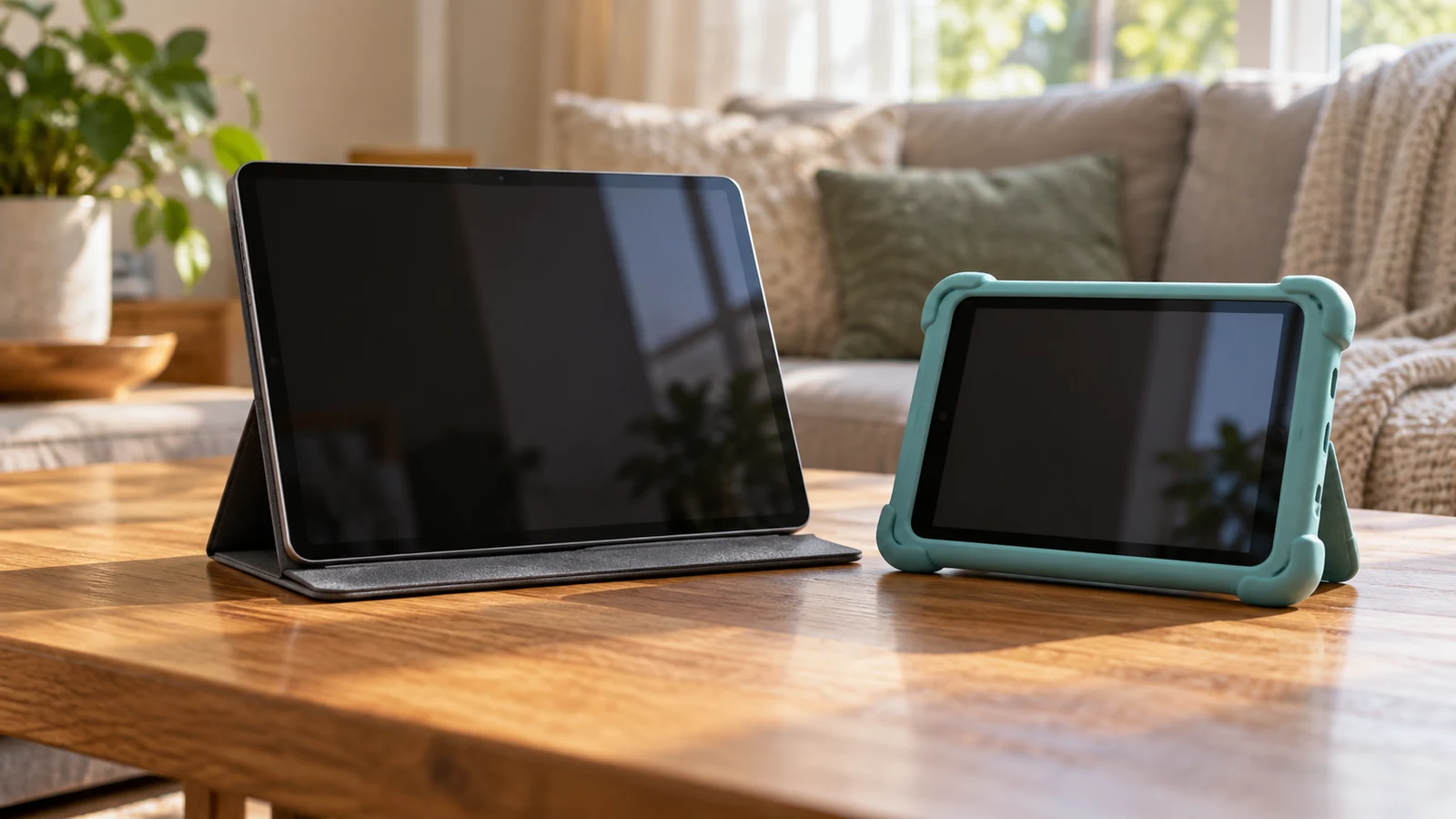
The Livindi Solo adult tablet is the more relevant option to investigate for an adult who wants the listed one-tap video calls, family photo sharing and medication reminders. JTNeq describes a tablet for children aged three to eight, with learning apps and parental controls. The choice depends on who will use the device and what help they want from another person. An adult agreeing to assistance with communication has different needs from a child whose parent sets content permissions.
Neither description establishes which tablet will feel comfortable to your intended user. Livindi names communication features without documenting every setting or service condition. JTNeq names child-oriented controls, but its description leaves the exact display and storage configuration open to clarification. Use the stated features to decide which product deserves closer attention, then resolve the questions that could change your purchase. This comparison concerns those descriptions; it does not report hands-on testing.
JTNeq Tablet Alternative: Adult Assistance And Child Supervision
For an adult purchase, the Livindi Solo adult tablet description offers a specific starting point: one-tap video calling with closed captions, an auto-answer option and medication reminders. It also describes sharing pictures and videos with family. Those functions are relevant when the prospective user wants easier contact with people they know. Ask which of those activities the person actually wants before treating the feature list as a reason to buy.
Consider an adult who wants family calls but prefers to answer each call personally. The listed auto-answer option deserves a separate conversation from the calling feature itself. Ask the seller how it is enabled, who can use it and how the tablet user can turn it off. The description does not establish those permissions. A useful buying decision should preserve the person's preferences about interruptions and access, even when someone else will help with setup.
Livindi also states that a free companion app can control the tablet. That may be relevant to a family member planning to help, but the description does not define the full extent of that control. Before relying on it, ask which settings the app can change, what account access is needed and which phones it supports. The stated package excludes a smartphone, so anyone expecting to use the companion app should resolve its requirements with the device they already have.
For a young child's device, the JTNeq tablet alternative has a different purpose. Its description lists customizable profiles, allowed-content choices and screen-time limits. It also describes blocking unsafe internet content and setting educational goals. These are stated parental-control capabilities, not evidence that every unwanted item will be blocked. A parent considering the tablet should ask how to review the settings and change permissions when the child's activities change.
The difference becomes clearer when you describe the task assigned to the person helping. An adult may want a relative to adjust a setting at their request while leaving everyday choices to them. A parent may want to decide which activities a child can open. The descriptions give reasons to investigate each product for those respective arrangements, but they do not establish that the two control systems are interchangeable. Avoid choosing a child-oriented device for an adult solely because both products involve another person's help.
JTNeq Tablet Alternative: Reminders, Lessons And Optional Help
Medication reminders are part of Livindi's stated feature set. If that function matters to the prospective user, ask how reminders are entered and edited, what appears on the tablet and whether any acknowledgment is available. The description does not establish dose tracking, missed-reminder notifications or confirmation that medication was taken. Keep the purchase decision tied to the advertised reminder function without assuming additional monitoring features.
The Livindi description mentions concierge services and virtual check-ins as ways to add help. It does not specify their charges, hours or scope. The free companion app therefore should not be read as a promise that every associated service is free. Ask which features work with the tablet purchase alone and which require a separate service arrangement. If optional help is central to your decision, obtain its terms before including it in your comparison.
JTNeq lists preloaded learning and entertainment apps covering subjects such as reading, math and music, with lessons from preschool through third grade. That supplies a general content focus, not a named curriculum or evidence of learning outcomes. A parent might ask to see an example activity at the child's current reading level. Questions about app names, language choices and access requirements will be more useful than assuming that every included lesson suits every child in the stated age range.
For a household considering one tablet for both an adult and a child, write down which activities must remain separate. The JTNeq description names customizable profiles, but it does not establish an adult communication setup equivalent to Livindi's. Livindi's description does not establish a child-profile system equivalent to JTNeq's. If shared use is essential, ask about that exact arrangement. Neither product should gain an assumed capability simply because the other description includes it.
Compare Screen Aspect Ratio Before Fitting Content To A Display: Reading And Calling
Livindi describes an included 10-inch tablet. JTNeq is listed as a 7-inch model, while its description also uses the broader phrase “7-10 inch HD display.” That leaves a configuration question to settle before comparing physical fit. Request the selected JTNeq variant's exact display size and device dimensions. Do not treat the broader wording as proof that the item being ordered has a larger screen or that the buyer can choose among all those sizes.
Screen size alone does not tell you how the intended user will experience a call or lesson. For Livindi, ask to see how captions appear alongside the caller and whether relevant text settings can be adjusted. For JTNeq, ask how an example lesson presents instructions and touch controls. These are questions about the actual interface, whose layout is not shown in the supplied descriptions. A larger stated diagonal does not establish that particular text will be easier for a particular person to read.
The guide Compare screen aspect ratio before fitting content to a display is a separate resource for evaluating content layout. Neither tablet description supplies an exact aspect ratio, so this comparison cannot assign either screen a particular shape. When asking for a demonstration, choose content that represents the intended use: a captioned conversation for the adult buyer, or a reading activity for the child. Ask to see the whole screen, including any controls around the content.
Livindi's package description includes a stand for hands-free viewing. That gives a buyer a stated accessory to consider when planning a place for calls. It does not establish the stand's adjustment range or the camera's viewing angle. Ask whether the proposed position lets the user see the display and reach the controls comfortably. JTNeq's description names a screen protector, but it does not establish an included stand or protective case; verify those items separately if they matter.
For handling, request weight and dimensions rather than assigning comfort from the intended age group. A parent may expect a child to hold a tablet during a lesson, while an adult may prefer to leave one on a table throughout a call. Those are different use arrangements worth describing to the seller. Neither product description provides enough information to claim superior grip, resistance to drops or comfort during extended use.
JTNeq Tablet Alternative: Configuration And Setup Before Purchase
JTNeq names Android, Wi-Fi, Bluetooth, a built-in camera and a quad-core processor. Those details do not establish compatibility with a particular calling service, accessory or school app. If a specific application is essential, ask for the Android version and confirmation that the selected tablet supports that application. The processor description alone cannot settle responsiveness, and a built-in camera does not establish picture quality. Avoid turning a list of components into a performance ranking.
Storage requires a similarly precise answer. JTNeq lists 8/16/32/128G variants and describes memory-card expansion up to 32/64/128GB depending on the actual product's memory and expandable capacity. Those alternatives do not identify the configuration of every unit. Ask which built-in storage option is attached to your selection and which memory-card capacity that exact option supports. Do not combine the largest numbers into a specification the description does not promise.
The JTNeq description states about five to seven hours of mixed use per charge. Treat that as the listing's stated estimate, not a tested result for the child's chosen apps. Livindi's description identifies an internal lithium-ion battery without stating runtime. There is therefore no supported battery-life comparison between the two. If time away from a charger matters, ask about the expected activity and charging requirements for the selected device.
Livindi describes the tablet as preconfigured for immediate setup. Before buying, ask what the recipient and helper still need to do, including connecting to Wi-Fi and establishing access to the desired communication features. Preconfiguration does not specify every account or connection requirement. JTNeq's preloaded apps likewise leave questions about first-use access and any additional downloads. For either product, request setup instructions that match the exact version being sold.
Check package contents against that version as well. Livindi expressly lists the black-frame tablet, internal battery, charger cable and stand, and says a smartphone is not included. A charger cable does not establish that a wall adapter is included. JTNeq mentions a screen protector but does not provide a complete accessory list in its description. Ask what charging equipment comes with the selected tablet and what, if anything, must be obtained separately.
Before ordering, review the current price and return conditions for the selected item. Ask whether opening, activating or setting up the tablet affects return eligibility, and how to remove personal information if a return is permitted. The product descriptions do not establish those terms. Any optional Livindi service deserves its own cost and cancellation questions. This keeps an uncertain service expense or return assumption from deciding a purchase made primarily for communication or learning.
Choose the next step around the intended user. If an adult wants the stated calling functions and reminders, review the Livindi Solo adult tablet with them and settle the companion-app permissions and any service requirements. If the buyer is choosing for a child aged three to eight, investigate JTNeq's lesson content and parental settings, then confirm its exact configuration. Open the relevant product page with those questions in hand, and buy only when the answers support the use you have agreed on.