Office Supplies & Stationery
label tape cartridge restock for two printer stations: keep cassette codes separate
A two-station restock method for Dymo Rhino and Brother P-touch cassettes: record exact codes, check delivered packs, and keep disputed supplies out of the bins.
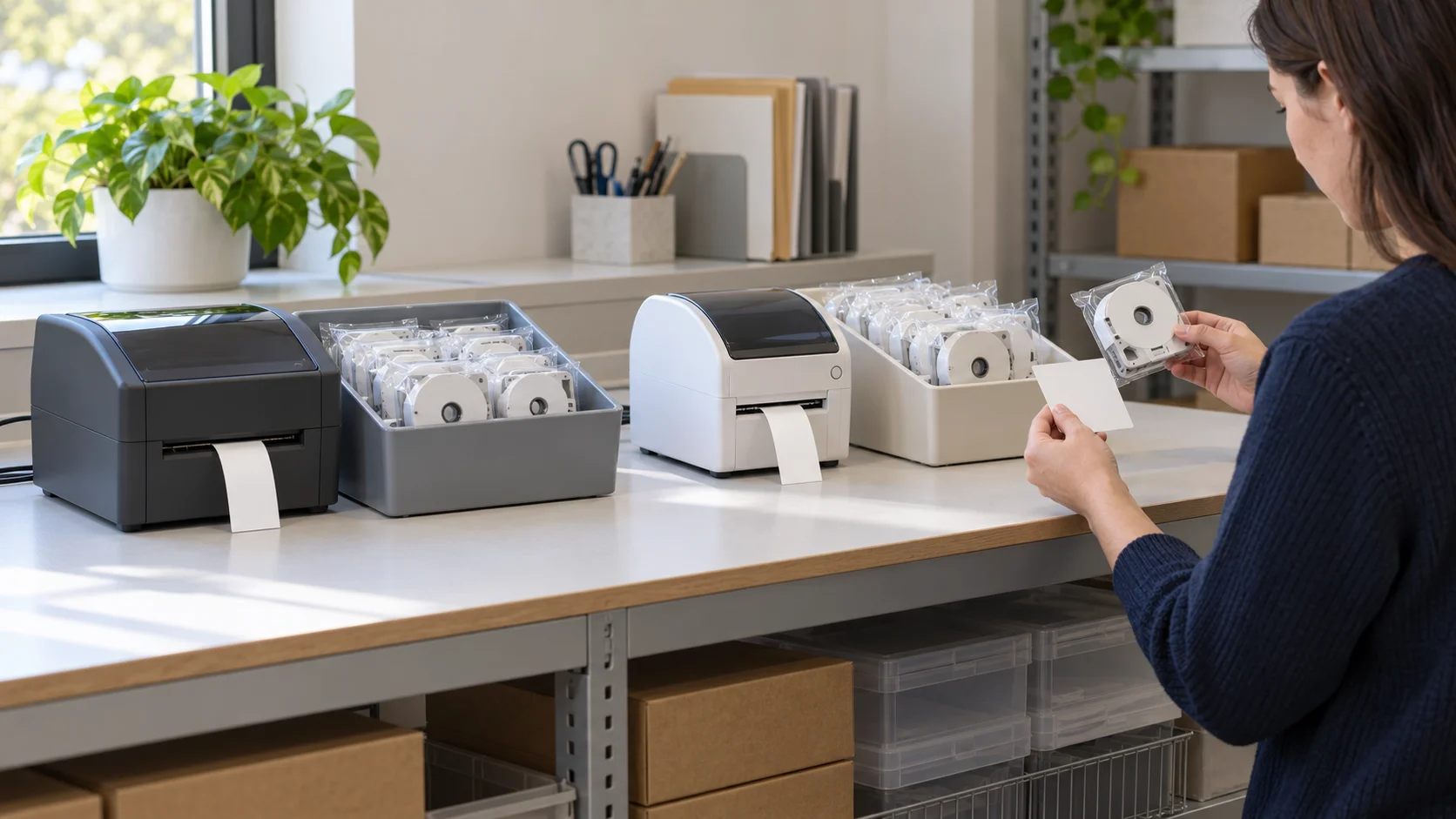
One supply drawer can serve two label printers and still cause trouble at the next refill. The cassette looks familiar, but the worker at the printer may not know which machine it was ordered for. A label tape cartridge restock record should carry the printer model, cassette code, selected offer, and receiving bin together. That gives the next person a way to check a pack before opening it.
Start with the printers you actually have
Write down the model from each machine's own label or documentation. Give each printer a named station and a separate supply bin. If a model label is hard to find, keep that station's cassette need unresolved until the machine or its instructions identify it. A cartridge that resembles one already in the drawer is not enough evidence of fit.
On a simple station card, record the printer model as seen on the machine, the cassette family and code from its instructions, and the width or other variation you normally order. Keep the card at the station or in the supply record, where someone making a purchase can find it. If a machine was replaced, check the card before another order. The old printer's refill code may still be written on a shelf even though the printer has gone.
Do this separately for a Dymo Rhino station and a Brother P-touch station. The two retail listings discussed here describe different cassette families. Neither listing establishes that a cassette for one printer fits the other. The machine's own instructions remain the check for loading and supported media.
Give the card a place for uncertainty, too. If the machine label is damaged or several model numbers appear on an old purchase sheet, write “model to confirm” and keep the bin closed for that station. Someone else can then look at the machine or its manual without mistaking a blank field for approval. Record the date and who resolved the mismatch, so an earlier guess does not silently become the next order.
Keep one card per physical printer even if two machines seem to take the same style of tape. The useful handoff is from a particular machine to its current approved code. If a printer moves to another desk, move or copy that card deliberately and check the bin at the new location. The old desk may still hold unopened packs, and their presence alone does not establish that they belong with the moved machine.
Attach the offer to a particular station
The unbranded Rhino 18482/A18482 replacement cassette listing describes black-on-white polyester refills and claims compatibility with several Dymo Rhino models. Treat those names as the seller's claim. Record the exact offer URL and listed code on the Rhino station card, then compare them with the actual printer's supported cassette information before ordering. The gallery shows cassettes, but its small composite image does not make every printed code legible. Do not use the image alone to identify every roll in a delivered pack.
The NineLeaf TZe-231-style cassette listing describes white 12 mm tape for Brother P-touch printers. This is a separate offer for the Brother station, subject to the same check against the printer's own model and instructions. Its three gallery images show the same apparent cassette design with artwork reading 6 Pack, 5 Pack, and 4 Pack. The listing and gallery therefore do not settle the exact selected or delivered quantity. Save the offer and chosen variation in the order record, then count and inspect the package when it arrives.
Keep the two URLs on different reorder cards. A generic note such as “white label tape” loses the part of the order that distinguishes these supplies. A buyer may also encounter a different width, color, or pack variation on the same retail page. Record the selected variation at purchase, rather than copying a title and assuming it describes everything in the cart.
Retail compatibility language is useful for finding a candidate offer. It is not independent proof from the printer maker, and it does not establish print durability, adhesive performance, or safe use in every named machine. If the source page changes, check the current offer and printer information before a later purchase. The saved order record should say what was selected at that time.
Before submitting a reorder, have the buyer read the station card and the cart line together. The listing title, selected option, and cart quantity can differ in what they make obvious. Save the cart or order confirmation with the date and exact URL, then mark which station requested the item. That preserves the selected offer if the retail page later changes. It also gives receiving a specific record to compare against the box instead of a general request for “more tape.”
If an assistant shops for both stations at once, separate the two cart lines in the internal request. A single delivery may contain several lookalike white cassettes. Write the expected code and destination bin beside each line. This small step avoids asking the receiver to reconstruct the buyer's decision from packaging alone. It is especially useful when the buyer and the person who restocks the drawer work on different days.
Check the delivery before it enters the drawer
At receiving, put the unopened delivery beside its order record. Compare the seller, exact offer, selected variation, visible code on the package, width, and quantity actually received. Note any discrepancy. For the NineLeaf offer, a gallery graphic is particularly poor evidence of count because the saved images disagree. Count the delivered items and use the invoice or order details to resolve what was purchased. If the count or code differs, keep the pack out of both station bins until the order is reconciled.
Check the Dymo-compatible delivery in the same way. The listing title says 18482/A18482 replacement, but the gallery is too small to read the marking on every pictured cassette. Inspect the delivered packaging and each cassette as needed. If a cassette lacks an identifiable code, do not infer that it matches its neighbors merely because it arrived in the same shipment. Preserve the package and order details for a seller question.
A receiving note can be short: date, ordered offer URL, selected code and variation, delivered code and count, destination station, and the person who checked it. Photograph a disputed label or package before moving anything. Keep the record with the supplies, where a later worker can understand why one pack was held aside. The note is an office handoff, not a test certificate for cassette compatibility.
Mark an unresolved delivery clearly and place it away from installable stock. Do not put a questioned cassette into either printer to see whether it happens to feed. That experiment can erase the useful distinction between an unopened order discrepancy and a loading or print problem. Contact the seller or consult the maker's instructions with the exact code in hand.
Resolve a mismatch against the order in a fixed order: first confirm which station made the request, then read the saved selected offer, then compare the delivered package and its individual cassettes. If the order itself was wrong, changing the bin label would hide the purchasing error. If the order was right but the contents differ, keep the shipment record and ask the seller to resolve it. If the delivered code is correct yet the machine instructions do not support it, leave the pack out of use while you confirm the compatibility claim.
Do not let an unopened pack migrate between the two station bins while that question is open. A “temporary” spot in the nearest bin can become normal stock after the next shift change. Use a separate hold area with the order reference and the reason for the hold. When the issue is resolved, record the disposition: accepted into the named bin, returned, or still held. The next person can then count only packs actually ready for use.
Keep the bin and reorder card together
Once the pack matches the order and the printer's supported media information, place it in its station's bin. Label the bin with the machine model and cassette family/code. A divider inside one drawer is workable if the two locations remain distinct when the drawer is full. Avoid a shared pile of loose white cassettes. Someone filling in for the regular buyer should be able to choose a bin without guessing from color.
Set a reorder point from the office's actual use and lead time. The retail pages do not provide a safe stock level for your workplace. A simple tally of unopened accepted packs in each bin is more reliable than a count of every cassette on the shelf, because held or disputed packs are not ready for use. If a variation is out of stock, verify the replacement listing and machine support before substituting it.
When the order arrives, update the same card with what was delivered. That closes the loop between the buyer's selection and the worker who will load the printer. If a package is moved to another shelf, move its identifying note with it. The station name on a bin should refer to the current printer, not only to the person who usually uses it.
At shift handoff, the next worker can confirm three things: the machine model at the station, the bin label, and the code on the pack they take. If one disagrees, stop and investigate. A handwritten code on an old reorder card cannot override the marking on a replacement printer or the instructions supplied for it.
During a handoff, show the next person where the current station cards and held-pack notes live. If the regular buyer is absent, the replacement buyer should be able to identify the machine, confirm the code from its instructions, open the exact saved offer, and see how many accepted packs remain. Leave the date of the last confirmation on the card. That date prompts a fresh check after a machine replacement or a changed listing without pretending that a past check lasts forever.
Keep the record proportionate to the risk. A small office may use a paper card taped inside each bin; a larger team may use an inventory row with the same fields. The format matters less than preserving the chain. Do not make a worker interpret a brand name, product color, or photo as a substitute for the printer model and cassette code. If no one can connect a loose cassette to an accepted delivery, set it aside until its identity can be established.
Separate stock identity from other label problems
Once the correct cassette is identified, loading follows the actual printer instructions. This guide does not establish a loading method for either machine. Keep a printer-specific manual or support link available at the station, especially when several people change media. If a pack's fit remains uncertain, ask the manufacturer or seller about that exact printer and cassette combination before opening it.
The cable label tape compatibility guide addresses the surface and bond target for a cable label. That is a different decision from keeping the correct cassette with the correct printer. A supply record can settle what was bought and where it belongs; it cannot prove that a particular label will adhere to a cable in service.
If the printer produces a blank horizontal line after an otherwise identified cassette is installed, the blank-line printer check covers a separate maintenance question. Do not use a print defect as a shortcut to relabel an unknown pack as compatible. Preserve the stock identity first, then diagnose the machine under its own instructions.
Review the station cards whenever a printer, approved media code, or buying source changes. The useful record is the chain from machine to code to selected offer to received pack to bin. Keep discrepancies visible until resolved, so the next refill starts with evidence instead of a drawer full of plausible cassettes.