Troubleshooting & Repairs
Label maker blank horizontal lines: the documented dry-swab check
Check label maker blank horizontal lines using the matched Brother PT-D210 and PT-D220 FAQ, with model identity, dry-swab steps and clear limits.
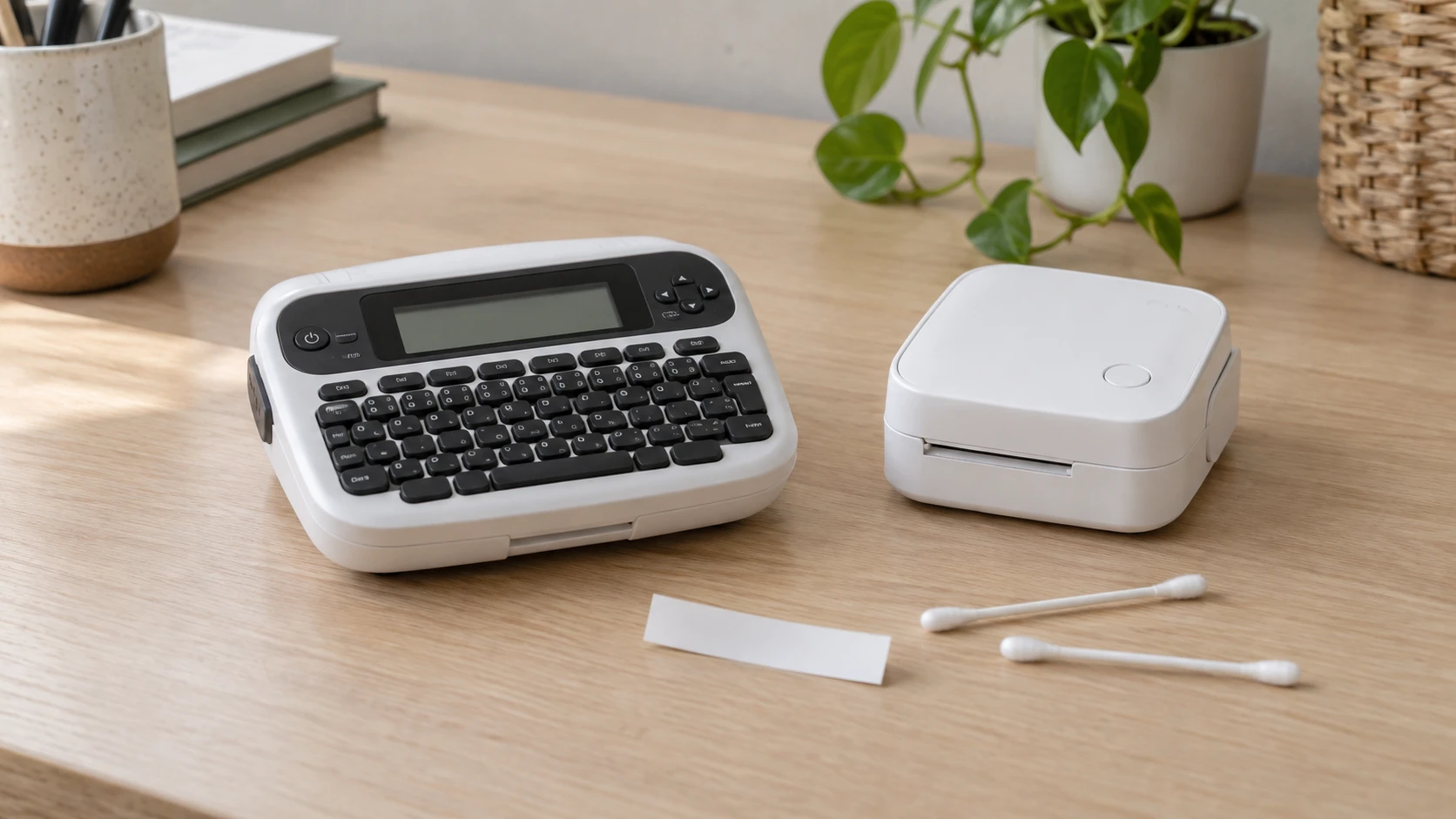
Label maker blank horizontal lines can leave a strip of missing print through otherwise readable letters. Brother's FAQ titled “The printed label contains blank horizontal lines” identifies dust or dirt on the print head as a possible cause and gives a cleaning procedure. Its related-model list includes PT-D210 and PT-D220. Check whether that exact advice belongs to the machine on your desk before opening the cover.
The two retail examples below both have NOBRAND in their native catalog data. Their P-Touch and model wording does not independently establish that an individual machine is a genuine Brother product. Apply the Brother procedure only after confirming that the actual machine is a Brother PT-D210 or PT-D220 covered by the document. If its identity remains unclear, obtain its own manufacturer's instructions before opening it for maintenance.
Recognize the missing strip before choosing a remedy
Look at the label you already printed. The symptom covered here is a blank horizontal line interrupting printed material. Describe the direction relative to the lettering so another person can understand what you see. Keep that sample while you check the model. A photograph can help show whether letters have missing strokes, whether a blank band crosses the design, or whether the whole label is empty.
A completely blank label, an unpowered machine and tape that will not feed are different observations. This FAQ does not supply a universal remedy for all of them. When your symptom does not match its title, use the relevant troubleshooting section for the confirmed model. Changing batteries, resetting settings or trying another tape might sound like familiar printer advice, but those are not steps supplied by this particular blank-line procedure.
Also separate the printed layout from a print defect. The PTD220 offer describes printing one or two lines of text. Here, one or two lines describes the text layout. A missing horizontal strip through characters is a print defect. Reporting “the second line is missing” when you mean a white streak across both rows could send a support conversation toward text settings instead of print quality.
Confirming the label maker model before cleaning
The PT-D210 bundle offer is recorded as NOBRAND Shop All Office Supplies sku-18538907431 PT-D210. Its description identifies SKU 18538907431 and UPC 745823861673, a white, small label maker and four included label tapes. Those details help identify the offer you are asking about. Confirming the label maker model before cleaning requires the actual machine's identification and applicable documentation to establish whether Brother's instructions cover it.
This offer describes six AAA batteries sold separately and an optional AD-24 AC adapter. Keep that distinction when reading the cleaning steps: removing batteries and disconnecting an adapter describe two power sources the procedure addresses. The listing does not establish that an adapter comes in the bundle. Its optional CC-D210 case is also a separate accessory statement, not evidence about the contents of a parcel you have received.
The PTD220 home and office label maker offer is also recorded with the native brand NOBRAND. Its title describes a white maker printing TZe tapes up to approximately half an inch, or 12 mm. It sits in the catalog's Label Maker Tape Refills category even though the title and description describe a machine. Preserve those actual details when asking a seller to identify the item; the category name does not establish manufacturer identity or a maintenance procedure.
Do not carry the PT-D210 offer's battery count, adapter reference or case reference across to the PTD220. The PTD220 description covers its keyboard, text options and memory for 30 frequently used labels, but those features do not establish its power-accessory requirements here. Use the confirmed machine's own manual to identify its controls, cover and power arrangement.
What the Brother blank-line FAQ actually covers
Brother FAQ faqp00000060_010, dated May 28, 2020, says a horizontal line can result from dust or dirt collecting on the surface of the print head. Its wording leaves room for other causes. Finding the FAQ and seeing a similar streak does not prove that dirt caused every affected print, or that cleaning will repair a damaged component.
The document's related models explicitly include PT-D210 and PT-D220, alongside several other P-Touch models. This is the basis for using that particular procedure after actual Brother identity is confirmed. Similar spelling in a shop title, a white housing or the general ability to print labels is insufficient to extend the instructions to another maker.
Read the whole procedure before starting so you can recognize where it ends. It addresses powering down, disconnecting and removing the specified items, then cleaning the print head and rollers with cotton swabs. It does not provide a complete reassembly, restart or test-print sequence in the text used here. Have the applicable manual available for those later operations rather than filling the gap from memory of another printer.
Dry cotton swab cleaning for the documented symptom
For a confirmed Brother PT-D210 or PT-D220 within the FAQ's scope, the manufacturer's sequence is specific. Follow the applicable model manual where you need help locating a part. If you cannot identify the part the instruction names, stop and obtain clarification rather than probing inside the housing.
- Turn off the machine's power.
- Disconnect the AC adapter.
- Open the back cover.
- Remove the tape cassette and batteries.
- Gently wipe the print head up and down using a dry cotton swab.
- Use a cotton swab to wipe up and down along each roller while rotating the rollers with your finger.
For dry cotton swab cleaning, keep the specified material and wiping direction in view as you work. The print-head step specifies an up-and-down motion and a dry cotton swab. The roller step adds rotating each roller with your finger while wiping along it. Turning that into a general instruction to rub the interior loses the distinction between the surfaces and movements Brother actually names.
Keep liquids and improvised tools out of this procedure. The FAQ does not tell you to substitute alcohol, water, a solvent, a metal edge or an abrasive for its cotton-swab method. It also gives no pressure measurement or cleaning interval. Its word “gently” should not become a claim that a harder scrub will remove a stubborn defect. If the documented action cannot be carried out as described, ask for model-specific assistance.
The FAQ's final cleaning step is the roller wipe. For fitting the cassette and batteries, closing the machine, reconnecting power and producing another label, consult the actual applicable manual. This article does not supply an invented button sequence. Keep the original defective label so a later print, made under the model's instructions, can be compared with the symptom that brought you here.
Checking print quality after the documented maintenance
Compare the visible result with the original problem. If the blank strip has disappeared from the printing you need, that is evidence about that print. It does not establish a permanent repair or a cleaning schedule. If a strip remains, report that the symptom persisted after the named procedure rather than assuming the print head must be replaced.
Write down which applicable instruction you followed and which part of the output still looks wrong. “The same horizontal blank strip crosses the letters after the dry cotton swab procedure” is more useful than “it is broken.” Include the confirmed model when seeking further help. Brother's FAQ points readers toward its other FAQs, manuals and customer service for additional assistance.
A print-quality check also matters when you are considering a used machine. The Brother QL-820NWB and Zebra ZD620 guide discusses checking media feed and print quality on the stock you intend to use, including the possibility of a thin white line through a barcode. That is a useful reason to examine an actual printed sample. Those are different label printers; their media, connections and maintenance permissions do not supply instructions for a P-Touch maker.
Ask for a readable sample before accepting an assertion that a visible streak is harmless. The job determines whether missing strokes matter: a storage label still has to communicate what its reader needs. This article has no measured defect rate, barcode grade or guarantee that a partly printed label will be usable. Evaluate the actual output instead of assigning a quality score from the model name.
Keep tape claims separate from machine maintenance
The PT-D210 offer discusses genuine TZe laminated labels and describes several durability and placement uses for those labels. Those statements concern the printed label material. They do not mean the label maker can be washed, placed in a dishwasher or exposed to the conditions mentioned for a finished label. A cleaning decision belongs to the machine's instructions.
The PTD220 offer also describes durable laminated TZe labels in different finishes and colors. It does not turn every tape with similar dimensions into an approved substitute, nor does this guide test individual cassettes. If you need to confirm a particular tape, use the confirmed machine's compatibility information and the exact tape identification. A retail description of text styles cannot answer that question.
The Bybiment M220 and Highcool M150 label-printer guide recommends checking how a maker permits print-head cleaning and recovery from stuck media. Its saved descriptions do not provide a complete service procedure. The Brother FAQ adds a specific symptom and a cleaning sequence for named models. The M220 and M150 discussion gives no authority to transfer roll-loading, adhesive-removal or app instructions to these P-Touch examples.
When to return to the model manual or ask for help
Leave the cleaning path when your machine's identity is unresolved, the symptom differs from the FAQ, or the named surfaces cannot be confidently identified. A support request can then begin with a clear question: which instructions apply to this exact machine and this visible print problem? Include the offer reference if the retail naming is part of the uncertainty, while keeping the machine identification separate.
For an identified Brother model with persistent horizontal gaps, retain the sample and the description of the maintenance already performed. Ask for the next model-specific check. The FAQ supplies no replacement-part diagnosis, service price or promised recovery time, so none can be inferred from an unchanged streak. Use the documented dry-swab procedure only for the stated symptom on a confirmed covered machine. Keep the applicable manual nearby for the operations that follow cleaning, including reassembly and the later print check.