Crypto Commerce
Brother QL-820NWB label printer vs Zebra ZD620: choose the label workflow
Compare Brother QL-820NWB label printer by label width, thermal media, connectivity, command support, starter supplies, speed claims, and condition.
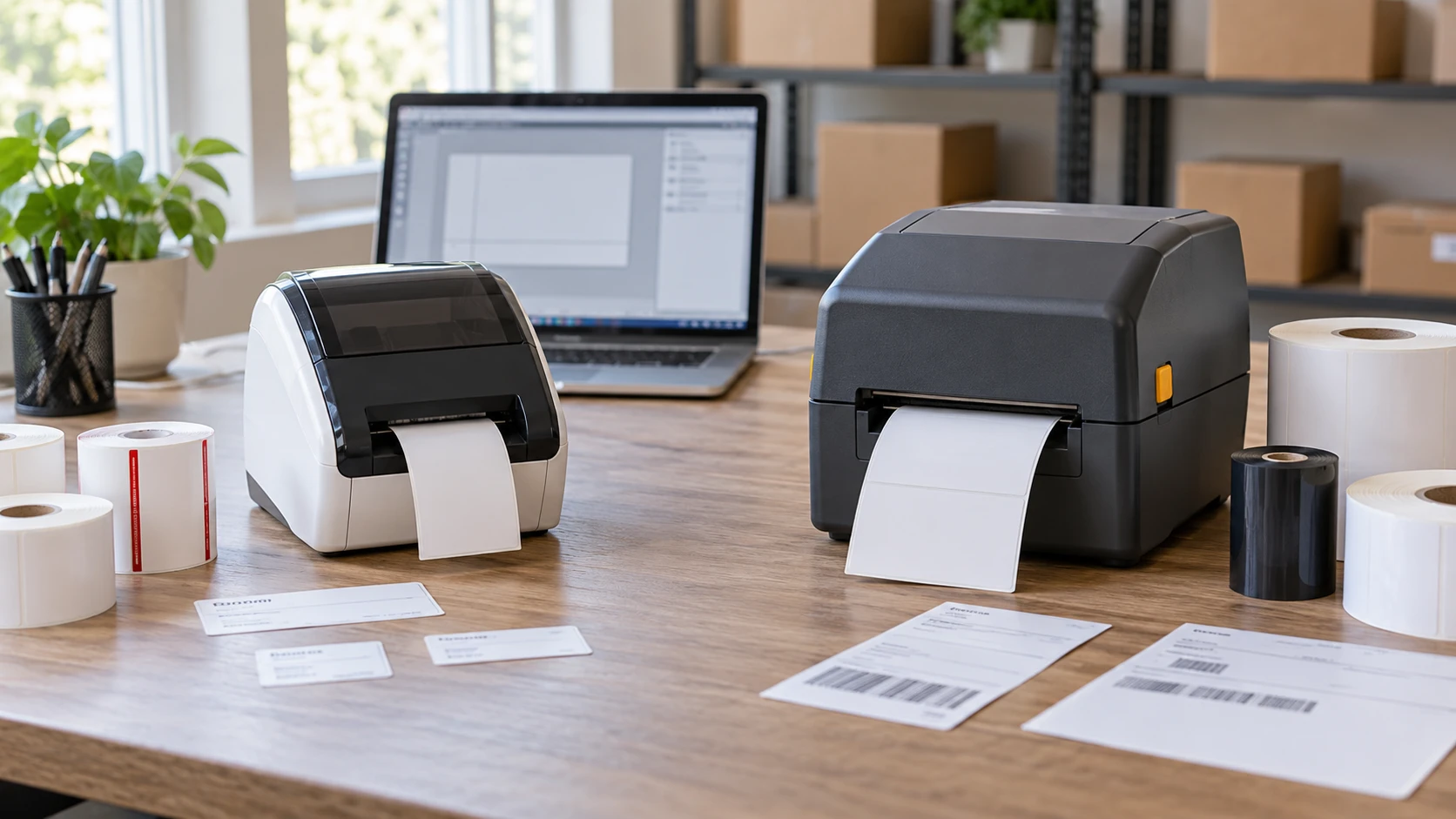
The Brother QL-820NWB and Zebra ZD620 both produce labels at a desk, but they serve different label sizes and software paths in these listings. Brother handles rolls up to a listed 2.4-inch width, offers direct-thermal printing and includes starter label media. Zebra reaches a listed maximum print width of 4.09 inches and supports ZPL and EPL commands, along with direct thermal and thermal transfer output. Both are described as restored units. Start with the exact label you need to print and the software that sends it, then check condition and supplies before comparing the package prices.
The Brother QL-820NWB label printer listing names standard address labels and black-and-red printing on a compatible continuous-length roll. That is a practical fit for office mail, folders, name tags or other small-format jobs if the label dimensions and media type match. The source specifies 300 by 600 dpi and a claimed rate of up to 110 standard address labels per minute when printing black text at 300 dpi. That speed is tied to a particular label and setting. It does not predict the time for a long custom label with graphics and two colors.
Label size before printer speed — Zebra ZD620 desktop label printer
Brother's listed roll size is 2.4 inches. Check the printable width and the actual media dimensions your software requires, since a roll's outside width and printable area are not always interchangeable. A short address or asset label may fit well. A large shipping label or a multi-column warehouse label may not. Print a paper mockup at actual size and put it on the box, shelf or product where it will be used. If the text becomes too small, a quick printer will not solve the layout problem.
Zebra lists a maximum 4.09-inch print width at 203 dpi. That supports a broader class of label formats, subject to the exact media and printer setup. The saved source names reflective black-mark and transmissive gap sensors, which help the printer detect the positions of different label stock. Check the media core, label length, gap or mark layout and any ribbon requirement before buying a large supply. A nominal four-inch label may still need margins or a template adjustment to fit the printable width.
The two speed claims use different units. Brother gives labels per minute for a specific address-label setting; Zebra lists up to eight inches of label travel per second at 203 dpi. Those cannot be converted into a reliable winner without using the same label length, layout and host workflow. A batch may be slowed by template rendering, network delivery, media changes or an operator applying labels. Test a representative job if output rate affects staffing or shipping cutoffs.
Direct thermal and thermal transfer — Zebra ZD620 desktop label printer
Brother is presented as a direct-thermal printer. That path uses compatible heat-sensitive media; the saved package includes two starter rolls. The listing also says it can produce black and red on a continuous roll. Confirm the current compatible roll for that effect before designing a red warning label, since the result depends on the media and printer settings. The supplied starter tape is a useful way to test setup, but it is a short roll, so recurring work needs a replenishment plan.
Zebra is described as capable of direct thermal or thermal transfer. Thermal transfer is a separate operating mode that uses a compatible ribbon with the label stock. The saved listing says the restored unit includes a power supply and AC cord, but it does not say that a ribbon, roll or sample media is included. Ask for the exact contents and the installed printing configuration. If you plan to use thermal transfer for a particular material or durability target, verify the correct ribbon and labels and confirm the machine is ready for that mode.
Neither catalog description gives a measured lifespan for the printed labels on your chosen stock. Heat, light, rubbing and moisture may matter differently for an address label used for one shipment and an asset tag kept for years. Define the required life and environment, then choose tested media for it. Printer specifications alone do not establish how a label will hold up on a cold package, a curved plastic case or a file stored near a window.
Sending labels from the software you use — Zebra ZD620 desktop label printer
Brother lists USB 2.0, Ethernet, WiFi 802.11b/g/n and Bluetooth 2.1 EDR. It also has a USB Host port for a peripheral such as a scanner and a backlit monochrome LCD that supports use without a connected computer, according to the listing. That mix can suit a shared office printer or a counter where an operator scans and prints. Confirm how the planned software and scanner connect to this exact restored unit. A port in the specification is only one part of a working label workflow; the template, driver and data source must agree.
Zebra lists USB 2.0, USB Host, serial, Ethernet and BTLE, and supports ZPL and EPL. Those printer languages can matter when warehouse, shipping or inventory software expects to send preformatted commands. Ask the software vendor which language, resolution and printer model it supports. A compatible command language can save template work, but a model name in a drop-down list should still be tested with a real barcode and the exact label stock. The saved Zebra source does not state WiFi, so plan a wired connection unless the offered configuration includes separately verified wireless capability.
If an office currently prints labels from several computers, map the connection and permissions before choosing. Ethernet can provide a stable shared path when the printer has a suitable network location. Wireless can reduce cabling but adds network setup and security administration. For a single workstation, USB may be simpler. The right method depends on who must print, where the printer sits and whether the label application supports that connection, not on the total number of ports in a listing.
Desk and portable use — Zebra ZD620 desktop label printer
Brother's listing mentions an optional Li-ion battery for portable use. “Optional” means the battery should not be assumed to be in this restored package. Ask whether the unit offered has the battery compartment, the current supported battery and an included charger if you need printing away from an outlet. A portable printer also needs a practical way to send jobs and store rolls at the work location. The included AC adapter covers a desk setup described in the listing.
Zebra's saved package includes a power supply and AC line cord. It is presented as a desktop printer, with no battery option stated in this particular source. That is sufficient information to plan an outlet near the label station, while leaving physical dimensions and cable placement to verify from the product manual. A wide label roll and a large batch may also need clear counter space for finished labels and the items being marked. Plan where an operator will stand, scan, peel and apply labels around the printer.
Restored condition and included items — restored label printer condition checks
Both listings indicate previous use or restoration, but they provide different condition detail. Brother is filed under Restored Tech. Its source enumerates the printer, two starter rolls, software, USB cable, AC adapter and quick setup guide. It does not describe cosmetic condition or printhead wear. Ask for condition photos and a test print from the exact unit. Verify that the included software is currently usable with your computer and that the labels in the box have been stored appropriately.
Zebra's listing calls its restored unit fully functional and in very good cosmetic condition, while allowing light scratches, small dents, marks or discoloration. It says the printer is professionally poly-sealed and includes power supply and cord. Those statements are useful, but a label printer's printhead, platen and sensors matter more than a clean outer shell. Request a sample barcode or test pattern across the full width and confirm the condition and return terms for the exact unit being shipped.
Use restored label printer condition checks to make the questions concrete. Confirm the model and part number, accessories, connection test, media feed, print quality and what happens if a fault appears after a first production batch. A cosmetic grade cannot show whether a thin white line will run through a barcode. A functional test with the stock you plan to use is stronger evidence than a generic “restored” badge.
Price against ongoing supplies — Zebra ZD620 desktop label printer
The saved catalog prices are $359.69 for Brother and $394 for Zebra. The difference between package prices is small compared with the potential cost of buying the wrong width or software path. Brother lists starter supplies; Zebra's saved package does not list label stock or ribbon. Price the exact media and any thermal-transfer ribbon for a normal month of work. Include the effort to create or adapt templates, especially if labels are sent automatically from an inventory system.
The Zebra ZD620 desktop label printer is the better candidate to investigate for wider labels and a ZPL or EPL workflow, provided the restored unit and supplies meet your requirements. Brother may be simpler for narrower address and office labels, especially when the listed starter media, LCD and connection options fit the desk. Verify one complete label job from software to applied label before letting a print-speed claim or a modest price difference settle the choice.