Crypto Commerce
Kodak Mini2 photo printer — Two ways to turn phone photos into small prints
Compare Kodak Mini2 photo printer by 2.
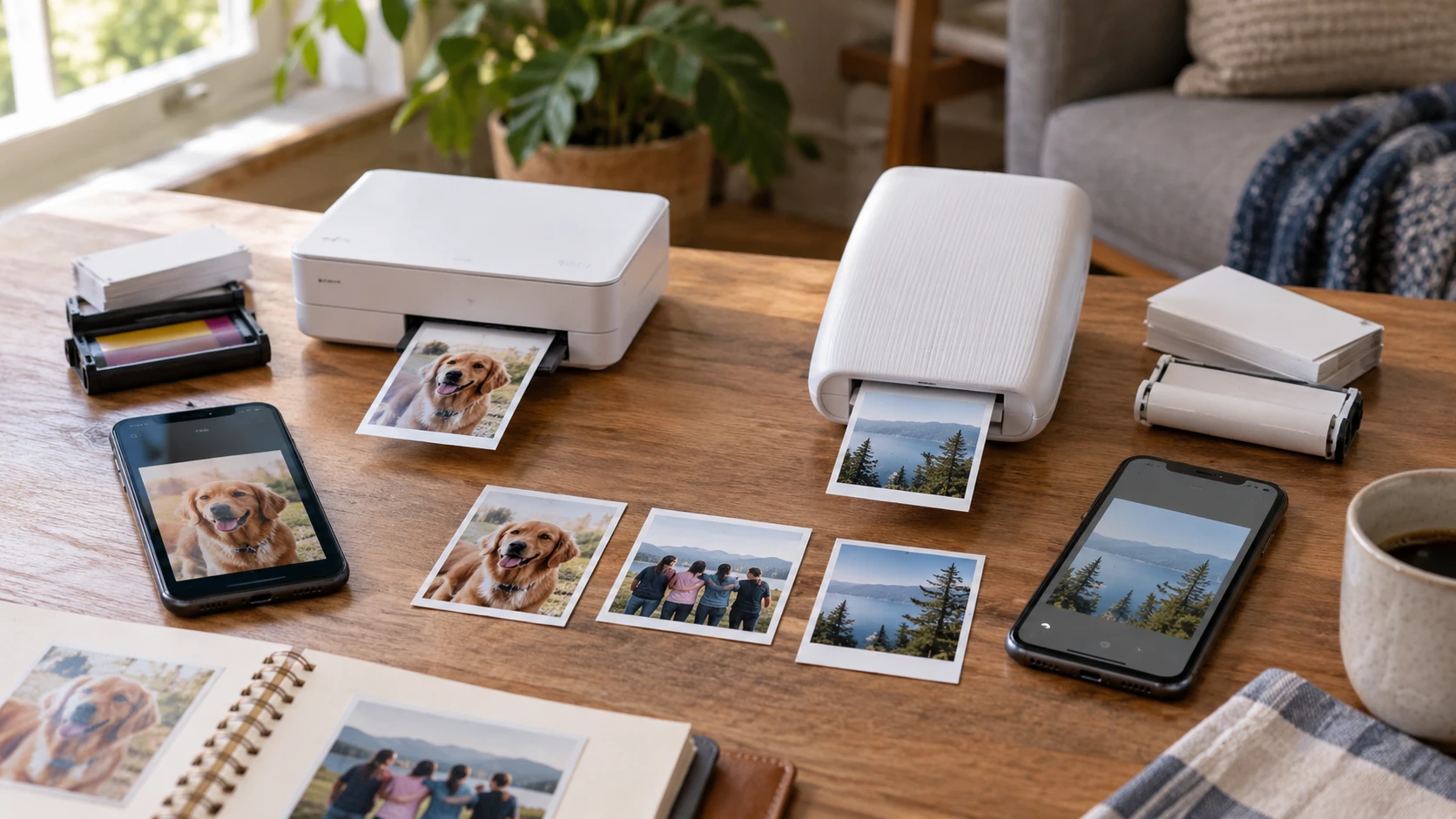
The Kodak Mini2 photo printer in this art bundle is listed for 2.1-by-3.4-inch prints from Android or iOS phones. It uses a four-pass dye-transfer process and Kodak MC cartridges that combine paper with color ink. The saved description says a finished print is dry immediately and gives a brightness claim of up to 10 years. Those are product claims, not a measurement of how a print will look after being displayed in a particular room. Start by deciding whether the print will go into a scrapbook, wallet, or gift card.
The published guide to photo print size and resolution checks is useful before sending a whole phone gallery to a small printer. Select a few representative images: a close face, a group picture, and one with important detail near an edge. Preview the crop at the printer's actual format. A sharp phone image can lose the person on the far side if the app fills a narrower or wider frame. Print one test copy and inspect it in ordinary light before buying more media for an event.
The FUJIFILM INSTAX MINI LINK 3 printer in the selected Clay White bundle is listed for 2-by-3-inch prints through an iOS or Android app and Bluetooth 5.1. The saved row says a print can be produced in about 15 seconds and names a rechargeable battery rated for up to 100 prints per charge. This bundle includes 40 sheets of INSTAX MINI film, a small travel bag, a USB charging adapter, and a microfiber cloth. Its format and media differ from Kodak's cartridge system, so compare the complete refill routine as well as the printer.
Compare the crop before the printer — FUJIFILM INSTAX MINI LINK 3 printer
Kodak's stated 2.1-by-3.4-inch format is slightly longer in proportion to its short side than the 2-by-3-inch INSTAX format. The difference can affect a wide group portrait or a tall subject near a frame edge. Use each app's actual preview rather than resizing the image once and assuming it will print identically on both. If a caption or face must stay visible, leave a little space around it while editing. A test print tells more than a screen preview about whether the selected crop is readable at the small physical size.
The Kodak app is described as offering cropping, filters, stickers, card templates, and ID-photo printing. It also names video and social-network-source printing functions. Test the specific feature the household intends to use, because an app menu can change with updates. If the main job is a simple photo strip for a scrapbook, see how quickly a person can pick an image, crop it, and send it to print. Avoid spending an event troubleshooting templates that looked clear on a phone but make text tiny on the finished paper.
The INSTAX MINI LINK app is listed with INSTAX AiR Studio effects, frames, filters, text, and stickers. Its Click to Collage function is described as taking six shots at three-second intervals and combining selected images on one sheet. That is a different kind of activity from printing a single saved photograph. Try the collage with the people who will use it, then check whether individual faces remain large enough in the final 2-by-3-inch print. A feature can be entertaining while still using a sheet that would have shown more detail as one full-frame image.
Both products use an app and a Bluetooth path from a phone, though the Kodak row also mentions NFC One Touch for Android users to launch its app. The Kodak description does not state the Bluetooth version. INSTAX lists Bluetooth 5.1. Check current phone and app compatibility before an event, and pair each printer while there is time to fix permissions or updates. A phone can have Bluetooth on and still need the correct app, media, and printer state to produce a finished picture.
Count the media and accessories in each bundle — FUJIFILM INSTAX MINI LINK 3 printer
The Kodak art bundle lists 20 sheets of paper along with an eight-by-eight-inch cloth scrapbook, markers, border stickers, scissors, and washi tape. Those accessories make sense for a table where people will decorate pages after printing. The saved description says Kodak MC refills combine paper and ink and come in packs of 20, 30, or 66. Confirm exactly which cartridge or starter supply is inside this sold bundle before assuming that the 20 listed sheets are ready to use without another part. Check the current refill model number when pricing future prints.
The Clay White INSTAX bundle lists two packs of INSTAX MINI film totaling 40 sheets, plus a small travel bag, USB charging adapter, and cloth. Check whether the current offer includes the charging cable and any other part needed for the exact printer; the saved excerpt does not present a full cable inventory. The forty-sheet count supports more first-session prints than the twenty sheets listed with the Kodak art bundle, but it does not by itself make future refills cheaper. Compare the correct media packs and local prices for the number of pictures likely to be printed.
Media is also a storage question. Keep cartridges or film in the conditions specified by their makers, carry enough for the planned event, and decide who will replenish them. For Kodak, a cartridge combines paper and ink, so running out means changing the matched refill. For INSTAX, the listed bundle supplies instant film; verify the exact MINI format before buying another pack. Do not substitute a different INSTAX film size because the brand name matches. A small printer is only useful away from home if its compatible media arrives with it.
Try the full event workflow — FUJIFILM INSTAX MINI LINK 3 printer
Pick ten phone images and ask a friend to use each printer as a new guest would. Time the steps from opening the app to holding the finished print, including choosing an image, editing, sending, and replacing media when needed. The INSTAX listing's roughly 15-second print figure describes one part of that sequence; the Kodak excerpt gives no comparable single-print time. A busy table can bottleneck at phone selection or app pairing even if the mechanism is quick. A short rehearsal reveals how many helpers or printers an event would need.
The selected Kodak bundle's scrapbook supplies encourage a seated activity after printing. Set aside clean table space for paper, pens, and the finished prints. The INSTAX bundle's travel bag favors moving the printer between locations, but protect the film and power equipment as instructed. Decide whether guests will use their own phones or send images to one organizer's phone. A single paired phone may simplify the queue, while multiple phones may require repeated pairing and permissions checks. Test whichever method the group will actually use.
Kodak's four-pass dye-transfer description says prints come out dry. The INSTAX row describes instant-film prints but does not give a comparable finished-surface or long-term-brightness claim. Do not infer equal durability from their small size. If prints will be handled by children, attached to cards, or stored in an album, test how the selected medium behaves under the intended handling and follow its care instructions. Keep a copy of the original digital image so a damaged physical print can be replaced later.
Check power and ongoing cost — photo print size and resolution checks
The INSTAX MINI LINK 3 row states a rechargeable lithium-ion battery with up to 100 prints per charge and a 1.5-to-2-hour USB-C recharge time. Those numbers depend on use and should be treated as a planning estimate. Charge it before leaving and watch its LED status during a test session. For Kodak Mini2, the saved excerpt does not give a battery capacity or charge-time figure. Confirm the exact power and charging arrangement for the offered model before planning to use it where no outlet is nearby.
Compare the cost of a normal year, not just a starter bundle. Estimate how many prints will be made at gatherings, how many are discarded after a poor crop, and how often media must be reordered. Kodak offers matched cartridge refill counts in its saved row; INSTAX uses its own MINI film packs. Prices and availability change, so use current listings for the exact compatible supplies. A printer bundled with more sheets can still cost more to operate if its replacement media or shipping is expensive where the owner lives.
The Kodak app's ID-photo and card-template options may suit someone who wants several repeatable layouts. INSTAX's collage and AR editing may suit a group that treats printing as part of an activity. Neither app feature can correct a photograph that was too dark or too tightly cropped on the phone. Review the image at the intended print size, keep the original file, and make one proof. If most pictures will remain digital, consider whether occasional print orders are enough before committing to stored refill media.
Choose the print experience — photo print size and resolution checks
Kodak Mini2 may fit a scrapbook table where the listed 2.1-by-3.4-inch format, combined paper-and-ink cartridges, and included craft materials will be used. Verify the starter cartridge and power arrangement in this exact art bundle. INSTAX MINI LINK 3 may fit a portable group activity where the selected bundle's 40 film sheets, travel bag, phone app effects, and stated battery capacity are useful. Confirm the cable and film type before leaving home.
Print the same representative face and group picture on each format if a hands-on comparison is possible. Inspect the crop, small details, handling, and total time spent per usable print. Then price the correct refill media for the number of pictures the household actually plans to make. The better choice is the one whose physical prints and routine are enjoyable enough that the printer will still be used after its starter bundle is gone.