Crypto Commerce
Kodak Luma 75 KPJS75BK3 projector vs KIPLINK LZPRO-D8S for a small-room screen
Compare Kodak Luma 75 KPJS75BK3 projector by room setup, video sources, battery use, sound, and the specifications to confirm before buying.
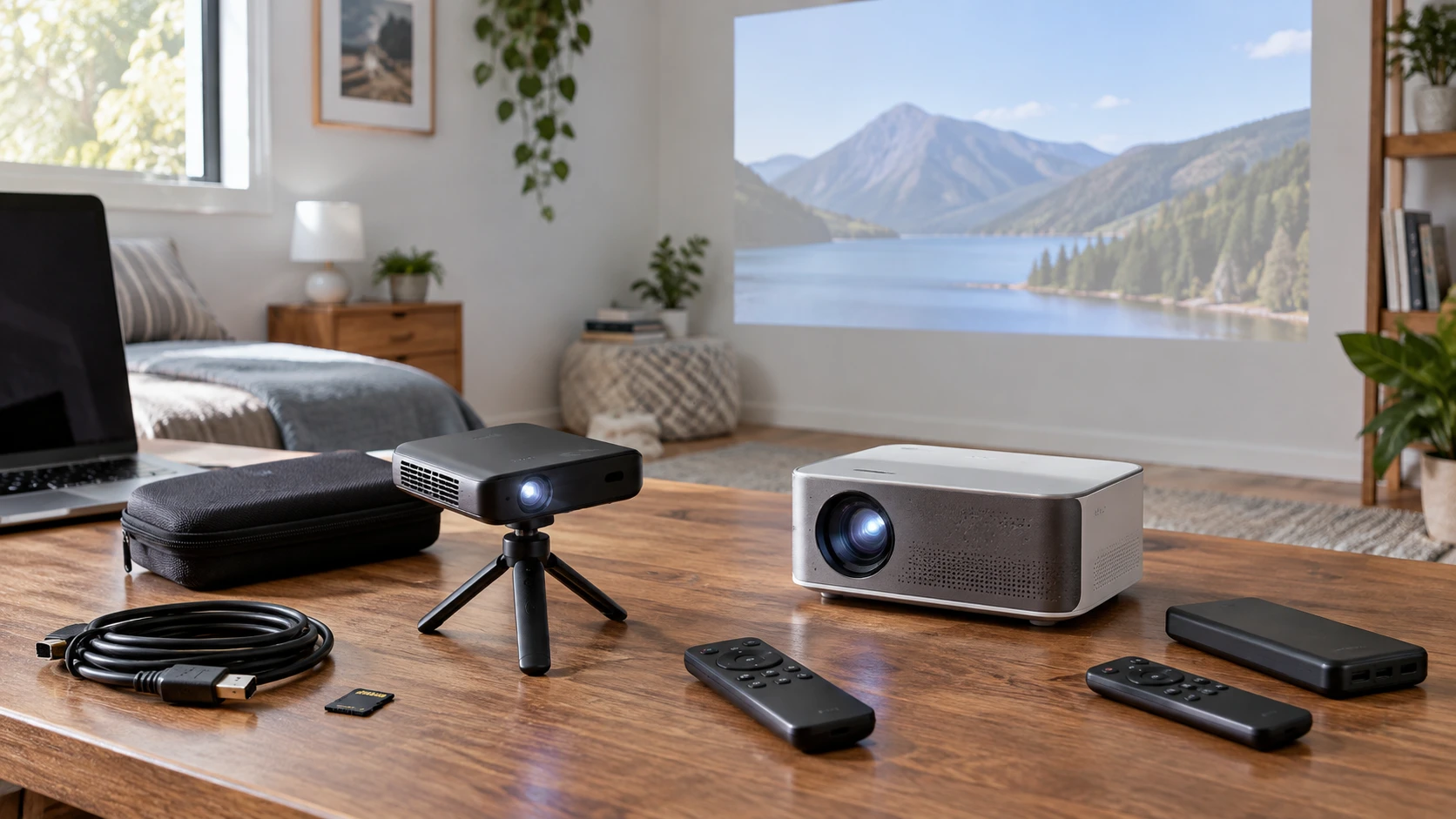
The Kodak Luma 75 KPJS75BK3 projector and the KIPLINK LZPRO-D8S both promise a screen you can set up without permanently rearranging a room. They take different routes there. Kodak's listing describes a pocket-sized DLP projector with HDMI, USB, and MicroSD inputs, a built-in speaker, a tripod, and a protective case. KIPLINK's page describes a mini projector with a built-in battery, Android 6.0, Wi-Fi, physical inputs, and support for 4K content and 3D viewing. The first question is where the picture and sound will come from. A viewer who brings a laptop or media player faces a different setup from one who wants the projector itself to run an app.
Neither listing establishes how either picture will look on your wall. Kodak describes use in dark or dim rooms, while KIPLINK advertises an image up to 300 inches. Those statements leave out the projection distance, screen conditions, and measured light output needed to judge a particular room. Treat the pages as starting points for a setup plan. Make a short list of the devices you will actually connect, the wall space available, and where everyone will sit. Then check the missing measurements in the exact model documentation.
Choose the room before choosing the headline — KIPLINK LZPRO-D8S mini projector
In a small room, projector placement can decide whether a product is useful at all. Measure the unobstructed wall or screen width and the distance from that surface to the nearest practical projector position. Include the depth of the shelf or table, since a lens at the back of a cabinet may sit farther away than the cabinet's front edge suggests. Keep the walking path clear and make sure the projected beam will not cross a regular seat. If the projector will move between rooms, repeat the sketch for the second space. One successful setup does not prove the same image size is possible elsewhere.
KIPLINK says the LZPRO-D8S can project up to 300 inches. An upper limit does not tell you the throw ratio or the image size at your available distance. It also does not tell you how bright that largest picture will appear. Look for the manufacturer's image-size and distance chart for the exact model, then choose a size the room can support. A smaller, well-placed image often makes more sense than a wall-filling one that needs a projector in the middle of the seating area.
The Luma 75 listing calls it a portable pico projector and includes an overhead tripod. That supplied tripod may give you more placement choices on a table, but the listing does not specify a throw chart or the tripod's full adjustment range. Check whether the lens can be centered on the intended screen from a stable surface. Confirm the cable route at the same time: a projector can physically fit on a narrow shelf while a stiff HDMI connector or power lead cannot.
Light control is especially important for Kodak because its description explicitly places the image in dark or dimly lit rooms. Curtains and lamps affect the picture more than the word "portable" suggests. The KIPLINK text reviewed for this comparison does not give a brightness figure on the same measurement basis, so there is no sound numerical brightness ranking here. If daytime use matters, seek comparable, manufacturer-specified brightness measurements and view an example in similar light. A demonstration in a dark store may not answer what happens beside an uncovered window at home.
What each projector can play — KIPLINK LZPRO-D8S mini projector
Kodak gives a straightforward source list: HDMI, USB, and MicroSD. Its page names computers, game consoles, and streaming devices as possible connections. This is useful if you already have a source device and want to plug it in, though you still need to check the exact video formats and signal modes each input accepts. A USB socket does not guarantee that every video file on a drive will play. A streaming stick may need separate power and a network connection even when its video reaches the projector over HDMI.
KIPLINK describes two approaches. It has Android 6.0 and Wi-Fi for apps and streaming, and it also mentions physical ports for laptops, game consoles, and other sources. The listing does not identify every port or promise that a particular service will run on that older Android version. Before counting on projector-based streaming, check the current app requirements, account access, network setup, and any content-protection requirements of the service you use. If a console or laptop will be your normal source, obtain the exact input diagram and supported signal list instead of relying on the general phrase "physical ports."
This distinction affects everyday effort. With Kodak, plan a place for the connected device and its controls. A laptop on the opposite side of the room may require a long cable, while a media player on the same shelf may make the arrangement simpler. With KIPLINK, built-in apps could reduce the number of devices on the shelf, provided the apps you need actually work on this unit. An external player remains a possible route if they do not. Write down one normal evening's sequence, from switching on the projector to starting a film, and see which page supplies enough detail to complete it.
Neither product description establishes a native projected resolution in the facts reviewed here. KIPLINK's "4K support" describes content or signal compatibility; it should not be read as proof of a native 4K image. Kodak's description emphasizes its DLP optical engine without stating a native pixel count in the reviewed text. Ask for each model's native resolution, accepted input formats, and any scaling behavior. That matters if the main use is small text in presentations, game interfaces, or subtitles. The source device's output setting and the actual displayed detail are separate parts of the viewing chain.
Portability includes power and setup time — KIPLINK LZPRO-D8S mini projector
The LZPRO-D8S listing expressly says it has a built-in battery. That may be useful when a convenient outlet is missing, but the page text does not establish a runtime for a particular picture setting or streaming workload. Check the charging method, rated running time, and whether the projector can operate while charging before planning a full film away from an outlet. Wi-Fi streaming and an external HDMI source also have their own power needs. A battery inside the projector will not power a connected laptop or streaming device.
Kodak's protective case and included tripod make carrying and placing the Luma 75 easier to imagine. Its reviewed listing does not establish a built-in battery or a battery runtime, so do not assume the projector can run untethered. Confirm the power adapter and any portable power compatibility from the exact manual. If you are packing it for a trip, account for the source device, storage media, cables, and audio solution along with the projector and case. The volume of the complete kit matters more than the projector's pocket-sized description.
At home, a projector that moves frequently needs a repeatable setup. Mark a stable surface for it, identify the outlet or battery charging place, and store the correct remote and cables with the unit. If the screen position changes each time, setup can become a series of alignment and focus adjustments. Neither reviewed listing provides enough information about focus controls or image correction to promise a fast reset after moving. The exact manuals and a hands-on trial can answer that better than a portability label.
Plan sound with the source device — display connection checks for portable projectors
Kodak's page lists built-in speakers. That confirms an onboard audio path, though it does not tell you whether the speaker will be clear enough at your seating distance. KIPLINK's short description in the saved catalog does not give a comparable speaker specification or a complete audio-output list. Check the live model documentation for speaker, headphone, Bluetooth, and wired audio options before deciding where a soundbar or headphones would connect. Also check whether audio travels through the input you plan to use. The answer can differ for a file played by the projector and a console connected over HDMI.
The published Republeq guide to display connection checks for portable projectors gives a useful order for identifying a source, cable, input, and display. Apply that order to both projectors before assuming a phone, laptop, or media player will connect. The guide does not test either model; verify the actual ports and adapters, then make a separate plan for sound.
If a streaming device or game console supplies the video, its own audio connections may give you another path to a speaker. Draw the full route before buying extra cables: source to projector for picture, and source or projector to the speaker for sound. Confirm the required ports on all three devices. A table full of compatible-looking plugs is not proof the selected source will send audio where you expect it. A quick test with the actual device and a representative film or game is more valuable than a generic connectivity list.
Be precise about 4K and 3D — KIPLINK LZPRO-D8S mini projector
KIPLINK advertises 4K content support and 3D viewing, with 3D glasses sold separately. Neither claim alone tells you the projector's native imaging resolution or the details of a working 3D setup. Check which 4K signals it accepts, whether playback occurs through a built-in app or a connected source, and what image resolution it projects. For 3D, verify the supported format, source, glasses type, and any limits on image size or brightness. That is worthwhile before making either feature a reason to pay for this model.
Kodak's description makes no matching 4K or 3D claim in the facts reviewed here. That does not establish an absence of every related input mode; it means the listing is insufficient for a feature-based comparison. If you mainly watch ordinary streaming video or show slides, the useful question is whether the actual source signal is accepted and readable at the intended screen size. A feature that appears only in a headline has little practical value until you know how to use it in your room.
Resolution and brightness also interact with viewing distance. Fine text can become hard to read on a large image even when a video looks pleasant. Before buying for mixed entertainment and work use, show a sample slide or menu with small text at the planned size. Check focus at the center and edges. Neither Republeq's product description supplies a side-by-side measurement of text clarity, so the comparison must stop at the questions you can verify for each exact unit.
Price the complete kit — KIPLINK LZPRO-D8S mini projector
Both live pages displayed selectable offers when checked, but a selectable offer is not a promise that every color, bundle, or delivery destination will remain available. Confirm the chosen variant at checkout. The Kodak page offers color selection, while KIPLINK shows black and white options. Match the variant to the exact model information and included accessories before comparing totals. A different bundle can make a headline price a poor comparison.
For Kodak, the listing says a tripod and protective case are included. Check whether the selected offer includes every item named in the description, plus the power supply you need. For KIPLINK, confirm the supplied charger, remote, and any cables for the chosen variant. Budget for a screen only if the wall is unsuitable; first decide whether the intended surface gives an acceptable picture. Add an external source, speaker, mounting support, or carrying protection only when the planned setup requires it.
Return terms matter for projectors because several important questions depend on a specific room. Read the Republeq's catalog current policy and preserve the packaging while you test the actual unit. Set it at the measured distance, try the normal source and network, watch content with the room lights at their usual level, and listen from the normal seat. This is a practical way to catch a throw-distance mismatch or an app problem before the projector becomes a permanent fixture.
Which setup fits? — KIPLINK LZPRO-D8S mini projector
Choose the Kodak Luma 75 for closer investigation if you want a small DLP projector that travels with a tripod and case, and you already plan to provide video through HDMI or compatible removable media. Verify its native resolution, throw distance, power requirements, file support, and speaker performance. Its dark-room wording makes light control part of the decision.
The KIPLINK LZPRO-D8S mini projector deserves a closer look if a built-in battery and projector-based apps suit the way you watch. Confirm the exact app support, battery runtime, port list, native resolution, and throw chart. Its 4K and 3D wording needs those details before it can settle a choice.
Take your measurements and source list to the two manuals. The better projector is the one that can sit where the room allows, accept your actual video source, run for the time you need, and deliver usable picture and sound from your seats. Those are answerable questions for these two exact models; a generic projector ranking would leave most of them open.