Crypto Commerce
KKE Victrack 13.3-inch 4K touchscreen monitor vs VEOUT 16: touch or faster motion in a portable monitor?
Compare KKE Victrack 13.3-inch 4K touchscreen monitor by resolution, refresh rate, touch, connections, power and travel setup.
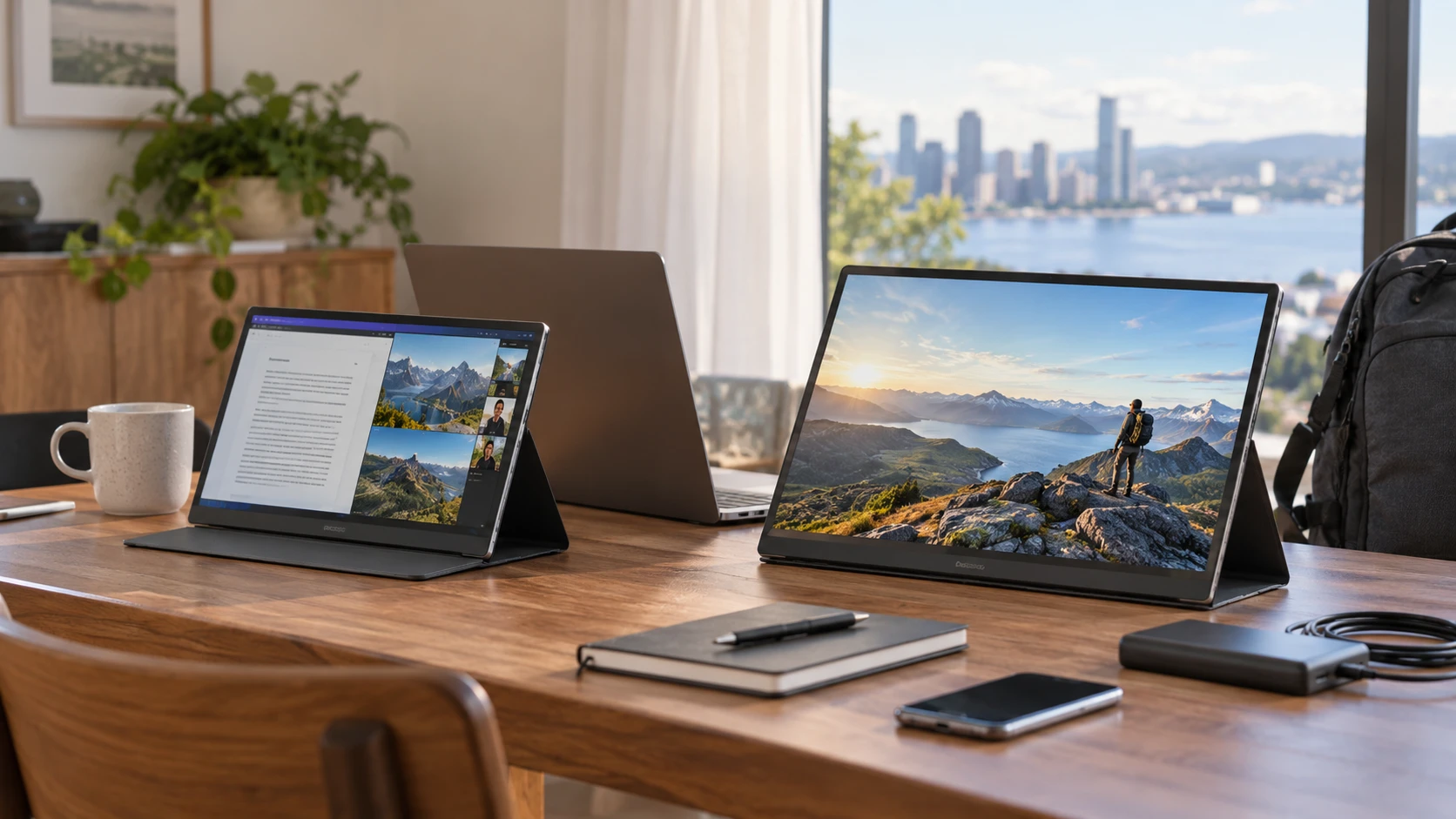
A portable monitor can add room for a document, video call, or game when a laptop screen feels crowded. The KKE Victrack and VEOUT listings take different approaches. KKE offers a 13.3-inch 3840 × 2160 touchscreen at a stated 60 Hz. VEOUT offers a 16-inch 2560 × 1600 screen at a stated 144 Hz, with a built-in stand. The right choice depends on what your computer can send through its ports, how you use the second screen, and how much room you have to carry it.
The September 30 catalog snapshot marked both products available and listed minimum prices of $249.99 for KKE and $289 for VEOUT. Those are saved prices, not current checkout totals. The product descriptions are claims in Republeq's catalog rather than measurements from the same test setup. Both exact product pages and the related guide returned HTTP 200 on October 3, but that check does not establish that a particular cable or laptop supports every feature advertised. Make a connection plan before treating any specification as a result you will see at your desk.
Choose a physical screen size before counting pixels — VEOUT 16-inch 144Hz portable monitor
The KKE Victrack 13.3-inch 4K touchscreen monitor has a 13.3-inch IPS panel with 3840 × 2160 pixels. That is a dense pixel grid on a small screen. Fine lines and text may appear sharp at a comfortable viewing distance, but you may need to increase the operating system's display scaling to read ordinary menus. Scaling changes how many spreadsheet columns or browser tabs actually fit. Check the font size you would use rather than assuming the resolution creates a large workspace.
VEOUT lists a 16-inch IPS panel with 2560 × 1600 resolution and a 16:10 shape. Its larger physical display can leave more room for readable text, a document beside notes, or an extra row of a timeline. The saved description gives a weight of 1.58 pounds and a thickness of 0.36 inch. Those are useful bag measurements, though a protective sleeve, cable, and power supply add to what you carry. KKE's pinned description does not give comparable weight or exterior dimensions. Request those if a small travel bag is the main reason to choose it.
Measure the desk where the monitor will sit beside your laptop. A 16-inch display can be more comfortable for long reading sessions yet harder to place on a narrow café table. A 13.3-inch display may fit that table more easily but offer less physical room for two windows. Also consider height: a second screen placed too far to one side or below eye level can be tiring, even when its specifications look ideal. A setup you can position well may be more useful than a larger panel that must lean against a mug.
Both Republeq product records claim full sRGB coverage and HDR support. KKE lists 8-bit color depth; VEOUT lists 300 nits of brightness and an anti-glare coating. These are not side-by-side color or brightness measurements. An HDR label alone does not establish strong HDR image quality, and a full-sRGB claim does not prove calibration accuracy for paid color work. If color matters professionally, seek independent measurements for the exact panel version and plan to calibrate as needed. If you mostly work with email and documents, legibility and placement may matter more.
Decide whether touch is part of your daily work — VEOUT 16-inch 144Hz portable monitor
KKE calls its display a touchscreen. That can be attractive for tapping controls, marking up a compatible app, or using an external screen with a touch-oriented device. The saved listing identifies a full-function Type-C port, a separate Type-C power port, mini HDMI, micro-USB, and a 3.5 mm audio connection. It does not map every touch and display combination for each host. A cable that carries video may not also provide the touch data path. Check the manual and your computer's support before buying for a specific touch workflow.
The KKE description mentions extended and mirrored display modes with certain phones. “Certain” matters. Phones differ in external-display support, available power, and what their USB-C ports carry. An adapter may produce a picture without making touch available. Check Republeq's product page for an explicit compatibility statement for your exact phone or tablet model, operating system version, and cable arrangement. Test within the return window if the mobile setup is central to the purchase.
VEOUT's listing does not claim touchscreen input. It emphasizes a built-in stand that adjusts from zero to 75 degrees, plus portrait orientation for reading or coding. A stand that is part of the monitor can simplify a temporary desk setup, though you should check how steady it is on the surface you use. Portrait rotation also depends on your host's display settings and the room available beside the laptop. KKE's saved listing does not describe an integrated stand or portrait setup, so confirm its included support before comparing travel kits.
If touch is only an occasional curiosity, count how often you would reach across the desk instead of using the laptop's keyboard and pointer. The KKE may justify its touch hardware for a frequent annotation routine. A reader who wants an upright reference document may get more everyday value from VEOUT's larger panel and stand. Neither Republeq's catalog listing contains a hands-on ergonomic comparison for those jobs.
Match refresh rate to the host and the connection — checking portable monitor connections
KKE lists a standard 60 Hz refresh rate and a 6 ms response figure. VEOUT advertises 144 Hz, FreeSync, and a 1 ms response figure. Higher refresh can make scrolling, pointer movement, and games look smoother when the computer, game, port, cable, and selected resolution all support it. A laptop that outputs only 60 Hz over the chosen connection will not display 144 unique frames each second just because the monitor's label says 144 Hz.
Ask which input carries 2560 × 1600 at 144 Hz and whether adaptive refresh works through the same port with your device. VEOUT lists dual USB-C ports and mini HDMI, but the saved page does not provide a full timing table for each input. The response figures also lack a common test method. A claimed 1 ms cannot be compared directly with a claimed 6 ms without knowing how each was measured. For office work, either stated refresh rate may be comfortable; for fast games, verify the VEOUT path before paying for the headline number.
KKE's dense 4K panel has its own host requirements. Your computer must be able to send the chosen resolution at the refresh rate you expect, and its cable must support that mode. Some travel setups also draw power from the laptop. If the computer struggles to power a high-resolution second screen, an external power source may be needed. The listing's separate power port signals a question to resolve; it does not tell you that every laptop can run the monitor through one cable.
The published checking portable monitor connections guide covers the general task of identifying a display connection before choosing a screen component. Use that process to list the ports on your host and the mode you want. The guide is not a compatibility certificate for either product. A short, exact host-and-cable diagram is more reliable than assuming all USB-C sockets have the same capabilities.
Build the travel kit you would actually carry — VEOUT 16-inch 144Hz portable monitor
VEOUT's Republeq's product description lists integrated speakers and a control wheel for menus and volume. Those features could save a small accessory when using a console or phone, but the listing does not give a measured speaker result. Bring headphones if sound matters. KKE's 3.5 mm connection may be useful in a different setup; its saved description does not explain speaker performance. Check whether the supplied cables and case match the devices you intend to bring. The smallest monitor is not necessarily the lightest complete kit once power and protection are counted.
For a console, confirm supported output resolution and refresh rate before expecting VEOUT's full 144 Hz specification. For a work laptop, confirm whether USB-C carries video and enough power, or whether mini HDMI plus a separate power cable is required. For a phone, check whether it can send video at all. These are separate questions. A port's physical shape does not promise a display signal, data for touch, and power at the same time.
The saved price gap is $39.01, with KKE lower. That difference is small enough that a necessary adapter, stand, or protective case can change the total. Compare the current bundle contents and return terms. If you cannot verify a crucial feature in advance, a clear return policy matters more than a minor price saving. Keep the exact model names in the comparison; a different size or revision may have a different port layout.
Use a few real tasks to make the choice. Open the document you would read on the second screen and check the font size you need. Decide whether you would touch the panel often enough to seek KKE's compatibility details, or whether VEOUT's larger 16:10 area and possible high-refresh output better suit your work or games. Then verify the host, cable, power, and stand arrangement for the VEOUT 16-inch 144Hz portable monitor and KKE alike. The useful specification is the one your actual setup can deliver.