Crypto Commerce
Kinupute i9-11900H mini PC vs Limyee N150: choose the ports before the small box
Compare Kinupute i9-11900H mini PC by installed storage, memory, display ports, networking and physical fit.
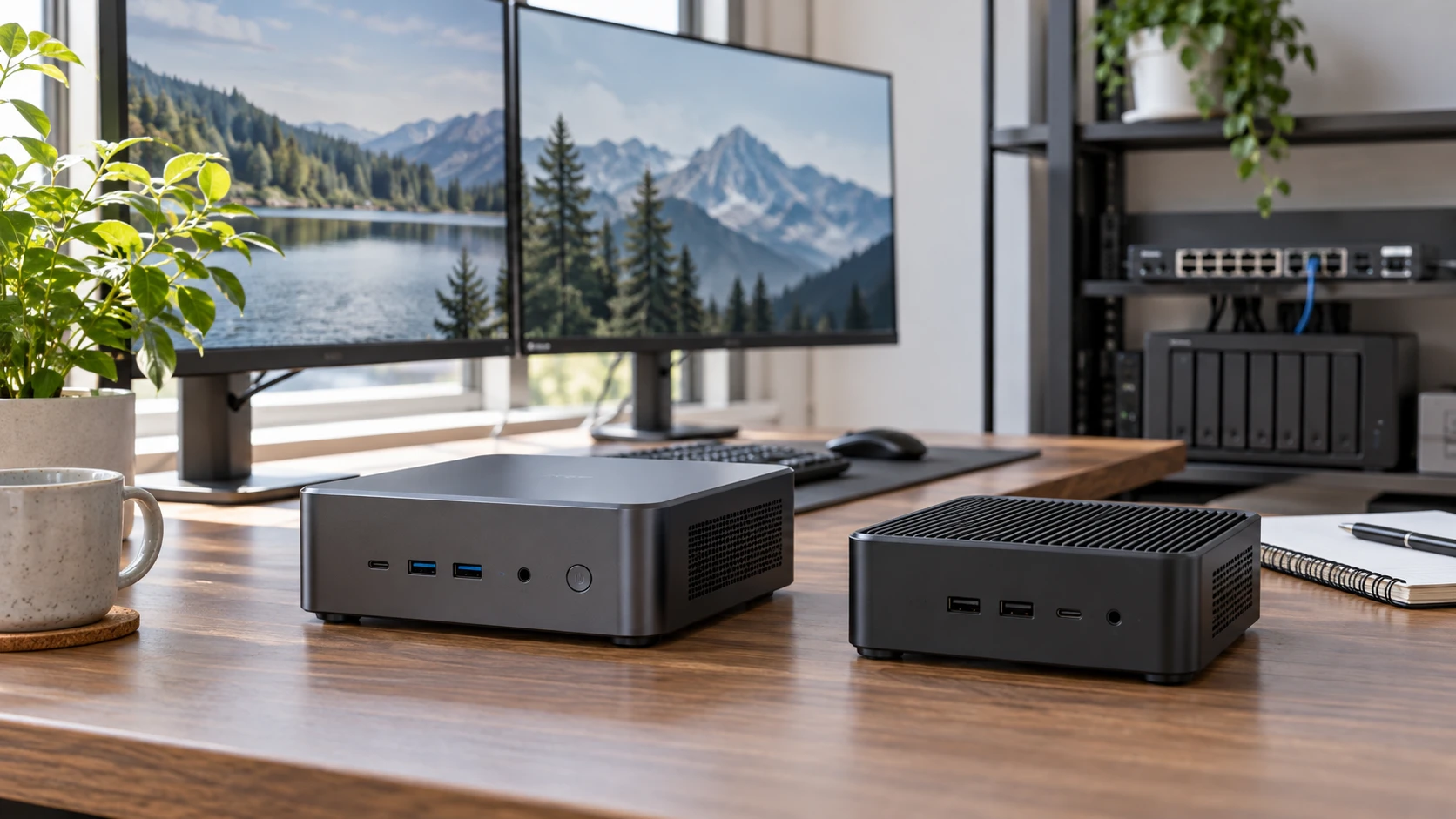
The Kinupute i9-11900H mini PC is listed with an installed 1 TB NVMe drive, Windows 11 Pro and a broad collection of USB ports. Limyee's 1212 PlusLM06, also described as a NucBox LM06, is listed around an Intel N150, two 2.5-gigabit Ethernet ports and two M.2 storage slots. Both are compact computers, but their useful roles differ. Begin with the software, network and display connections your desk or shelf actually needs.
The saved catalog rows are Republeq's product descriptions, not performance or noise tests. Some Limyee configuration details are missing or inconsistent, and Kinupute's maximum memory figure is not the same thing as installed memory. Verify the exact unit configuration before ordering. A small desktop is hard to choose from processor names alone when the wrong port or missing operating system can stop the intended setup.
Separate installed parts from upgrade limits — Limyee 1212 PlusLM06 N150 mini PC
Kinupute lists an Intel Core i9-11900H with eight cores and sixteen threads, Intel UHD Graphics and a maximum turbo figure of 4.9 GHz. Those specifications suggest more processor headroom than a basic office box, but the listing gives no sustained workload test for this enclosure. It also mentions a 45-watt maximum TDP figure, which should not be treated as a measured whole-system draw. Ask how the cooling fans behave during the work you plan to run, especially if the computer will sit near a microphone or in a shared room.
The Kinupute row says Windows 11 Pro is preinstalled and calls the computer compatible with Linux. The operating system that arrives in the box matters for a user who needs to turn it on and work immediately. Linux compatibility in a Republeq's product description does not prove every driver, wireless feature or sleep mode works in your chosen distribution. If Linux is the goal, confirm the exact hardware revision and look for the maker's support details before replacing the installed system.
Limyee lists an Intel Alder Lake N150 with four cores and four threads, paired with Intel graphics and LPDDR5 memory technology. Its description does not clearly state how much RAM is installed in the particular unit. Do not mistake a memory type or speed for a capacity. Ask for the installed amount, whether it is soldered or replaceable, and what operating system, if any, is supplied. The row names Ubuntu, Proxmox, firewall or server distributions and ESXi compatibility, but does not say that any of them is preinstalled or supported for every use.
Kinupute says two DDR4 SO-DIMM slots support up to 64 GB at up to 3,200 MHz. That is a platform limit, not a statement that 64 GB comes fitted. Confirm installed capacity, number of populated slots and whether opening the case affects the warranty. Limyee's LPDDR5 wording gives no comparable expansion path in the saved row. A buyer planning virtual machines or memory-heavy applications needs the actual shipped configuration rather than a best-case memory headline.
Map storage to the work you will keep — two expandable mini PCs
Kinupute lists a 1 TB NVMe SSD installed in an M.2 2280 slot and space for a separate 2.5-inch SATA drive that is not included. This is a straightforward way to plan a boot drive plus another local disk, subject to the case hardware and cable supplied. The listing quotes a read speed up to 1,900 MB/s for the installed drive, but gives no measured write speed, model or endurance rating. Ask for the drive details if sustained transfers matter.
Limyee describes two M.2 2280 PCIe slots and suggests NAS-style or multi-drive setups. It explicitly notes that NAS software is not provided. The saved text does not identify the installed SSD capacity, whether both slots accept the same PCIe generation or if either is occupied in the exact offer. Ask for a configuration photo or specification sheet before budgeting for a second drive. Two slots can be valuable for a network shelf, but only if the machine's power, cooling and software support the intended storage role.
Neither saved Republeq catalog record establishes backup behavior. Two drives in one small computer do not replace an independent copy of important files. If the machine will store photos, work documents or a home-service database, plan how those files will be backed up and restored. Check whether the case can be opened and drives replaced without disturbing a VESA mount or other equipment. Storage expansion is a practical benefit only when it can be used and serviced.
The published guide comparing two expandable mini PCs concerns different models. It is useful here for framing questions about memory, drives and external connections; its specifications do not transfer to Kinupute or Limyee. Draw your own upgrade path for the first two years: what capacity is installed, what slot is free, and which part you can actually change.
Count ports by device, not by total — Limyee 1212 PlusLM06 N150 mini PC
Kinupute lists four USB 3.0 ports, four USB 2.0 ports, HDMI, VGA, gigabit Ethernet, a 3.5 mm speaker-and-microphone connection and DC input. Its HDMI output is said to reach 4K at 60 Hz, and the row says HDMI plus VGA can drive two displays. Confirm the actual resolution and refresh rate for both monitors when used together, particularly if an older VGA screen is part of the setup. A generous USB count can help a desk with keyboard, mouse, storage and printer without a hub.
Limyee lists two USB 3.2 Gen 1 ports, HDMI 2.0, DisplayPort, a Type-C port described for DisplayPort 1.4 and data, two 2.5 GbE Ethernet ports, a 3.5 mm audio jack and a TF-card slot. It does not list as many conventional USB-A ports as Kinupute. If your desk has several USB peripherals, budget for a suitable hub and confirm power needs. Its three named display connections may be useful, but the saved row does not specify maximum simultaneous screen count or every output's resolution under a multi-display load.
The two Ethernet ports are Limyee's most distinctive networking feature. The listing names Intel i226v controllers and rates each at up to 2.5 GbE. That can suit a planned router, firewall or network-service experiment, provided the rest of the network and software can use the ports. It is not a promise that ordinary internet service becomes faster. Ask whether both ports are exposed to the operating system you intend to install, and test link negotiation with your switch and cables.
Kinupute lists one gigabit LAN port, Intel AX210 Wi-Fi 6E and Bluetooth 5.3. Limyee lists Wi-Fi 6 and Bluetooth 5.2 as well as its dual wired ports. Wireless labels do not prove performance in a crowded room or compatibility with a particular access point. If the machine will live behind a display or in a cabinet, consider antenna placement and signal before relying on Wi-Fi. For a network appliance, wired ports may be the primary reason for choosing Limyee.
Verify physical dimensions and cooling — Limyee 1212 PlusLM06 N150 mini PC
Kinupute lists a body around 7.75 by 7.75 by 1.88 inches, a weight of 5.5 pounds and support for mounting behind a monitor with VESA hardware. Confirm whether that weight and mounting kit apply to the exact offer. A monitor arm has its own load and clearance limits, and placing a computer behind a screen can make ports hard to reach. Its built-in fans need open airflow; the saved text does not give a noise test or clearance requirement.
Limyee's description gives two dimension sets: 5 by 5 by 1.8 inches and 7.08 by 5.70 by 3.93 inches. The row does not explain whether one is the computer and the other is packaging. Resolve that contradiction before cutting shelf space or selecting a mount. The listed package includes a power adapter, HDMI cable, VESA screw or bracket and manual. Confirm the bracket fits your monitor or shelf and leaves both Ethernet cables easy to route.
Neither listing proves the box will be silent. Kinupute explicitly names cooling fans, and Limyee's row does not provide a measured acoustic result. A compact device used for a living-room display, recording desk or overnight network service has different noise tolerance. Ask for operating-temperature and fan information, then leave room for air movement. Crowding power bricks and cables around a small case can defeat the convenience of its footprint.
Power use also needs a direct answer. Kinupute's processor TDP and Limyee's low-power processor reputation are not comparable whole-device measurements. Drives, monitors, network adapters and idle behavior influence an always-on bill. If either computer will run continuously, seek measured idle and load consumption for the exact configuration. A product listing that omits those numbers cannot support a precise annual energy calculation.
Match the computer to the job you can specify — Limyee 1212 PlusLM06 N150 mini PC
Kinupute is the candidate to inspect if you want Windows 11 Pro already installed, an included 1 TB drive, many USB-A ports and a processor listed with eight cores. Verify shipped RAM, fan behavior, the second-drive installation path and the display outputs before purchase. Republeq's catalog suggestions about gaming or design work should be checked against the integrated graphics and the specific software you intend to use.
The Limyee 1212 PlusLM06 N150 mini PC is the candidate to inspect for a compact network shelf or a desk that values dual 2.5 GbE and two M.2 slots. Resolve its conflicting size figures, shipped RAM and storage, installed operating system and expansion details. A network-oriented port layout does not make it a ready-made NAS or firewall without the software and configuration you choose.
Before ordering either box, list every cable, screen, drive and application it must support on day one. Mark each as documented, included or still unverified. That inventory will show whether the i9 desktop's installed Windows and USB connections or the N150 unit's network and storage layout better serve the work you actually plan to do.