Crypto Commerce
Karaoke setup checks before choosing home audio equipment
To choose equipment for singing with recorded accompaniment at home, establish whether the proposed receiver can reproduce your microphone and your chosen music input at the same time. Then establish what control you would have over their relative levels. Microphone sockets and music inputs give you reasons to investigate a receiver, but their presence alone does not answer those simultaneous-use questions.
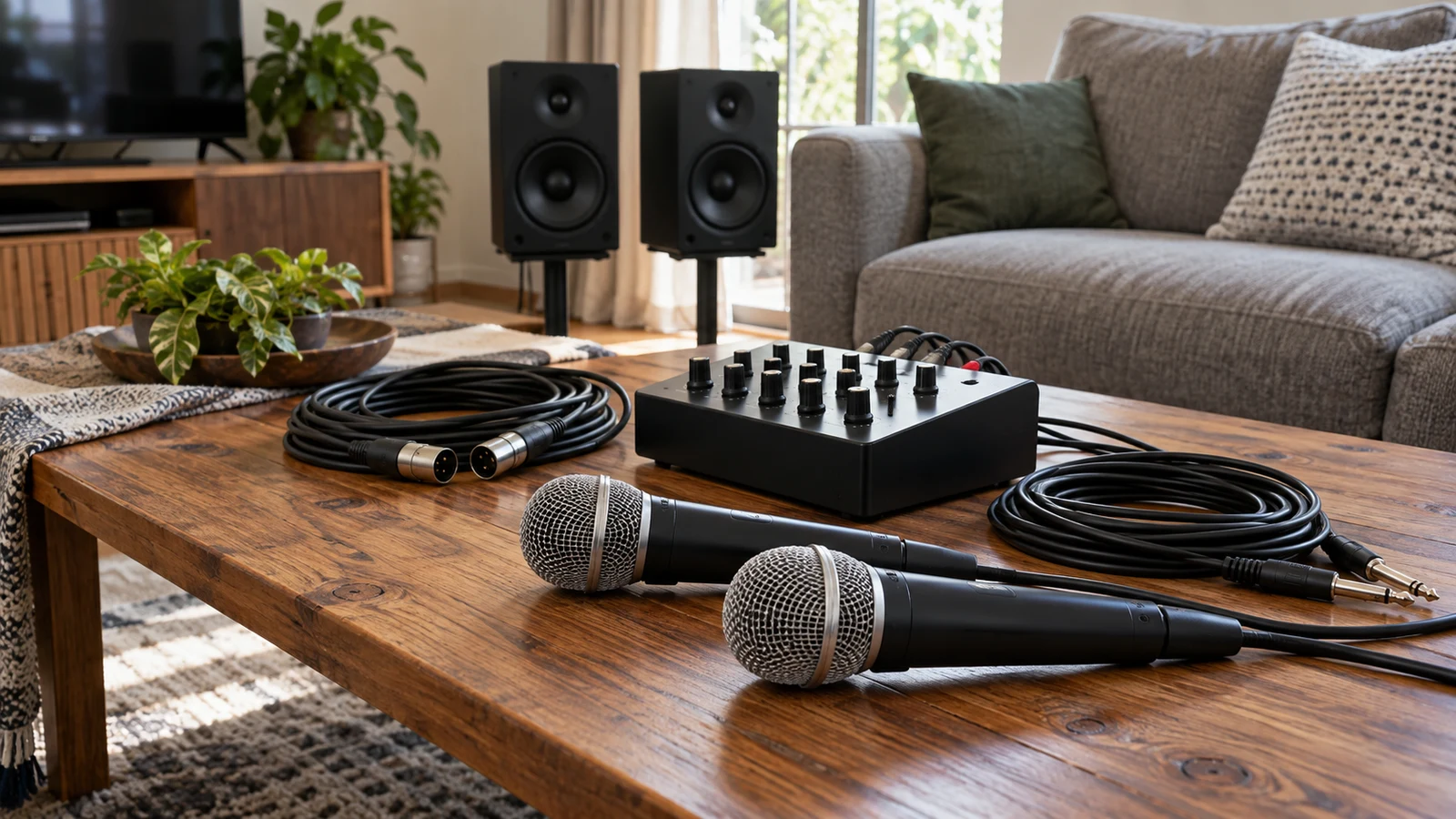
To choose equipment for singing with recorded accompaniment at home, establish whether the proposed receiver can reproduce your microphone and your chosen music input at the same time. Then establish what control you would have over their relative levels. Microphone sockets and music inputs give you reasons to investigate a receiver, but their presence alone does not answer those simultaneous-use questions.
These Karaoke setup checks concern a specific arrangement: you already have an accompaniment recording, you have a microphone in mind, and you want both heard through the proposed audio system during a performance. Write down the microphone model and the device that would supply the recording. If either remains undecided, keep that part of the arrangement open instead of treating a general product description as confirmation.
The Pyle receiver bundle and the separate Yintiny player have different proposed jobs here. Pyle's listing advertises microphone and music inputs, which make it relevant to the live-voice question. Yintiny's description establishes CD playback and possible ways to reproduce or send accompaniment. Neither description establishes that these exact products will work together as a complete karaoke arrangement.
Bluetooth Audio Direction And The Receiver's Karaoke Role
For receiver-focused Karaoke setup checks, the relevant listing is Pyle PDA69BU-2PLMR24B Black Audio Kit sku-14873273704. Republeq's catalog description identifies a PDA69BU two-channel digital stereo amplifier receiver, four PLMR24B speakers, and speaker wire. It also advertises two 1/4-inch microphone inputs for vocal or PA use and two pairs of RCA audio inputs for equipment such as a CD player.
Those microphone inputs directly support considering the receiver for a singer's voice. The RCA inputs support investigating a music source that can supply a compatible input. The listing also advertises built-in Bluetooth. Keep these catalog claims intact when comparing equipment, while leaving the behavior of any particular microphone-and-music combination unresolved until you have information about that combination.
A useful inquiry names the intended music input. Asking whether the receiver supports karaoke leaves room for an answer about a different arrangement from yours. Asking whether your microphone can remain audible while music enters through the selected input makes the requirement clearer. The answer should identify the receiver model and the source being discussed, especially when a description covers several possible ways to play music.
The advertised two-channel stereo description does not settle this question. Nor does the number of microphone sockets establish which music inputs can operate alongside them. Treat the catalog as evidence of the listed facilities. Look for an explanation of concurrent microphone and music use before assigning the receiver the job of reproducing both during your performance.
Exact-model documentation should address whether the intended microphone input remains active with the selected accompaniment input. Read any answer within its stated limits. If a manual describes microphone use with one source, do not extend that statement to another source without support. A description that mentions microphone use and music playback separately still leaves their operation together to be established.
Next, ask what adjustment is available between voice and accompaniment while both are being reproduced. You may want to change how prominently the singer is heard without making the same change to the recording. Establish whether the proposed arrangement permits the adjustment you need and which controls perform it. The supplied listing does not establish independent microphone and accompaniment controls, so this remains a question, not a promised feature.
Include your microphone's exact identity in that inquiry. A listed connector size does not establish support for every microphone someone might want to use. Ask for a compatibility answer tied to the microphone and receiver concerned, without choosing adapters or inventing a connection method. Also keep the microphone separate from the bundle contents: the supplied description does not establish that a microphone is included.
Yintiny CD Player As The Accompaniment Source
The Yintiny CD player listing identifies ALK Blue Restored Tech Yintiny CD Player 457202098524. Its description states that it plays physical CDs, has built-in speakers, and includes a Bluetooth transmitter for sending audio to other devices. Those documented features make it relevant when the accompaniment you intend to use is on a CD.
Consider its built-in speakers as one possible accompaniment role. In that arrangement, the player would reproduce the recording itself. That role does not establish that the player can amplify the singer, accept a microphone, or combine live voice with the recording. If your requirement is for voice and music to come through the proposed receiver arrangement, playback through the player's own speakers does not answer it.
Supplying recorded music to another device is a different proposed role. Here the question is whether an output from the player can reach the intended input on the receiver. The supplied description identifies a Bluetooth transmitter, but it does not establish a successful connection to this Pyle model. It also does not establish a wired output you could assume matches the receiver's RCA inputs.
This distinction helps you decide whether the separate player contributes something you need. If you already have another intended accompaniment source, investigate that source with the receiver before adding a CD player to the proposed purchase. If CD playback is part of your requirement, assess the Yintiny on that basis and keep the connection question explicit. Its accompaniment role should be clear before you count it as part of a complete system.
Keep live-vocal functions out of the player's assumed role. The supplied description does not establish a microphone input or vocal mixing. It also provides no basis for expecting lyric display or removal of recorded vocals. For this purchase inquiry, the recording is already chosen; the player's job under consideration is reproducing or supplying that recording.
Bluetooth Audio Direction Before Simultaneous-Use Claims
The related guide to Bluetooth audio direction addresses the prerequisite of identifying sending and receiving roles. Consult it if the proposed accompaniment path is wireless. Yintiny's listing explicitly describes transmission. For the other end of the proposed connection, establish the Pyle receiver's documented role for the music input you intend to use rather than treating the presence of Bluetooth on both listings as a compatibility answer.
Even matching sender and receiver roles leaves exact-product compatibility to be established. A description of the right general roles is not evidence that these particular devices connect successfully. Equally, confirmation that the receiver can reproduce music from the player would answer only the accompaniment connection question. It would still leave microphone availability during that playback to be checked.
Keep the questions separate when requesting information. First ask whether the proposed source can supply music to the exact receiver through the intended connection. Then ask whether the specified microphone can be reproduced alongside that music and whether the required relative adjustment is available. A positive answer to the connection question should not silently become a positive answer to the whole karaoke requirement.
Bluetooth Audio Direction In A Representative Karaoke Demonstration
If a demonstration is available, ask for one that represents the arrangement you are considering. Identify the exact receiver, microphone, and accompaniment source, along with the selected music input. No demonstration availability is established by the supplied listings. Documentation may answer your questions; a representative demonstration can help resolve behavior that remains unclear.
The relevant example should show voice and accompaniment being reproduced together. Hearing a microphone on its own and hearing recorded music separately would establish less than your requirement. Ask the demonstrator to explain which equipment is reproducing the sound, so music from a separate player's built-in speakers is not mistaken for music passing through the receiver alongside the singer.
Ask the demonstrator to show whether the adjustment you need between voice and music is possible while both are audible. There is no need to prescribe settings to make this request. Describe the result you want to establish, such as changing the singer's prominence relative to the accompaniment, and ask which available control affects that relationship. Record any limitation the demonstration actually reveals.
A demonstration using a different accompaniment source may leave your intended source untested. Likewise, a working microphone other than yours does not establish compatibility with your microphone. Note those substitutions beside the result. They may still provide useful information about the receiver, but they should not disappear from the account when you decide whether the arrangement meets your needs.
If something remains inaudible or the required adjustment cannot be shown, describe that observation without diagnosing its cause. You can record that simultaneous reproduction was not demonstrated through the selected input. You cannot conclude from that observation alone that the receiver is faulty or that every possible arrangement would fail. For the purchase decision, the narrower finding is enough: the required behavior has not yet been established.
A useful final note names what was established and what remains open. For example, documentation might support the intended microphone connection while leaving simultaneous use with the chosen music input unanswered. Or a demonstration might establish voice and music together but leave the adjustment you need unclear. Either finding lets you ask a focused follow-up instead of restarting a broad comparison of product features.
Your Karaoke setup checks should end with a finding about the proposed arrangement. Pyle's advertised microphone inputs support investigating its live-voice role, and its listed music inputs support investigating accompaniment through the receiver. Yintiny's documented CD playback, built-in speakers, and transmitter support considering it as an accompaniment source. Successful connection, concurrent reproduction, and the adjustment you require still need answers specific to your equipment.
Before choosing the bundle or adding the separate player, use their listings to confirm the exact product identities and bring the unresolved simultaneous-use question to the relevant documentation or an available demonstrator. Defer a combination that lacks support for the behavior you need. Keep payment decisions separate from equipment suitability; if you later consider cryptocurrency payment, use only the options actually offered at checkout.