Crypto Commerce
JBL PartyBox 520 portable speaker vs 720 for a moving party and live microphones
Compare JBL PartyBox 520 portable speaker for live microphones, battery planning, moving speakers, splash protection, and party lighting.
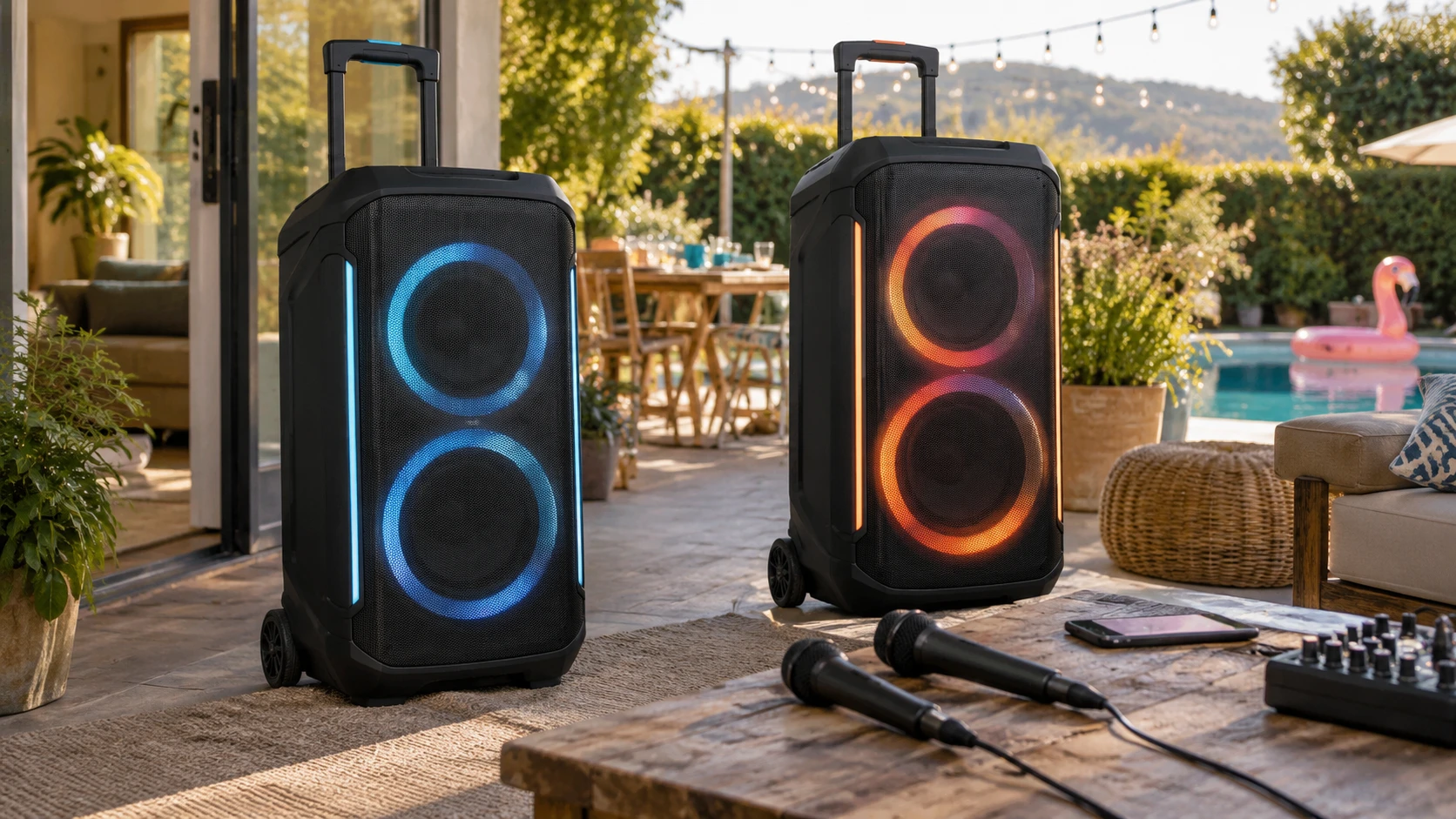
A wheeled party speaker can handle a playlist, but a party with announcements, karaoke, or a musician needs a more careful setup. The room size, available power, input cables, and the distance from the music to the guests all matter. JBL's PartyBox 520 and 720 listings both describe large portable speakers with wheels, swappable power options, lighting, and splash resistance. The 520 row gives detailed input information; the 720 row emphasizes a brighter event package with an included PartyLight Beam. Their output figures use different wording, so they should not be read as a matched loudness test.
The JBL PartyBox 520 portable speaker listing states 400 watts RMS, two 7.5-inch woofers, two 1-inch tweeters, Bluetooth 5.4, an AUX connection, USB input, and dual XLR inputs. It also names a telescopic handle, wheels, IPX4 splash protection, and up to 15 hours of playback with a swappable JBL Battery 600 pack. The PartyBox 720 row says 800W Pro Sound, two included JBL 600-series batteries, up to 15 hours wireless playback, wheels, IPX4 protection, and an included PartyLight Beam. Decide which facts the event actually needs before treating the larger number in the second title as the answer.
Translate the room into a setup — karaoke setup checks before choosing home audio equipment
Sketch where people will stand or sit, where the speaker can safely roll, and where the nearest outlet is. A hard-walled room can become tiring at a volume that seems exciting during a quick test; an outdoor gathering may spread the sound farther but also lose bass at a distance. Neither product row provides a measured coverage map or a matched sound-pressure result. For a large event, visit the space and listen from the farthest guest position as well as beside the speaker. A portable speaker is easiest to use when its location is planned before cables and people fill the floor.
Both listings describe wheels and a handle, but they do not state the transport weight, stair-climbing effort, or the storage dimensions in the saved rows. Measure the vehicle opening and the path through the venue. If one person must load the unit alone, check the current manufacturer's weight and try the lift safely. Rolling wheels help on a smooth floor; they do less for stairs, grass, or a doorway lip. Leave room around the speaker for controls and cables once it is placed.
For outdoor use, both rows name IPX4 splash protection. That is a limited water-resistance claim, not permission to leave electronics in heavy rain or spray water directly at the connections. The listings do not establish dust resistance. Put power connections and any external gear under suitable cover, and plan where the speaker goes if weather changes. A backyard party can move indoors quickly; the sound and cable plan should move with it.
Compare power figures carefully — JBL PartyBox 720 portable speaker
The 520 listing explicitly describes its 400W figure as RMS. The 720 listing calls its figure “800W Pro Sound” without explaining the measurement basis in the saved row. Those labels are not enough for a trustworthy 400-versus-800 performance ranking. Speaker output depends on measurement method, frequency range, amplifier limits, and the room. Ask for current manufacturer specifications using the same standard, then listen at a level suitable for the intended audience. More rated power alone does not prove better speech clarity or even sound distribution across an awkward space.
The 520 row says JBL's AI Sound Boost adjusts playback in real time to preserve bass and highs while limiting distortion at high volume. That is a feature claim, not a measured result against the 720. The 720 row describes room-filling “Pro Sound” but provides no matched test conditions. Bring familiar music with quiet and loud passages to an audition. Listen for intelligible vocals from the edge of the planned audience area, and check whether the sound remains comfortable near the speaker. A short, loud demonstration can hide listener fatigue over several hours.
Speaker placement may help more than another step in a product line. If the event has two separate zones, ask whether one source can cover both without making the nearer guests uncomfortable. The saved rows do not describe a complete two-speaker linking or zoning plan for these exact products. Check current manuals before promising synchronized playback or a particular wireless pairing mode. If the venue requires even coverage, it may need additional speakers and a different setup rather than one unit pushed louder.
Inventory every live input — karaoke setup checks before choosing home audio equipment
The 520 row clearly lists dual XLR inputs and says they can accept microphones, guitars, or a DJ console. It also lists Bluetooth, an AUX cable in the bundle, USB input, and a USB-C port that can charge a device or accept audio. That detail makes it easier to map a spoken introduction and a playlist to physical connections. It does not settle gain control, the kind of microphone that works best, or whether every input can be used simultaneously. Plug in the actual microphone and cable well before guests arrive, then practice switching from music to speech.
The 720 saved description does not enumerate microphone or instrument sockets. That omission cannot establish that the speaker lacks them. If karaoke, speeches, or a guitar are central to the purchase, confirm the exact current 720 input panel and supported signal types from the manufacturer. Do not assume that the ports on the 520 are copied unchanged onto the 720. A bundle may add an AUX cable without showing whether the desired microphone connection is present or how its level is controlled.
The related karaoke setup checks before choosing home audio equipment guide is useful for writing down the signal chain. Name the playback source, the microphone, every cable or adapter, and the speaker input each will use. If a phone supplies lyrics and music, decide how its screen will be visible and whether wireless audio delay interferes with singing. A dry run with one verse and a spoken announcement catches routing mistakes that a music-only demonstration will miss.
Understand the battery plan behind the headline — JBL PartyBox 720 portable speaker
The 520 row advertises up to 15 hours on a full charge using a swappable JBL Battery 600 pack. It says AC power or a fresh battery can continue playback when the pack runs low. The 720 row also claims up to 15 hours of wireless playback, but it says two JBL 600-series batteries are included. That does not mean both units will run for the same time at the same volume. The saved rows give no matching test volume, lighting setting, or input mix. An event with loud music, lights, and microphones needs a rehearsal closer to its real load.
A swappable pack can be helpful only if the spare is charged and safe to change without interrupting the program. Check the current instructions for both models and learn whether a swap causes audio to stop. The 720 row says additional fresh batteries can be purchased separately. The 520 listing does not give a complete inventory of optional batteries beyond the pack described for use. Confirm what comes in the actual order before budgeting spare power. Label batteries and record which one was charged last.
Both listings mention fast charging but provide no comparable time-to-full figure in the saved descriptions. Set up an AC outlet when one is available and verify the extension cord and circuit with the venue. A battery can make placement flexible, yet it should not be the only plan for a long reception if a powered position is practical. Make sure no cable crosses a walking route. Try the final placement with the room lighting and other equipment on, since the speaker's lights are part of the event load.
Decide whether the projected light earns its space — JBL PartyBox 720 portable speaker
The 720 bundle includes a JBL PartyLight Beam described as projecting shifting patterns onto walls and ceilings. That is a concrete reason to inspect this package if the event wants a visible light show. It also means another item to position, power, and transport. Test where the beam lands before the room is full; a projection meant for a dance floor may be distracting during dinner or speeches. Check venue rules and whether anyone is sensitive to rapidly changing light. The row does not provide full control details, so confirm how to dim or stop it when needed.
The 520 title says it has lights, but the saved description does not explain its light modes or compare their brightness with the 720 package. Do not infer that the 520 has no useful lighting or that a projected beam is necessary for every party. For a daytime patio event, sound and portability may matter more. For a dark room, ask whether the included 720 accessory replaces a separate lighting rental or merely supplements it. Count the extra setup time as part of the choice.
The 520 row names an AUX cable and microfiber cloth in its included items. The 720 row also lists an auxiliary cable and cloth along with the PartyLight Beam and two batteries. Read the final retailer packing list and keep it with the gear on arrival. A missing cable discovered at sound check is more disruptive than a small difference between speaker specifications. Bring a known spare cable for any essential wired source, even if a bundle says one is included.
The JBL PartyBox 720 portable speaker package deserves attention when the projected light and included two-battery setup are useful to the event. The 520 has the clearer saved account of live inputs and an explicit RMS output figure. For either unit, build a short run-through at the intended volume with the real microphone, playback source, lights, and power plan. The result will tell you whether guests can hear both the music and the announcements without the setup taking over the room.