Crypto Commerce
ICEWOLF Ryzen 7 gaming desktop for a new setup
The ICEWOLF Ryzen 7 gaming desktop matches a component checklist calling for a Ryzen 7 9700X processor, Radeon RX 9060 XT 16GB graphics and 32GB DDR5 6000 memory. Those specifications appear in its description, along with Windows 11 Home 64-bit and a 1TB NVMe SSD. If those are the parts you have already chosen for a new setup, this configuration deserves a closer look. Whether it meets a particular game's performance target remains a separate question.
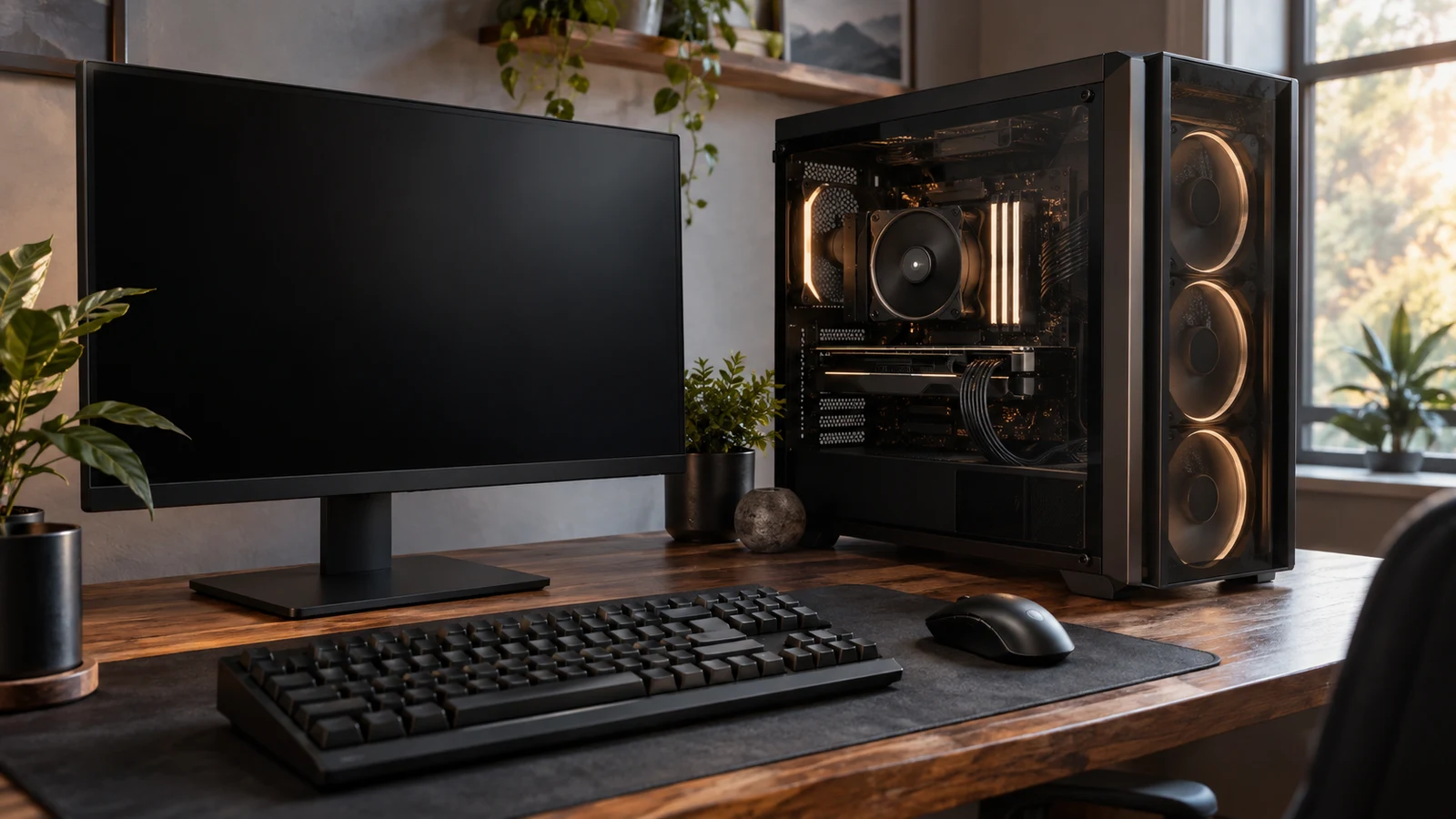
The ICEWOLF Ryzen 7 gaming desktop matches a component checklist calling for a Ryzen 7 9700X processor, Radeon RX 9060 XT 16GB graphics and 32GB DDR5 6000 memory. Those specifications appear in its description, along with Windows 11 Home 64-bit and a 1TB NVMe SSD. If those are the parts you have already chosen for a new setup, this configuration deserves a closer look. Whether it meets a particular game's performance target remains a separate question.
The most important unresolved details concern the specific graphics card supplied, its connections and the rest of your desk equipment. ICEWOLF states that the card brand may vary, and its description does not enumerate display outputs or USB ports. The comparison below keeps those gaps visible while examining a Skytech O11 Vision configuration with a different processor and graphics card. Neither component names nor cooling dimensions alone establish which computer will perform better in your games.
Compare Computer Memory And Storage Without Adding Them Together: The ICEWOLF Component Checklist
Start with the exact computer you are evaluating. The ICEWOLF Ryzen 7 gaming desktop is identified in its description as a white desktop with SKU sku-18835804625 and UPC 730425160873. Use those identifiers when asking about the configuration. A reply about another ICEWOLF tower would not resolve questions about this one, even if the other machine also carries a Ryzen 7 processor.
The description does not explicitly identify the ICEWOLF unit's condition. Ask whether the selected unit is new, previously used or otherwise classified before treating condition as settled. This is a narrow purchase detail, not a reason to infer anything about its history. Also confirm what comes in the package: the supplied description identifies the computer's components but does not promise a monitor, keyboard or mouse.
For a component-by-component review, the stated ICEWOLF configuration is:
- AMD Ryzen7 9700X processor with eight cores and speeds up to 5.5GHz.
- Radeon RX 9060XT graphics card with 16GB, with the card brand subject to variation.
- 32GB DDR5 6000 RAM, described as two 16GB modules.
- 1TB NVMe SSD.
- 240mm liquid cooler and four ARGB ring fans.
- 650W GOLD power supply and built-in Wi-Fi.
- Windows 11 Home 64-bit.
Keep the complete processor designation on your checklist. If you selected the Ryzen 7 9700X specifically, the ICEWOLF description names that model. If your requirement was only “Ryzen 7,” decide what led you to that requirement before using it to choose a computer. A processor family name is too broad to settle a comparison between systems with different model numbers and graphics configurations.
The stated speed is “up to 5.5GHz.” Preserve that qualification when recording the specification; it does not promise that every game or application will operate at that processor speed. For the same reason, avoid turning the eight-core specification into an unsupported claim about streaming quality or editing speed. Your software requirements can help you identify relevant components, but the description supplies no measured results for your particular workload.
Graphics identification needs similar precision. The description names an RX 9060XT 16GB, while warning that the card brand may vary. If you care about a particular card manufacturer's design, ask for the exact supplied model before ordering. Do not assume that a product photograph resolves that question. A useful response would identify the card and its outputs for the unit being offered, rather than repeat the GPU family alone.
For example, a buyer planning to keep two existing monitors should ask whether the supplied card has the connections needed for both screens. Someone choosing a single new display should establish the intended resolution and refresh setting before requesting compatibility information. These are questions about the proposed setup, not claims that this ICEWOLF configuration supports a particular combination. The supplied description leaves its output count and versions unspecified.
The listed memory arrangement gives a more specific answer: 32GB DDR5 6000 across two 16GB modules. That satisfies a checklist requiring that stated capacity and arrangement. It does not establish the motherboard model, available memory slots or supported expansion limit. If you already expect to add memory, request those details instead of assuming that the installed module count tells you how much room remains.
The 1TB NVMe SSD is another stated component, but its manufacturer and interface generation are not identified in the ICEWOLF description. If your checklist calls for a particular drive model or generation, leave that requirement unresolved. For help reading the capacity fields themselves, Compare computer memory and storage without adding them together addresses that separate question. Here, the buying decision is whether the actual listed components match the configuration you want.
Windows 11 Home 64-bit is explicitly included. If a required application or work arrangement calls for another edition, check that requirement before choosing the machine. Likewise, built-in Wi-Fi is stated, but its wireless standard is not. A buyer with a specific networking requirement should request the adapter specification; the words “built-in Wi-Fi” alone do not answer every compatibility question.
The cooling and power entries complete the basic component inventory. ICEWOLF lists a 240mm liquid cooler, four ARGB ring fans and a 650W GOLD power supply. Those details do not provide measured temperatures, noise levels or the power supply's exact model. If the tower will sit beside your microphone, ask about the cooler and fan models. If future component replacement matters, request the motherboard, case and power supply specifications before assuming an upgrade will fit.
Skytech Gaming Computer Alternative: What Changes In The Configuration
The Skytech Gaming computer alternative is the O11 Vision configuration described with a Ryzen 7 7700 processor and Radeon RX 9070 XT 16GB GDDR6 graphics. It changes both major component identities under discussion. Consider it when your processor choice remains flexible and you want to examine the RX 9070 XT configuration. It is not a direct match for a checklist that specifically requires the 9700X.
Skytech lists its processor at 3.8GHz with a 5.3GHz Turbo Boost figure. These figures and ICEWOLF's stated maximum clock do not establish a whole-system performance ranking. The two descriptions also name different GPUs, so choosing on processor clock alone would leave a major part of the comparison unanswered. If you need a particular game to meet a particular target, seek relevant results for the configurations being considered, with the game settings identified.
Both descriptions specify 32GB DDR5 6000 memory and a 1TB NVMe SSD. Skytech adds that its drive is Gen4 NVMe M.2 and describes the memory as RGB gaming memory with a heat spreader. ICEWOLF specifies the two-module memory arrangement. These are differences in disclosed detail; the descriptions do not establish that every unmentioned characteristic is absent from the other computer.
The supporting hardware differs as well. Skytech names a black Lian Li PC-O11 Vision case, a 360mm AIO liquid CPU cooler with ARGB fans and an 850W GOLD power supply. ICEWOLF describes a white desktop with its 240mm cooler and 650W GOLD supply. Choose a case appearance you want, but obtain dimensions before planning its location. A cooler's listed size does not supply the tower's footprint or prove how quiet the completed system will be.
Skytech provides more connection information: 802.11 AC Wi-Fi, audio and microphone connections, and USB ports including 2.0, 3.0 and 3.2 Gen1. It also lists one HDMI and one DisplayPort output, with additional ports subject to variation. Its graphics card brand may vary too. If your setup depends on a specific port version, connector count or display mode, request confirmation for the supplied card and computer.
The Skytech description explicitly states new condition and includes a gaming keyboard and mouse. It names Windows 11 without specifying an edition in the supplied description. ICEWOLF explicitly identifies Home 64-bit but leaves the keyboard and mouse package question open. For a first desktop, those differences help you identify what still needs checking or buying. They do not establish the quality or suitability of the included peripherals for your preferences.
After comparing the components, write down why you would switch. A concrete reason might be wanting the listed RX 9070 XT configuration while accepting the Ryzen 7 7700 processor. Another might be preferring the named black case, subject to its dimensions fitting your space. Avoid treating a larger power supply or radiator as an automatic reason to spend more when you have not identified a requirement that the change serves.
Skytech Gaming Computer Alternative: Resolve The Remaining Setup Questions
Keep the unanswered questions specific to each machine. For ICEWOLF, the supplied description leaves condition, case dimensions, port details and peripheral contents unresolved. Skytech answers some of those questions but still leaves details such as exact card brand and port versions open. An unanswered field is a request for clarification, not evidence that a feature is missing or that either computer is unsuitable.
A concise seller inquiry can describe the desk you intend to build: the monitor models you plan to connect, the USB devices you use and any required application or operating-system edition. Include the ICEWOLF SKU so the reply concerns the right configuration. Ask for the actual graphics card model and a connection list, plus package contents. If dimensions determine whether the tower fits, request measurements rather than estimating scale from a photograph.
Before making a purchase, check the current selected configuration and total separately from the component comparison. If you choose a cryptocurrency payment option, read the currency, network and amount presented at checkout, along with any fee or deadline information shown. The hardware description does not establish payment conditions. Review the applicable delivery and return terms without assuming that a component specification answers those questions.
The ICEWOLF Ryzen 7 gaming desktop remains a straightforward shortlist candidate when your intended build calls for the listed 9700X, RX 9060XT 16GB and 32GB DDR5 6000 combination. Use its product page to confirm the selected unit, then resolve the card connections and package details against your own equipment list. If you are willing to change the processor and GPU combination, compare the Skytech configuration on those exact differences before deciding which computer belongs in your new setup.