Crypto Commerce
Hyangin S8 laptop screen extender vs ZenScreen Go for a travel desk
Compare Hyangin S8 laptop screen extender for a travel desk: mounting, screen size, USB-C video, power, packed dimensions, and setup checks.
Hyangin S8 vs ZenScreen Go for a travel desk
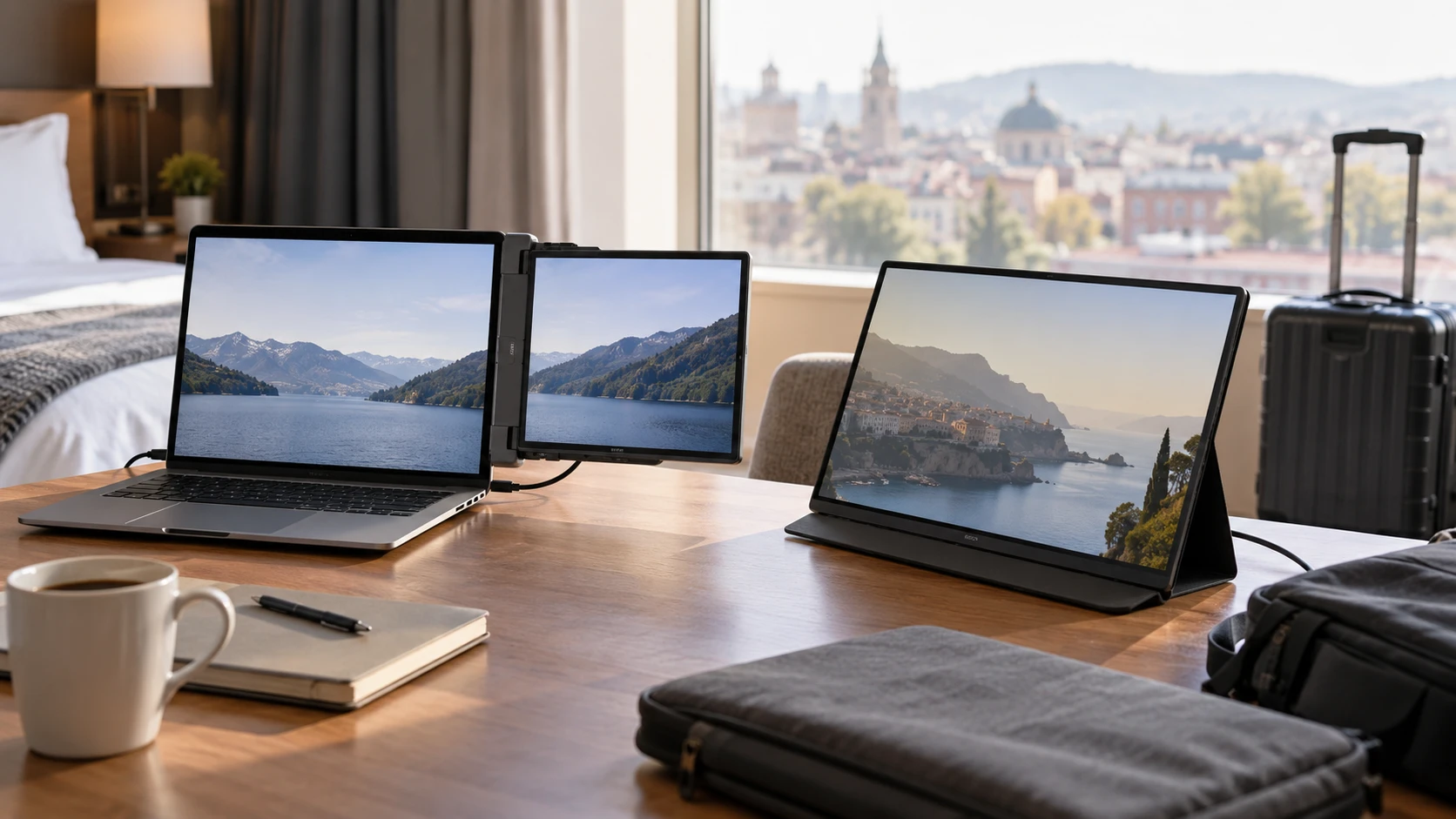
A second screen changes a travel desk only if it fits the laptop, connects reliably, and can be placed where you can read it for hours. The Hyangin S8 and ZenScreen Go listings suggest two ways to carry that screen. Hyangin describes a 14-inch panel that clamps to a laptop and folds away with it. The ZenScreen Go row describes a 15.6-inch portable Type-C display with a glossy finish, but says much less about its stand, cables, and panel specifications. That difference in evidence matters when choosing a setup that has to work outside a familiar office.
The Hyangin S8 laptop screen extender listing gives a 14-inch IPS panel, 1920×1080 resolution, 60Hz refresh rate, and a pull-out mounting arrangement for laptops from 13 to 17.3 inches. The portable monitor travel desk setup guide is useful for testing a second screen around the places where you actually work. The ZenScreen Go Type-C monitor row confirms a 15.6-inch portable display, Type-C connectivity, and a glossy screen surface. It gives no resolution, refresh-rate, stand, or power-delivery figure in the saved description.
Choose the way the screen will stand — ZenScreen Go Type-C monitor
Hyangin's S8 is presented as an extender that grips the laptop. The listing says its pull-out stand clamps to machines between 13 and 17.3 inches, while the screen can tilt through 0 to 180 degrees and an integrated stand has a 0 to 90 degree adjustment range. Those numbers describe the manufacturer's arrangement, not a guarantee that every laptop lid can carry it comfortably. A thick case, unusually shaped bezel, or loose hinge can make a nominal size match awkward. Check the laptop's actual width, lid strength, and clearance near its ports.
The ZenScreen Go listing does not explain how the display is supported. Its larger 15.6-inch diagonal might offer more viewing area, but the desk footprint depends on the stand or case supplied with the exact package. Check Republeq's product page for a photograph of the included support and for the dimensions of the screen in its travel configuration. If you work on a narrow café table, a separate display may require a surface area that a laptop-mounted extender does not. On a stable hotel desk, independent placement may be more comfortable because the screen can sit at another height or angle. The saved row does not settle that layout question.
Try the setup on the smallest surface you expect to use, such as a café table. Put the laptop where you would normally type and make room for a mouse, charger, and drink. A clamp that is convenient while seated can feel top-heavy when you move the laptop. An external screen with its own support may be easy to position but harder to pack safely with loose accessories. The relevant measure is the complete working footprint, including cables and the room needed to open the laptop lid.
Treat thickness and weight as package measurements — ZenScreen Go Type-C monitor
Hyangin calls the S8 ultra-thin and gives 4.5mm as a screen-only thickness. The same listing gives overall dimensions of 345×207×15.6mm and a weight of 0.6kg. Keep those measurements separate when deciding whether it fits a sleeve. The 4.5mm figure does not describe the full product at its thickest point, and the saved description does not say whether 0.6kg includes cables or protective packaging. Measure the bag compartment and allow space for the laptop and charger together.
The ZenScreen Go row calls the unit compact and mobile, but offers no weight or physical dimensions beyond its 15.6-inch diagonal. A larger diagonal does not by itself prove that the packed product is heavier than the S8. Bezels, housing, stand, and protective cover all affect the load. If every gram matters during a daily commute, request the manufacturer's exact model specification and confirm what is included. Compare packed weight, not a bare-panel number against a complete kit.
Hyangin describes an aluminum-alloy chassis with a matte sandblasted finish. That is a housing claim; it does not tell you the screen's glare behavior. ZenScreen Go is expressly described as glossy. A glossy surface can reflect nearby windows and overhead lighting, so inspect the places where you would use it. Brightness and coating details for the S8's panel and ZenScreen Go's peak brightness are not established by these rows. A return-period test near a window may answer more than a generic claim about travel suitability.
Check the host port, cable, and power together — ZenScreen Go Type-C monitor
Hyangin lists two full-function Type-C ports and an additional Type-C port described with DisplayPort Alt Mode. Its description also claims up to 100W reverse charging when connected to a PD power source. Those statements need a wiring diagram for your host computer. A USB-C connector's shape does not ensure that a laptop port sends video, or that one cable can provide enough power for the display while charging the laptop. Confirm which S8 port accepts video, where the power adapter connects, and the rating of the cable and adapter required for the claimed pass-through arrangement.
ZenScreen Go's saved row says Type-C connectivity without identifying the exact video and power requirements. Find the precise model number and manual before purchase. Some computers have USB-C ports that only handle data, while others support video output. A monitor may still need a separate power source even when its video arrives over USB-C. The product description does not state whether a suitable cable, adapter, or case is included. If you use a Mac, Chromebook, tablet, or phone, verify that specific host and operating-system combination with the Republeq's catalog or manufacturer's support material.
At home, test the same cable path you plan to travel with. Connect the screen, unplug and reconnect it, wake the laptop from sleep, and try the charging arrangement if one is advertised. Watch for a flickering image, a battery that drains unexpectedly, or a display that disappears after sleep. A setup that works with a high-power office dock may fail with a compact travel adapter. Label the proven cable and keep it with the monitor so an arbitrary USB-C charging lead does not become a mystery failure on the road.
Match the panel to the work — ZenScreen Go Type-C monitor
The S8 row specifies 1920×1080 resolution on a 14-inch IPS panel at 60Hz. That is enough information to plan ordinary document, spreadsheet, and messaging use, subject to your preferred scaling. It also lists 16.7 million colors, a common specification that does not establish professional color accuracy. If you edit photographs for clients, look for independent color measurements or a manufacturer specification that names the gamut and calibration conditions. The listing's claim of vivid color is not such a measurement.
ZenScreen Go has a larger stated diagonal, yet its saved row does not disclose resolution. A 15.6-inch screen could have a very different pixel density depending on the actual panel. Ask for the native resolution and refresh rate; the S8 specifications do not establish either figure for ZenScreen Go. For long text sessions, open a dense document at the scaling you use and check whether characters remain comfortable at your normal viewing distance. A screen that feels spacious for video may show fewer usable document lines after scaling is raised.
Arrange the two screens according to the task. A 14-inch extender beside the laptop may be good for reference material and chat while the main work stays on the laptop. A separate 15.6-inch display might serve as the primary view on a larger table, if its stand and connection allow the placement. Those are layouts to test, not performance promises from the listings. For a call, also check whether the screen position keeps the camera near your line of sight and whether the cable crosses the keyboard or trackpad.
Verify device modes before relying on them — ZenScreen Go Type-C monitor
The S8 description names compatibility with laptops, desktops, tablets, and smartphones. It also mentions Smartisan TNT, EMUI, and DeX when powered. These are broad claims in Republeq's catalog whose usefulness depends on the exact host device and mode. A phone with a Type-C port may not output a desktop view. A tablet may show only a mirrored image and lack extended desktop mode. Confirm the behavior of your own device and the required power source before planning a travel workflow around it.
The ZenScreen Go row gives no device compatibility list. Its Type-C description is too short to establish phone, console, or tablet use. If the goal is a portable game display, identify the console's video output and the monitor's supported input and power arrangement. If the goal is a second screen for a laptop, verify extended desktop mode. A mirrored image does not prove extension. The return-period test should exercise the exact mode you intend to use.
The S8's listing includes an 18-month warranty and support claim. Confirm that the terms in Republeq's offer apply to this specific purchase, especially if the item is resold through a marketplace. The ZenScreen Go row does not state warranty terms. Save the order record, serial number, and product page for either unit. These details become important if a hinge, cable, or panel fails after the initial setup.
Buy for the setup you can verify — portable monitor travel desk setup
The S8 has a clearer documented path for a laptop-mounted 14-inch screen. Its detailed dimensions, panel resolution, hinge claims, and ports give you specific things to check against your computer. ZenScreen Go offers a stated 15.6-inch glossy Type-C display, but the saved row leaves several buying decisions open. Ask for its full model specification and package contents before treating it as a direct substitute for the S8.
Make a small travel trial while returns are possible. Pack the screen and all required cables, set it up on a narrow table, work for an hour, then pack it again. Note the actual space it took, whether the connection survived sleep, and whether reflections or weight changed your habits. That trial answers the practical question each catalog row leaves unresolved: whether this particular screen belongs in your bag and on your working surface.