Crypto Commerce
ASUS ZenScreen portable monitor for a travel desk
The ASUS ZenScreen portable monitor is worth considering if you want a separate 15.6-inch USB-C screen beside your laptop. Whether it suits your travel desk depends on how you will support it and connect it to your computer. If keeping the second screen attached to the laptop matters more, the listed 14-inch SideTrak Swivel offers that option. Start with your preferred arrangement, then confirm the hardware needed to make it work.
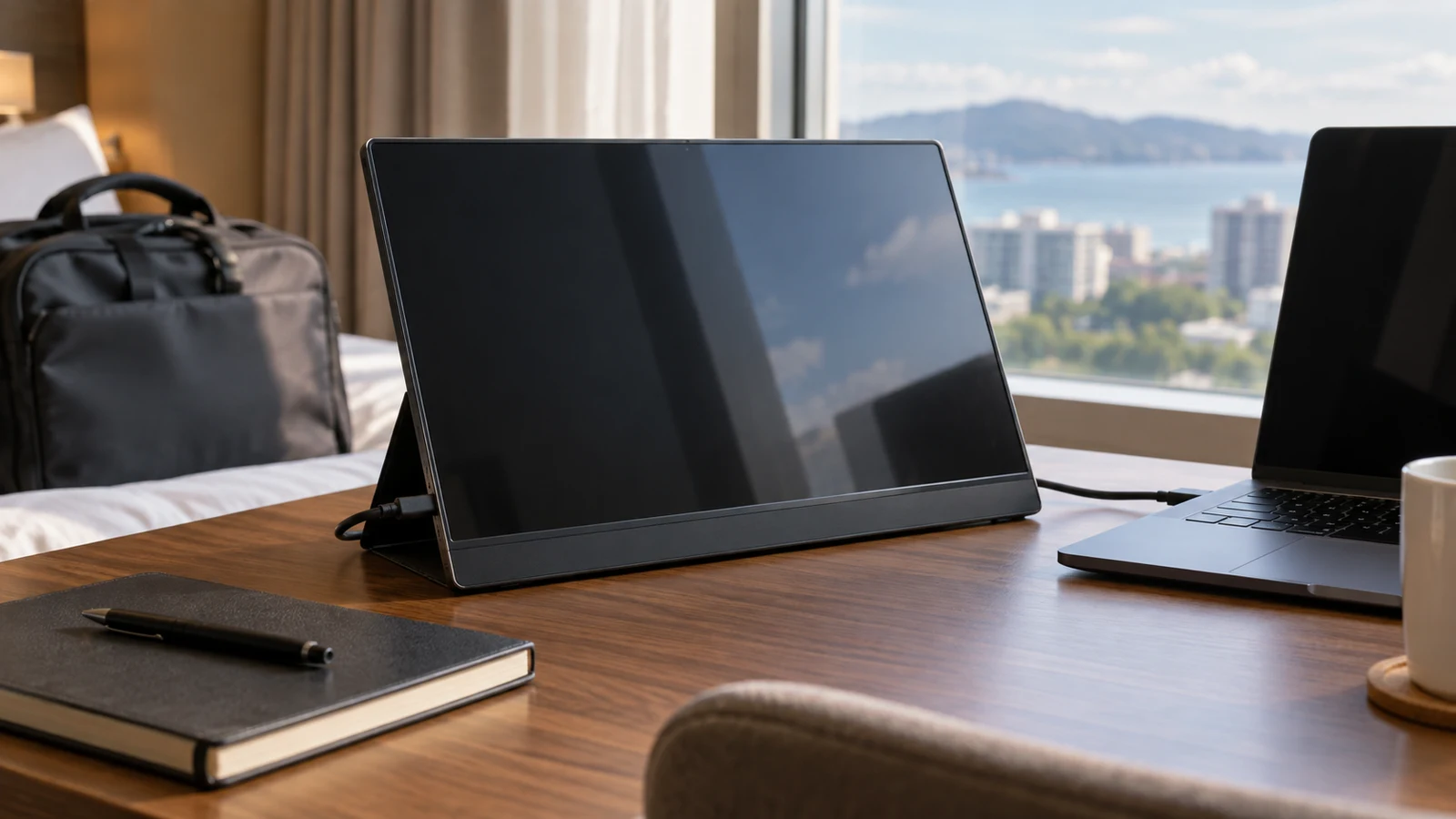
The ASUS ZenScreen portable monitor is worth considering if you want a separate 15.6-inch USB-C screen beside your laptop. Whether it suits your travel desk depends on how you will support it and connect it to your computer. If keeping the second screen attached to the laptop matters more, the listed 14-inch SideTrak Swivel offers that option. Start with your preferred arrangement, then confirm the hardware needed to make it work.
Republeq's ASUS listing describes a Dark Gray 15.6-inch IPS LED display with Full HD visuals, an 800:1 contrast rating and USB-C connectivity. It describes a single-cable setup for secondary-screen use. Those details establish the advertised display and connection type, but they leave some purchase questions open, including the precise model number, supplied support and requirements of the host laptop.
The ASUS ZenScreen portable monitor product page is the starting point for identifying the item. Match its description to the unit being offered before borrowing specifications from another ZenScreen model. In particular, leave touch support, battery operation and automatic rotation out of your expectations unless the seller confirms them for this exact item.
For this purchase, picture a temporary desk where you open the laptop, connect a second display and work before packing everything away. A useful choice should accommodate that routine without requiring an arrangement you cannot reproduce while traveling. The comparison below focuses on separate placement versus laptop attachment, with connection and packing questions kept specific to those choices.
Compare Screen Aspect Ratio Before Fitting Content To A Display: Planning The ASUS Setup
A separate-screen arrangement deserves consideration when you want to choose the display's position independently of the laptop lid. For the ASUS unit, establish what will hold the screen upright before planning that arrangement. The supplied description does not identify a built-in stand, a folding cover or an included support accessory. Ask which support comes with the exact unit and which positions it permits.
Once that support is identified, request the dimensions of the monitor in its working position. Include any space the support needs behind it. The listed 15.6-inch size alone does not answer whether the complete assembly will fit where you intend to place it. A seller's measurement of the supported unit is more useful for this decision than estimating its footprint from a product photograph.
Consider how often you will change the screen's angle during a session. You might want reference material near the laptop at first, then turn the screen slightly while reading. Ask whether the proposed ASUS support allows the adjustment you need and whether you must lift or reposition the whole assembly. Do not assume a particular range of tilt from the word portable.
Your working distance deserves a separate check. For example, suppose you want an equipment manual visible while entering notes on the laptop. Evaluate whether you could read the manual comfortably from the proposed screen position, with the text size you normally use. This is a question about your working arrangement; the catalog's Full HD description does not establish a comfortable reading distance for you.
If the shape of the material itself raises questions, use Compare screen aspect ratio before fitting content to a display as a separate reference. For this purchase, keep the immediate question on placement: can you position and support the ASUS display where you want to read it? Resolve content-fitting questions without assuming they determine the stand, mounting method or connection requirements.
The IPS panel and listed contrast rating describe parts of the ASUS specification. They do not establish how the display will look in the rooms where you travel. If brightness or reflections would affect your choice, request the exact model's brightness and surface-finish information. Avoid choosing on a promise of outdoor readability or suitability for color-critical work that the supplied listing does not make.
Packing also depends on information beyond screen size. Ask for the monitor's weight and exterior dimensions, then include the support and protective accessory you would actually carry. Check whether those accessories are supplied or separate purchases. This lets you judge the complete travel kit without treating a compact description as a measured claim about your bag.
Think about how you will put the display away when you have only a short break between work sessions. Would you be comfortable detaching a support each time, or would you prefer a support that stays with the monitor? There is no confirmed ASUS accessory arrangement in the supplied description, so make your preference a question for the seller before ordering.
The USB-C connection needs equally specific attention. Give the seller your laptop's exact model and ask whether its intended port supports the video output and power arrangement this monitor requires. The listing's single-cable description is not confirmation for your particular computer. Ask for the answer to identify the connection you would use, especially if the laptop has several similar-looking ports.
Include your normal charging setup in that conversation. Ask whether the proposed display connection leaves you able to charge the laptop as intended, and whether any adapter or dock is needed. If a dock is part of your travel kit, name its exact model too. Treat the laptop, any intermediary device and the monitor as the setup that needs confirmation.
Request an explicit cable list. Establish which cable is included, what it connects at each end and whether it supports the proposed setup. If an additional cable or power supply is required, include it in your packing and purchase decision. A single-cable description should not lead you to omit an accessory that the seller later identifies as necessary for your computer.
SideTrak Monitor Alternative: Attachment And Swivel Options
The listed SideTrak monitor alternative is the STTL14DS, described as a 14-inch Full HD IPS screen that attaches to a laptop. Its supplied description states that it rotates up to 270 degrees and swivels 360 degrees. A built-in kickstand also permits freestanding or portrait use. These are specific placement options to compare with whatever support is confirmed for the ASUS.
Attachment is worth investigating if you want the second display to remain physically associated with the laptop during use. Ask how the SideTrak mounting hardware fits your exact laptop and what must remain attached after the monitor is removed. The listing makes broad laptop-fit claims, but a purchase decision should account for your particular lid and any protective shell you use.
For a laptop you carry daily, the attachment process may matter as much as the viewing position. Request the mounting instructions before deciding whether that process suits you. Find out which parts detach for transport and how the screen should be packed. Do not assume that an attachable monitor is intended to remain deployed while you move the computer between locations.
The swivel specification is useful if you expect to change the screen's direction, but consider the positions you would actually use. Ask whether your preferred position is supported with your laptop and mounting arrangement. The advertised movement range does not, by itself, describe how the assembled setup will behave on your chosen surface or with cables connected.
The kickstand gives the SideTrak comparison another branch. You may prefer it as a separate display for some sessions and want attachment for others. Confirm what changing between those modes involves, including any hardware you must remove or retain. If you expect to use it freestanding almost all the time, weigh the attachment feature according to that limited need.
Republeq's description also lists extended and mirrored display modes, automatic orientation changes and adjustable brightness for the SideTrak. If one of those functions is decisive, ask how it works with your operating system and whether setup software is required. Keep these listed features attributed to the SideTrak; the ASUS description supplied here does not establish the same functions.
The SideTrak connection wording needs clarification before purchase. Its description mentions USB-C and Mini HDMI but does not clearly separate the video and power arrangements. Request a connection diagram for your laptop that identifies both. Do not build your packing plan around an assumption that either named connection provides everything the display needs.
For the ASUS buyer, the SideTrak comparison is therefore about a different mounting choice, alongside its listed 14-inch size. Prefer the ASUS candidate when its confirmed support arrangement suits the separate display you want. Give the SideTrak closer consideration when attachment or its stated swivel options answer a specific need. Neither listing establishes which complete setup will feel better to carry.
SideTrak Monitor Alternative: Details To Resolve Before Choosing ASUS
Before making the final choice, request the ASUS manufacturer's model number and confirm that it belongs to the advertised 15.6-inch Dark Gray USB-C unit. The supplied ASUS title does not include that model identifier. For the comparator, match any answers to SideTrak STTL14DS. This keeps accessory and compatibility answers tied to the products you are actually considering.
A concise seller inquiry can resolve the remaining equipment questions without asking for a general recommendation. Name your laptop and describe whether you want the display separate or attached. Then request the following details for the exact item:
- The support or mounting hardware included in the box, with any required accessories identified separately.
- The supported connection arrangement for your laptop, including video, power and continued laptop charging.
- The complete cable contents and any additional cable or adapter needed.
- The monitor's exterior dimensions and weight, plus the dimensions of its proposed working arrangement.
- The recommended transport configuration and whether protective storage is included.
Keep unresolved answers visible when comparing the two options. If the ASUS support remains unspecified, you cannot yet judge its complete separate-screen setup. If the SideTrak mounting instructions do not address your laptop, the attachment question remains open. You can still compare the listed specifications while leaving those practical conclusions undecided.
Seller terms are a separate part of the purchase. Check the current item price and what is included in that price, then read the applicable warranty and return conditions. If you need the display for a particular trip, confirm the delivery estimate for your destination. The product descriptions do not establish those terms or promise arrival before your departure.
If you intend to use cryptocurrency at checkout, review the options and instructions presented for that order. Do not infer a supported token, network or payment deadline from either monitor listing. Any payment fee or refund question should be resolved from the applicable checkout information and seller terms, without letting payment availability stand in for hardware compatibility.
Choose the ASUS ZenScreen portable monitor once the exact unit, its support and your laptop connection form a setup you would willingly carry and use. If your preference is still laptop attachment, compare the confirmed SideTrak mounting arrangement before committing. Return to the ASUS listing with your laptop model and accessory questions ready, so the final decision rests on the travel desk you can actually assemble.