Crypto Commerce
HP LaserJet Pro 4001n monochrome printer 4001n vs OfficeJet 9122e for text queues and color handouts
Compare HP LaserJet Pro 4001n monochrome printer by paper flow, duplex work, scanning, network setup, image sizing, and refill terms.
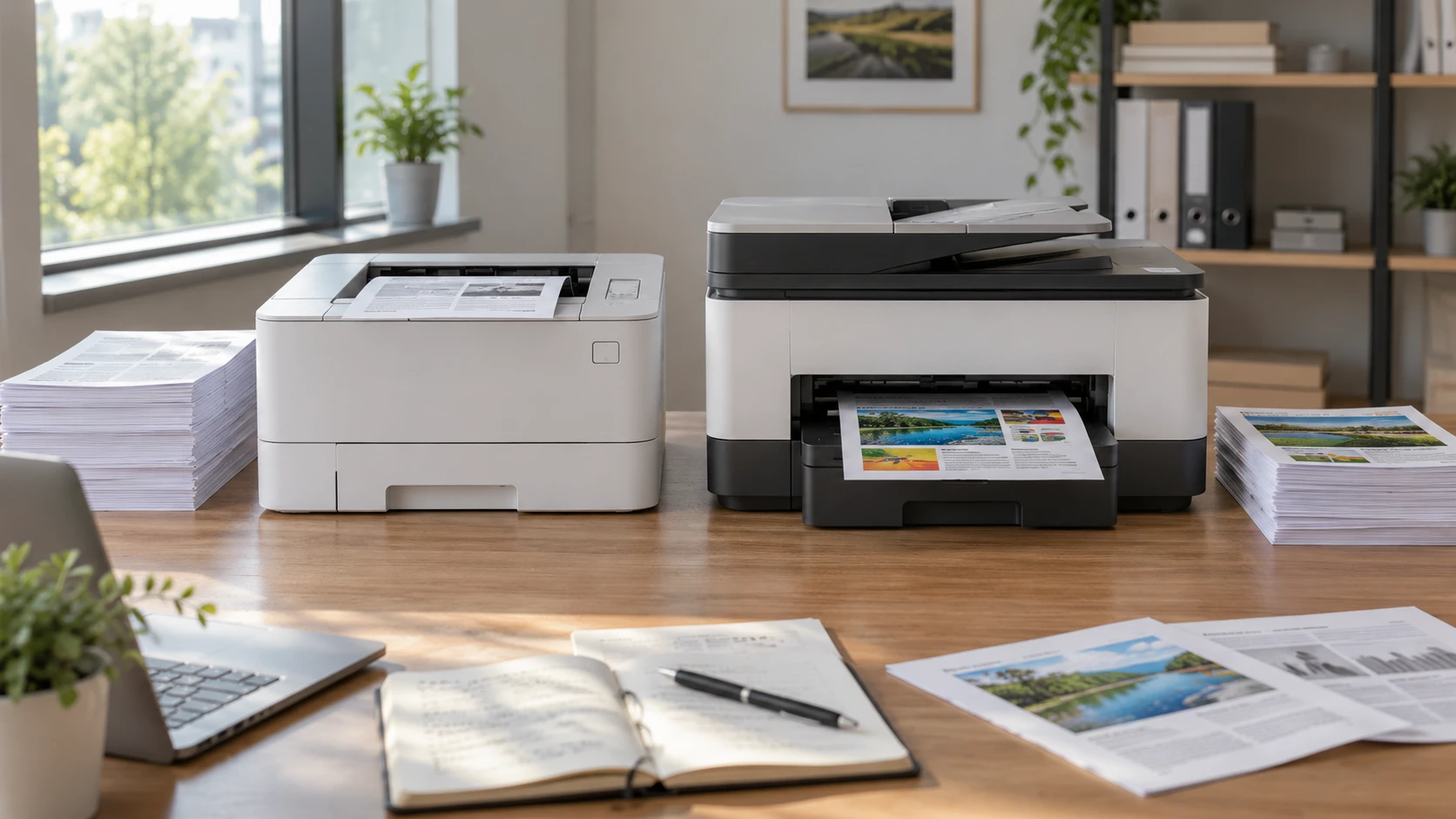
The HP LaserJet Pro 4001n monochrome printer is a refurbished, black-and-white print device listed at up to 42 pages per minute. Its saved configuration uses USB or Ethernet and lacks built-in Wi-Fi and automatic two-sided printing. The guide to choosing image resolution for print size matters when an office occasionally produces handouts from photos or graphics: a printer specification cannot repair a low-resolution source image. The HP OfficeJet 9122e color all-in-one adds color, scanning, copying, faxing, a feeder, automatic duplex work, and Wi-Fi. These are different tools for different queues. Count the pages and jobs that actually arrive each week before treating either speed figure as the deciding fact.
Separate text volume from document tasks — HP OfficeJet 9122e color all-in-one
4001n's listing describes a monochrome LaserJet Pro for workgroups of up to ten users. It quotes 42 pages per minute in black and 1200 × 1200 dpi output, with a 250-sheet standard input tray and a 100-sheet multipurpose tray. An optional 550-sheet third tray is supported. That configuration is worth investigating when invoices, forms, shipping documents, and drafts need reliable black text in repeated batches. The page does not give a measured first-page time, toner cost per page, duty-cycle recommendation, or output-bin capacity. Ask for those figures before sizing a busy shared print station around its headline speed.
OfficeJet 9122e lists up to 20 black pages per minute and 16 color pages per minute, with a 250-sheet input tray. These are catalog speeds under unspecified workload conditions, so they should not be compared as a prediction for a mixed stack of photos, duplex pages, and different paper types. The relevant advantage for a small office may be that one machine can handle a color handout, scan a signed form, and copy a packet. If most pages are black text and scanning is rare, those extra functions may sit unused. Count job types separately: printing a text page, printing a color page, scanning an original, and sending a fax consume different staff time.
The 4001n source calls it a printer, yet a generic HP Smart app sentence in the same description mentions scanning. It does not identify a scanner or document feeder on the 4001n itself. Do not plan a paper-digitizing workflow from that app claim. Confirm the exact hardware functions with HP's model documentation. OfficeJet 9122e explicitly includes a scanner, copier, fax function, and automatic document feeder. Its saved excerpt does not give feeder-sheet capacity or the largest original it accepts. Test the actual forms and ask for the feeder and flatbed specifications before replacing a separate scanner.
Check the two-sided paper routine — HP OfficeJet 9122e color all-in-one
The 4001n listing explicitly says this base model does not have automatic duplex printing. An office that prints many two-sided packets must either manage manual reversal or select a different model. Manual duplexing is possible for some jobs, but it adds handling and can reverse page order if the paper path is unfamiliar. Print a representative ten-page document before committing to the workflow. The 100-sheet multipurpose tray may be useful for a different paper stock, yet the saved description does not list every supported weight or envelope format. Use the exact media guide rather than assuming any stock that fits physically will feed reliably.
OfficeJet 9122e's page states that it can print and scan automatically on both sides. A duplex scanner can save substantial time for signed contracts or forms with notes on the back, provided the feeder handles the originals without damage. Put a two-sided sample through and check page orientation, blank-page behavior, and whether pale marks survive. An automatic duplex claim does not prove that every paper size supports the mode or that a delicate original belongs in the feeder. Keep a flatbed route for receipts, wrinkled papers, or small items when the manual permits them.
The OfficeJet's 250-sheet tray and the 4001n's 250-sheet standard tray share a number, but that says little about a whole week's interruptions. The LaserJet offers its separate multipurpose feed and an optional larger tray, while the OfficeJet combines several document functions in one chassis. Decide whether the office needs two stocks loaded at once, such as plain paper and letterhead, and whether staff can reach a refill tray without moving furniture. Ask about paper-output capacity and the path for clearing a jam. A convenient tray location can matter more during a busy hour than the quoted top speed.
Match color output to the original file — choosing image resolution for print size
OfficeJet's listing pitches presentations, brochures, and flyers in color. That is a reason to examine sample prints, not a guarantee that its colors match an on-screen design or a professional print shop. The product excerpt gives no color gamut, print-resolution measurement, or paper-profile detail. Prepare a real page with small text, a chart, and one photograph. Print it on the intended paper and inspect legibility, gradients, and drying or handling needs under the actual room lights. The LaserJet's monochrome output can handle a chart whose color categories have been redesigned with labels and patterns, but it will not reproduce color distinctions on its own.
The image-resolution guide is relevant before either printer receives the file. A web image enlarged to fill a flyer can look soft even if the printer itself has a high dot-per-inch specification. Check the source image's pixel dimensions at the size it will appear on paper, then make a test print. The 4001n's stated 1200 × 1200 dpi is an output specification for the printer; it is not the same measure as the pixels in a photo. The OfficeJet source gives no comparable printer-resolution figure. Avoid ranking image quality from one dpi number and an absent one.
If color is occasional, calculate how often a color job is needed and whether it must be produced in-house on short notice. A weekly client handout may justify a color device even when most pages are text. A quarterly brochure might be easier to order elsewhere after proofing, depending on turnaround and cost. The saved pages do not give a comparable cost per black page or per color page. Gather current supply prices and realistic page yields for the exact cartridges or toner before choosing on a presumed running-cost advantage.
Put the printer on the real network — HP OfficeJet 9122e color all-in-one
4001n lists USB and Ethernet. Its source explicitly says it has no built-in Wi-Fi, Bluetooth, or HP+ in this base configuration. If several desks will print to it, check where an Ethernet connection and suitable power outlet can be installed. An Ethernet printer may still be reachable from Wi-Fi laptops through the office network, but that depends on the router and security configuration. Test a print from a representative computer and phone rather than assuming that the word “network” resolves every device. Ask IT about driver deployment, protected print queues, and guest access.
OfficeJet 9122e lists dual-band Wi-Fi, Ethernet, USB 2.0, a fax modem line, and the HP app for mobile tasks. Its description claims the Wi-Fi can detect and resolve some connection issues; it does not prove the printer will work through every guest network or corporate firewall. Check the available Wi-Fi bands, account setup, and whether the phone and printer can communicate on the actual network. The 2.7-inch touchscreen may make walk-up copying simpler, while the 4001n source does not describe a comparable touch interface. Staff should try the basic copy and scan route before the machine becomes the only document station.
Security matters for shared offices. The 4001n listing says security settings are preconfigured and mentions device-policy checks and PIN or pull authentication options for job release. OfficeJet's page names HP Wolf Pro Security and customizable protections. Those labels do not establish that a particular office policy is already enforced. Have the administrator set credentials, updates, and job-release behavior for the exact model. Test whether a confidential page remains in a tray or whether a scan destination exposes documents to the wrong account. Fax and mobile access may need separate decisions.
Read refill and condition terms before ordering — HP OfficeJet 9122e color all-in-one
The 4001n unit is described as refurbished by HP to like-new condition, with original accessories and a one-year HP warranty. Confirm the exact serial number, cosmetic condition, page count if available, warranty start date, and what consumable arrives installed. The saved source does not state a toner yield or whether a full-yield cartridge is included. A low initial price can be misleading if the first toner replacement is due soon. Ask for a written inventory and warranty statement for this exact offer.
OfficeJet 9122e's page offers three months of Instant Ink, after which a monthly fee applies unless the service is canceled. It makes a savings claim under unspecified usage conditions. Read current plan tiers, included pages, overage terms, and cartridge behavior before treating a trial as free ongoing ink. The excerpt does not say what cartridges ship in the box or their yield. If the office prefers to buy supplies as needed, confirm the supported purchase route and total cost for its typical mix of black and color pages. Include paper, service interruptions, and staff time when comparing either printer's ownership cost.
Choose 4001n when the actual queue is mainly black text and a wired, print-only, single-sided workflow fits the office. Confirm refurbishment and toner terms before relying on its 42-page-per-minute claim. Choose OfficeJet 9122e when color, duplex scanning, walk-up copying, fax, or Wi-Fi solves recurring tasks. Test one representative print and one complete scan-to-file job, then decide which functions save enough work to justify the supplies and setup they require.