Troubleshooting & Repairs
Honeywell HUL585 no mist: check the water path
Use the HUL585 manual to check the water path, knob and float-paddle arrangement. Keep HUL588 controls and Levoit app features with their own models.
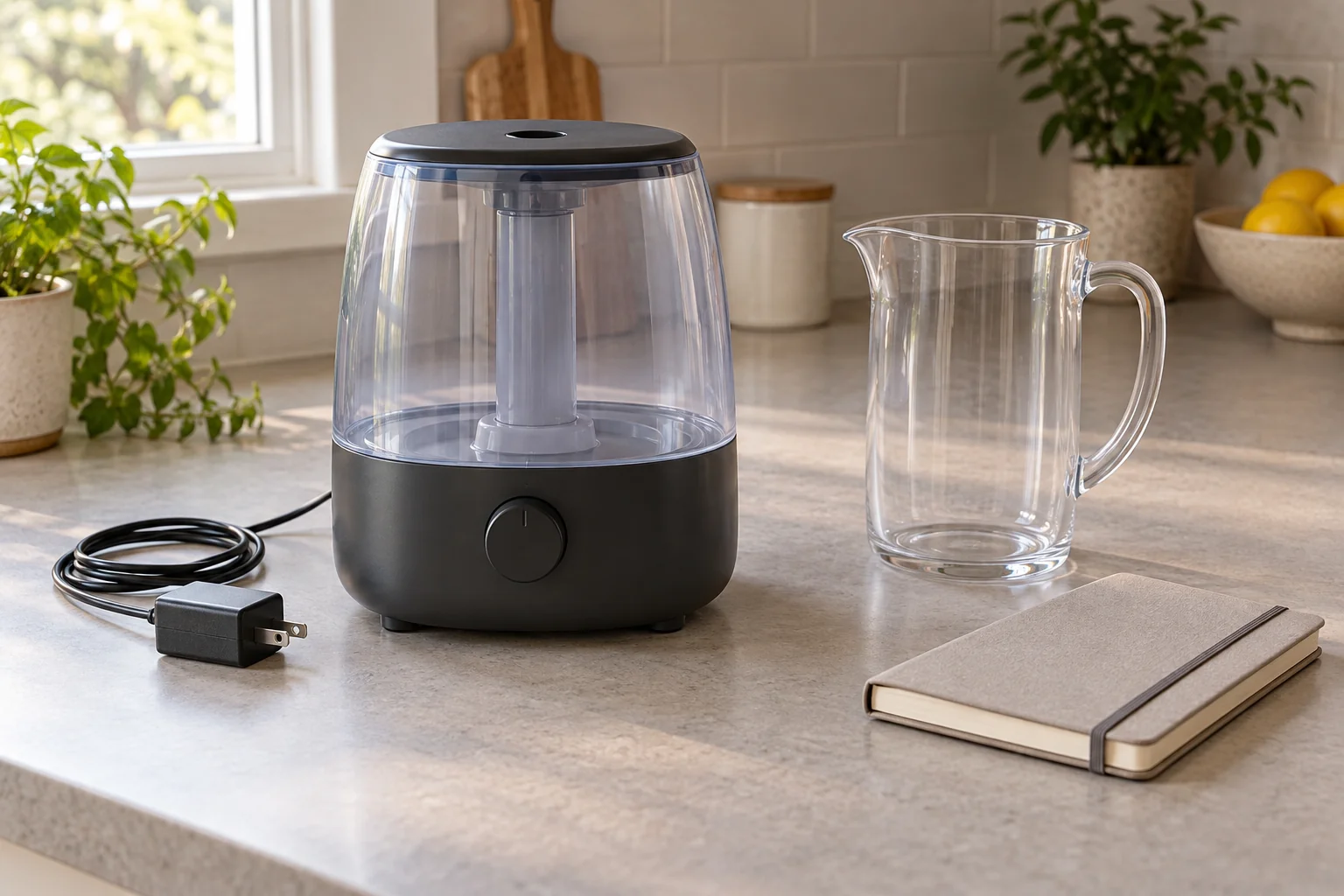
For Honeywell HUL585 no mist, first describe the condition you actually see: is the power light on while little or no mist emerges, or is the appliance showing another problem? Keep water that remains in the tank separate from water present in the base reservoir. Those observations help you choose the relevant entry in the HUL585/HUL588 owner's manual. Keep the manufacturer's diagram available during this check. This guide focuses on the HUL585's water path and named external checks, without opening the electrical housing or borrowing another model's controls.
The Honeywell HUL585B offer identifies a black ultrasonic cool-mist humidifier with a 1.25-gallon label, top filling, dual-direction mist control and automatic shutoff. These describe the selected offer. Its short description does not identify why an individual unit is producing little mist. Use the actual HUL585 series identification and its applicable instructions to investigate the condition, rather than treating the size label or automatic-shutoff feature as a diagnosis.
Identify the HUL585 power knob before changing output
For an illuminated power light with little or no mist, Honeywell's table lists an empty tank, low output, an incompletely connected adapter, hardened minerals on the nebulizer or an uninstalled tank. The HUL585 power knob increases output clockwise; HUL588 touchpad instructions are separate. Use only the provided adapter. Turn off and unplug before moving, use dry hands, and never touch the nebulizer while plugged in.
Look at the actual control arrangement before interpreting a suggestion from someone using another humidifier. A person referring to a touchpad may be describing the HUL588 section of the shared manual. Keep that advice with the named model. For the HUL585 here, identify the knob and the observed condition before consulting the relevant operating and troubleshooting entries. A similar product name does not turn one control layout into another.
Distinguish a setting you actually checked from one you remember choosing earlier. If the appliance was put away, cleaned or used by someone else, a remembered position may no longer describe the present setup. Read the actual control and compare it with the applicable directions. This does not require inventing a target humidity percentage or selecting a running schedule. The immediate question is which documented external condition matches the lack of mist you are investigating.
The shared manual's Humidity Reached icon belongs to HUL588, not the HUL585 knob discussion here. A photograph or explanation showing that icon should therefore send you back to the model heading before you interpret it. Keep the physical control layout in view while reading. Following an adjacent section in a shared document can otherwise produce a plausible explanation for the wrong appliance, especially when both model names appear on the same cover.
When checking the external adapter arrangement under the manufacturer's directions, keep the supplied adapter associated with this actual unit. A cable that happens to fit is not evidence of the correct supply. If the original adapter cannot be identified, make that the support question before trying another one. Keep the uncertainty about the supply separate from any conclusion about the water path. A proposed replacement part needs the exact unit's requirements, rather than an assumption carried over from the other humidifier on the shelf.
A full tank leaves the water-path question open
A visible quantity in the tank answers a different question from whether the rest of the water path is arranged correctly. Keep the tank and base reservoir named separately when reading the manual. Otherwise, saying only “there is water in it” can leave someone unsure which compartment you inspected. Refer to the actual component illustration before deciding that the presence of water rules out every water-related cause.
The humidifier capacity and output explainer separates stored volume, stated daily output and timer labels. That distinction is useful here: the offer's gallon number cannot explain a particular no-mist event or establish the setting used. Keep the capacity label in the product identification, while directing the troubleshooting question toward the actual tank, reservoir and controls.
Consider a fictional new owner who sees water in the tank after setting up the appliance but has not checked the component arrangement underneath it. They conclude that the water supply must be correct because the tank is full. The observation establishes the tank's contents, while leaving the assembly question unanswered. The next useful step is to consult the exact setup section, not to conclude that an unseen electrical component has failed.
The humidifier float paddle rests in place
The guide requires the humidifier float paddle for operation. Match its illustrated position and place the Float Rod over both brackets; it rests there and does not snap in. Incorrect placement can prevent water feeding into the reservoir or cause leakage. Follow the complete setup instructions for the actual unit, without forcing the part.
That no-snap distinction gives the fictional owner a concrete assembly question to check. A part can be designed to rest in its intended position without producing a click. Do not use the absence of a click as a reason to keep pressing an unfamiliar component. Read the supplied illustration against the actual brackets and part. If the arrangement does not match, obtain the applicable instructions or assistance before proceeding with the setup.
Keep the component name precise if someone else helps. The tank, reservoir and float assembly have different roles in the manual's account. Pointing to the relevant diagram is clearer than asking whether “the plastic piece” is installed. You can ask a useful question without naming an internal fault: explain which model you have, which illustrated part you are checking and what does not match the expected arrangement.
For a seasonal reassembly, distinguish the parts actually found with the appliance from items stored nearby. A loose component from another household device should not be fitted simply because its shape looks promising. Compare the manufacturer's component illustration and use the actual supplied part. If something required is missing, identify that gap before continuing the setup. This is particularly useful when several appliances were packed away together and the person unpacking them did not prepare the original storage box.
Repeatedly lifting a full tank is another circumstance
Honeywell also identifies reservoir overfilling after moving the unit with a full tank or repeatedly removing and replacing it while full. Its stated response is to remove the tank, empty the reservoir and replace the tank. Fill with cool water; keep oils, medications and additives out of the tank. For mineral buildup, use the complete cleaning instructions rather than an improvised treatment.
This is different from the fictional first setup in which the owner has not established the component arrangement. Imagine another owner who initially used the appliance, then repeatedly lifted and replaced the full tank while trying to see what was happening. That history belongs in their troubleshooting question. It gives support information that the final appearance alone cannot supply, without proving that overfilling is the cause of every similar event.
Make the handling history brief and concrete. Say whether the full unit was moved or the tank was repeatedly lifted, if those events actually occurred. Do not add them because they happen to appear in the table. If you do not know what happened before you arrived, leave that part unknown. A manufacturer's list of possible causes is a way to investigate a condition, not evidence that every listed event occurred in your household.
Also keep a leaking-water report distinct from the no-mist report. They may be noticed during the same session, but one should not disappear from the description because the other seems more important. The float-placement discussion expressly identifies more than one possible outcome. Tell support both conditions if both occurred, and consult the applicable instructions for each. Avoid repeatedly adding water to pursue visible mist while leaving an unexplained leak out of the question you are trying to resolve.
Keep the Levoit app features with the Levoit offer
The Levoit Classic 300s offer identifies model LUH-A601S-AUSW with a six-litre tank. Its description names the VeSync app for monitoring humidity, choosing settings, voice control, schedules and timers. Those are stated features of that selected Levoit offer. They do not provide a Honeywell HUL585 control method, and this article adopts no Levoit setup, reset or cleaning sequence.
If someone suggests checking an app schedule, establish which actual device the advice concerns before following it. The Honeywell and Levoit offers describe different control arrangements. Keep each appliance's own instructions available when investigating its behavior. An explanation that might be relevant to a named smart feature on one product has not thereby answered a question about the HUL585's knob, water compartments or float assembly.
Separate the mist observation from a room reading
The immediate observation here concerns the appliance's visible output. A room monitor supplies separately labelled measurements. The relative humidity and temperature guide explains why those two readings belong together and why a percentage needs its temperature context. Keep any actual monitor reading separate from the physical condition being reported at the humidifier.
For example, “the power light is on and I see no mist” describes the appliance observation. A temperature and relative-humidity pair from a room monitor describes that instrument's observation at its own time and place. Neither account should be silently substituted for the other. This article recommends no humidity target, monitor placement, calibration method or health outcome. Use the information appropriate to the question you are actually asking.
Follow the complete care and support path when needed
If the relevant table entry points toward mineral buildup, find the actual manual's cleaning section before beginning. This article gives no cleaning-liquid dose or shortened chemical procedure. Keep the full preparation, cleaning and rinsing directions together for the exact unit. If you cannot establish which procedure applies, obtain clarification instead of combining fragments from different models or unrelated household cleaning advice.
When the named checks leave the problem unresolved, contact the manufacturer's support route with the HUL585 identification and the observed condition. Include the external arrangement you checked and any relevant handling history, using ordinary descriptions. You do not need to decide that the nebulizer, adapter or another component is broken before asking for the next applicable step. A cause remains unresolved until the evidence supports it.
Before someone else resumes the task, show them which setup question is settled and which remains open. Keep the manufacturer's instructions with the unit. A useful handover can distinguish a verified component position from an untested assumption about mist output, without repeating operations simply to produce activity. Continue only through the actual unit's applicable instructions or a model-specific support response that addresses the remaining condition.