Crypto Commerce
Hoengager RTX 5060 desktop vs HAJAAN AMD PC
The Hoengager RTX 5060 desktop and HAJAAN AMD PC change several parts of the purchase at once. Hoengager pairs an Intel Core i5-13400F with RTX 5060 graphics, 16GB DDR4 and a 1TB PCIe SSD. HAJAAN pairs a Ryzen 7 7700X with RTX 4060 graphics, 64GB DDR5 and a 2TB NVMe SSD. Hoengager deserves a closer look if its stated configuration meets your requirements and independent testing supports your gaming expectations. HAJAAN deserves that attention if your work calls for its larger installed memory and storage capacities. Neither description establishes a performance winner.
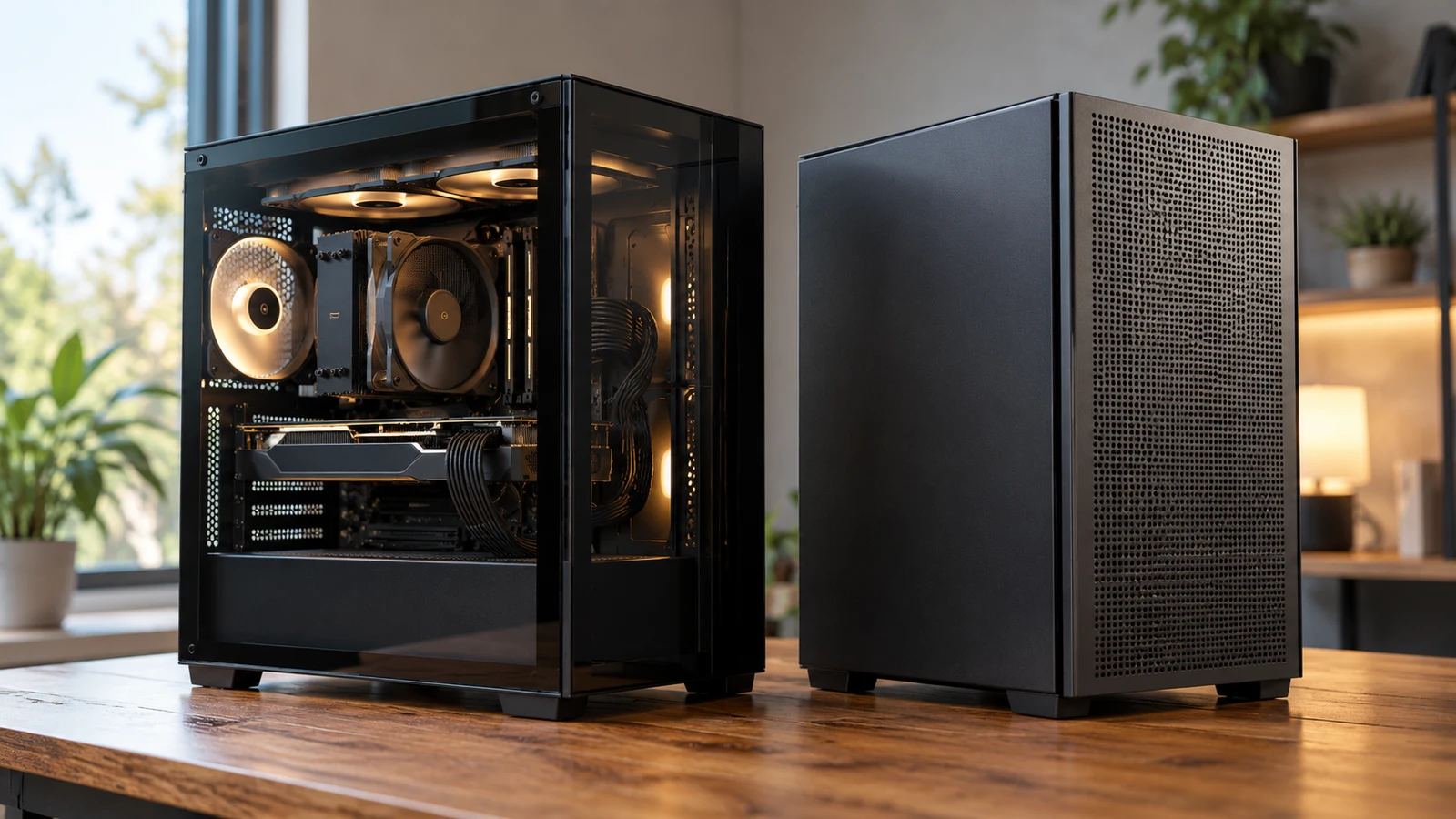
The Hoengager RTX 5060 desktop and HAJAAN AMD PC change several parts of the purchase at once. Hoengager pairs an Intel Core i5-13400F with RTX 5060 graphics, 16GB DDR4 and a 1TB PCIe SSD. HAJAAN pairs a Ryzen 7 7700X with RTX 4060 graphics, 64GB DDR5 and a 2TB NVMe SSD. Hoengager deserves a closer look if its stated configuration meets your requirements and independent testing supports your gaming expectations. HAJAAN deserves that attention if your work calls for its larger installed memory and storage capacities. Neither description establishes a performance winner.
The difficult part is deciding which differences would matter during your own use. Choosing HAJAAN changes the processor and graphics card as well as the memory configuration. Choosing Hoengager means evaluating its complete combination, including whether the installed RAM suits your applications. A result for one isolated component cannot settle this whole-system comparison. Begin with a workload you can describe precisely, then use the specifications to identify what still needs an answer.
Hajaan Computer Alternative: What Changes Across The Two Configurations
The description for the Hoengager RTX 5060 desktop specifies an Intel Core i5-13400F with 10 cores and 16 threads, a 2.5GHz base frequency and turbo boost up to 4.60GHz. Its graphics card is described as an NVIDIA GeForce RTX 5060 with 8GB GDDR7 video memory. The description also says the graphics-card brand may vary. That qualification makes the exact supplied card a useful question, especially if you want to compare the assembled computer with a particular review.
The Hajaan computer alternative lists an AMD Ryzen 7 7700X processor with boost up to 5.4GHz and an NVIDIA GeForce RTX 4060 with 8GB GDDR6 video memory. Its description specifies 64GB DDR5 6000MHz U-DIMM RAM and a 2TB M.2 2280 NVMe PCIe SSD. These are stated component details, not results from a comparison test. The description's broader claims about rendering and frame rates do not tell you how this tower performs against Hoengager.
Both graphics descriptions specify 8GB of video memory, but they name different GPUs and memory types. Keep the full identifiers in your comparison notes. A shared capacity does not establish equivalent graphics performance, and the model names alone do not quantify the difference in your chosen game. Ask which exact graphics card will ship in each tower, including its manufacturer and model designation where available. Do not assume a review of one card construction describes every possible supplied variant.
The processor figures need similar care. Hoengager's description gives both a base frequency and a maximum turbo frequency; HAJAAN's gives a maximum boost figure. Avoid using those numbers as a direct scorecard for application speed. A useful comparison would show the task, software settings and complete test configuration. If the evidence only lists clock speeds, you still have a specification comparison rather than a measured answer about which computer finishes your work sooner.
Consider a buyer who spends evenings gaming and occasionally works on a large creative project. That buyer has two separate questions: whether the gaming experience meets their target, and whether the project fits the chosen system's resources. The larger HAJAAN RAM specification answers a capacity question, while a representative game test would address a different concern. Neither answer should silently stand in for the other. Keeping both visible prevents one attractive specification from deciding the purchase before the rest of the machine has been considered.
Hajaan Computer Alternative: Which Benchmark Would Change Your Choice?
Before looking for results, write down the decision a benchmark must support. For gaming, identify the game, intended resolution and settings, together with the experience you would consider acceptable. For application work, identify the software version and a representative operation, such as exporting a project you actually expect to create. This keeps your research focused on a practical threshold instead of an assortment of scores that answer different questions.
When examining independent tests, check whether they cover the complete desktop or only one component. A graphics-card review using another processor and a different RAM configuration cannot establish how either of these supplied towers performs as assembled. It may help you investigate the GPU, provided you preserve that limitation. For a direct buying comparison, seek results whose configurations and settings are clear enough to explain what was tested and what differs from the computer you would receive.
A benchmark that changes several components at once cannot tell you which change caused its result. If a tested system has more RAM, a different processor and another graphics card, treat the score as evidence about that combination. This is particularly important here because moving between Hoengager and HAJAAN changes all of those categories. Avoid attributing an entire lead or shortfall to the RTX model number when the rest of the test machine also changed.
If suitable whole-system results are unavailable, keep the decision conditional. You can establish that a description names certain hardware without establishing a particular frame rate or export time. Decide whether the remaining uncertainty concerns something essential to your purchase. A shopper replacing a machine for one demanding application may need a more closely matched test than someone whose requirements are already comfortably addressed by documented specifications. Neither product description supplies that personal threshold for you.
Compare Computer Memory And Storage Without Adding Them Together: Evaluate The Installed Package
Hoengager's description specifies 16GB DDR4 at 3200MHz and a 1TB PCIe SSD. HAJAAN's specifies 64GB DDR5 at 6000MHz and a 2TB M.2 NVMe PCIe SSD. To review the capacity terminology separately, read Compare computer memory and storage without adding them together. For this purchase, the useful question is whether the installed configuration meets your actual application and file requirements without depending on an unconfirmed modification.
Check the requirements for the software you intend to run, including the version and the kind of project involved. If an application recommendation exceeds Hoengager's stated 16GB, record that as a configuration issue to resolve before purchase. HAJAAN's stated 64GB then becomes a relevant reason to investigate that system. It still does not certify the rest of its hardware for your workload, nor does it establish how much faster a particular operation would run.
The storage comparison should reflect the material you plan to keep on the computer. Review your existing project folders and planned game installations, then consider whether the stated 1TB or 2TB configuration suits that collection. Neither supplied description identifies the exact SSD model. If sustained drive performance matters to your work, ask for that identifier and seek evidence about it. Avoid treating the presence of PCIe or NVMe wording as a measured result for the installed drive.
Do not resolve a mismatch by assuming an easy upgrade. The supplied descriptions do not establish the motherboard models, occupied memory slots, spare drive connections or supported expansion arrangements. Ask about those details if future changes are part of your budget. For Hoengager in particular, a plan to buy the listed configuration and immediately change its RAM needs its own compatibility and cost check. The description does not confirm which replacement kit would be appropriate.
A useful way to compare the packages is to separate requirements you have today from possibilities you have not committed to. If you already work with projects that require more installed memory, that is a concrete purchasing reason. A vague intention to try demanding software later carries less detail. You can still choose capacity for future use, but make that a conscious preference and confirm that the processor and graphics configuration also suit the work you envisage.
Hajaan Computer Alternative: Connections, Placement And The Final Order
The connection descriptions differ in specificity. Hoengager lists built-in WiFi and Bluetooth without naming their versions. HAJAAN lists a PCIe Wi-Fi 6 card using 802.11ax and integrated Bluetooth 5.2. Those details support a comparison of the stated wireless equipment. They do not establish reception at your desk, performance on your network or compatibility with a particular accessory. Check any device-specific requirements against the exact equipment supplied.
Neither description provides a complete external port inventory. Before choosing, list what you will connect and ask for the relevant rear and front connections. A buyer with an existing monitor, external drive and audio equipment should verify each connection individually. Request the graphics card's display outputs as well as the motherboard's peripheral ports. The presence of a named GPU does not, by itself, establish the exact sockets on the card that will arrive.
Cooling information also has different levels of detail. Hoengager specifies a 240mm AIO liquid CPU cooler with RGB fans and a supplied remote for adjusting the lighting. HAJAAN describes a liquid cooling system and programmable RGB case lighting, but does not identify the cooler's size in the supplied description. Neither description provides comparable noise measurements or sustained temperature results. If the tower will sit near your microphone or beside you during quiet work, seek evidence that addresses that use directly.
HAJAAN describes tempered glass panels on the front and side. That is a presentation detail, not proof of a particular cooling result. For either computer, obtain the case dimensions and placement guidance before allocating space beneath a desk or inside a furniture opening. Leave the placement decision open until you can account for cables and the manufacturer's ventilation instructions. The supplied descriptions do not establish the measurements or clearance requirements needed to confirm a fit.
Package contents may affect what you need to buy alongside the tower. HAJAAN's description includes a USB gaming RGB mechanical keyboard and a gaming mouse. Hoengager's description identifies the lighting remote but does not establish that a keyboard or mouse is included. If you already own preferred peripherals, HAJAAN's accessories may have little influence on your choice. If you need them, confirm the bundle and consider whether the supplied items suit your intended use.
Both descriptions state Windows 11 Pro, with Hoengager specifying the 64-bit edition. That shared operating-system label does not settle compatibility with every application or peripheral. Check the requirements of the software you rely on, and ask about the supplied installation and license arrangements if those details affect your purchase. Keep accessory bundles and operating-system details separate from performance expectations so that a convenient package does not become an unsupported claim about speed.
Before ordering the Hoengager RTX 5060 desktop or its HAJAAN comparator, confirm the exact configuration attached to the order. Ask for the power-supply model and rating if these matter to your equipment plans; neither supplied description establishes them. Review the current price and any necessary additional equipment together. Also read the applicable support and return terms, including whom to contact about a hardware fault. No specific coverage duration or return entitlement is established by these product descriptions.
Choose Hoengager when its listed i5-13400F, RTX 5060 and installed capacities satisfy your requirements, with performance evidence appropriate to the tasks that matter to you. Give HAJAAN closer consideration when its 64GB DDR5 and 2TB configuration address a present need, while checking that the Ryzen 7 7700X and RTX 4060 combination meets the same workload expectations. Reopen the product description for your preferred tower, compare it with your notes, and resolve any mismatch in the exact model or package before placing the order.