Crypto Commerce
Haiyanuo K1 mini projector vs VisionStick Mini: aim first, then connect
Compare Haiyanuo K1 mini projector by rotation, keystone correction, wireless connections, ports, and the room setup they require.
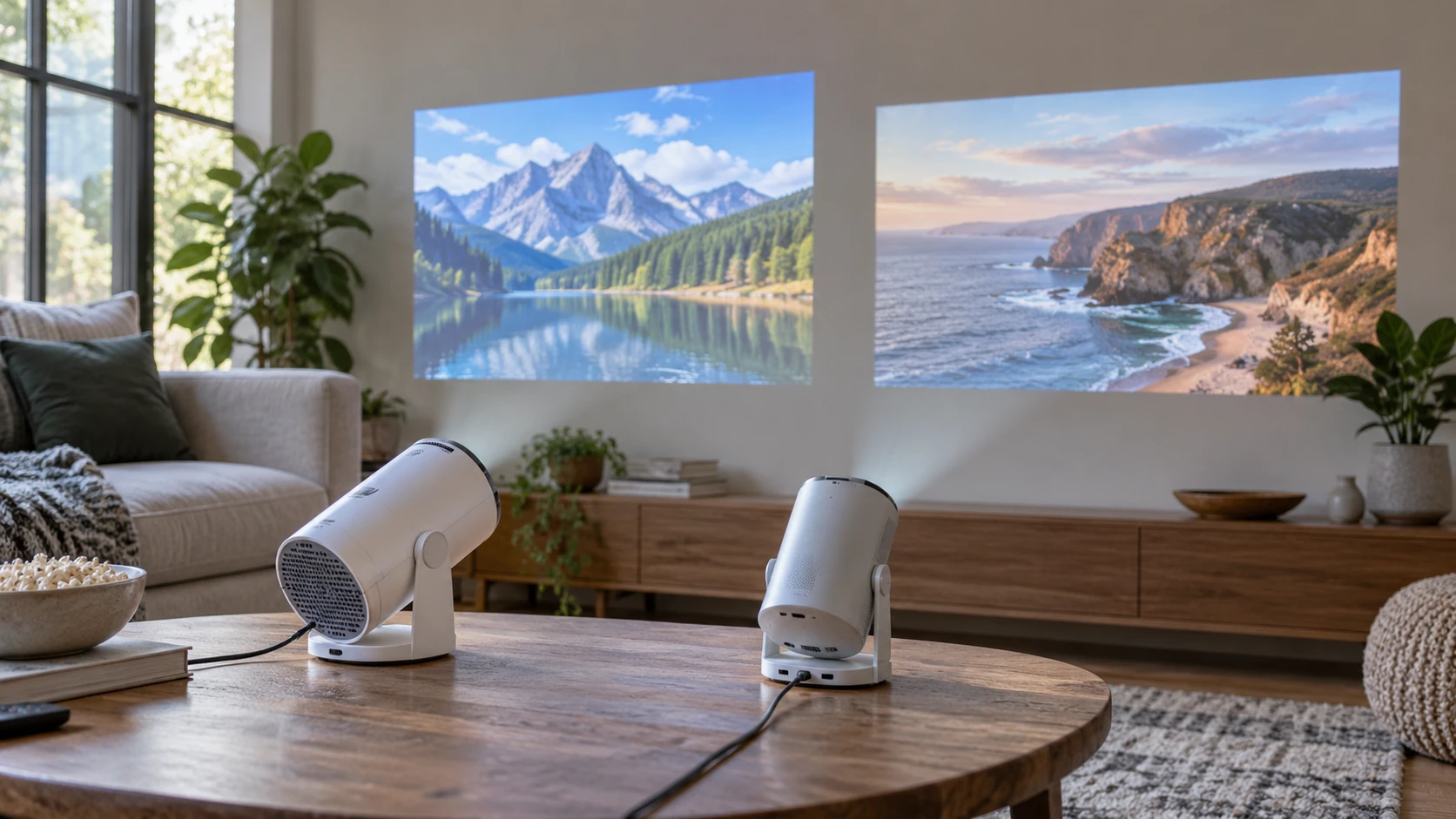
The Haiyanuo K1 mini projector has a rotating body and auto keystone correction. This guide to identifying display connections helps frame the next check: where will the picture and its source come from? The VisionStick Mini smart projector also rotates and corrects vertical keystone, while naming HDMI, USB, and a 3.5-mm audio jack. The guide covers other equipment, so its connection examples should be checked against these exact models.
Both saved descriptions give native 720p images and say the projectors can handle higher-resolution content. They differ in the details a buyer can verify from the catalog. Haiyanuo lists Android 11, dual-band Wi-Fi 6, Bluetooth 5.0, and up to a 200-inch projected image. VisionStick lists a 1.5-lb weight, exterior dimensions, Bluetooth 5.0, Wi-Fi, and named physical ports. Neither excerpt gives a measured throw chart or an exact brightness figure. The better fit depends on where the unit can stand and how the viewer will feed it a picture.
Put the image on the actual wall — guide to identifying display connections
Haiyanuo says the K1 can rotate 180 degrees. VisionStick gives 270 degrees of vertical rotation and specifically mentions aiming at a wall, floor, or ceiling. Those angles describe movement of the projector body, not the shape of the picture it can make at every position. Measure the space between the proposed shelf or table and the intended surface. Then ask for each model's throw distance, focus range, and permitted orientation. A head that turns toward a ceiling is useful only if the image lands where someone can see it comfortably.
The saved Haiyanuo text calls its correction automatic, while VisionStick names automatic vertical keystone. The word vertical is a narrower statement than all-direction correction. Neither entry explains the maximum correction angle or the resolution cost of reshaping a tilted image. Place the projector as squarely as the room allows before relying on software correction. Ask for the manual's positioning limits if the unit must sit far to one side of a bed or sofa.
VisionStick gives a 5.5-by-4.7-by-8.6-inch body and a 1.5-lb weight. The saved description does not label the three axes in that measurement, so confirm the footprint and stand clearance from a dimensional drawing. Haiyanuo calls its unit compact without giving an exterior size or weight in the excerpt. Request those figures before ordering a shelf or expecting it to fit in a travel bag. A rotating projector also needs space for its head to move without touching a wall or a cable.
For a ceiling picture above a bed, test the view from each pillow. A floor image may work for a short presentation but be difficult to read from a chair. The rotation figures do not settle either question. Mark the proposed image rectangle with removable tape, then sit where people will watch. A lamp, fan, or someone walking through the room may cross the light path.
The rotating body also changes where the cables end up. A power lead or HDMI cable may pull against a port when the projector is aimed upward, even if it hangs freely in the normal forward position. Check the current manual for cable routing and allowed orientation, then turn the projector through the positions you expect to use before settling on a shelf. Leave space to reach the focus and controls without moving the body every time. Neither saved description gives a clearance drawing for the rotating joint, so the physical setup deserves a trial with the actual unit.
Haiyanuo's listing advertises up to a 200-inch picture. That is a maximum claim, not a promise that text and faces will look equally clear at that size in your room. VisionStick's excerpt does not give a maximum image diagonal. Ask for the image-size range at the throw distance you can actually provide. A native-720p image stretched over a very large surface may expose pixel structure and focusing limits. Try the planned size with ordinary content before deciding that bigger is better.
Keep native resolution separate from accepted files — VisionStick Mini smart projector
Haiyanuo's native image is 1280 by 720 pixels, and its entry says it supports playback of 1080p and 4K content. VisionStick likewise says it decodes 1080p or 4K while operating at native 720p. Support for a higher-resolution source means the projector can accept or decode it; the displayed pixel grid remains 720p. A product title that mentions 4K does not establish native 4K projection for either model.
Ask what happens when the source changes format. A laptop may offer one resolution for a desktop and another for protected video. A game console may send a different frame rate from a streaming stick. The saved descriptions do not provide full input timing tables or content-protection details. Use the current manuals to check the formats your real devices send. If possible, connect the source you plan to use before buying, including its usual cable or wireless method.
VisionStick lists an 8000:1 contrast ratio and LED projection. Haiyanuo lists 10000:1 contrast and an LED light source. Neither excerpt explains the measurement method, and neither supplies a comparable brightness number. The larger contrast figure alone does not establish a better image in a lit room. A white wall, a projection screen, a dark bedroom, and a patio after sunset will each reveal different limitations. Judge the picture at your intended size and light level rather than converting the two ratios into a quality ranking.
Focus matters especially for subtitles and presentations. The saved descriptions do not say whether focus is manual or electronic, what the focus range is, or how sharp the corners remain when keystone correction is active. Ask for the control instructions and test text near the edges of a proposed image. A movie can hide soft corners that make a spreadsheet or slide difficult to read. The intended content should set the standard for clarity.
Trace the source and sound path — VisionStick Mini smart projector
Haiyanuo says the K1 runs Android 11 and provides direct access to apps and streaming services. Its entry does not name the apps, update policy, or licensed playback services. Confirm the exact apps you use, account support, and how software updates are delivered. Do not assume a phone app can be installed on the projector simply because the operating-system name sounds familiar. If a dedicated streaming device is part of the plan, ask how it connects; the short saved K1 description does not list HDMI or USB ports.
VisionStick explicitly lists HDMI and USB plus a 3.5-mm audio jack. It also describes Wi-Fi for wireless streaming. Check what its USB port does, which media formats it reads, and how protected video behaves over wireless mirroring. The entry says the projector is compatible with TV boxes, PCs, consoles, USB drives, and phones, but it does not specify every adapter needed. Make a list of your source devices and match each to a verified port or supported wireless path. If a phone needs an adapter, include that adapter in a connection test; a matching socket on the projector is only one part of the route.
Haiyanuo names dual-band Wi-Fi 6 and Bluetooth 5.0. VisionStick names Wi-Fi and Bluetooth 5.0 without specifying its Wi-Fi generation in the saved text. A newer wireless label does not guarantee a stable stream where the router has weak coverage. Check signal strength at the planned projector position and the supported bands of each exact model. If a cable will be more reliable for the main source, verify that physical input rather than choosing solely by a wireless version number.
VisionStick describes built-in speakers and Bluetooth 5.0 pairing with headphones or external speakers. Haiyanuo's excerpt mentions Bluetooth pairing for audio or accessories but does not describe the built-in speaker in comparable terms. Ask how each model routes sound from its built-in apps, HDMI source, or wireless mirror. If someone will watch late at night, test the intended headphones and check for noticeable delay between voices and lips. The existence of Bluetooth does not answer every audio-routing question.
Neither saved excerpt establishes battery operation. Check the exact adapter, cord length, power requirement, and approved placement in the current manuals. If you expect to carry a projector outside, include an outlet or verified portable-power arrangement in the plan. The source device and screen will need places too, even when the projector fits in a small bag.
Choose from a short setup test — VisionStick Mini smart projector
Haiyanuo K1 deserves consideration when Android-based app access, dual-band Wi-Fi 6, Bluetooth 5.0, and a 180-degree rotating body address the room's needs. Verify the current app list, ports, body dimensions, throw distance, and brightness before ordering. VisionStick Mini gives a more explicit set of wired inputs, a stated 1.5-lb weight, and a 270-degree rotating body. Verify its focus and throw range, wireless-media behavior, and the clearance needed at the chosen position.
The exact saved identities are Haiyanuo K1, product ID prod_b1bcc713de2884938dd5a37b, and VisionStick Mini, product ID prod_fa8aadd1161a3176e92a901c. Use those IDs when requesting manuals or checking adapters. Mark the image position on the wall or ceiling, test the source route, and listen from the seat where the projector will actually be used.