Crypto Commerce
Hachiman PC Tora gaming desktop with Wi-Fi 7
The Hachiman PC Tora gaming desktop brings together a listed Ryzen 7 7800X3D processor, Radeon RX 9070XT graphics, a 2TB NVMe drive and onboard Wi-Fi 7. That makes it a configuration to consider when you want those components in one desktop and wireless networking matters at your desk. Whether it meets your needs still depends on your games, monitor and network equipment. The description establishes the advertised hardware; it does not establish frame rates or wireless performance in your room.
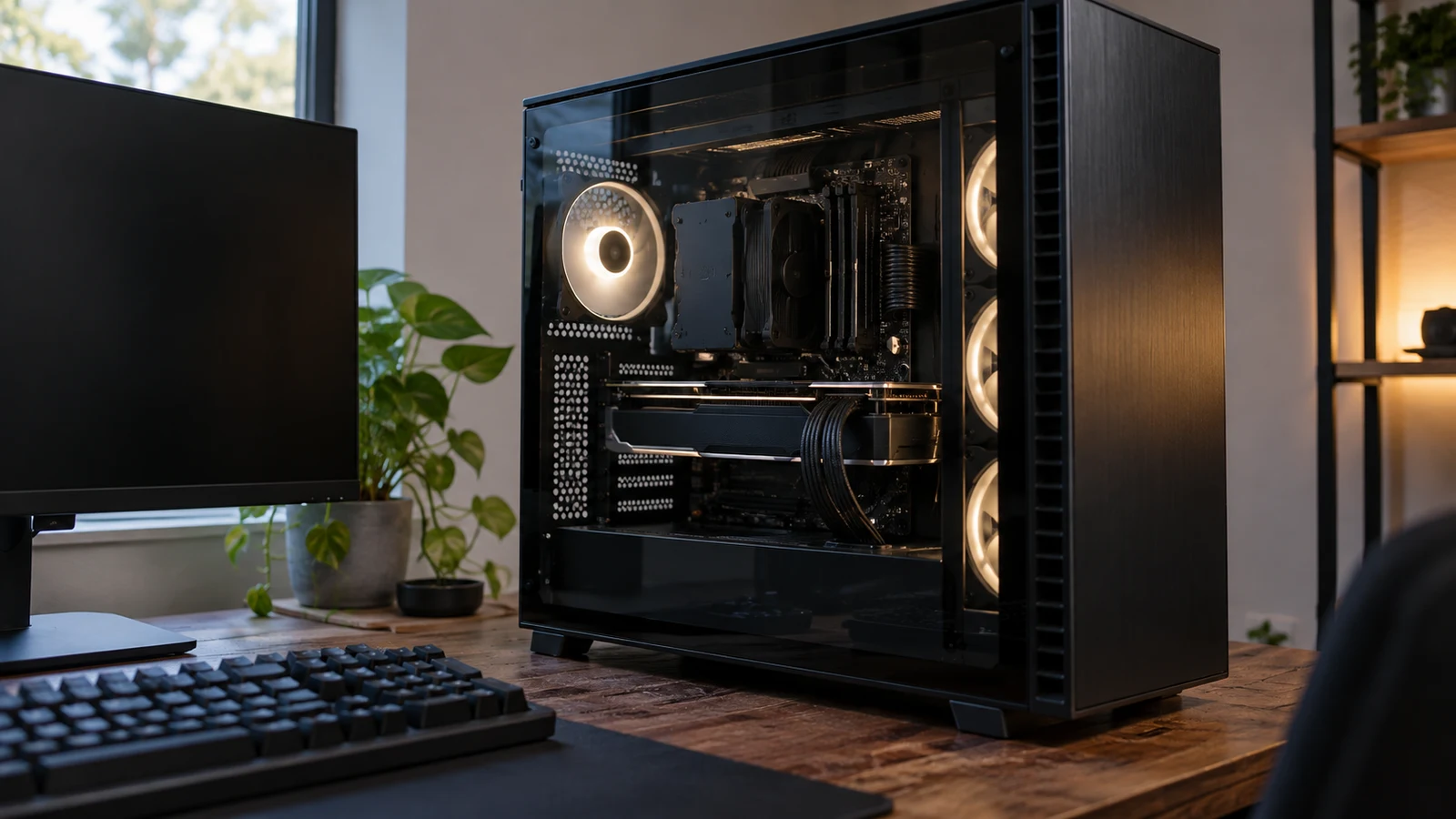
The Hachiman PC Tora gaming desktop brings together a listed Ryzen 7 7800X3D processor, Radeon RX 9070XT graphics, a 2TB NVMe drive and onboard Wi-Fi 7. That makes it a configuration to consider when you want those components in one desktop and wireless networking matters at your desk. Whether it meets your needs still depends on your games, monitor and network equipment. The description establishes the advertised hardware; it does not establish frame rates or wireless performance in your room.
Start with the Hachiman PC Tora gaming desktop listing and match the configuration to sku-18387170498, UPC 810094908126. The supplied description identifies a black Tora system in a Gamdias Aura GC2 Elite case. Keeping those identifiers beside your component notes gives you a specific configuration to ask about if another Tora listing looks similar.
Condition needs a separate answer. The Hachiman description does not state whether this particular offering is new, refurbished or previously owned. Ask the seller to confirm the condition of the selected unit and what comes in its package. Neither the product name nor the presence of preinstalled Windows establishes those details.
Before comparing it with another desktop, write down the reason you are replacing your current machine. Perhaps you want this processor, a larger installed drive or a desktop that lists Wi-Fi 7 without an additional adapter purchase. Treat each as a separate requirement. A system can match your preferred component list while leaving an important question about your existing equipment unresolved.
For this comparison, the Skytech O11 Vision is useful because its description names a different Ryzen processor while retaining an RX 9070 XT with 16GB GDDR6 and 32GB of DDR5 memory. That creates a focused choice: how much do the Tora's processor, listed storage capacity and wireless specification matter to your intended setup?
Compare Computer Memory And Storage Without Adding Them Together: The Tora Configuration
The Hachiman description lists 32GB DDR5-6400MHZ ARGB RAM, a 2TB PCIE 4.0 NVME drive and 16GB GDDR6 on the graphics card. Keep those entries separate when reviewing requirements for your software. If the capacity labels are confusing, Compare computer memory and storage without adding them together explains that separate question. Here, the buying decision concerns whether this particular combination matches what you want installed.
For the drive, use your own library as the starting point. Check the space occupied by the games and applications you intend to keep, then allow for the other files you plan to store. The listed 2TB capacity gives you a specification to compare against that plan. The description does not state the free space after setup, the drive manufacturer or the availability of an unused slot for another drive.
If additional storage is already part of your plan, ask about expansion before treating it as a future option. Request the motherboard model and confirmation of the connections or slots available in the assembled machine. An installed NVMe drive does not establish how another drive would fit. Getting that answer now can help you decide whether the supplied configuration is sufficient on its own.
The Ryzen 7 7800X3D is the exact processor named for the Tora. Use that identity when checking the requirements of your intended games or applications, especially if you have a particular workload in mind beyond gaming. The description offers no workload-specific measurements, so it cannot settle how much faster this complete system would feel than the computer you already use.
The graphics entry names an AMD Radeon RX 9070XT with 16GB GDDR6. Before attaching a performance expectation to that name, define your intended resolution and settings. A request for information about one game at your preferred settings is more useful than asking whether the desktop is fast. No measured results for this Hachiman configuration are supplied here, and the description's high-frame-rate language should not become a promised result.
Wi-Fi 7 is a stated feature: the description specifies onboard 802.11be WiFi 7. If that is a reason you are considering the Tora, identify the router or access point you will use and check its documentation. Ask which connection features are supported by the proposed pairing. The desktop's wireless label alone does not establish the connection speed, coverage or consistency you will experience.
Think about where the computer will actually operate. If your intended desk has had unreliable wireless service, consider checking the existing connection there before assigning that problem to your current PC. Treat the results as information about that setup, not a forecast for the Tora. The product description contains no measurements for your room, router or internet service.
The description also lists Bluetooth 5.3. For a headset or controller you want to retain, check the accessory's compatibility information and any software it requires. Ask about the exact wireless adapter and supplied antenna arrangement if those details affect your setup. Neither is identified in the description. If you want a wired network fallback, request the Ethernet specification separately; it is not supplied here.
Cooling and power are described more specifically than the external connections. The Tora lists a 360MM liquid CPU cooler with three 120MM ARGB and PWM fans plus a pump, along with an 850W power supply. Those are component details, not measurements of noise or temperature. If the computer will sit near a microphone, ask for relevant operating-noise information instead of assuming that liquid cooling means quiet operation.
Physical fit also remains open. Although the case model is named, the supplied description gives no assembled dimensions or placement clearances. Obtain those measurements before committing to a shelf or enclosed desk compartment. Check how you would reach the connections and access the case for maintenance. The case name can help focus that inquiry without establishing that the finished desktop fits your space.
Skytech Gaming Computer Alternative: The Differences Worth Weighing
The Skytech Gaming computer alternative is the O11 Vision configuration with an AMD Ryzen 7 7700 processor. Its description specifies a 3.8GHz base clock and 5.3GHz Turbo Boost. The Hachiman uses the Ryzen 7 7800X3D. Those distinct processor identities give you something concrete to compare, but the supplied descriptions contain no matched test that establishes a performance margin between the complete machines.
Both descriptions identify Radeon RX 9070 XT graphics with 16GB GDDR6. Skytech explicitly says the graphics-card brand may vary. Hachiman's description does not name a board manufacturer. If a particular card implementation matters to you, ask about the installed card in the selected unit. The shared graphics designation alone does not settle differences in the surrounding build or its operation.
For installed storage, Hachiman lists a 2TB PCIe 4.0 NVMe drive; Skytech lists a 1TB Gen4 NVMe M.2 SSD. If your planned local library makes the 1TB option difficult to accommodate, that is a direct reason to give the Tora closer consideration. Avoid assuming that either desktop can accept an extra drive without checking its available expansion provisions.
Both systems list 32GB of DDR5 RAM. Hachiman describes its memory as DDR5-6400MHZ ARGB, while Skytech lists DDR5 6000 RGB memory with a heat spreader. Record the different specifications without turning them into an unsupported claim about game performance. If the configured memory speed matters to your choice, request confirmation of the delivered system's settings.
The wireless descriptions differ substantially in wording. Hachiman lists onboard 802.11be WiFi 7, while Skytech lists 802.11 AC Wi-Fi. For a buyer specifically seeking a listed Wi-Fi 7 desktop, the Tora matches that requirement. A buyer who simply needs a working connection should evaluate either machine against the network equipment already in use, without treating the wireless label as a complete experience rating.
Skytech names a black Lian Li PC-O11 Vision case, a 360mm AIO liquid CPU cooler with ARGB fans and an 850W GOLD power supply. Hachiman names its Gamdias case and an 850W supply without the same GOLD designation. Preserve that distinction when making notes. The descriptions do not provide a comparable noise test or enough detail to rank the builds' overall cooling quality.
The Skytech description explicitly states new condition and includes a gaming keyboard and mouse. The Hachiman description makes neither statement. If you need those peripherals, include the unanswered Hachiman package question in your comparison. If you already own peripherals you prefer, Skytech's included accessories may have little influence on which tower suits you.
Skytech Gaming Computer Alternative: Resolve The Remaining Desk Connections
Skytech provides more connection detail in the supplied text: USB ports including 2.0, 3.0 and 3.2 Gen1, plus HD Audio and Mic. It also promises one HDMI and one Display Port output, with additional ports subject to variation. Hachiman's description does not enumerate its external ports. That difference concerns available information; it does not prove the Tora lacks the connections you need.
Make a short inventory of the devices you expect to connect at the same time. Include items that are easy to overlook, such as a controller receiver or an external drive used while playing. Then ask for the Tora's front and rear port counts and connector types. For either desktop, establish whether your intended arrangement requires accessories beyond the supplied package.
Keep the monitor question specific to this purchase. Give the seller your monitor model and intended display mode, then request confirmation of the installed graphics card's suitable output and required cable. A named graphics processor is insufficient evidence for every connection detail. This is especially useful if you intend to retain an existing monitor and do not want an unexpected adapter purchase.
Software needs deserve the same precision. Hachiman lists preinstalled Microsoft Windows 11 Home, while the Skytech description says Win 11 without identifying an edition. Check the requirements of any application or accessory software you depend on. If a particular Windows edition is necessary, resolve Skytech's unspecified edition before treating the two software packages as equivalent.
Once the equipment questions are settled, check the current price and terms for the selected configuration. Review condition, package contents and any applicable service or return provisions as separate purchase details. Do not transfer a statement from the Skytech description to Hachiman. If paying with cryptocurrency, use the payment options and instructions presented for the actual order; neither desktop's hardware description establishes those terms.
The Hachiman PC Tora gaming desktop is a closer match when your shortlist specifically calls for the Ryzen 7 7800X3D, the listed 2TB drive and onboard Wi-Fi 7. Skytech remains a comparison candidate if its Ryzen 7 7700 configuration and 1TB drive meet your plans. Before choosing the Tora, bring its SKU and your peripheral list to the seller, and resolve the missing condition, port and network-adapter details that affect your desk.