Crypto Commerce
Greentouch Home GT-TM150 open-frame touch monitor vs ASUS monitor
The Greentouch Home GT-TM150 open-frame touch monitor is the more relevant candidate when your project needs a screen built into a kiosk, cabinet or table with touch input. Its description names an open-frame design, projected capacitive touch and several mounting options. The named ASUS ZenScreen is described as a portable USB-C secondary display. That makes it a different starting configuration, even though both products are monitors of a broadly similar stated diagonal size. For Greentouch Home GT-TM150 open-frame touch monitor , verify each step.
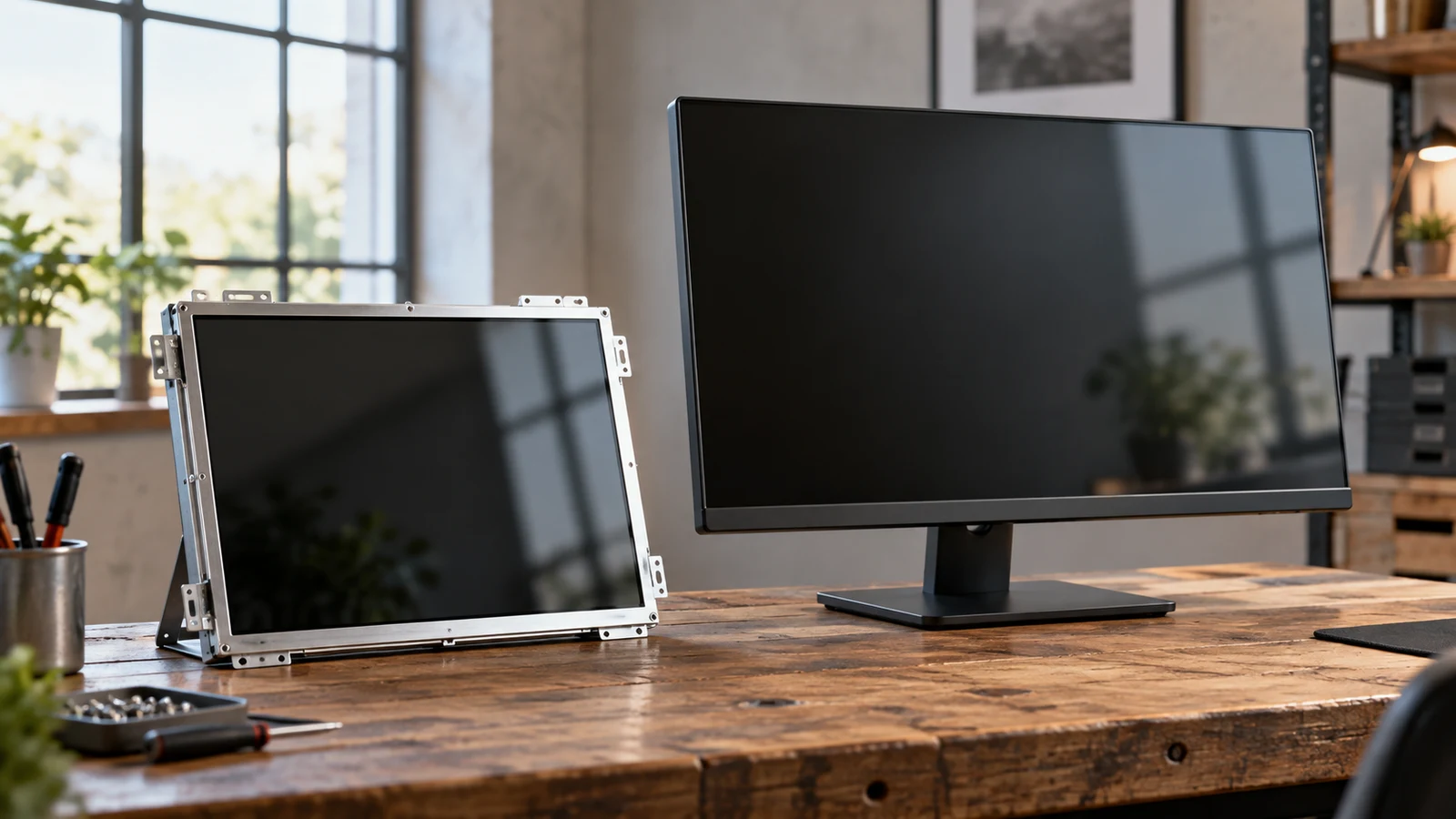
The Greentouch Home GT-TM150 open-frame touch monitor is the more relevant candidate when your project needs a screen built into a kiosk, cabinet or table with touch input. Its description names an open-frame design, projected capacitive touch and several mounting options. The named ASUS ZenScreen is described as a portable USB-C secondary display. That makes it a different starting configuration, even though both products are monitors of a broadly similar stated diagonal size. For Greentouch Home GT-TM150 open-frame touch monitor, verify each step.
For someone choosing equipment for an installation, the useful comparison is how much of the proposed assembly each description actually addresses. Greentouch supplies mounting and touch specifications; ASUS describes a portable display connection. Neither description establishes everything needed for your finished setup. Decide whether the display must become part of a fixed assembly or remain a separate screen, then examine the unresolved details for that choice.
Greentouch Model And Package Details Beside The ASUS Monitor Alternative
The Greentouch Home GT-TM150 open-frame touch monitor listing identifies a black unit with SKU sku-15626165955 and UPC 712490400689. Its description also calls it a GreenTouch 2CGL Series 15 Inch open-frame touchscreen. Keep those identifiers together when asking about the product. A response about a broader monitor family would leave uncertainty about whether the supplied dimensions and mounting details apply to the unit you intend to order.
The wording uses both GT-TM150 and 2CGL Series, but the supplied description does not explain their relationship. That is a reason to request documentation matching the listed SKU if you need an installation drawing. It does not establish that the listing is wrong. Before committing to a cabinet design, make sure the drawing and the selected item refer to the same physical configuration.
Greentouch lists dimensions of 1.83 x 13.97 x 10.98 inches. Treat that as an overall dimension statement, not a fabrication drawing. The description does not label the axes or give an opening template, mounting-hole offsets or connector clearance. Ask for those details before specifying a cutout. A screen's advertised diagonal and its outer dimensions answer different questions, and neither supplies every measurement needed to build its surrounding panel.
Package contents need their own answer. The description names 75mm or 100mm VESA mounting and open brackets as mounting options, but it does not provide a complete list of supplied hardware. Ask whether the selected package contains the brackets and fasteners your design requires. Likewise, the stated external DC12V input does not establish that a power adapter is included. Put these questions against individual parts so that a general statement about mounting support cannot be mistaken for an accessory inventory.
For the ASUS comparison, use the particular dark gray 15.6-inch ZenScreen USB-C listing named here. Its supplied description does not give a more specific model number or a package inventory. Avoid importing details from another ZenScreen model with a similar name. If a stand, cover or particular cable is important to your purchase, establish whether it accompanies this exact item before treating it as part of the setup.
Compare Screen Aspect Ratio Before Fitting Content To A Display: Greentouch Installation Evidence
Greentouch specifies a 1024 x 768 panel at 60Hz with a 4:3 aspect ratio. It also lists landscape, portrait and face-up installation. Those statements give an installation designer something concrete to evaluate: a named display format and several permitted physical orientations. They do not demonstrate how your application will behave in each orientation, or whether its controls will remain convenient to use once the monitor is mounted.
Keep the application-layout question separate from this hardware choice. The guide Compare screen aspect ratio before fitting content to a display addresses content fit. For this comparison, use the Greentouch panel specification as a requirement to test against your own interface. Avoid assuming that a screen with a nearby diagonal measurement will provide the same working layout or accept the same enclosure design.
The touch specification is projected capacitive input supporting 10 points. That establishes a stated touch capability for Greentouch. It does not establish the behavior of a particular application, support for gloves, or operation through an added protective layer. If your intended cabinet includes material over the screen, ask about that exact construction. A demonstration on an uncovered panel would leave that part of your proposed assembly unanswered.
Consider a proposed information kiosk with a screen mounted in a front panel. Before buying, sketch where a user would touch it and how the installer would reach its rear connections. Use that sketch to request the missing mechanical details. The practical issue is whether the chosen mounting arrangement can support the intended use while leaving the connections accessible; the supplied description does not settle that assembly-level question.
Compare Screen Aspect Ratio Before Fitting Content To A Display: Separate Optical Claims From Site Suitability
The Greentouch description lists a glossy surface, 1000cd/m² brightness and a 1000:1 contrast ratio. It describes the monitor for commercial kiosks, cabinets, tables and sunlight-readable outdoor displays. These are listing statements, not results from a test of your proposed installation. If visibility is important, assess a representative screen with your intended content under the lighting conditions you expect, including the position from which someone will approach it.
Outdoor language deserves a separate question about protection. The supplied description gives operating and storage temperatures of -20°C to 70°C, along with operating humidity of 20% to 80% RH without condensation. It does not state an ingress-protection rating or establish that the monitor can be exposed directly to rain. Keep environmental suitability unresolved until you have information covering the complete proposed enclosure and its conditions of use.
For a face-up table installation, ask whether any additional surface or surrounding structure changes the stated operating conditions. The description allows face-up installation, but does not describe a finished table assembly. You still need a design that accounts for the manufacturer's installation requirements. Treat the listed orientation as permission to investigate that arrangement, without extending it into unsupported claims about spill resistance, surface loading or unattended operation.
Where The ASUS Monitor Alternative Changes The Equipment Choice
The ASUS monitor alternative is described as a 15.6-inch IPS LED portable display with Full HD visuals, an 800:1 contrast rating and USB-C connectivity for a simplified single-cable setup. Its stated purpose is mobility and secondary-screen work. The supplied description does not name touch input, open-frame construction or VESA mounting, so none of those features can be assumed for this comparison.
Suppose a proposed cabinet is still at the concept stage. If its purpose requires visitors to make selections by touching an integrated screen, Greentouch has directly relevant stated features to investigate. The ASUS description leaves those requirements unestablished. If the project changes to a separate display operated from a host device, its portable configuration becomes relevant. That is a change to the equipment brief, not proof that either monitor can substitute for the other.
The comparison therefore depends on which requirements are fixed. Keep touch interaction and incorporation into an enclosure as explicit requirements if the project needs them. Do not drop them merely because another screen has a familiar connector or a different resolution label. Conversely, if your only requirement is a separate portable secondary display, decide whether there is any reason to take on an open-frame installation at all.
The two descriptions also provide different amounts of detail. Greentouch gives dimensions, mounting choices and environmental ranges. ASUS gives a shorter account of its panel and USB-C setup. Missing detail in the ASUS description is not evidence that a capability is absent, and more detail in the Greentouch description is not evidence of better build quality. Use unanswered requirements to identify what needs clarification, rather than awarding either monitor an unsupported overall quality ranking.
The stated contrast ratios do not resolve this purchase by themselves. Greentouch lists 1000:1 and ASUS lists 800:1, but the descriptions do not provide a shared test method or a side-by-side assessment. There is also no ASUS brightness figure in the supplied description. You can report the named specifications while leaving comparative visibility, color accuracy and practical readability undecided. Those judgments would need evidence that this comparison does not contain.
For purchasing purposes, separate the display from the work needed to make it usable in your project. An enclosure, mounting hardware or a suitable connection arrangement may need its own budget if it is not included. Do not assign those costs from assumptions. Obtain the itemized package information first, then compare the total equipment required for each feasible design. A monitor that cannot meet a fixed requirement should not remain on the shortlist simply because its purchase price appears attractive.
Compatibility And Purchase Checks For Greentouch And The ASUS Monitor Alternative
Greentouch's supplied description does not identify its video inputs or the connection used for touch data. Those are immediate questions for a prospective installer. Ask which connections the exact unit requires for an image and for touch operation, then compare the answer with the host you intend to use. Do not assume HDMI, DisplayPort or a particular USB arrangement from the monitor's category or from photographs of related models.
The external DC12V input needs clarification at the same time. Ask for the required supply specification and connector details, as well as whether the appropriate adapter is in the package. The description does not establish those points or any ability to run from USB power. Have the person responsible for the installation check the proposed supply against the exact unit's documentation before incorporating it into the assembly.
For ASUS, the stated USB-C single-cable setup does not establish compatibility with every host that has a USB-C socket. Give the seller the exact host model and ask what that connection must provide. Confirm the required cable and power arrangement for the selected display. The description does not establish battery operation, so a plan that depends on using the monitor independently of external power would need a separate answer.
A useful acceptance check for Greentouch would exercise your actual interface in the intended mounting orientation. Ask for confirmation that the host can display the application and that touch input behaves as required, including controls near the screen edges. This is a proposed evaluation, not a claim that the monitor has passed it. If the project depends on software-specific gestures or calibration, include those in the request instead of relying on the 10-point specification alone.
Once the configuration is settled, review the current item selection and purchase terms before paying. Confirm the package description, current total and delivery information relevant to your order. Check any warranty or return terms that would matter if the unit does not suit the planned installation. Neither product description establishes those terms, and a feature comparison cannot supply them. If you choose a crypto payment option, use only the asset and network details actually presented for that order.
Proceed with Greentouch when its stated open-frame mounting and touch capabilities match your fixed requirements and the remaining installation details are resolved. Consider the named ASUS unit when a portable secondary display is the intended result. Before ordering either, send a concise description of the proposed setup with the unanswered product questions. For Greentouch, the most useful next answers concern the exact mechanical drawing, supplied parts and host connections needed to turn the listed monitor into your planned installation.