Crypto Commerce
GPX Scene+ PJ913B projector vs Aurzen ZIP: plan the source before the screen
Compare GPX Scene+ PJ913B projector by native resolution, brightness claims, device connections, battery playback, and portable setup.
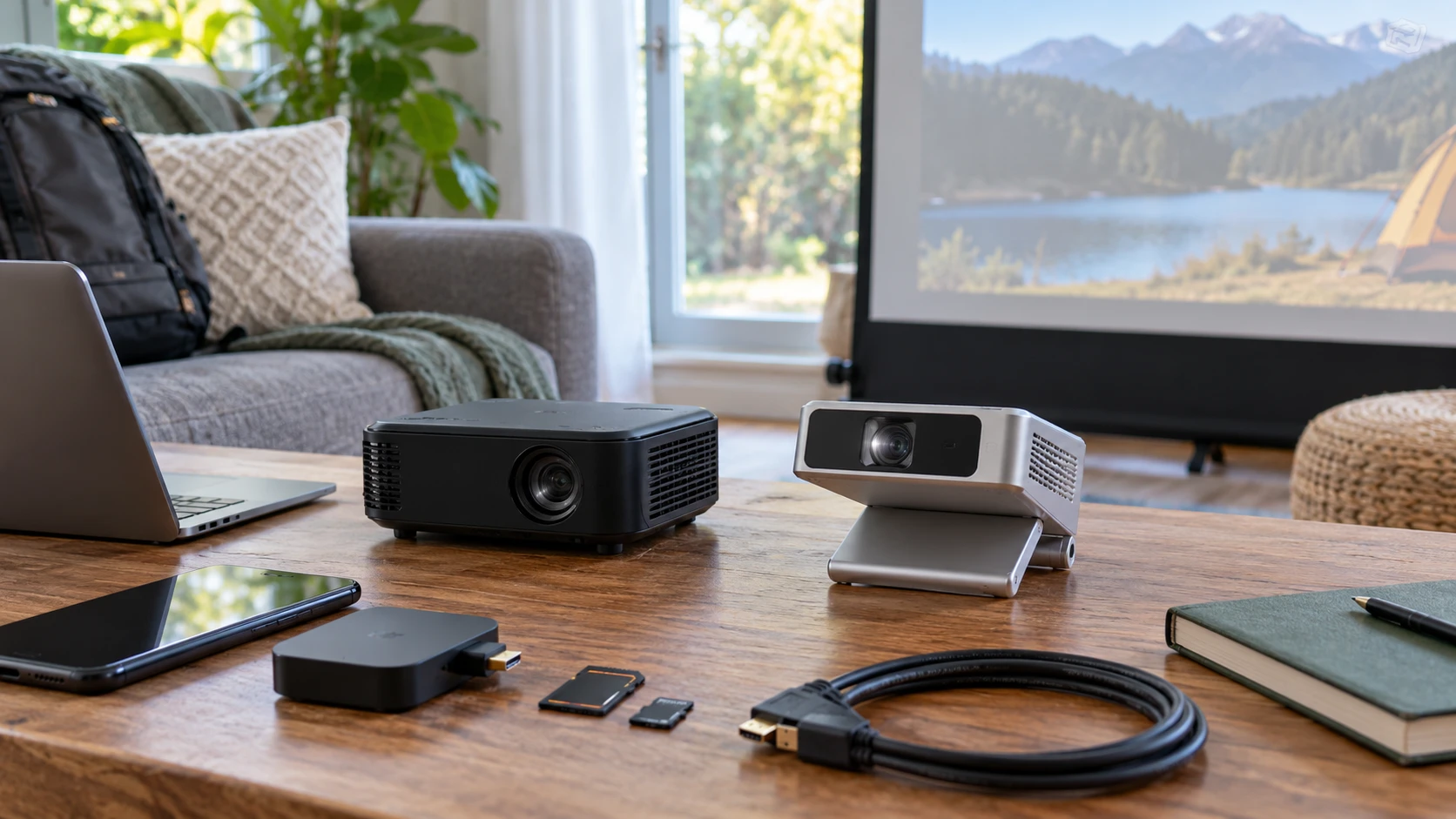
Pocket-sized projection sounds simple until the picture comes from a device the projector cannot accept. The GPX Scene+ PJ913B projector lists HDMI, USB media playback, a Micro SD slot, and Wi-Fi screen mirroring for Android and iOS. The published guide to identifying display connections offers a useful check before you choose a screen component. The Aurzen ZIP portable projector emphasizes a foldable body and network-free mirroring from supported devices, with some devices explicitly excluded. Both saved listings describe portable DLP projection, but they make different connection promises.
Write down the exact phone, laptop, media player, or storage card you intend to use. Then identify whether you need a wired video input, a file player, or a mirroring link. A projector can support a high-resolution source signal and still show fewer pixels in its own image. It can also advertise wireless features while excluding the device you carry. Resolve those two questions before debating a larger image or a brighter number on the box.
Native pixels and supported sources — Aurzen ZIP portable projector
The GPX listing states a native resolution of 640 by 360. It also says the projector supports 720p, 1080i, and 1080p sources. Supported input describes signals it can accept; it does not turn the DLP display into a native 1080p panel. At a larger projected size, small text and fine interface detail may be harder to read than they look on the source device. If your primary use is a presentation or spreadsheet, ask to see that kind of content on the exact projector at the size you plan to use.
The Aurzen ZIP entry calls its image 720p HD and says 1080p is supported. That is a higher stated image resolution than GPX's 640-by-360 native figure, although the short excerpt does not give a full pixel grid or a controlled side-by-side test. Do not mistake supported 1080p for a promise of native 1080p on Aurzen either. Confirm the current specification and look at your actual content, especially subtitles, charts, or menus that depend on clear edges.
GPX describes a viewable screen size up to 80 inches and a display distance up to 9.8 feet. The saved Aurzen excerpt does not give comparable screen-size or throw-distance numbers. That prevents a fair claim about which one makes a larger useful picture in your room. Measure the distance from the proposed projector position to the wall or screen, then consult the exact model's throw information. The words up to do not tell you what will look readable under your room lighting.
The GPX listing gives a 16:9 aspect ratio. Aurzen describes a vertical mode for short-form videos as well as conventional playback. A vertical presentation may be convenient for particular phone content, but it does not tell you the projector's physical image quality or how every app will behave. Test the format you intend to show. A movie, a slide deck, and a vertical clip place different demands on framing and text size.
Brightness belongs in a room test — Aurzen ZIP portable projector
GPX states 45 ANSI lumens. Aurzen states 100 ANSI lumens and says that rating was measured to ISO standards. The figures suggest Aurzen may offer more light output under the stated methods, but the saved listings do not provide an independent same-room picture comparison. The GPX entry also cites a 1000:1 contrast ratio without explaining test conditions in the excerpt. These numbers cannot tell you how much ambient light your particular image will tolerate.
Think about the room at the hour you will use the projector. Can curtains reduce daylight? Will nearby lamps remain on? Is the wall pale and reasonably flat, or will you use a screen? A short trial with representative content can reveal whether the image is bright and clear enough at your chosen size. Shrinking the image may change its perceived brightness; stretching a small output across a large wall can make dimness and limited detail more obvious.
GPX's description points to dark rooms or low ambient light as a suitable setting. Aurzen's saved entry calls its 100-ANSI-lumen rating but does not promise performance in full daylight. Do not read either listing as a substitute for a site test. If a presentation must remain readable with room lights on, make that a specific acceptance condition before ordering.
A connection path you can actually use — identifying display connections
GPX lists an HDMI input, USB port or ports for media playback, a Micro SD slot, and a USB-C port for battery recharging and DC power input. The saved text also says Android and iOS devices can mirror over Wi-Fi. The USB-C description is about power in this excerpt; it does not claim that USB-C accepts video. If you expect to plug a laptop into a USB-C socket and display its screen, verify that exact behavior rather than inferring it from the connector's shape.
Aurzen emphasizes full-screen, network-free mirroring from iOS, Android, Windows, and macOS devices. The saved description explicitly says Google Cast, Pixel, Motorola, and Chromebook devices are not compatible. That makes your exact device model essential to the decision. A broad platform name can include many products, while an exclusion may apply to the one in your bag. The excerpt does not list an HDMI input, media-card reader, or file-playback mode for ZIP; check its current manual if you need one of those paths.
The related display-connections guide helps you list source outputs, projector inputs, and any adapter required between them. Make one line for each real device you will use. For a wired GPX setup, note the source connector, cable, video format, and audio destination. For Aurzen mirroring, verify compatibility and the pairing procedure with that exact phone or computer before relying on it for an event. Wireless convenience does not fix an unsupported device.
Neither saved excerpt establishes that all streaming services permit mirroring every protected video. Test the specific app or file you plan to show. If content access matters, a successful home-screen mirror is only the first check. Confirm that playback, audio, and controls still work after the video starts.
Battery playback and charging — Aurzen ZIP portable projector
GPX lists a built-in rechargeable lithium-ion battery and about 90 minutes of video playback. Its saved entry gives charging times of five hours while powered on and two and a half hours while powered off. Those figures are useful for planning a short session, but they do not specify brightness, volume, input method, or battery aging during the test. A movie longer than the stated playback period needs a verified power plan.
Aurzen's excerpt describes a 5,000 mAh cell. It notes a five-hour battery figure in listings while also saying typical playback is about 90 minutes. The difference deserves an explicit check rather than selecting the larger number for a viewing plan. Ask the current Republeq's catalog or manufacturer what each figure measures and under what settings. For a complete presentation or movie, plan around the stated typical playback until your own test shows otherwise.
Aurzen lists 24 W USB-C Power Delivery fast charging, with the adapter sold separately. GPX lists a USB-C power input and says an AC/DC adapter comes in its box. These are not proof that the same charger, cable, or power bank works for both models. Verify the required output and connector details in each current manual. A portable setup should include the charging accessory you actually own, not a power option assumed from the words USB-C.
If the projector will run from battery, conduct a full rehearsal at the intended image size, brightness, and audio level. Time from power-on to the end of the actual content. Account for setup and troubleshooting, not just the video length. A stated 90-minute playback figure leaves little margin for a 90-minute program if you spend time pairing, focusing, and finding the right file.
Sound and physical setup — Aurzen ZIP portable projector
GPX names a built-in full-range speaker, a 3.5 mm headphone or audio output, and a Bluetooth wireless transmitter. Its saved description does not fully explain the Bluetooth audio route or guarantee compatibility with a particular speaker. Aurzen says Bluetooth 5.4 can pair headphones or external speakers for audio, and explicitly says it does not carry video over Bluetooth. Test the intended speaker or headphones with the projector and source together so picture and sound follow the same program.
The GPX box is listed with a tripod, HDMI cable, AC/DC adapter, and user guide. Aurzen's tri-fold, wallet-sized design suggests a different handling style, but the saved excerpt does not list an equivalent tripod or a complete accessory package. Find out how ZIP stands at the height and angle you need, and what support comes with the exact offer. A stable place to set the projector matters as much as how little room it takes in a bag.
Aurzen describes time-of-flight sensors that adjust focus and keystone as the image shifts. GPX lists manual focus adjustment, while its excerpt does not describe automatic keystone behavior. That makes Aurzen's setup feature worth inspecting if you expect to move the projector often. It is still a listing claim. Try the exact placement and watch whether small text stays readable after adjustment. Automatic correction cannot make an incompatible source connect or produce detail the display lacks.
GPX's saved entry says its LED light source has a 30,000-hour life and names a 90-day limited warranty. The Aurzen excerpt does not provide comparable light-source life or warranty terms. Neither figure should be converted into a durability ranking from these short descriptions. Check current warranty coverage and the exact purchase terms for both products.
Choose by your source and session — Aurzen ZIP portable projector
GPX is the model to investigate if you need its documented HDMI input, Micro SD slot, USB media playback, or the included tripod and cable. Its native 640-by-360 image and 45-ANSI-lumen claim call for a realistic trial with your room and content. Aurzen is the model to investigate if its foldable design, stated 720p image, automatic adjustment, and compatible device mirroring suit the way you travel. Check its explicit device exclusions and resolve the five-hour versus typical 90-minute battery language before relying on it away from an outlet.
Before buying GPX Scene+ PJ913B or Aurzen ZIP, verify the current connection details, package contents, warranty, price, and availability. Try your own source device with the content you plan to show, at the distance and brightness your room requires. A home-screen mirror alone will not tell you whether the intended video, presentation, or audio plays through to the end.