Crypto Commerce
GMKtec NucBox M3 Ultra mini PC vs M6 Ultra for a small desk
Compare GMKtec NucBox M3 Ultra mini PC by installed RAM, storage slots, display outputs, processor identity, and upgrade plans.
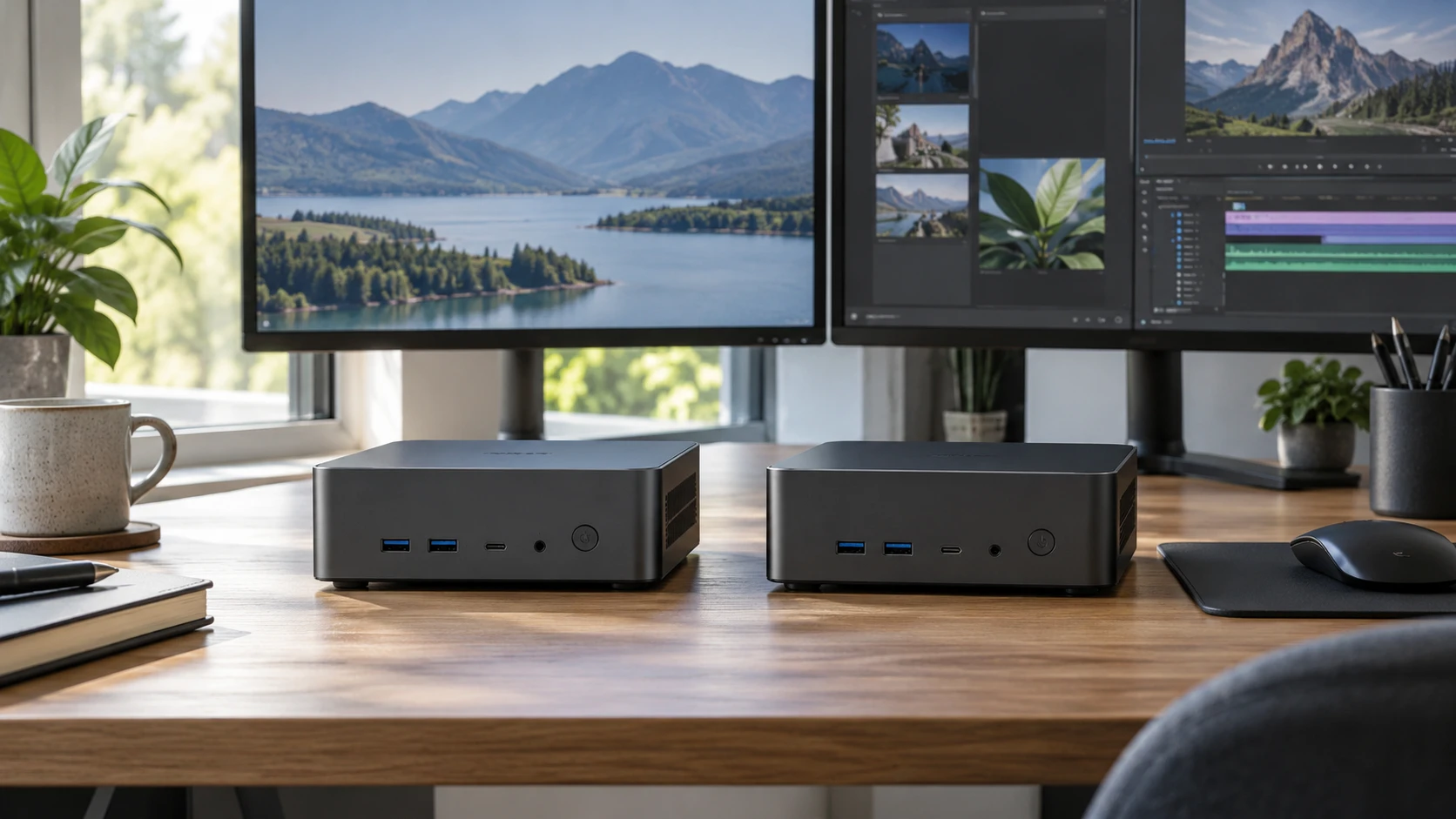
Two computers can occupy roughly the same role on a desk while leaving very different upgrade and connection choices. GMKtec's NucBox M3 Ultra listing describes an Intel-based mini PC with 32GB of DDR4 memory and a 1TB drive. The M6 Ultra listing describes an AMD Ryzen-based machine with 16GB of DDR5 memory and a 1TB drive. Those starting configurations matter more to a buyer than a claim that either model is suitable for every game, office task or creative project.
There is a complication worth resolving before comparing processors. The saved M3 Ultra product title names an Intel Core i7-12700HK, while its description names an i7-12700H. Those are different model strings. The GMKtec NucBox M3 Ultra mini PC page and the exact unit label should agree before you order on the basis of one processor name. The saved row gives 14 cores and 20 threads for the processor in its description, but the title mismatch prevents an unqualified statement that every offered configuration has precisely that chip.
The M6 Ultra description names an AMD Ryzen 5 7640HS with six cores and 12 threads. That identifies a different platform, but core counts alone cannot predict how quickly a buyer's software will run. Memory installed at purchase, drive layout, ports and the programs themselves all affect the experience. Treat the specifications as a way to narrow a shortlist, then look for measurements from the exact configuration if a demanding application makes the decision close.
Begin with the memory you receive — GMKtec NucBox M6 Ultra mini PC
The M3 Ultra is listed with 32GB of dual-channel DDR4 memory and an advertised expansion limit of 64GB. The M6 Ultra starts with 16GB of DDR5 in two 8GB SO-DIMM modules, with an advertised capacity of up to 128GB. The M6 figure is a ceiling in the listing, not memory already installed. For someone who wants more memory on day one without opening the case, the M3's stated bundle has the simpler advantage. For someone expecting to replace modules later, the M6's higher stated ceiling is worth checking against the exact board, firmware and supported module list.
DDR4 versus DDR5 describes the memory generation. It does not establish that one entire computer will be faster for a particular task. Compare the installed capacities first. A person keeping many browser tabs, large documents and a meeting application open at once can use the 32GB starting point without planning an immediate upgrade. A buyer whose work is modest today may find the M6's 16GB enough, then keep an upgrade in mind. Neither catalog row includes a workload test that settles the question for you.
The M6 listing says its 16GB is split across two modules. That detail affects an upgrade plan: reaching a much larger capacity may involve replacing both modules, not filling an empty slot. The M3 description calls its memory dual-channel but does not state the module count in the saved row. Check service documentation before assuming a free socket. If opening a small PC would affect a warranty or a workplace support policy, settle that question before making an expansion limit the main reason to buy.
Storage needs a closer reading — mini PC expansion path guide
Both saved configurations start with a 1TB SSD. The M3 row calls its installed drive an M.2 PCIe 2280 SSD and describes a second 2242 slot with SATA or PCIe x4 wording. It advertises expansion figures for both positions. Those figures indicate a possible storage path, but you should verify drive length, interface, supported capacity and thermal clearance for the exact M3 unit before ordering another SSD. A 2242 drive is physically shorter than a 2280 drive; the two labels are not interchangeable.
The M6 row calls its installed drive a 2280 PCIe 3.0 SSD and also mentions dual-slot PCIe 4.0 expansion up to 8TB. That wording needs clarification. It does not say plainly whether 8TB is a combined total or a per-slot limit, and the interface named for the included drive differs from the expansion description. Ask for a slot diagram or model-specific manual. A buyer who intends to use one drive for the operating system and another for projects should know exactly which slot is occupied and which remains available.
A drive-capacity claim is not a promise of easy installation. Small cases can make access, cooling and cable placement important. Check whether the maker supplies a mounting screw or thermal pad, and whether the drive you want is supported. The Republeq's catalog current bundle may also differ from the saved catalog snapshot. Confirm the installed drive size on the current page rather than using a photo of an opened case as proof.
The published mini PC expansion path guide discusses expansion questions for other machines. Use its checklist as a prompt to ask about RAM slots, storage interfaces and what arrives installed. Its named systems are different from these two GMKtec models, so its measurements and compatibility details cannot be transferred to the M3 or M6. Exact GMKtec documentation has to settle those points.
Match the screen setup to the ports — GMKtec NucBox M6 Ultra mini PC
The M3 Ultra row describes two HDMI outputs and a Type-C connection marked for DisplayPort 1.4 and data. It says the machine can support up to three simultaneous 4K displays. A buyer planning three screens should verify which port carries each signal, what cable or adapter is required, and the supported refresh rate at the intended resolution. "Three 4K displays" in a listing does not answer those cabling questions. It also does not identify the graphics performance available for three demanding applications at once.
The M6 Ultra row lists HDMI 2.0 with 4K at 60Hz output, one DisplayPort and a USB 4.0 connection marked for power delivery, DisplayPort and data. It also lists three USB 3.2 Gen 2 ports, one USB 2.0 port, a 3.5mm audio connection and a DC power port. These are useful details for a desk with several peripherals. The saved row does not establish every USB 4 feature a particular monitor dock might require. Verify the exact port capabilities, power direction and any dock compatibility in the model documentation.
A port count should be translated into a desk plan. Write down the monitor inputs, webcam, external drive, keyboard, mouse and audio connection that you will actually use. Count the required ports after accounting for a hub or dock, then check cable clearance behind the unit. A small PC placed close to a wall can be awkward when thick HDMI plugs or a DC power connector project from the case. Neither saved listing gives enough exterior measurements to certify a cramped shelf, so measure the intended location against the current specifications.
Both rows name Wi-Fi 6 and Bluetooth 5.2. That common ground is helpful, though it does not say how either machine will behave behind a monitor or in a room with weak reception. If stable network access is essential, check the current specification for wired networking and test the actual installation. The saved M3 row does not give a wired-port count, and the M6 excerpt used here does not supply a complete networking specification. Do not infer one from the product family or a picture.
Processor claims and practical performance — GMKtec NucBox M6 Ultra mini PC
The M3 description associates its Intel processor with gaming, content work, development and business use. The M6 description markets its Ryzen processor for gaming and gives clock figures. These are intended uses and component claims, not results from a shared benchmark. A game may depend heavily on graphics capability, cooling and memory configuration. A development workload may care more about RAM and storage speed than a headline boost clock. The catalog rows do not provide a matched test that establishes an overall winner.
For a demanding purchase, identify one or two programs and the size of the work you run in them. Then seek a test of the exact processor, memory configuration and graphics setup under a similar workload. Keep the M3's H versus HK naming inconsistency in that check. A benchmark attached to one processor name would be weak evidence for a unit shipped with the other. For the M6, confirm the Ryzen 5 7640HS identity and the memory installed in the sale configuration.
The saved M3 price was $674.99, while the M6 was $624.61, a $50.38 difference at snapshot time. That spread may change, and a future RAM purchase could alter the total cost. Compare the current offer, included accessories, shipping and return terms rather than treating the saved price as today's checkout amount. Both rows describe a one-year limited warranty for defects, with GMKtec support, but the exact terms and start date should be read in the current Republeq's catalog and maker documents.
Which one merits the next check? — GMKtec NucBox M6 Ultra mini PC
The M3 Ultra is the easier first look when 32GB of memory already installed and its stated multi-display arrangement fit the desk. Before paying, reconcile the i7-12700H versus i7-12700HK naming and confirm the Type-C display connection and storage slots. That model-string discrepancy is substantive for anyone buying around a particular CPU specification.
The GMKtec NucBox M6 Ultra mini PC merits a close look if a Ryzen 5 7640HS configuration, DDR5 platform and the listed mix of HDMI, DisplayPort and USB connections match the intended setup. Budget for the memory actually installed, not the 128GB advertised ceiling. Clarify the storage-slot wording before buying expansion drives.
Neither listing alone can tell you whether a particular game, editing project or dock will work to your standard. Check the current configuration, document the cables and upgrades you need, and compare model-specific tests where performance matters. These steps turn a short mini-PC specification sheet into a purchase that fits the work on the desk.