Crypto Commerce
Getac B300G7 rugged laptop for field paperwork
The Getac B300G7 rugged laptop has a listed combination worth examining for field forms: rugged construction, a bright touch display and built-in serial connections. Whether it suits your paperwork depends on the forms themselves, the equipment that supplies your readings and the time you need away from power. Its description supports a shortlist decision, but it does not establish that your particular application will work comfortably on its 1024 x 768 screen.
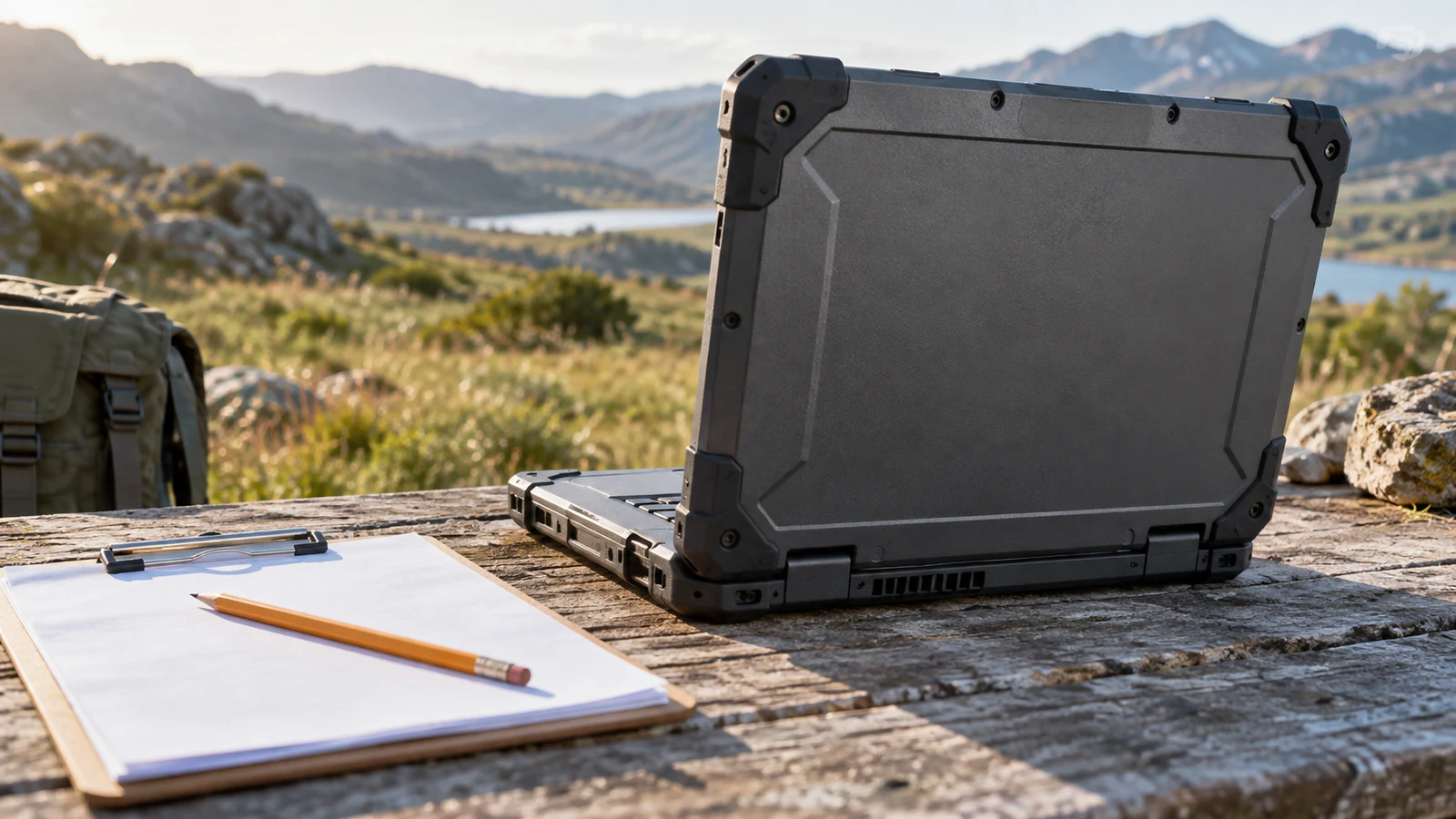
The Getac B300G7 rugged laptop has a listed combination worth examining for field forms: rugged construction, a bright touch display and built-in serial connections. Whether it suits your paperwork depends on the forms themselves, the equipment that supplies your readings and the time you need away from power. Its description supports a shortlist decision, but it does not establish that your particular application will work comfortably on its 1024 x 768 screen.
Start with a representative job record. Choose one that includes a long description, any readings you enter and the final submission step. Use that record to judge the laptop throughout this guide. A machine that lets you finish the whole record comfortably is more useful than one whose specifications look suitable until a required control disappears below the application window.
Gateway Computer Alternative: Establishing The Getac Field-Paperwork Brief
The linked Getac B300G7 rugged laptop is the refurbished, Good-condition configuration identified by SKU sku-16901372215. Its description specifies an Intel i5-8350U processor, 16GB RAM, a 256GB SSD and Windows 11 Pro installed. Keep that configuration attached to your inquiry so that any answers about software or accessories concern the item you are considering.
For field paperwork, concentrate the condition inquiry on the parts you will use repeatedly. Ask whether the touch surface responds across the areas occupied by your form controls and whether the keyboard works consistently when entering longer notes. If your work depends on a serial connection, ask about the operation of that connection on the offered unit. These are practical questions about completing records, not an assumption that the refurbishment included a particular test.
The description calls the construction rugged and identifies field, industrial and enterprise use. It does not supply a particular environmental rating or establish suitability for every worksite. If your intended position exposes the computer to moisture or dust, establish the required protection for that location and ask whether this exact unit meets it. Avoid planning an exposed workstation from the word rugged alone.
Also decide where the laptop would sit while you write. For example, a temporary indoor inspection station and a job that requires carrying a computer between assets create different handling questions. Consider whether you can support the open machine securely and reach the keys without balancing other equipment. The supplied Getac description does not establish its weight, so confirm that separately if carrying it is central to the job.
The screen is listed as a 13.3-inch TFT LCD XGA touch display with 1024 x 768 resolution and 700 nits brightness for outdoor readability. Those details make it relevant to a field-work shortlist. They leave an important application question open: can you read the labels and enter values at a comfortable size while keeping the controls you need accessible?
Ask for a demonstration using a non-sensitive sample form, if one can be arranged. Include a section with several input boxes and a longer note that needs editing. Check what happens when a validation message appears, since that is when you may need to see both the error and the affected field. A screenshot of an empty desktop would not answer these questions.
Touch input deserves its own check. The description confirms a touch display, but it does not specify glove operation or stylus support. If your job requires either, ask directly before choosing. For ordinary touch use, examine whether adjacent controls are easy to select in your application and whether you can move between fields without repeatedly correcting unintended selections.
The Getac also has an English US QWERTY membrane keyboard with LED backlighting. That is a relevant feature for typed explanations and correction notes. Try the kinds of entries you actually make, including equipment identifiers and punctuation, rather than judging the keyboard only through short search terms. Confirm that the layout suits the person who will complete the records.
Compare Computer Memory And Storage Without Adding Them Together: Applying The Configuration To Your Forms
The listed processor runs at 1.70 GHz up to 3.6GHz, and the graphics are Intel UHD Graphics 620. These are configuration details, not a measured result for your application. Ask your software provider or workplace IT contact about the requirements for the exact version you use, including any browser, document viewer or device driver needed during the same session.
Use a realistic working session to frame the performance question. Suppose your inspection requires a form beside an equipment manual, followed by attaching a photograph to the completed record. Ask whether that combination has been checked on the offered configuration. There is no supplied benchmark for that workload, so a promise of smooth performance would go beyond the description.
For help reading the capacity entries, see Compare computer memory and storage without adding them together. For this purchase, keep the inquiry tied to your working files: how much room will your application installation, offline documents and locally retained attachments require? Ask what usable space remains on the offered machine after its installed software, without assuming the full stated drive capacity is available for records.
The built-in connections may matter when a reading must travel from equipment into a form. The Getac description lists two 9-pin D-sub serial ports, three USB 3.0 ports and an RJ45 LAN connection. It also lists VGA and HDMI. Identify which connection your paperwork process actually uses before treating the presence of several ports as a buying advantage.
For example, if an instrument exports readings over a serial cable, ask whether its software and driver support the installed operating system and the intended connection. Having a matching connector does not establish that the application will import the reading into the correct field. Request a check of the complete transfer, including how the resulting value appears in the record.
The description includes an 80-pin docking connector, but it does not establish an included dock or compatibility with a particular installation. If you intend to leave a workstation assembled between visits, identify the dock and connected equipment before buying. Likewise, treat an existing VGA display as a specific device to confirm, not evidence that every part of the planned workstation is ready.
Gateway Computer Alternative: Comparing The Same Paperwork Session
The Gateway computer alternative is a useful comparison when the work consists mainly of forms at a supported desk or temporary office station. Its description specifies a 14.1-inch IPS display at 1920 x 1080, an Intel Core i5-1135G7 processor, 16GB RAM and a 512GB SSD. It describes a slim, travel-ready notebook; it does not supply the same rugged-construction claim as the Getac description.
Put the same sample record on the comparison agenda. Ask whether the Gateway screen lets you use a comfortable text size while seeing the information needed for an entry. The stated resolution is different, but the useful result depends on application layout and display settings. Evaluate the actual form view instead of assuming that a specification alone settles readability.
The connection descriptions also differ. Gateway lists a Micro SD slot, HDMI output, USB Type-C, USB 3.0 and USB 3.1. Its supplied description does not list serial or VGA ports. If your field paperwork relies on a serial instrument, the Gateway would therefore need a separately confirmed connection arrangement. Do not assume an adapter will resolve the software and driver questions.
If every measurement is entered by hand and no specialist equipment connects to the laptop, those Getac serial ports may have little bearing on your choice. In that case, spend more attention on editing longer notes and reviewing attachments. Conversely, a confirmed direct connection to equipment you already use could make the Getac configuration especially relevant, provided the full transfer process works.
The operating-system descriptions need separate attention. Getac states Windows 11 Pro installed, while Gateway states Windows 10 Home. The Gateway text also contains upgrade wording tied to a rollout beginning in 2021 and continuing into 2022. That historical wording does not establish the operating system delivered on a unit now. Ask which edition is installed and whether your workplace accepts it for the intended application.
Gateway's description advertises up to 10 hours of battery life, while the supplied Getac description gives no runtime figure. This does not establish a matched battery comparison. For field forms, request information about the offered unit under a relevant workload and screen setting. Keep any advertised maximum separate from the uninterrupted working period you need.
Gateway also lists a weight of 4.0 lbs. That gives you a stated carrying figure for one candidate, but the missing Getac weight prevents a supported weight comparison here. If the computer will travel in a bag with inspection equipment, confirm the Getac's weight and the accessories you would carry before deciding that either setup is manageable.
Gateway Computer Alternative: Closing The Gaps Before A Field Assignment
For the Getac B300G7 rugged laptop, the remaining software question is whether the complete record can move from opening to submission in your working conditions. Ask whether the application requires an internet connection throughout, can save unfinished work locally or supports any offline procedure your employer permits. These are application and workplace questions; the laptop description does not answer them.
The Getac description confirms Wi-Fi 802.11ac and Bluetooth 4.2. It does not establish a cellular connection or internet access at your work location. If forms must be submitted before leaving a site, determine the permitted connection method in advance. Where submission can wait, confirm how the application preserves unfinished and completed records until a connection becomes available.
Power planning should be equally concrete. Ask about the offered battery's condition and the charging equipment supplied with the purchase. Neither a DC-in jack nor rugged construction establishes a particular working duration. Describe the period you need between charging opportunities and the brightness you expect to use, then assess any answer against those conditions.
For workplace records, ask the responsible IT contact whether the exact configuration can meet the organization's access and data-handling requirements. Windows 11 Pro being installed does not establish that the computer has been enrolled or configured for your employer. Resolve who will install the application and prepare the device before relying on it for an assignment.
Keep the purchase questions short and specific once fit is established. Confirm the selected configuration, included accessories and current total, along with the delivery and return terms presented for the order. If considering a crypto payment, read the options and instructions actually displayed at checkout. Product specifications do not establish an accepted payment network, a fee or a payment deadline.
Before ordering for field work, send the seller your sample-form requirements and any instrument model that must connect. Ask your application contact to confirm the software side. Choose the Getac when its screen and connections support that actual paperwork process and the unresolved battery and unit details are acceptable. If your work is primarily desk-based form entry, use the same sample to decide whether the Gateway configuration better suits the assignment.