Product Compatibility & Accessories
External DVD drive compatibility: host, disc and software checks
Check TerraStock and Inspiraflux external DVD drive compatibility, keeping USB interfaces, host exclusions, CD/DVD media and software requirements separate.
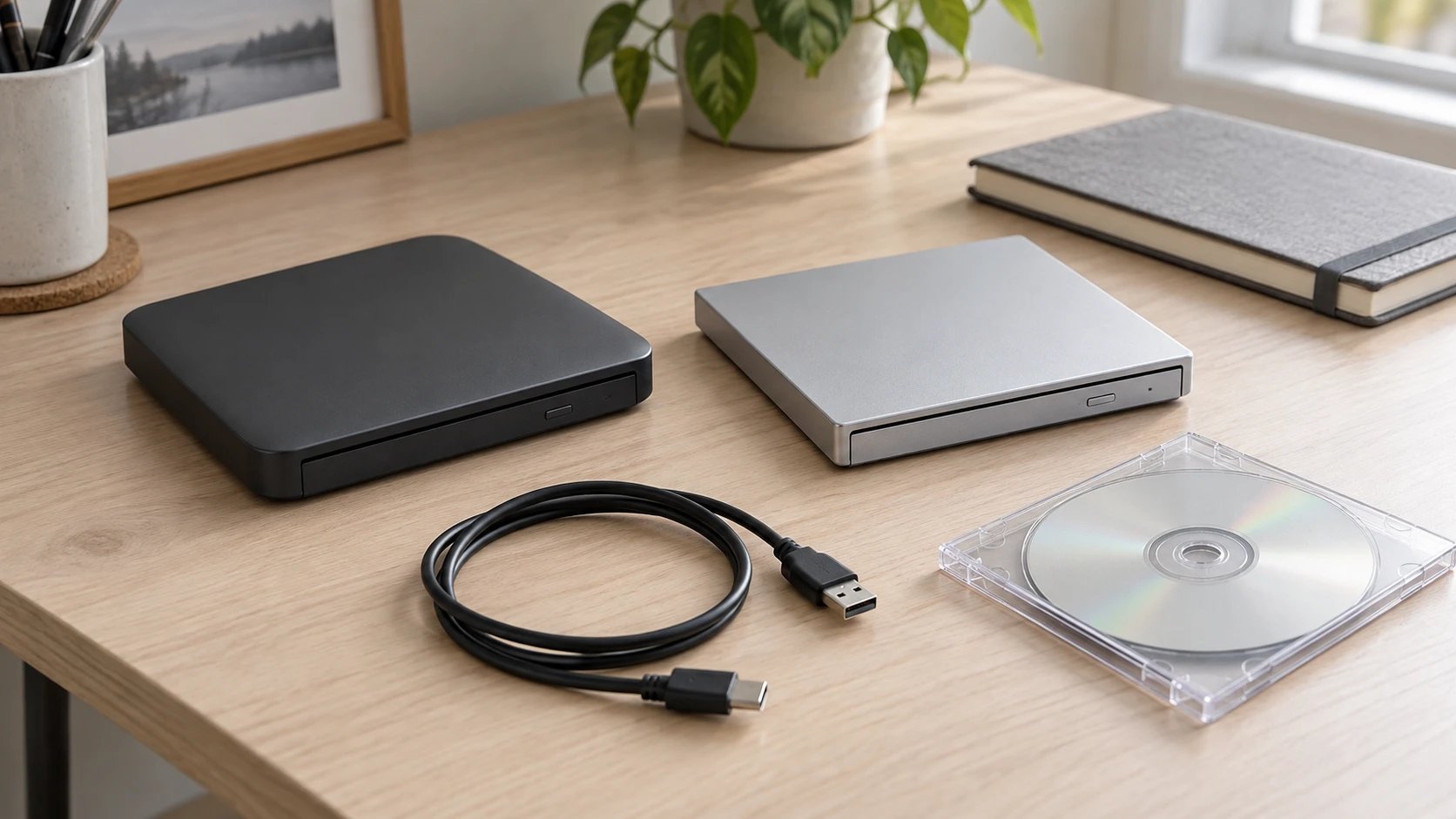
External DVD drive compatibility depends on the computer, disc and intended task together. A drive that lists USB-C can still exclude the computer you own. A CD/DVD reader does not become a Blu-ray reader because a disc fits its tray. Driver-free detection also leaves a separate question about the application needed to play or write your chosen media.
Two actual offers make those distinctions concrete. TerraStock's 7-in-1 CD/DVD drive combines an optical drive with card slots and extra USB connectivity, while the Inspiraflux reader and burner lists DVD and CD speed claims. Both describe dual USB interfaces and USB power. Check each offer's exclusions and software wording before planning the accessory order.
Matching an external DVD drive to the actual host
Start with the machine you intend to connect, including its exact model and operating-system version. A laptop used for an old music collection is a different proposed host from a television used for movie playback. Name the host before choosing a cable. An available socket does not establish that the attached machine supports the drive or the task.
For matching an external DVD drive to the actual host, the TerraStock 7-in-1 external CD/DVD drive describes PCs, laptops and notebooks across major operating systems, without enumerating a version-by-version list. It explicitly says it is not compatible with Pad, smartphones, TVs, cars or projectors, and it excludes Blu-ray discs. Read those exclusions alongside the broad compatibility wording.
If your plan is to attach it directly to a TV, that exclusion already matters. The same is true for a car or projector, even if another device has made the connection look familiar. Do not buy an adapter on the assumption that changing the plug removes a listed host exclusion. The offer supplies no such permission or alternative arrangement.
The Inspiraflux USB 3.0 and Type-C CD/DVD drive separately says Surface is unsupported and excludes M1 and M2 chips. It also excludes Blu-ray. Keep those exact words with this product. The description does not define every Surface model or every computer outside the named chip exclusions, so a different processor is not automatic proof of compatibility.
A buyer with an M1 or M2 computer therefore has an explicit reason to leave the Inspiraflux offer out of that plan. The TerraStock description's broad operating-system wording does not establish its compatibility with the same computer either. Confirm the exact host against the selected drive's current information instead of transferring one listing's exclusions or silence to the other.
Separate the USB connector from the disc function
TerraStock describes a two-in-one data cable with USB 3.0 A and C interfaces, intended to provide power and data transmission. Inspiraflux names USB 3.0 and Type-C, with backward compatibility to USB 2.0 and USB 1.0. Both descriptions state USB-port power. Use these details to identify the proposed computer connection; a complete tested-host list is still absent.
Look at the actual host port and the selected offer's cable information together. If you need an intermediary because the available port differs, establish that intermediary's supported data and power role before adding it to the order. Neither source here supplies an adapter matrix, a complete power budget or a guarantee that every hub will operate the drive.
The OWC Thunderbolt 3 and Dell UD22 dock guide distinguishes a connector's shape from the host functions behind it and asks which ports remain available for peripherals. That is directly useful if an optical drive is intended for a docked desk. Its dock charging ratings, software requirements and video features belong to those docks; they do not certify an optical-drive connection through either one.
If you already use a dock, name the actual peripheral port you intend to occupy. A port used for the dock's host connection or a display is a different part of the arrangement from an available data port for a drive. Keep the proposed route specific enough for the drive and dock documentation to answer it. A headline port count cannot establish the remaining connection.
Keep the attached cable and power account with the offer
TerraStock says its package includes a USB data cable attached to the drive. Inspiraflux describes an embedded cable intended to prevent misplaced cords. Those are actual cable descriptions, without a length or complete detachable-accessory inventory supplied here. If reach across a desk matters, obtain the relevant measurement before assuming the included cable will reach the intended port.
Both offers describe drawing power from USB, and Inspiraflux says external power is unnecessary. That does not provide permission to improvise another power supply when an intended host or hub arrangement remains unverified. Ask about the documented connection for the exact drive. A buyer who needs a separately placed desktop drive has a cable-reach question as well as a host-compatibility question; a portable-body description answers neither measurement.
CD and DVD support does not include Blu-ray
Both selected descriptions identify CD/DVD reading and writing, and both explicitly exclude Blu-ray discs. If the task is reading a Blu-ray movie or writing a Blu-ray data disc, these offers do not provide the stated support you need. Choosing a different USB connector does not change the media exclusion.
For an existing collection, read the actual disc label and identify the job. Playing a music CD, reading files from a disc and writing a new disc ask different questions of the drive and software. CD/DVD wording alone does not enumerate every writable-media variant or establish that a particular old disc remains readable. Keep the exact media identification with the intended task.
The AuroraLink and USB-C Blu-ray drive guide separates reading a data disc, watching a film and authoring a finished disc, with compatible software and exact media as distinct requirements. That distinction applies to the purchase question here. Its Blu-ray and 25GB or 50GB media claims concern different products and must not be transferred to either selected CD/DVD drive.
If your proposed task involves a particular movie title, establish the playback application's requirements as well as the disc type. Neither selected product description provides a complete title, region or protected-content compatibility account. This article does not supply a decoding workaround or promise that every DVD movie will play on a host that detects the hardware.
Disc playback and writing software requirements
TerraStock calls its drive plug-and-play and says driver installation is unnecessary. It also describes reading, writing, multimedia playback and disc burning. Those statements should remain attributed to the offer. The description does not identify a supplied player or writing application, its supported versions or a complete workflow for a particular computer.
Inspiraflux likewise says the drive is automatically detected without an external driver. Elsewhere, the same description says it requires a media player and network. Include that stated requirement when asking about the intended application. It does not identify the player, explain what the network is needed for or establish which tasks can proceed without it. Ask for those details if the computer will be used somewhere without a connection.
For disc playback and writing software requirements, ask one task-specific question at a time. If you want to play a DVD, identify the intended player and its supported disc and computer requirements. If you want to write files to a CD or DVD, identify the writing application and the exact media it supports with the drive. Hardware detection is only one part of that account.
Do not assume software is bundled because the description discusses burning music or movies. Neither selected account gives a named software package in its supplied inventory. A purchase plan that needs an application should keep its actual availability and requirements open until confirmed. This guide gives no installation, ripping, authoring or disc-writing procedure.
Read interface speed and disc speed as different labels
TerraStock names USB 3.0 transfer performance up to 5Gbps. Inspiraflux also gives maximum 8x DVD write speed and maximum 24x CD. Keep the maximum qualifiers attached. A USB-interface rate and an optical-disc speed label do not describe the same operation or supply the elapsed time for your project.
The listings provide no matched test using the same computer, media, files and writing settings. They therefore do not establish a faster-drive winner or a guaranteed time for copying a collection. TerraStock's source does not give an equivalent disc-speed table here. Ask for the missing disc-speed information before comparing writing results.
If completion time matters, ask for the exact drive's supported media and speed information for the intended task. Keep any answer with its conditions. A maximum disc-writing claim does not establish read performance, and neither label tells you how long the application will take to prepare or verify the chosen job.
TerraStock's card slots are a separate accessory decision
The 7-in-1 TerraStock description adds SD and TF card slots and extra USB connectivity. It explicitly says the SD and TF slots cannot be used simultaneously. If the attraction is moving between those two card types, that restriction belongs in the purchase decision before the multi-function title persuades you to replace another reader.
The source does not give a complete supported-card-capacity or card-format table. Nor does a 7-in-1 label establish that every named function can run at once. Identify the actual card and intended use, then obtain the missing compatibility information. Keep card-reading questions separate from whether the optical drive accepts the CD or DVD you want.
Inspiraflux's description emphasizes an embedded cable and slim carrying design, without describing the TerraStock card-slot arrangement. That omission is not a tested inventory of every feature, but it gives no basis for adding SD or TF slots to the Inspiraflux purchase. Compare the actual functions you require with the selected offer rather than treating both dual-interface drives as the same accessory.
Close the accessory plan around the intended computer and media
For TerraStock, retain the actual computer and operating-system question, the stated host exclusions, CD/DVD media requirement and SD/TF restriction. Its catalog category is Computer Accessories. For Inspiraflux, retain the Surface and M1/M2 exclusions, media-player and network wording, and qualified DVD/CD speed statements. Its catalog places it in Home Theater; that category does not establish direct TV compatibility.
Before choosing either drive, resolve the exact host, data connection, disc and application together. Confirm what the selected offer supplies if an additional cable or software item would determine the order. A quiet-operation, portable-body or plug-and-play description cannot settle an unanswered media or computer requirement. Choose the accessory only after its documented role fits the task you actually intend to carry out.