Crypto Commerce
Epson EpiqVision Flex CO-FH02 projector CO-FH02 or WEMAX Nova for a shared screen
Compare Epson EpiqVision Flex CO-FH02 projector by room placement, image size, streaming, connections, and audio.
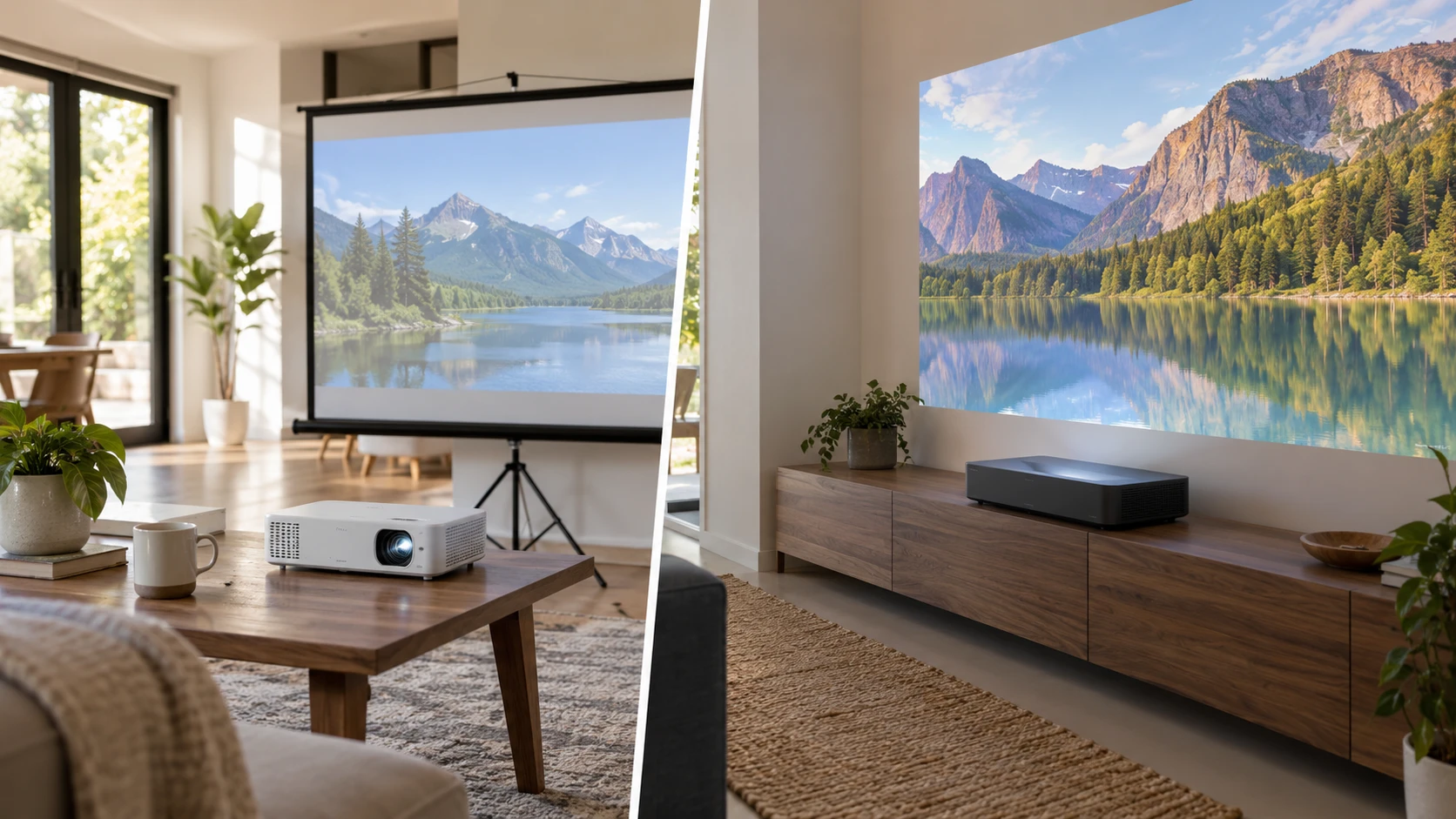
The refurbished Epson EpiqVision Flex CO-FH02 projector is described as a lightweight Full HD model with 3,000 lumens of color and white brightness. A published guide on projector connection and placement checks deals with display equipment more broadly, but the same source-and-screen audit helps here. The WEMAX Nova ultra-short-throw projector is a 4K UHD laser model intended to sit close to the wall. The useful difference starts with the room: Epson can travel between spaces, while WEMAX requires a precise position near the display surface.
Measure the wall and where people sit before comparing resolution claims. Mark the intended image width, the furniture available for the projector, and the walking paths through the room. Note windows and lamps that will be on during use. A portable projector can be moved for a meeting or a film, but each move may require alignment and cable setup. An ultra-short-throw unit avoids a long beam crossing the room, yet small changes to its position can affect image geometry. Decide whether the screen will be temporary, fixed, or shared with other displays.
Start with throw and screen size — projector connection and placement checks
WEMAX gives several placement examples in its saved row: about 5.5 inches from the wall for an 80-inch picture, 9.1 inches for 100 inches, 13 inches for 120 inches, and 19.3 inches for 150 inches. Confirm where those distances are measured, because the rear cabinet edge, lens position, and projected image plane are different reference points. Check the actual cabinet depth and the furniture that will support it. A narrow console may not leave enough room for the projector body and its required ventilation even when the quoted wall distance looks small.
The WEMAX description calls 150 inches its maximum projection size, while another sentence associates 4K viewing with images up to 120 inches. Treat those as two different claims to clarify with the maker. Choose a screen size that fits the wall, sight lines, and room light. A bigger image spreads the available light over more area. The listing does not provide a matched brightness figure here, so it cannot establish how a 150-inch picture will look in a bright room. Ask for a demonstration or current specification at the size you intend to use.
Epson advertises images up to 300 inches, but the saved row does not include a throw-distance table. An upper size claim does not guarantee that the room can put the projector far enough from the wall or that the picture will suit the ambient light. Get the CO-FH02 manual or calculator for the exact image width and measure the available projector-to-screen distance. Include the space behind the unit for power and HDMI. If someone must walk through the beam, a ceiling or rear placement may be worth investigating with the mounting instructions.
An ultra-short-throw image can expose waves or texture in an ordinary wall. Examine the proposed surface with room lights on and off. Check whether a suitable screen or surface treatment is needed for the picture quality you expect. A portable projector has its own alignment demands when moved to different rooms. Test each location with the image centered and the projector level before relying on digital correction. Correction tools can improve the apparent rectangle, but they cannot create physical space for a cabinet or fix poor sight lines.
Compare picture claims in the intended light — WEMAX Nova ultra-short-throw projector
Epson's row lists Full HD 1080p projection, 3-chip 3LCD imaging, and 3,000 lumens for both color and white brightness. Those are useful specifications for a portable unit that may face different lighting conditions, though the actual picture depends on screen size, surface, and room light. Its listing describes full RGB color reproduction per frame and no rainbowing associated with some other projection methods. Review an image sample if color or motion artifacts are a particular concern; a catalog description cannot show how the restored unit performs in your space.
WEMAX states 4K UHD resolution with 8.3 million pixels and HDR10+ processing. On a large image viewed at a close distance, additional detail may matter, provided the content, streaming path, and screen preserve it. The saved row does not establish a comparable measured brightness value or the effect of room light. Compare both projectors at the image size and viewing distance you plan to use. A higher pixel count will not compensate for a washed-out surface, and a bright specification will not solve a poor seating angle.
Run a realistic viewing test: show subtitles, a dim film scene, and a bright presentation slide. Check whether text remains readable from the back seat and whether the dark scene keeps enough detail with the lights you normally use. If the room has a window that cannot be covered, test at the time of day the projector will run. Ask for current information about lamp or light-source life, replacement service, and noise if the projector will see many hours of use. The saved rows do not give a matched lifetime or acoustic comparison.
Trace each video source and app — WEMAX Nova ultra-short-throw projector
Epson lists an HDMI connection for a laptop, game console, disc player, cable box, or external streaming stick. Its Android TV setup is said to support familiar streaming apps, and the row mentions Chromecast casting from phones, tablets, and computers. Confirm the exact supplied streaming hardware, remote, and app availability for the restored offer. Streaming catalogs and platform support can change. If a particular subscription service is essential, verify it on the current device before planning the room around the built-in interface.
WEMAX also runs Android TV and names several streaming services. Its listing specifically recommends using Aptoide TV or an external streaming device for Netflix. That caveat matters if Netflix is a main use. Test the intended app path and remote control before assuming a built-in icon will provide the experience you expect. The row lists multiple HDMI inputs, USB, wireless casting, and HDMI eARC for an external audio system. Confirm the port count and versions on the exact model, then map each source to a port. A game console, streaming stick, and laptop can exhaust inputs sooner than expected.
Wireless casting deserves a separate check. Both listings discuss phone or computer casting, but compatibility depends on the device, network, app, and content rights. Try the actual phone and service if casting is part of the plan. A wired HDMI route may be simpler for a meeting laptop or a console that needs predictable audio and picture. Keep the cable path safe across the room and find out whether a longer run needs special equipment. The display guide's connection-first approach helps prevent a projector purchase from becoming an adapter search afterward.
Include sound in the room plan — WEMAX Nova ultra-short-throw projector
Epson lists an integrated bass-reflex speaker. It may be enough for a small presentation or temporary setup, but the saved row gives no matched sound-pressure or room-coverage figure. Listen at the farthest seat and at a volume people will use. If an external speaker system is needed, check the current manual for supported audio outputs and how a connected HDMI source sends sound. The product excerpt focuses on the built-in speaker and HDMI input; it does not settle every external-audio route.
WEMAX's listing mentions Dolby Atmos and an HDMI eARC connection to a soundbar or stereo. Confirm what the projector actually outputs from the streaming app or HDMI source and what the receiving sound system accepts. A format logo alone does not tell you whether a particular subscription title will play through all speakers. Position the soundbar without blocking the short-throw beam or cabinet vents. If the projector sits on the same console as speakers, check for vibration and cable clearance during a test session.
A shared room also needs a simple startup routine. Decide who will select the input, lower a screen or clear the wall, and restore the furniture when viewing ends. Epson's portable form can be stored between uses, but storing it means repeating some alignment and reconnecting its accessories. WEMAX can remain in a fixed spot if that console is available every day. Label the HDMI leads and keep remotes with the equipment. That small amount of organization may matter more than an extra advertised app.
Check the exact offer before buying — WEMAX Nova ultra-short-throw projector
The Epson product is labeled refurbished. Confirm the grade, who restored it, the included remote and streaming accessory, any missing cables, the return window, and the warranty for this particular offer. Inspect the lens, casing, fan behavior, and image when it arrives. The WEMAX saved row does not identify a refurbished condition or provide comparable warranty and support terms in its excerpt. Ask for the current terms and installation requirements. A large fixed screen arrangement may be harder to undo after furniture is moved or mounted.
Choose Epson if the room plan needs a projector that can travel and you can meet the required throw distance at each site. Choose WEMAX if the wall and furniture support its precise short-throw placement and its app or external-source path meets your needs. Those are starting points for a measured setup, not substitutes for seeing the picture. Before committing, confirm the screen size, throw reference, source ports, sound route, and current offer contents. Test the delivered unit at the planned seat and lighting conditions.