Crypto Commerce
Elo 2002L touch monitor vs Raypodo 18.5 for counter and wall touch setups
Compare Elo 2002L touch monitor by host computer, mounting, touch, network, accessories, and saved price.
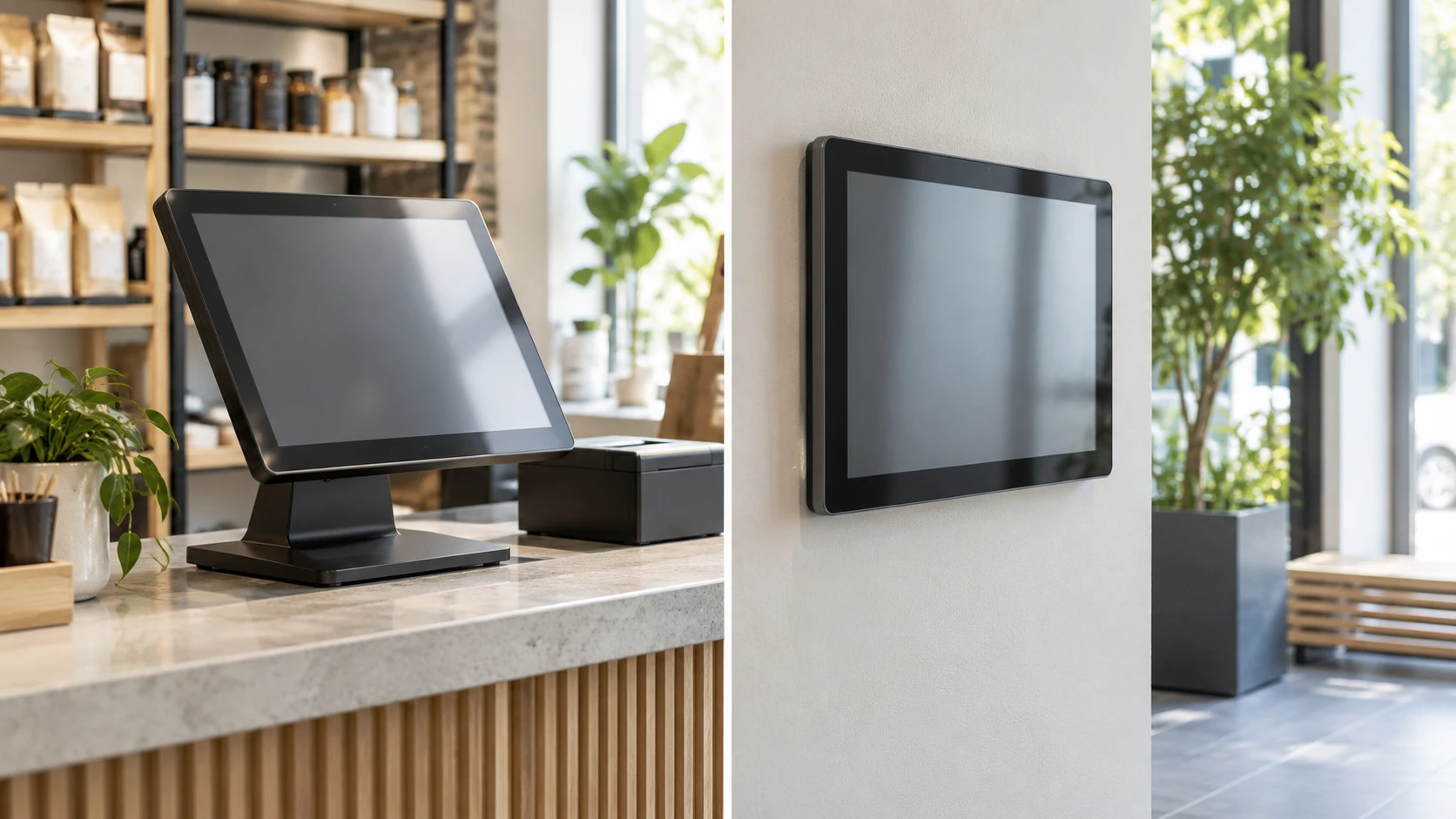
A touch display can be part of a larger computer system or the computer can live inside the screen. That decision shapes installation, software support, and service long after the panel is mounted. The Elo 2002L is listed as a touch monitor designed for a retail counter or public location. Raypodo's 18.5-inch product is described as a wall-mount touchscreen with a Rockchip processor, memory, storage, and operating-system options. Both advertise full-HD resolution and ten-point touch, but those shared labels conceal different system plans.
The September 30 catalog snapshot marked both products available and listed Elo at a minimum of $773.53 and Raypodo at $738.38. Their exact product URLs and a related published guide returned HTTP 200 on October 3. These figures and specifications are saved Republeq's product descriptions, not current quotes or performance tests. Neither listing includes a complete integration diagram for your point-of-sale software, kiosk app, or building network. Confirm the exact current variant and its technical sheet before treating either as ready to install.
Decide where the application will run — display connections guide
The Elo 2002L touch monitor is described as a display with touch input and optional retail accessories. The saved candidate text does not establish a built-in operating system, processor, or app storage. Plan to identify the host computer or controller that will run the software, then confirm the display and touch connections between them. A touch monitor alone is not evidence that a checkout, visitor sign-in, or menu app will run without another device.
Raypodo's saved description names a Rockchip RK3568 processor with 4GB of RAM and 32GB of storage. It says the unit can be supplied with Android 11 or Ubuntu 18.5 and mentions Google Play access when using Android. That reads like a self-contained computing option, but the wording does not prove both systems are installed on one device or that the buyer can switch between them. Ask which operating system is on the exact unit in the cart, how it is updated, and which software build the Republeq's catalog supports.
An existing Windows or Linux application may be easiest to keep on its established host and attach a touch monitor. A new web or Android kiosk may fit an integrated screen, provided its app runs on the actual software version and hardware. Neither saved listing proves compatibility with a particular payment terminal, printer, scanner, or enterprise management tool. Start with the application and its required peripherals, then select the screen architecture that can support them.
Our related display connections guide explains why screen selection begins with the source, ports, and signal path. It does not certify the connector list for Elo or Raypodo. Use it to document the computer, network, touch interface, audio, and power path that this installation requires. Current manuals and application requirements should answer the remaining questions.
Compare what the touch surface actually offers — Raypodo 18.5 touchscreen display
Elo lists a 19.5-inch LED-backlit TFT panel at up to 1920 by 1080 and 60Hz, with a 230-nit brightness claim. The description says its edge-to-edge glass uses TouchPro PCAP technology for ten touch points and an anti-glare surface. Those are useful design details for a public counter, but they do not establish readability under every overhead light or through fingerprints and cleaning residue. Test the viewing angle and reflection at the planned mounting position.
Raypodo lists an 18.5-inch 1920-by-1080 TFT-LCD with ten-point capacitive touch and a 300 cd/m² brightness figure. The units nit and cd/m² express the same luminance measure, so the figures in Republeq's catalog suggest a higher stated brightness for Raypodo. They are not independently measured under the same conditions. A bright retail window or a dark hallway changes which screen feels comfortable. Ask for the current panel specification and, if possible, inspect a unit at the approximate ambient light of the intended location.
Ten-point touch is a maximum touch-input claim. A simple checkout interface may only need one finger at a time; a collaborative design app may need reliable multi-touch gestures. Test the application with its real gestures. Check whether touch accuracy remains usable near the edges, whether a gloved user can operate it if that matters, and whether the installed operating system supports the gestures your interface uses. The saved catalog entries do not provide comparable latency or accuracy tests.
Elo advertises two internal 2W speakers. Raypodo's candidate description names supported media formats but does not specify an equally clear speaker arrangement. If the display must play sound, verify output hardware and volume in the exact package. For a quiet queue or reception desk, the audio plan may be more about intelligible prompts and a controllable mute than about loudness.
Plan mounting and daily reach — Raypodo 18.5 touchscreen display
Elo's listing says it can be used on a tabletop or mounted on a wall or pole in portrait or landscape with standard VESA patterns. That flexibility may suit a counter that changes layout, but the saved description does not give the exact VESA hole spacing, stand footprint, tilt range, or mounting hardware in the package. Check the current installation drawing. A screen that looks right at eye level may be uncomfortable for a seated customer or a worker reaching across a counter.
Raypodo is described as a wall-mount unit, finished in black. The saved text does not provide equally complete mount spacing, external depth, weight, or portrait support. Ask whether the keyboard named in its title is included with the offered variant and how it connects. An integrated computer may reduce the number of boxes nearby, yet it still needs power, network, and a way to service the device. Plan those cables before a wall is drilled or a cabinet is cut.
Test reach and visibility with a cardboard template in the intended space. Mark the edges of each display and have a user perform the most frequent touch tasks. A 19.5-inch counter screen and an 18.5-inch wall screen differ by less than their role in the workflow. Placement, font size, and button spacing may have a larger effect on usability than the one-inch diagonal difference. Keep controls accessible to the people who actually use the interface.
For a public installation, ask how the screen can be cleaned without triggering unwanted taps and what cleaning agents the manufacturer permits. Elo calls its product retail-hardened and claims more than twenty reliability tests; Raypodo does not provide a parallel durability test in this snapshot. These statements are not a substitute for current warranty terms, service access, and a cleaning procedure. The most robust installation is one that can be maintained without taking down an entire wall assembly.
Check network, power, and updates — Raypodo 18.5 touchscreen display
Raypodo names Wi-Fi 802.11b/g/n, Ethernet with PoE support, and USB 2.0 and 3.0 ports. Those are potentially useful for a connected kiosk. PoE compatibility needs a specific power budget and network equipment; the Republeq's catalog feature phrase does not identify whether your switch and cabling can power this exact configuration. Confirm the PoE standard and required wattage in the manual. If the app depends on the network, test connectivity at the mounted location, where signal strength may differ from a router-side test.
The Elo saved candidate text focuses on display and retail accessories, leaving its video input, touch-data connection, and power requirements insufficiently specified for a final cable plan. Ask for the connector diagram and verify it against the external host. A separate host may use its own network connection, update process, and security controls. That architecture can make a screen replacement simpler, but only if the software and wiring remain supported.
Raypodo's Android 11 or Ubuntu 18.5 options raise a long-term software question. Ask for security-update policy, how apps are installed, and whether the device can be managed or locked down for public use. Google Play access in a Republeq's product description does not establish that every required app will be available or supported on the exact firmware. A public touchscreen should be tested for what happens after a reboot, a network interruption, and an application crash. Those operations can matter more than the processor name during ordinary service.
Document who owns the update path before installation. If a store relies on one touchscreen all day, a manual restart or remote support procedure must be practical. The saved listings cannot establish how quickly either supplier responds to a software or hardware fault. Confirm warranty and support coverage in your region and keep the model identifier with the installation records.
Treat optional peripherals as a separate purchase — Raypodo 18.5 touchscreen display
Elo's page lists optional retail accessories such as a magnetic-stripe reader, barcode reader, fingerprint scanner, customer-facing display, and NFC/RFID adapter. The word "optional" matters. The saved product price does not establish that any of those devices are in the box or compatible with every software stack. Request the exact accessory part numbers and supported connection methods before budgeting a checkout station. A peripheral can fit the screen physically and still lack the driver or application integration you need.
Raypodo's saved description mentions an optional 2MP front camera and compatibility with a wireless mouse and keyboard. Its title says "with Keyboard," but the body does not explain the included keyboard's model or connection. Confirm the package list and whether the camera is supplied, separately sold, or available only on another variant. If a sign-in kiosk will use video calls or identity capture, ask about permission controls and test the actual camera; a two-megapixel label alone says little about image quality.
Make a short hardware list for the complete station: screen, computer if separate, mount, power, network, scanner, printer, payment device, and any cable or adapter. Mark each as included, already owned, or still to buy. That list makes the two products comparable as systems. The display price is only one line of a working installation.
Compare the live offer with the complete system cost — Raypodo 18.5 touchscreen display
The September 30 snapshot lists Elo $35.15 above Raypodo. That narrow historical gap does not mean the completed stations will cost about the same. Elo may need an external computer and specific touch/video cables. Raypodo includes computing hardware in its saved description but may need software setup, a PoE-capable network path, or a different OS variant. Optional scanners and cameras change either budget. Current Republeq's catalog, shipping, tax, return, and support terms must be checked before deciding on price.
Choose Elo for further investigation when the application already has a host and a configurable retail touch monitor is the missing component. Choose Raypodo for further investigation when an integrated Android or Ubuntu touch unit suits the software and the wall can support its power and network plan. Both claims require confirmation on the exact offered unit. Test touch, app launch, restart, and peripheral behavior in the proposed location before buying several for a rollout.
The current Raypodo 18.5 touchscreen display page can be checked alongside Elo's for present options and price. Begin with the application and all its connections. Once those are documented, verify the differences in screen, mount, and computing architecture. The shared "ten-touch" label does not describe a complete system.