Crypto Commerce
Elder eight-camera DVR system for a wide property
The Elder eight-camera DVR system provides a listed starting point for monitoring several parts of a property: eight outdoor spotlight cameras, an eight-channel recorder and a pre-installed 2TB hard drive. Whether that package covers your planned zones depends on the views you need, the cable paths available and how long you want recordings to remain accessible. The description establishes the equipment count. It does not establish a coverage area or a retention period for your installation.
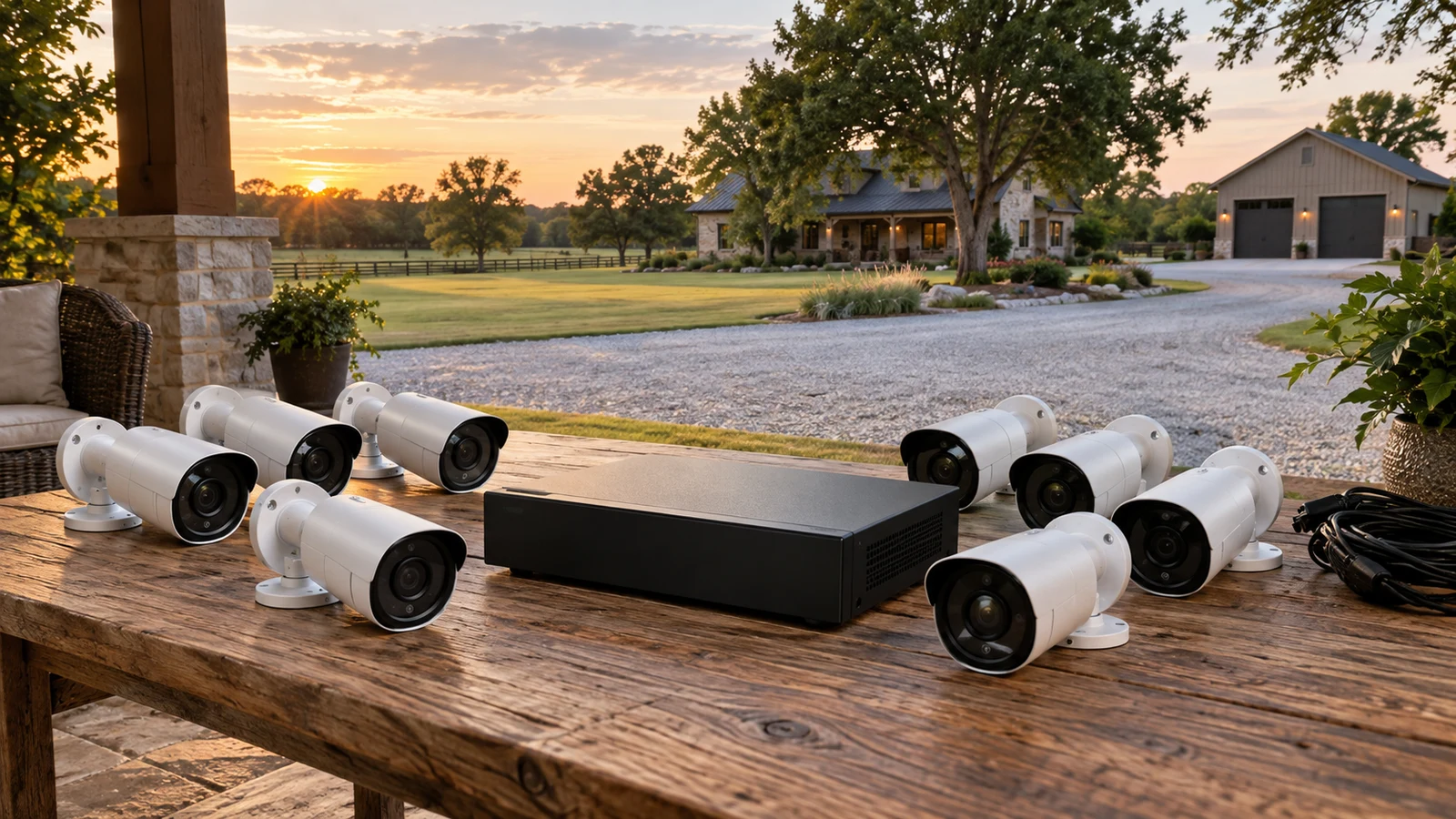
The Elder eight-camera DVR system provides a listed starting point for monitoring several parts of a property: eight outdoor spotlight cameras, an eight-channel recorder and a pre-installed 2TB hard drive. Whether that package covers your planned zones depends on the views you need, the cable paths available and how long you want recordings to remain accessible. The description establishes the equipment count. It does not establish a coverage area or a retention period for your installation.
Start with a drawing of the property and mark the places where footage would answer a specific question. At an entrance, you might want to see someone approaching the door. Across an open yard, you might want to follow movement between buildings. Those views can demand different camera positions. Give each proposed position a purpose before assigning the eight cameras, and leave unresolved areas visible on the drawing.
The approved Elder eight-camera DVR system listing describes four dome cameras and four bullet cameras, all specified as 4K outdoor models with spotlights and microphones. It also lists eight 18M CCTV BNC cables, power adapters and a splitter, plus an HDMI cable and a LAN cable. Confirm that the selected package matches that description and ask about its condition before ordering; the supplied description does not identify it as new, refurbished or used.
The camera mix deserves attention during planning. Avoid assigning every position on the assumption that all eight housings mount or adjust identically. Ask for the mounting dimensions and adjustment limits of both camera types, then match them to the proposed surfaces. The description includes mounting templates and screws, but it does not establish which fixings suit your particular walls or other supports.
WEILAILIFE Camera Alternative: Establish The Elder Coverage Baseline
Before comparing another package, work out what the Elder equipment must accomplish on your property. A useful zone description names an observable event, such as a person arriving at a side entrance, rather than simply naming an area. If a position is expected to show both a nearby doorway and a distant boundary, ask whether one view can provide the detail you need at both locations.
Elder specifies 8MP imaging and spotlight-assisted color night vision. Its description does not supply a field-of-view angle, a measured identification distance or a spotlight coverage distance. Keep those unknowns separate from the resolution claim. Ask for representative footage at distances resembling your proposed positions, including nighttime footage, before relying on one camera to cover a long stretch of the property.
Consider a hypothetical site with a broad yard and a recessed service entrance. A camera aimed across the yard might leave the recess outside its view, even if the entrance looks close to it on a plan. Reserve a separate position if that entrance matters, or investigate a different mounting point. This exercise helps reveal whether eight positions serve the actual priorities without pretending that every part of the property will be visible.
Also mark any area where you want overlapping views. An approach that disappears behind a building may warrant another camera on the far side. Treat that overlap as a deliberate use of the package's camera count. The listing specifies eight cameras and eight DVR channels, so ask about expansion options before assuming the recorder can accommodate additional cameras later.
Cable routing may change the layout. Elder lists an 18M cable for each camera and describes a single CCTV connection carrying video, power and audio between each camera and the DVR. Measure the proposed installation path, including rises and turns, rather than the straight distance across the property. Where a route exceeds the supplied length, obtain confirmation of supported cable types and maximum runs for this exact system.
Choose a possible recorder location while making those measurements. Check how camera cables would reach it, where the supplied power equipment would sit and whether a local display is wanted. Elder lists HDMI and VGA connections for local monitoring and Ethernet connectivity for remote app access. The description does not establish the suitability of your existing wiring or the power arrangements at your chosen location.
The cameras have a listed IP67 rating. That is a camera specification, so do not extend it to the DVR, adapters or every exposed connection. Ask how the proposed outdoor joins should be protected and whether additional installation accessories are needed. The package lists one junction box; clarify what each planned mounting point requires before treating the supplied accessories as a complete installation bill.
WEILAILIFE Camera Alternative: Compare Recording And Nighttime Needs
The Elder description explicitly supports continuous local recording, automatic overwrite of the oldest footage and H.265 encoding. It also lists storage expansion up to 8TB and backup to a USB flash drive or external hard drive. These features address different decisions: recording captures the timeline, available storage determines how much can remain, and exporting lets you keep selected footage separately.
A 2TB capacity does not provide a stated number of retained days. Ask for an estimate using all eight cameras at the resolution, frame rate and recording settings you intend to use. If someone provides a retention figure, request the settings behind it. You need to know whether that estimate describes your intended continuous recording arrangement or a different configuration.
Think about the delay between an event and your opportunity to review it. Someone who checks footage each evening has a different storage requirement from someone who may not review an incident until much later. State that interval when discussing capacity. Because Elder describes automatic overwrite, establish a routine for preserving relevant clips before they are replaced, and ask which exported formats your computer can open.
Nighttime suitability needs its own check. Ask how Elder's spotlights are controlled and whether the seller can show footage with lighting conditions similar to yours. The supplied description supports color footage in very low light, but it does not specify illumination reach or every operating mode. If a camera will face a nearby wall or a brightly lit doorway, include that arrangement in the questions you send.
The WEILAILIFE camera alternative lists 5.0MP video at 2592 x 1944 and a 130° field of view. Its description also explicitly supports 24/7 recording. For this wide-property decision, the stated viewing angle gives you another specification to examine against the proposed zones. It does not establish that this package would cover the same locations with the same camera count.
The supplied WEILAILIFE description does not identify an included camera count, recorder channel count or hard-drive capacity. Request those details before making a package-level comparison with Elder. Also ask about supplied cable lengths and any recorder or storage equipment needed for the configuration being offered. Without those answers, comparing the two descriptions as equivalent complete installations would leave major parts of the purchase unresolved.
Both descriptions include detection and notification features, although the details differ. Elder lists motion, person and vehicle detection, customizable detection zones and smart area playback for searching recorded motion in a chosen region. WEILAILIFE lists PIR detection controls, image emails and app notifications. Consider which review task matters most to you, then ask how the relevant controls work on the exact system being sold.
For example, if you want to investigate activity around one entrance within a much larger view, Elder's listed area playback feature is relevant to that search. Ask for a demonstration of selecting the region and finding the event. Avoid treating a feature name as proof that the workflow will be comfortable for whoever is responsible for reviewing footage.
Use Camera Battery Planning For Time Away From Charging: Keep Portable Needs Separate
The Elder package is described as a wired installation with supplied power equipment. The description does not state that it includes battery backup or specify operation during a power interruption. If recording through an interruption is part of your requirement, ask what compatible backup arrangement would be needed for the installed system. Keep that question separate from the ordinary cable and camera placement plan.
Some buyers also use a separate portable camera away from the property. For that different task, Use camera battery planning for time away from charging addresses the charging-related question. It does not establish anything about the Elder recorder's power requirements. Keep the fixed surveillance purchase focused on the equipment that must remain installed and operating at the property.
WEILAILIFE Camera Alternative: Resolve Compatibility Before Choosing
Existing equipment can introduce another set of questions. Elder's description supports the supplied cameras' Audio-over-Coax connection, but it does not establish compatibility with cameras you already own. WEILAILIFE broadly describes integration with other home security camera systems without naming supported combinations. Give the seller the exact model numbers of any equipment you hope to retain and request confirmation for that combination.
Remote access also needs a practical check. Elder describes live viewing, notifications and playback through its free app after the DVR is connected to the internet via Ethernet. The supplied description does not name that app or its supported operating-system versions. Ask which app the exact recorder uses and confirm that your intended phone can run it. A compatible local display can be considered separately using the listed HDMI or VGA outputs.
WEILAILIFE names HonestView and describes remote viewing on iOS and Android devices, as well as PC or tablet access. That additional naming detail is useful when investigating access, but it does not settle how the offered package would fit your property. Keep the comparison tied to the unresolved installation questions, especially the number of included cameras and the recording storage.
Before ordering, turn your drawing into a short equipment inquiry. Include each proposed camera position, the measured cable path and the detail you expect to see there. Add your desired footage review interval and any existing hardware you want to reuse. Request answers against the exact Elder package so that a response about a different recorder or camera does not accidentally become part of your plan.
Check current purchase terms separately from the equipment description. Confirm the selected package, condition and total, then read the applicable delivery, warranty and return information. If paying with cryptocurrency, inspect the payment instructions presented for that transaction, including the asset and network. Nothing in the camera specifications establishes those checkout details or guarantees particular terms.
The Elder eight-camera DVR system is a reasonable candidate when your proposed views fit eight wired positions and you want the listed local recording arrangement. A purchase decision still needs answers about your longest cable paths, useful nighttime detail and expected retention. Return to the listing with that property-specific inquiry, and resolve any zone that remains uncovered before committing to the package.