Printers & Scanners
DYMO LabelManager 500TS text exceeds printable area: checks
Match the exact printable-area error to the DYMO 500TS manual, then review editable text and the resulting legibility.
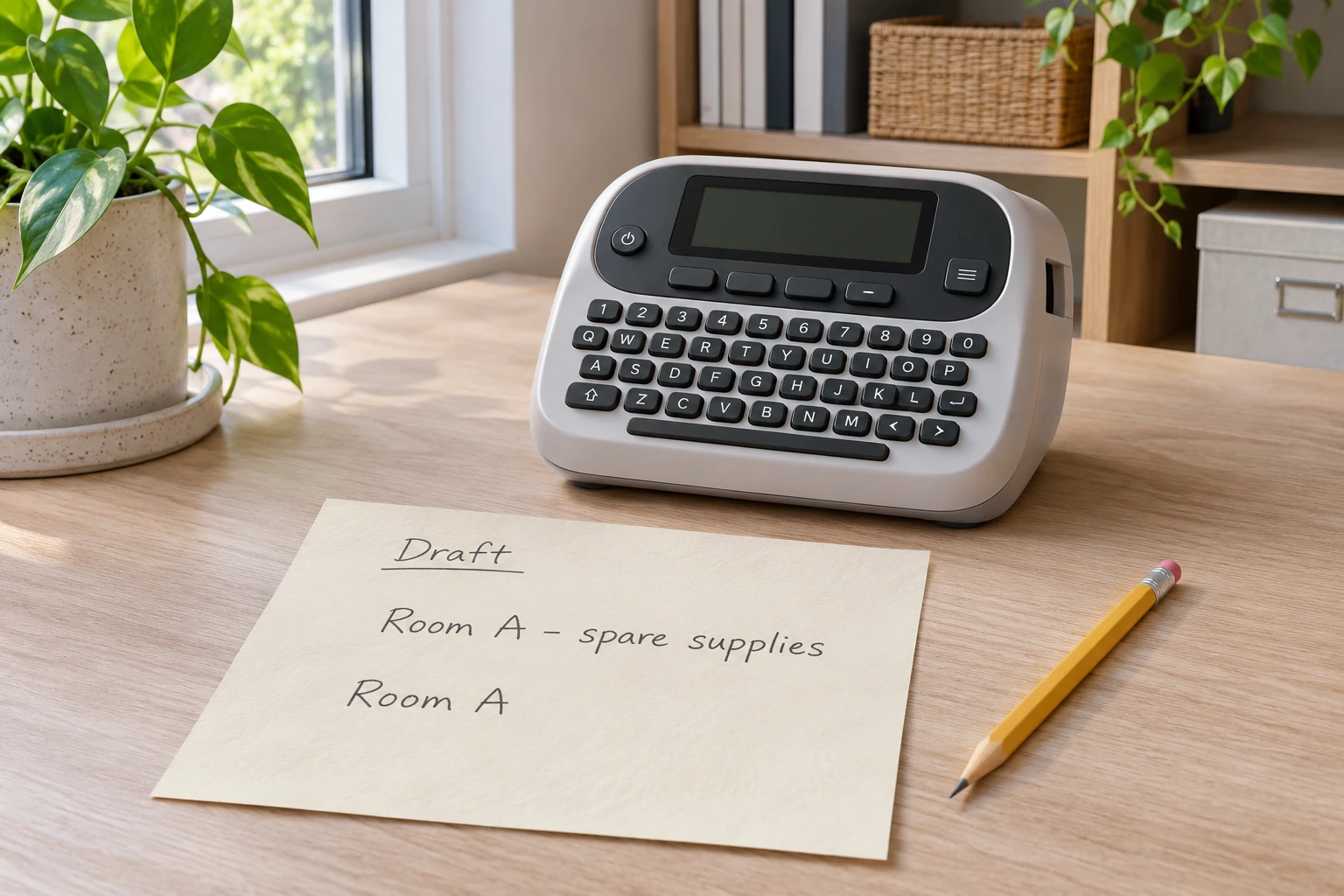
A DYMO LabelManager 500TS text exceeds printable area report belongs with the model's exact troubleshooting row. Its manual offers text, font, line and wider-cassette options. This guide stays with on-screen editing and a later check of the actual result.
Before changing a draft, write down what the label must communicate. Keep the complete wanted wording somewhere you can consult without relying on the version you are about to edit. If somebody else supplied a room name or reference, leave that person a chance to confirm any shortened wording. The aim is a useful label, with its meaning intact.
Identify the maker before choosing a control
The Brother PTD800W offer identifies a complete label maker; its sole photograph shows a tall rear printer housing and a broad fold-out keyboard with a display. It is a separate platform. The DYMO instructions below do not establish its controls.
The DYMO LabelManager 500TS offer names a touchscreen label maker. Its whole gallery includes complete views of a broad keyboard body with a large upper display and silver rim. Retail pictures do not report a successful print from your machine.
Read the identification on the actual maker and compare it with the manual you intend to use. An old order reference may help locate the paperwork, but it should not settle an uncertain model by itself. Keep another device's instructions out of the editing session, even if both printers stand on the same desk or use similarly described supplies.
Write the reported message as it appears. A note saying that a label will not print can describe several different observations. Preserve the words of the warning before replacing them with your explanation of its cause. If the maker is not the identified model, or the actual message differs, find the applicable guidance before using a control described here.
Keep the intended message beside the draft
Choose an ordinary, low-stakes label for this check. The person responsible for its wording can say which part identifies the destination and which part is optional explanation. A room name may need to stay exactly as written; a casual description might be shortened. Make that decision explicitly rather than allowing whatever fits to become the approved name.
For a shared task, ask the future reader what they need to recognize. Someone looking for a particular cupboard may use a different reference from the person who arranged it. A shorter phrase can look tidy while losing the distinction that made the label useful. Keep the full requested wording available until both people agree what can change.
Record the starting draft in a simple note: wanted wording, what the maker currently reports, and which proposed change you will consider first. You do not need a complicated log. A few concrete words let a second person understand what was changed and why. Leave the outcome blank until there is an actual observation to put there.
Choose one documented text change
For label font size, the error row lists decreasing the font, selecting Auto-fit text on the Font tab of Label Edit, and deleting text or lines. For existing text, the font-size instructions say to select it before choosing another size. Available sizes depend on selected label width.
Read that choice with the intended wording still in view. If you want every word to remain, decide whether the resulting text is acceptable to its reader before approving it. If you want to remove words, have the wording owner agree to the omission. These are different editorial choices even when both begin with the same warning.
Consider one change at a time where practical. Keep the earlier wording beside the revision so you can describe the difference without reconstructing it from memory. If several people are suggesting changes, appoint one person to make the next proposed revision and another to read it back. That keeps a conversation from turning into an untraceable series of edits.
A choice that looks promising remains a proposal until you inspect what actually happened. Do not record that the problem is fixed because you found an option in a manual or because another person remembers using it before. Write down the observed response to the particular change. If the warning remains, preserve that result as it is.
Ask whether the shortened wording still works
Here is an invented planning example. Rina wants a label for spare supplies kept in Room A. Omar will use the room reference when returning things. They write the wanted wording on paper and agree that Room A is essential. The phrase spare supplies is descriptive. Neither person has yet operated a printer or observed an accepted layout in this example.
Rina proposes keeping only Room A. Omar asks whether the same wording would distinguish this place from another destination he uses. They can settle that question in conversation before revising the draft. If they decide the extra description is necessary, they keep it in the wanted wording. The example supplies a way to discuss meaning, without predicting what the maker will accept.
Suppose a different colleague will use the label next week. Let that colleague read the proposed wording without being told the answer first. Ask what place or item they understand it to name. Their response can reveal an ambiguous abbreviation. It does not measure a printer's quality or prove that every future reader will interpret the words in the same way.
Keep the result of that wording discussion separate from the technical check. A colleague may understand a phrase that has not yet been printed. A maker may accept a draft whose abbreviation remains confusing. The person approving the wording should know which of those questions has been answered, and which still needs an actual observation.
Inspect the result before accepting the revision
Use the complete model instructions for any later print check, with the already approved setup and supplies. This article provides no cassette-loading, power, cutter or internal-maintenance procedure. Put any proposed output aside for inspection before using it in the real task. Read the complete wording, including the small distinguishing part you meant to preserve.
Look at the result in the way the intended person will use it. Ask whether the words can be read comfortably and whether they still identify the intended destination. A friend reading beside the desk can answer a different question from somebody looking for the item later. Describe the situation you checked instead of turning one favorable response into a broad guarantee.
If the revision is unsuitable, name the specific problem. Perhaps a word was omitted that the reader needed, or the text is smaller than they find useful. Keep that observation with the proposed wording. Repeating the same attempt without deciding what should change adds little information. Return to the requirement that the actual result failed to meet.
An unresolved result can stay unresolved. If you cannot connect the observed message with the applicable manual, stop the editing experiment and ask for model-specific help. Keep the exact model, warning, wanted wording and change already considered together. That gives the next person a clear starting point without asserting that a part is faulty or that another supply will solve it.
Separate this warning from other label problems
The holiday label-maker setup guide decides where gift names are composed and checked before they reach parcels. That handoff remains separate from a documented on-screen warning. Choosing a convenient desk does not settle whether the current draft is accepted or useful.
The blank-horizontal-line guide concerns missing print through characters and a matched Brother cleaning procedure. That is a different symptom. It supplies no cleaning permission for the DYMO 500TS, and this text-editing check supplies no remedy for a physical print defect.
Keep those distinctions in a support conversation. Show the warning if there is one, and describe any actual output separately. Avoid replacing a visible observation with a familiar printer diagnosis. A person helping you should be able to tell whether you are asking about wording, an on-screen refusal, or the appearance of something already printed.
A retail offer can identify a candidate machine without explaining every operation. A supplied accessory statement can describe a package without diagnosing today's problem. Keep a purchase question with the seller and an operating question with the applicable model documentation or support channel. Neither kind of answer should silently stand in for the other.
Leave the next person an honest starting point
If another person will finish, leave the wanted wording and latest proposed revision together. Add the actual message or observation and the change already tried. Mark whether the wording owner approved the revision. The next person can then continue the unanswered part of the task without treating an untested draft as a completed label.
Close the check with a concrete result: the observed revision is useful for the intended task, or a named question remains open. Keep the approved wording when it is useful to repeat the job later. Revisit the decision if the wording or intended use changes. A past acceptable label does not answer every new text request.
If you plan to purchase an item on republeq.com, check the particular offer and current checkout before ordering. This guide does not establish that any cryptocurrency payment option is available. If USDT is offered for the intended order, verify the requested asset, network, amount, receiving destination and order reference with the responsible service before authorizing a transfer. Review the actual product identity, selected variant, quantity, delivery details, total charge and applicable terms. Use the confirmed order details when checking the payment instructions. Confirm any fee, conversion term or exchange rate from the current transaction information. Determine the applicable cancellation, return and refund process, including how a refund would be handled for the selected payment method. Keep the relevant instructions and transaction records, with dates and confirmed references. If essential instructions change, ask the responsible service to confirm the change against the exact order. An acknowledgement should identify the order and the agreed details; it does not replace checking whether the selected product is the one you intended to buy. If payment or order status remains uncertain, reconcile that status before considering another transfer. Do not treat an unresolved transaction as evidence that nothing happened. This article supplies no wallet address, transfer guarantee, recovery procedure or assessment of a counterparty. A product enquiry does not authorize a payment or resolve an uncertain order. If support provides an answer, retain the exact question and response so a later reviewer can understand what was confirmed. Decide whether to proceed only when the conditions of the particular transaction are clear, and retain the confirmed transaction information with the exact order.