Crypto Commerce
DOGFISH M.2 2242 SATA SSD 2242 SATA vs KingSpec NX 2280 NVMe 2TB SSDs
Compare DOGFISH M.2 2242 SATA SSD by physical size, SATA and NVMe interfaces, speed claims, compatibility, migration, and warranty evidence.
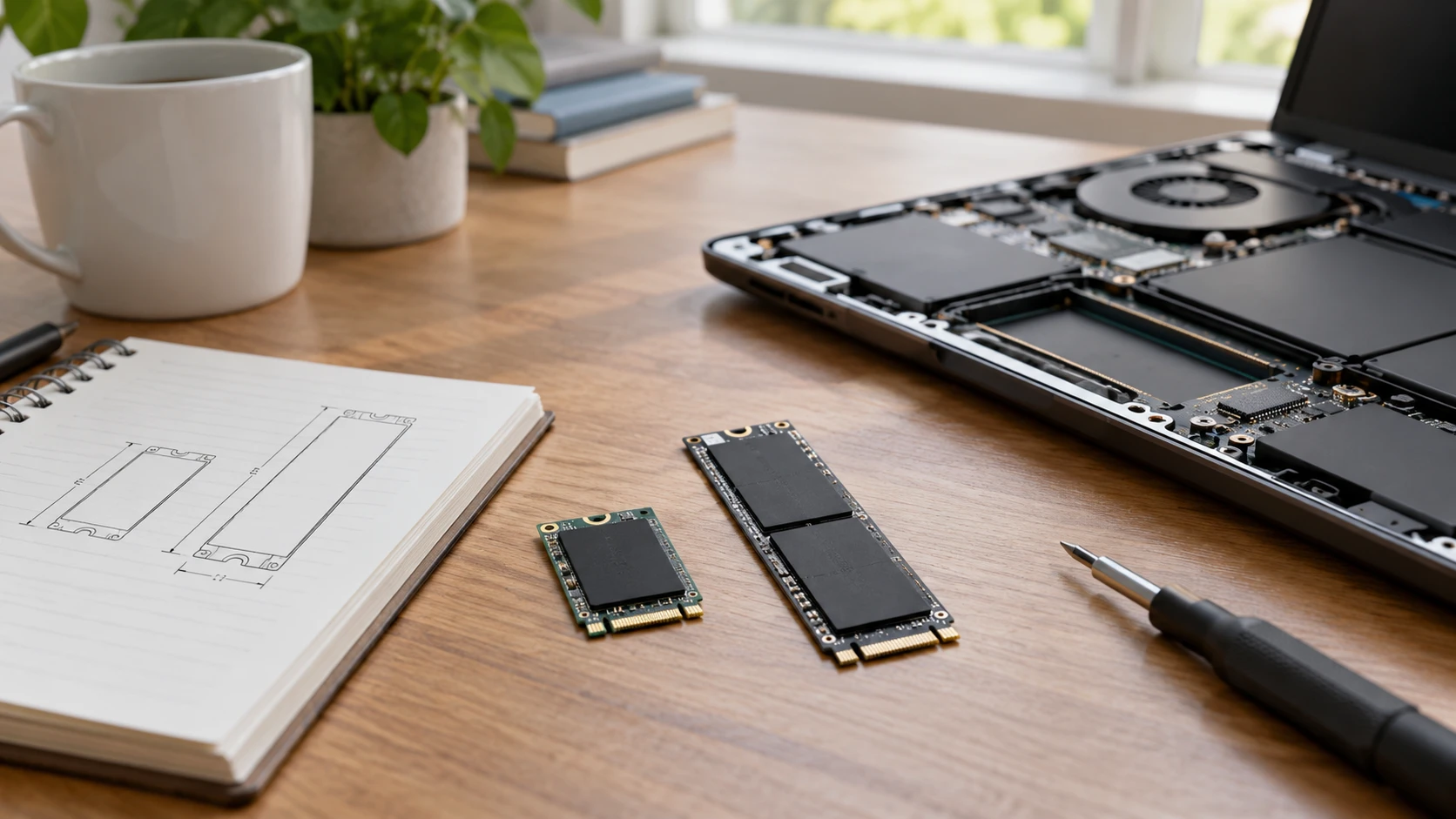
The two drives in this comparison advertise the same 2 TB storage capacity, but they are built for different M.2 slots. The saved listing for the DOGFISH M.2 2242 SATA SSD calls it a 42-millimeter-long SATA III drive with stated sequential reads up to 580 MB/s and writes up to 530 MB/s. The KingSpec NX listing calls its drive an M.2 2280 NVMe Gen3x4 model with transfer rates up to 3,500 MB/s. Those descriptions do not establish that either one fits a particular laptop. The slot's physical length, supported protocol, and installation space decide eligibility before a speed figure matters.
Read the service manual for the exact computer or motherboard. An M.2 label alone says the device uses a particular connector family; it does not guarantee support for both SATA and NVMe drives or for both card lengths. Some systems have a short 2242 position, some accept 2280, and some have mounts or covers that limit what can be installed. Check which slot is intended for storage, which interface it supports, and whether a screw or bracket is present. Do not order a drive solely because the product photograph appears to match the old one.
The 2242 and 2280 measurements — KingSpec NX 2TB NVMe SSD
The first two digits in an M.2 size refer to width, and the last digits to length in millimeters. Both of these listings describe drives about 22 millimeters wide, with DOGFISH at 42 millimeters long and KingSpec at 80 millimeters long. A longer 2280 card cannot fit a short bay just because the electrical connector is similar. A 2242 card in a longer bay may need the right mounting point or an approved adapter. Check the device manual for supported lengths and the position of the retaining screw rather than improvising a loose installation.
Height and component placement can matter too. A slim laptop cover may leave little clearance above the drive, and a heat spreader intended for a desktop may not fit. Neither saved excerpt gives a complete thickness drawing or specifies whether components occupy one or both sides of the board. Ask for the exact physical specification if the bay is tight. If the computer has only one storage slot, plan how the old drive will be cloned or how the operating system will be installed before opening the case.
Do not confuse M.2 form factor with the data path. DOGFISH's title and description say SATA III 6 Gb/s. KingSpec says NVMe Gen3x4. The computer must support the corresponding protocol in the chosen slot. A laptop may physically accept an M.2 drive yet expose only SATA or only PCIe signaling for that connector. Check the manufacturer documentation, current storage-device model, or a reliable compatibility list tied to the exact machine. The wrong interface can leave a new drive invisible even when it slides into place.
Capacity is separate from working memory — SSD capacity versus active memory
Both saved listings state 2 TB of nonvolatile storage. That provides room for files, programs, and system data, though the free capacity shown after formatting and installing an operating system will be lower than the headline number. The published guide on SSD capacity versus active memory explains why buying a larger SSD does not add RAM. If a computer slows down with many live applications or browser tabs, inspect its memory use as well as drive free space before assuming a storage replacement is the right remedy.
Estimate the space needed from actual files. A photo archive, game library, or large project folder can justify 2 TB; a machine used for documents may need less. Leave room for updates, temporary files, and a backup plan. An SSD is storage, not a backup: accidental deletion, theft, software failure, or a damaged computer can still take the data with it. Make a verified copy of important files before changing drives and keep one copy separate from the machine during the upgrade.
If the old drive is nearly full, check whether the new unit will become the boot drive or a second data drive. Moving a boot drive may require cloning software, recovery media, license information, and an enclosure that supports the old drive's interface. The saved product excerpts do not say an enclosure or migration software is included. A careful upgrade plan prevents a familiar laptop from becoming temporarily unusable because the only copy of the operating system was removed without a way to restore it.
Interpreting the speed figures — KingSpec NX 2TB NVMe SSD
DOGFISH's source states up to 580 MB/s sequential read and 530 MB/s sequential write, consistent with its SATA focus. KingSpec states up to 3,500 MB/s transfer rates for the NVMe Gen3x4 model, without specifying the full test setup in the saved excerpt. These are peak listing figures, not measured results in the buyer's computer. The host interface, available PCIe lanes, thermal conditions, file size, and test method can all change observed transfers. Ask for model-specific benchmarks under the workload that matters instead of comparing the largest printed numbers alone.
Large sequential transfers are one use case, such as moving a big video file. Launching an application or opening many small files involves other access patterns and may not improve in the same ratio. If the computer currently uses a hard drive, either compatible SSD could make routine work feel different. If it already has a SATA SSD, the benefit of an NVMe upgrade depends on the tasks and the system's support. A buyer should not give up a physically compatible drive for a faster headline that the slot cannot use.
The source for KingSpec names TRIM support, S.M.A.R.T monitoring, and wear-leveling algorithms. Those are features to verify with the installed system and appropriate diagnostic tools. They do not guarantee data will never be lost. DOGFISH's excerpt describes error correction and a 1.75-million-hour mean-time-to-failure figure; such a statistic is not a promise that a particular drive will last that long. Keep backups and watch for errors or sudden changes in drive health. Replace a failing drive before it becomes the only unreadable copy of important work.
Check the brand and warranty wording — KingSpec NX 2TB NVMe SSD
The DOGFISH product title names DOGFISH, but its saved description says "Kingdata SSDs" undergo the listed testing program. That may be copied text or a relationship between brands; the excerpt does not resolve it. Confirm with Republeq the exact manufacturer, model number, firmware identity, and the entity honoring the warranty for the shipped drive. Do not treat the Kingdata testing claim as evidence about the DOGFISH unit until that identity is established. A photo of the label and packaging, tied to the Republeq's catalog stock, can help resolve the discrepancy.
DOGFISH's source claims a three-year warranty and says a failed unit will be replaced rather than repaired, with shipping of the new SSD paid by the Republeq's catalog. Check the actual written terms, region, proof-of-purchase requirements, and treatment of data on a returned drive. KingSpec also claims a three-year warranty and lifetime technical support. Verify whether support is offered by the manufacturer or Republeq's catalog and what a replacement process requires. Warranties cover specified defects; they do not replace a backup of the files stored on the device.
If returning a defective drive, consider the sensitivity of the data on it. An SSD may fail in a way that prevents normal erasure while still containing recoverable information. Ask about the warranty provider's data-handling policy before shipping it. For future protection, set up the computer's appropriate encryption before adding private files, and retain recovery keys securely. These decisions apply to either brand, even though neither saved excerpt describes an encryption feature built into the drive.
Installation and first verification — KingSpec NX 2TB NVMe SSD
Back up the computer, shut it down as the maker instructs, disconnect power, and follow the service manual for opening the chassis and handling static-sensitive parts. If the device is under warranty or has a sealed case, check its service rules first. Seat the card at the specified angle, secure it with the correct screw, and do not force a connector that resists. A technician can handle the job if the bay or migration path is uncertain. The risk of damaging a laptop or losing data outweighs a small saving from improvising the installation.
After installation, check that firmware and the operating system identify the exact model and expected capacity. Confirm the drive appears on the intended interface before copying large amounts of data. Initialize or format it only after you are certain which disk is new; choosing the wrong disk can erase the existing system. If cloning, test that the computer boots and that important files open before removing the old copy. Run a modest transfer and a health check, then watch for errors during the return period.
For a laptop, also check heat and power behavior during a real workload. A fast NVMe drive can be limited by the host slot or cooling, while a SATA drive can still be useful when it is the compatible part. The saved excerpts do not give power draw or thermal-throttling results, so avoid predicting battery life from the protocol. Use the computer maker's supported-drive list and model-specific tests when those details matter. Judge an upgrade by system stability and verified backups alongside any benchmark result.
DOGFISH's saved listing offers a short 2242 SATA format with explicit sequential read and write claims, but its Kingdata wording needs identity clarification. The KingSpec NX 2TB NVMe SSD offers a longer 2280 Gen3x4 format and a higher peak transfer claim. Both list 2 TB and a three-year warranty claim. Check the computer's slot length and protocol first, preserve a verified backup, and confirm the delivered model before using either drive as the system's main storage.