Crypto Commerce
DJI Osmo Action 3 Adventure Combo vs SJCAM SJ8 Pro for water and long days
Compare DJI Osmo Action 3 Adventure Combo by video modes, stabilization, waterproof cases, batteries, cards, and microphones.
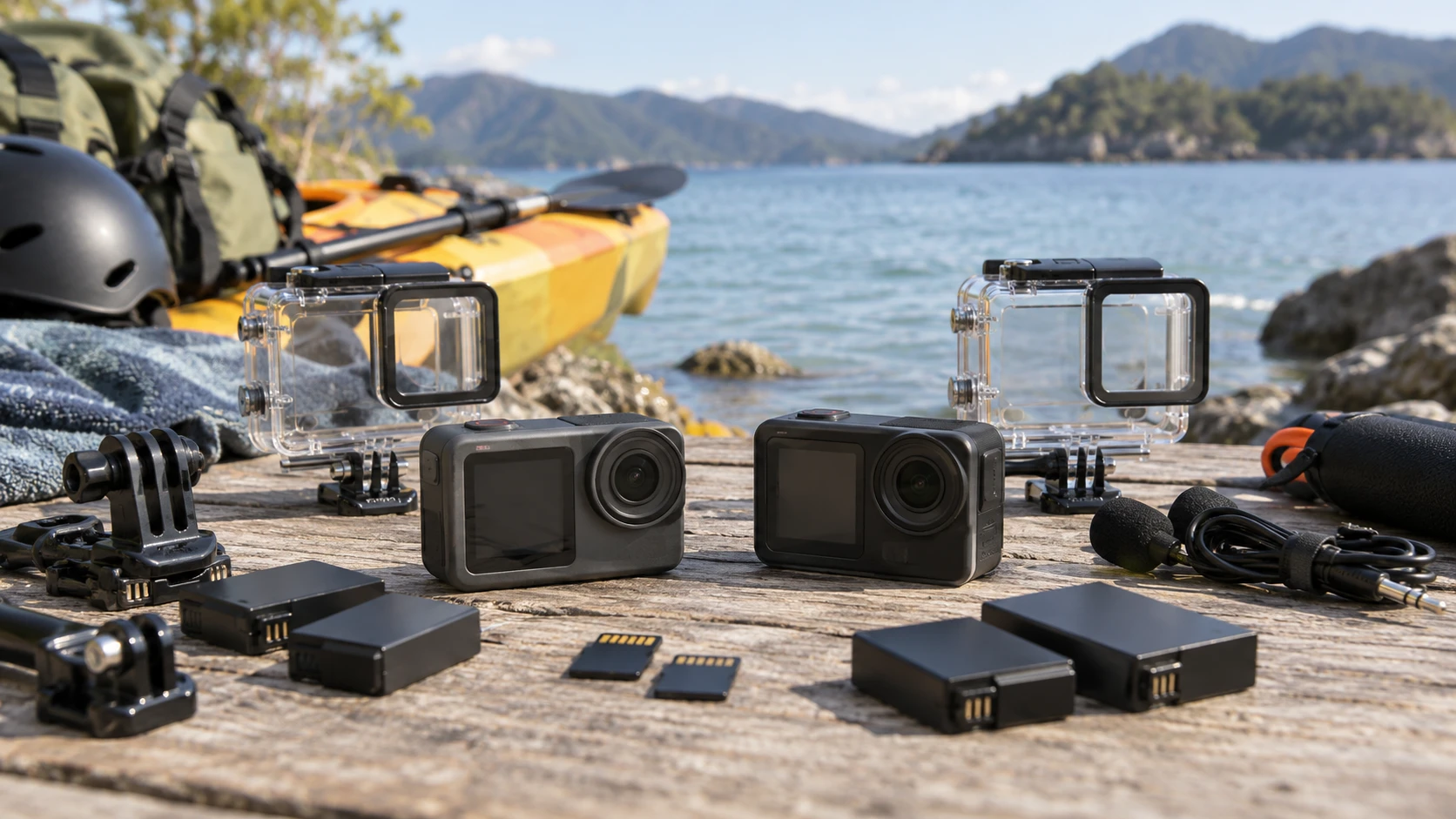
An action camera is easiest to choose after you know where it will be mounted and how the footage will be retrieved. A helmet ride, a wet kayak deck, and a shallow-water swim make different demands on a camera body, protective case, batteries, and audio. The Action 3 Adventure Combo and SJCAM SJ8 Pro kit listings both promise high-resolution video, stabilization, and screens for checking a shot. The SJCAM row gives a much clearer inventory of bundled accessories. The DJI row names several camera controls but leaves parts of the package and water-depth specification unclear, so those should be confirmed before a trip is built around them.
The DJI Osmo Action 3 Adventure Combo listing names 4K at 120fps in its title, a 155-degree field of view, RockSteady 3.0, HorizonSteady, and front and rear touchscreens. It also describes orientation-aware controls, saved settings, and voice commands. The camera battery planning away from charging guide is useful before a day with no outlet. The SJCAM SJ8 Pro action camera kit row states 4K at 60fps, a rear touchscreen and front status screen, a 6-axis gyro, USB-C external-mic support, a 30m waterproof case, and a 64GB card among its accessories.
Use the shooting mode that the project needs — SJCAM SJ8 Pro action camera kit
A frame-rate label matters only if you will use the resulting footage. DJI's title lists 4K120, while the SJCAM row lists 4K60. Recording at a higher frame rate can give more frames to slow down in a compatible edit, but it also changes storage, battery, light, and editing requirements. Set the intended output frame rate, shoot a short clip in the target mode, and test the slow-motion result on your editing computer. If the finished video plays at ordinary speed, a simpler mode may be easier to manage across a long day.
DJI's title gives a 155-degree field of view. That can capture a broad scene from a chest or helmet mount, though the subject may look farther away than it felt on site. The SJCAM row does not provide a directly comparable field-of-view number. Do not fill that gap with a specification from another SJ camera. Mount each camera where it will actually sit and check whether hands, handlebars, or a boat edge obscure the important action. The usable frame matters more than the widest angle printed on a box.
SJCAM names a Sony IMX377 sensor in its row, but that component name does not establish better picture quality in a dark trail or bright water scene. DJI's row does not give a clean sensor comparison. Record a few minutes under the light you expect, then inspect shadow detail, highlights, and motion on a larger screen. A clip can look fine on a tiny camera display while exposing blown sky or a soft face during editing.
Stabilization needs the intended mount — SJCAM SJ8 Pro action camera kit
DJI lists RockSteady 3.0, HorizonSteady, and a HorizonBalancing mode in its Republeq's product-page text. SJCAM describes a built-in 6-axis gyro for stabilization. Those names refer to different processing and sensor approaches, not a matched measurement of which clip will look steadier. Film the same short route from the intended mount, using the settings that will be used for the final video. Review a turn, a bump, and a low-light section. A mode that keeps the horizon level may crop the image or react differently to a fast tilt, so check the output rather than assuming a feature name settles the result.
The SJCAM kit includes a 50-in-1 accessory package, according to its listing. It does not enumerate every piece, so verify the exact mounts and their fit before trusting a count of fifty. A loose strap or an adhesive mount placed on a dirty surface can ruin a shot regardless of camera stabilization. DJI's row describes quick-release and orientation-friendly operation but does not provide an equally clear package inventory in the saved description. Confirm which bases, cages, or clips are included in the exact Adventure Combo order. Bring the mount you will use to a dry practice session before attaching it to sports equipment.
If a mount changes the camera's angle, check the horizon and field of view after fastening it. A front screen or status display can help, but the camera may show less of the final crop once stabilization is enabled. Take a ten-second test and inspect the file rather than relying only on a small live preview. A second safety tether may be appropriate for water or high-speed activity; neither saved row establishes the strength of the bundled mounts under every condition.
Clarify the water boundary — SJCAM SJ8 Pro action camera kit
SJCAM explicitly lists an included waterproof case rated for 30m. That is a case claim, not proof that the bare camera body can be taken to the same depth. Check seals, latch, lens window, and the manufacturer's current care instructions before the first immersion. Test the closed case without the camera if the manual allows a leak check. After use in salt or dirty water, follow the cleaning instructions and let everything dry before opening the case near a memory card or charging port.
The DJI Republeq's product-page text refers to hydrophobic-coated Gorilla Glass on front and rear screens and suggests wet-touch operation. Its water-depth sentence is incomplete in the saved row, so it cannot support a reliable bare-camera rating here. Check DJI's current Action 3 manual for permitted depth, port-cover conditions, and any required housing. “Adventure Combo” in a title does not establish that a dive case is included. If underwater shooting is the main reason for buying, make the exact protective setup a purchase prerequisite.
Both cameras will face moisture even when the plan stays above water. A wet hand can slip on a small device, and condensation can follow a move between air-conditioned storage and warm outdoors. Keep a dry cloth and a safe place for used batteries and cards. Do not open a port while water is sitting around the cover. These habits matter more than a broad “waterproof” label when the camera will be reused for months.
Build a battery and card routine — camera battery planning away from charging
The DJI row says its battery supports cold-weather use and fast charging, but it does not give a clean, comparable recording-hours figure or a complete battery count for this exact bundle. The SJCAM row lists a 64GB Extreme Pro microSDXC card but does not state a camera runtime or battery inventory. Count the batteries that arrive in the actual package, fully charge them, and record how long each lasts in the selected video mode. A laboratory maximum from a different mode would not tell you whether a day of short 4K clips is covered.
Make a simple shot schedule: expected minutes recording, pauses with the camera on, travel between locations, and time available for charging. If the camera will stay mounted on a vehicle, verify whether external power is supported in the exact configuration and whether using it affects weather protection. A charging cable that keeps the camera alive on a dry desk may be unsuitable near water. Pack batteries and cards so full and used items cannot be confused during a quick change.
Storage use changes with frame rate and codec. Neither saved row gives a trustworthy minutes-per-card figure for every mode. Format a compatible card in the camera, record a representative clip, then check its file size. Estimate how many similar clips fit with room to spare and carry a second verified card if the day requires it. Copy footage to a separate device after shooting, verify that files open, and keep originals until the backup is confirmed. The bundled SJCAM card is a starting supply, not a complete archive plan.
Decide what sound will be captured — SJCAM SJ8 Pro action camera kit
SJCAM explicitly lists support for an external microphone through USB-C. That may help if a presenter needs clearer speech than a camera mic can capture from a distant helmet or tripod. It does not specify every compatible mic, adapter, or whether the USB-C connection remains weather-protected when used for audio. Test the actual microphone and cable with the chosen case or mount before the event. A waterproof case can also change the sound reaching an internal mic, so record a sample with the final enclosure fitted.
DJI describes directional stereo recording and a bottom microphone intended to reduce wind noise. Its row also names voice control. These features can help hands-free operation, but Republeq's product details provide no matched outdoor voice recording. Record speech at the distance and speed you expect, then listen on headphones. If wind overwhelms either built-in mic, plan another audio method and sync it in editing. Voice commands should be tested when the camera is mounted and environmental noise is present; a command that works in a quiet room may be missed near water or traffic.
Both listings describe ways to review the shot on the camera. DJI names front and rear touchscreens, including wet-touch behavior and orientation adaptation. SJCAM names a rear 2.33-inch touchscreen and a front status screen; that front screen is not described as a full framing display in the saved row. Check how each one behaves when wearing gloves, using a case, or holding the camera at arm's length. A screen that is easy to use in the shop may be difficult to read in direct sun.
Rehearse the full route — SJCAM SJ8 Pro action camera kit
Mount the camera, start in the actual recording mode, travel a short route, stop, and review the result on a phone or computer. Try a battery change and card change with the accessories you plan to carry. If the activity involves water, practice securing the case and mount while dry before going near a dock or beach. Note the settings that gave the desired field of view and stabilization, then save or write them down. The goal is to make the first important take routine rather than an experiment.
The SJCAM kit offers a clearer catalog inventory for a protected 30m case, memory card, external-mic path, and accessory package. DJI's Action 3 row gives stronger detail about high-frame-rate mode, camera orientation, stabilization choices, and touch or voice control, while its bundle and depth details need confirmation. The better camera for this trip is the one whose tested mount, water protection, power, card space, and audio path all work in the conditions where the footage will be made.