Crypto Commerce
DJI Mic Mini two-transmitter kit or Mic 2 for a two-person interview
Compare DJI Mic Mini two-transmitter kit by included connections, charging information, recording setup, and interview checks.
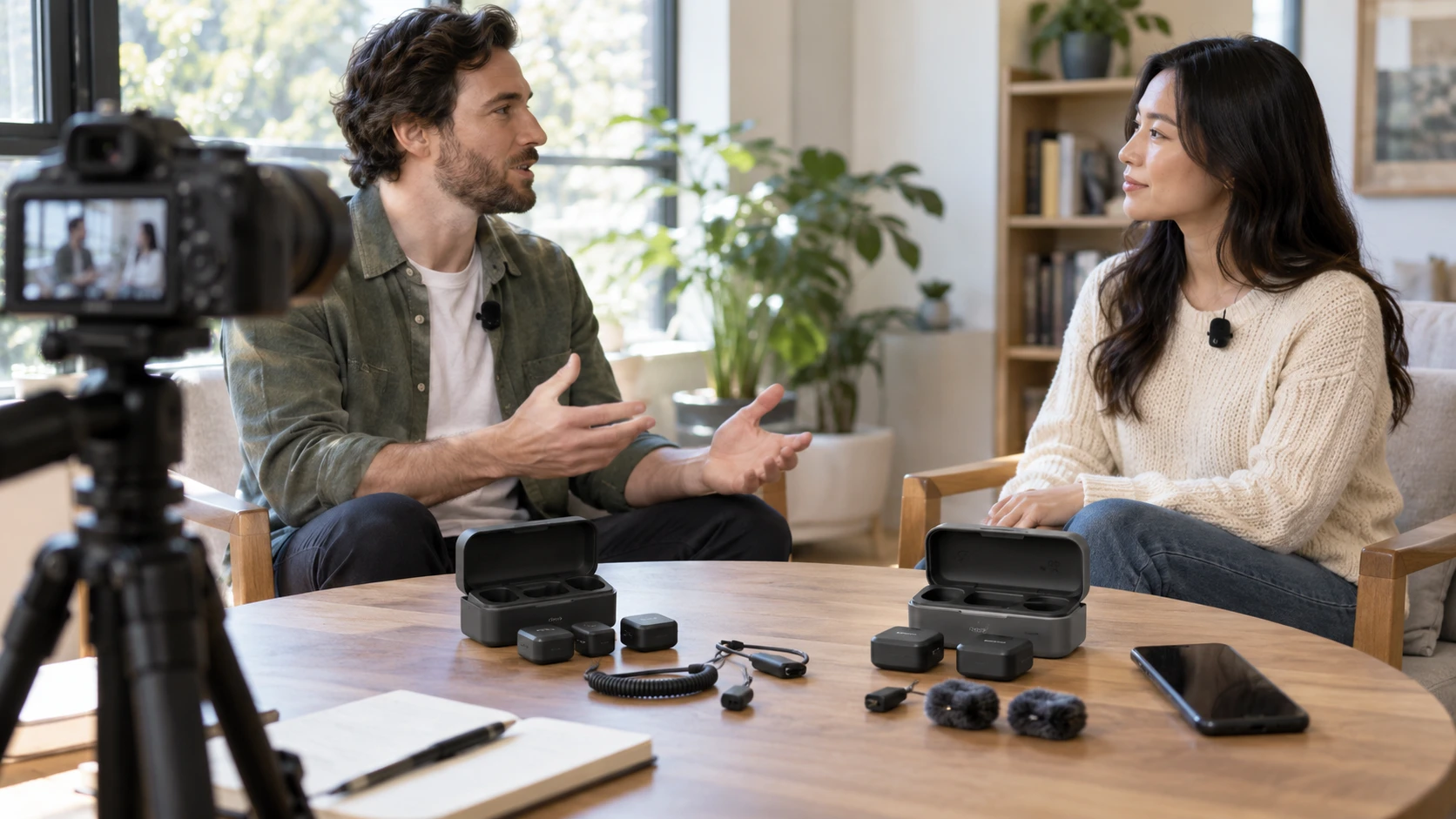
The DJI Mic Mini two-transmitter kit is described in the saved product row as a compact wireless audio kit with two transmitters, one receiver, and a charging case. The DJI Mic 2 listing also describes a receiver, two transmitters, and a case. Either layout can put a microphone near each of two speakers, but the kit contents, connections, and stated operating details differ. Plan the interview around the camera or phone that will record, the people wearing the transmitters, and the duration of the session.
The published guide to an interview audio check before recording is useful before relying on either kit. A short recording made where the conversation will happen can expose clothing noise, an unpaired transmitter, or a receiver connected to the wrong input. Listen back on the actual recording device, then repeat the test after the speakers move to their intended positions. A wireless link indicator alone does not confirm that each voice is captured cleanly.
The DJI Mic 2 wireless lavalier system has a more detailed saved box list: receiver, two Shadow Black transmitters, charging case, 3.5 mm camera audio cable, Type-C and Lightning adapters, two windscreens, two clip magnets, USB-C cable, bag, and manual. Its title also says the offer includes an RS 4 Mini stabilizer, but the box list does not name that stabilizer. Confirm with the Republeq's catalog whether it is actually part of this exact offer before treating it as a reason to buy. The comparison here concerns the audio kit documented in the description.
Match the receiver to the recording device — interview audio check before recording
Mic 2's saved list names a 3.5 mm TRS camera audio cable plus Type-C and Lightning adapters. Those are concrete starting points for a camera, phone, or tablet setup, but a connector that fits physically may still need an approved adapter, app setting, or device-specific mode. Test the exact camera or phone in advance. A USB-C socket on one device and a USB-C adapter in a kit do not, by themselves, prove that audio will reach the intended recording app.
The Mic Mini description refers generally to mounting, protection, and connectivity aids in an accessory bundle. It does not enumerate the cable or adapter models in the saved excerpt. Ask for a current box inventory before ordering for a particular camera or phone. A two-transmitter kit can still be inconvenient if the receiver output cannot reach the recording device without another purchase. Keep the required cable with the receiver rather than assuming any cable in the equipment bag carries the right signal.
Decide where the finished audio is meant to live. For a camera interview, that may be an audio track recorded directly with the video. For a phone interview, it may be an app file. The source rows do not establish a particular internal-recording feature or file format for either kit. Perform a short test, play the file on the recording device, and verify that both speakers can be heard. If the assignment requires separate tracks for each person, check the exact receiver and app settings rather than inferring that two transmitters automatically produce two editable files.
Put a simple connection map in the case: transmitter A on the interviewer, transmitter B on the guest, receiver to the named recording device, and headphones for monitoring if the device permits it. A label on each transmitter can make a mid-interview battery or placement problem easier to identify. The product descriptions do not specify a channel layout, so the recording test should establish how the two microphones appear in the actual file. Keep the map with the equipment when another crew member takes over.
Place two microphones without clothing noise — DJI Mic 2 wireless lavalier system
The Mic 2 row calls its system a wireless lavalier kit and says the microphones use an omnidirectional pickup pattern. An omnidirectional microphone can capture a voice while also picking up room sound and nearby movement. Clip each unit where it remains clear of scarves, collars, jewelry, and jacket movement, then have each person turn their head and speak at a natural level. The saved row includes clip magnets and windscreens; use a mounting method and wind protection appropriate to the setting and the maker's instructions.
The Mini row describes a compact, lightweight kit intended for mobile recording, vlogs, interviews, and field audio. It does not identify the included mounting pieces by part name or provide a pickup-pattern specification in the saved excerpt. The same practical placement test still applies. Move the transmitter from a rustling collar to a stable position and listen again. A small mic can be comfortable for a long conversation, yet its size alone cannot tell you how it will sound beneath a jacket or next to hair.
When two people speak, ask both to talk during the test. One person can sound good while the other is too quiet or clipped. Include the loudest answer likely in the interview and a quieter response. Then listen for changes as each speaker leans back, looks at notes, or gestures. Do this before the guest sits for a formal conversation; the few minutes spent listening can prevent an entire interview with one unusable side.
The Mic 2 description calls the audio clear and natural-sounding across varied environments. That is a claim in Republeq's catalog, not a substitute for hearing the room. A hard-walled office may sound different from a carpeted room, and an outdoor location may have wind or traffic. Test in the real location with its ventilation and other normal noise running. Move the interview or adjust placement if the voices are being masked; software cleanup has limits when the original speech is faint.
Use runtime and range as planning figures — DJI Mic 2 wireless lavalier system
Mic 2's saved row states up to six hours of continuous use for its transmitter and receiver, with the charging case providing approximately two full charging cycles. It also lists 2.4 GHz wireless operation and a maximum transmission distance of 250 meters under FCC conditions. Those figures are useful for packing and scheduling, but an interview should be tested at the planned distance with the people, walls, and other devices in place. The maximum range is not a guarantee through a crowded venue or behind a wall.
The Mic Mini row says its case stores and recharges the equipment, but gives no runtime, charging-cycle, or range figure in the saved description. Check the current manufacturer specification for the exact kit and make a short power test if the session is long. Do not substitute Mic 2's six-hour or 250-meter figures for the Mini. Reserve a break to charge or change equipment if the shoot extends beyond what has been verified for the chosen kit.
Keep the two transmitters and receiver together in the case when traveling. The case may simplify charging, but it still needs power and time to refill. Before leaving for a field interview, confirm the charge state of each component, the case, and the recording device. Then pack any required adapter or camera cable. A fully charged microphone cannot rescue a session if the recorder battery or connector is missing.
Radio interference deserves a trial even for a short indoor interview. Mic 2's listing calls the 2.4 GHz link stable and interference-resistant, yet the available channels and local wireless traffic can change. The saved Mini row does not state its radio band or maximum range. For either kit, do a short walk at the intended separation and listen for dropouts, especially near the edges of the space. Keep the receiver positioned where the connection remains reliable during normal movements.
Read the listings carefully before buying — DJI Mic 2 wireless lavalier system
There are two catalog ambiguities. The Mic Mini product title places it under a "Drones with Cameras" category, while its saved description clearly identifies a two-transmitter wireless audio kit. Treat it as the listed audio package and verify its exact parts rather than assigning it a camera feature because of the category. The Mic 2 title mentions an RS 4 Mini stabilizer absent from the saved contents list. Request a current written package list if that stabilizer, a specific adapter, or a particular mount is essential.
The Mic 2 listing adds an operating-temperature range of 14 to 113 degrees Fahrenheit, or minus 10 to 45 Celsius. The Mini excerpt gives no equivalent number. Those details can matter for an outdoor winter or summer assignment, but the broader camera and battery setup also needs to work at the location. Check the current manuals for environmental limits and protect equipment from rain or condensation under the maker's guidance. The saved excerpts do not establish weather sealing for either kit.
For a crew that needs documented camera and phone connection parts in the box, Mic 2's saved inventory is more specific. For a crew that wants a compact two-transmitter kit and can verify its adapters separately, Mic Mini may fit the job. Both provide a receiver and case according to their descriptions. The purchase decision should turn on a confirmed package list and a test recording with the intended device, not on category labels or a best-case radio figure.
Before an interview, charge the components, attach both transmitters, connect the receiver, make a one-minute sample with both people speaking, and listen to the recorded file. Repeat that check after changing locations or recording devices. It is a small routine that reveals whether the particular kit, cable, placement, and room are ready for the conversation that cannot be repeated later.