Problem-Solving Articles
Disc capacity mismatch: compare file totals in the same unit
A fictional file collection shows how mixed units, rounded totals and changed contents affect a capacity comparison before a recording task is attempted.
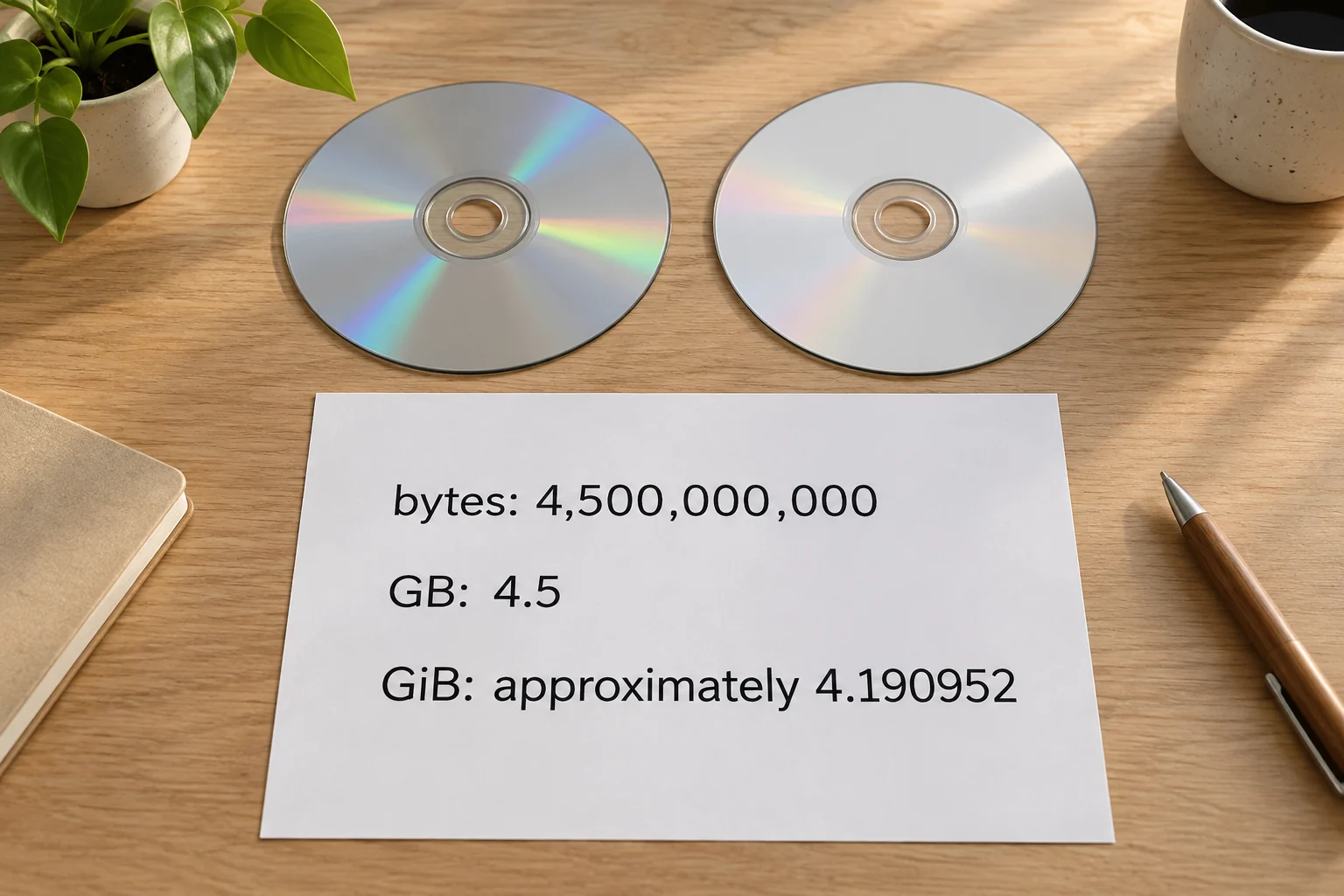
A disc capacity mismatch can begin with two numbers that use different units. Before changing the collection or choosing another medium, find out what each number represents. Keep the file total, the unit and the particular target together. Then compare quantities expressed in the same unit.
This guide works through invented file totals and clearly stated capacity inputs. It reports no writing attempt or measured usable space on either retail product. Its result is a capacity comparison you can inspect, with hardware, application and disc-format requirements left to their applicable documentation.
Separate the two retail media descriptions
The Verbatim DVD-R hundred-pack offer writes its capacity as 4.7Gb. Its photographed label instead reads 4.7GB and identifies part number 97015. Verbatim's matching 97015 page also says 4.7GB and identifies a hundred-pack in tape-wrap packaging. Retain that difference in lettering when asking about the offered item.
The Verbatim 43738 BD-R offer describes twenty-five discs with 25GB capacity each and a 6x recording-speed label. Its pictured label identifies 43738. Verbatim's corresponding page gives 25GB capacity and a twenty-five-pack spindle. This is a different media format from the first offer.
These descriptions identify nominal capacities and package quantities. They do not report the usable space available to your particular writing project. The calculations below use explicit numerical assumptions, without treating a package label as an observation from an application.
Start a GB and GiB comparison with definitions
For a GB and GiB comparison, NIST gives one gigabyte, GB, as 1,000,000,000 bytes and one gibibyte, GiB, as 1,073,741,824 bytes. Its table also defines one byte, B, as eight bits. The prefixes and the byte unit need to stay attached to the numbers.
The same quantity can therefore have different numerical values when expressed in GB and GiB. Converting it changes its written description. It does not create extra storage or establish that any particular file can be written. We will use the definitions to compare two deliberately different interpretations of the number 4.5.
If a statement actually meant 4.7 billion bits, dividing by eight would give 587,500,000 bytes. That is one eighth of 4.7 billion bytes. This conditional calculation explains why the lettering discrepancy deserves clarification. It does not declare that the photographed DVD contains the smaller quantity or replace the manufacturer's capacity label with an inferred specification.
Compare a decimal total with a decimal nominal capacity
First suppose the supplied file total is exactly 4.5GB. Under the stated decimal definition, that means 4,500,000,000 bytes. A hypothetical nominal capacity of exactly 4.7GB means 4,700,000,000 bytes. Subtracting the first from the second leaves 200,000,000 bytes.
This arithmetic establishes that the supplied file total is smaller than the chosen nominal number. It is not a successful-write result. An actual available-space figure is a separate input. If that figure has not been established for the selected target and project, keep the practical fit question open.
Expressing the hypothetical 4.7GB capacity in GiB gives approximately 4.377216GiB. Expressing the 4.5GB file total in GiB gives approximately 4.190952GiB. In that shared unit the order remains the same: the file total is smaller. Converting both quantities consistently preserves their relationship.
Do not compare a converted number with an unconverted one
Imagine someone copies 4.377216 from the capacity calculation but leaves 4.5 from the original file-total statement. Comparing only those digits makes the file total look larger. The copied capacity is in GiB, while the original file total is in GB. The comparison has lost the labels that explain the numbers.
Restore the two complete statements before deciding anything: approximately 4.377216GiB for the hypothetical nominal capacity, and 4.5GB for the supplied file total. Then choose one common unit. Comparing 4,700,000,000 bytes with 4,500,000,000 bytes gives the earlier result directly.
If a display gives an unfamiliar label, establish its documented meaning rather than assigning one from appearance. This exercise does not identify the conventions used by a particular operating system or application. A bare number copied from a screen is insufficient to tell us which conversion it needs.
Recognize when the supplied total really is different
Now change the starting statement: suppose the total is exactly 4.5GiB. Multiplying 4.5 by 1,073,741,824 gives 4,831,838,208 bytes. That is a different quantity from the earlier 4.5GB total. It exceeds our hypothetical nominal 4.7GB number by 131,838,208 bytes.
Changing the written unit correctly cannot remove that excess. The input now describes more bytes. Keep this second case separate from the first when explaining the problem to another person. Both begin with the digits 4.5, but their complete statements lead to different comparisons.
A useful question is therefore: what exact total was supplied? If the answer is available as a byte count, retain it. If only a rounded quantity is available, establish what its label means and avoid presenting a rounded conversion as an exact byte total.
Use the target's available-space input for the actual question
For a separate fictional project, suppose three whole files have sizes of 2,100,000,000 bytes, 1,400,000,000 bytes and 1,100,000,000 bytes. Call them A, B and C. Their combined size is 4,600,000,000 bytes. Keep the filenames or other identifiers beside their individual values.
Also suppose the relevant application explicitly reports 4,550,000,000 bytes available for this invented project. That is an author-chosen input, not an observation from either retail disc. Comparing the supplied file sum with that available-space input gives a shortfall of 50,000,000 bytes.
The earlier nominal 4.7GB calculation does not override this new available-space input. These figures answer different questions. Our fictional project uses 4,550,000,000 bytes because that is the capacity assumption assigned to this example, without inventing a universal allowance between a label and usable space.
Check the individual files behind the total
Add A and B first: their sizes total 3,500,000,000 bytes. Adding C brings the total to 4,600,000,000. This check connects the combined figure to named inputs. A total copied from somewhere else without its contents would leave us unable to tell whether it described the same collection.
For this exercise, each listed size is supplied as an exact input. A real collection needs the size information relevant to the actual application and task. This page supplies no rule equating every size-related display field or predicting an application's final layout from a directory's appearance.
If the selected collection changes, recompute its total from the changed list. For example, a comparison containing A and B describes a different collection from one containing A, B and C. Keep that distinction explicit when someone says the files fit: which files and which target input were compared?
Use exact inputs when checking file size in bytes
When checking file size in bytes, a rounded summary can conceal a small difference near the limit. For another explicitly invented comparison, assign the collection a total of 4,550,400,000 bytes and the target 4,550,000,000 available bytes. The collection exceeds that input by 400,000 bytes. Keep this example separate from the earlier three-file total.
Now express both quantities in decimal GB and choose to round them to two places after the decimal point. The collection's 4.5504GB becomes 4.55GB, and the target's 4.55GB remains 4.55GB. The rounded statements look equal even though the supplied byte quantities differ. This is our chosen rounding example, not a description of a particular application's display.
Retain the exact assigned integers for the boundary decision. Adding more zeroes to the rounded statement would not restore the information that was removed. If only a rounded statement is available for a real task, obtain the relevant underlying information before announcing an exact amount of remaining space.
A matching total does not identify the collection
In the three-file exercise, imagine a different file D also has an assigned size of 1,100,000,000 bytes. It is a different named item from C. A collection containing A, B and D would have the same numerical total as A, B and C. Equality of the sums would not establish that the requested collection had been selected.
For the planning comparison, check the identities beside the supplied sizes as well as the addition. If the request specifies C, substituting D answers a different request. The capacity arithmetic could be correct while the proposed contents are wrong. This example demonstrates a limitation of a total; it gives no test of actual file contents, copying integrity or long-term preservation.
Consider whole-file choices without pretending to remove the deficit
The fictional shortfall is fifty million bytes, but none of the three supplied files has that size. The smallest is C at 1,100,000,000 bytes. Leaving C outside a proposed collection would reduce that collection by C's entire size. It would not be equivalent to subtracting exactly the deficit.
This is a planning comparison, with no instruction to delete or modify a file. A request to retain all three files remains a request for all three. An alternative containing only A and B meets a different contents requirement, even though its numerical total is below the hypothetical available-space input.
If the task allows separate whole-file groups, one mathematical arrangement puts A and B together and C in another group. Their sizes are 3,500,000,000 and 1,100,000,000 bytes respectively. Both are below the example's 4,550,000,000-byte input. That grouping is not evidence that an actual application or pair of targets accepts the planned job.
Keep package quantity separate from a single target
The two retail offers contain multiple discs. A count of a hundred or twenty-five does not describe one combined writable target. For a single-file question, the relevant comparison concerns the particular target and its supported task. Multiplying nominal capacities by pack count answers an aggregate quantity question instead.
For example, twenty-five nominal 25GB discs give 625GB when their label capacities are added. That sum does not turn any individual disc into a 625GB target. This simple aggregate calculation supplies neither a spanning procedure nor a guarantee that a particular large file can be distributed across media.
Resolve format compatibility before changing the purchase
The external DVD-drive compatibility guide treats the host, disc and application as separate requirements. Its two selected drives explicitly exclude Blu-ray. A larger nominal BD-R number therefore does not establish that those drives can use the second media offer here.
The guide to product-number meanings keeps a feature's unit distinct from an order quantity or another specification. For this problem, preserve the file's byte count, the target's capacity input and the number of discs as separate statements. None substitutes for the others.
State the result the comparison actually supports
Finish with one sentence naming the collection, the target input and the shared unit. In the fictional three-file case, A, B and C total 4,600,000,000 bytes and exceed the assigned available-space input by 50,000,000 bytes. That is a clear result another reader can recompute.
If the discrepancy disappears after consistent unit conversion, report that particular finding. If the byte total still exceeds the relevant capacity, leave the shortfall visible while deciding whether the required collection or a suitable target can change. Actual writing, verification and later readability each need their own evidence.