Crypto Commerce
Devo G1 video smart deadbolt vs Hoteel G1 Video Smart Deadbolts
Compare Devo G1 video smart deadbolt by door fit, entry methods, Wi-Fi, camera storage, battery claims, and identity-bound specifications.
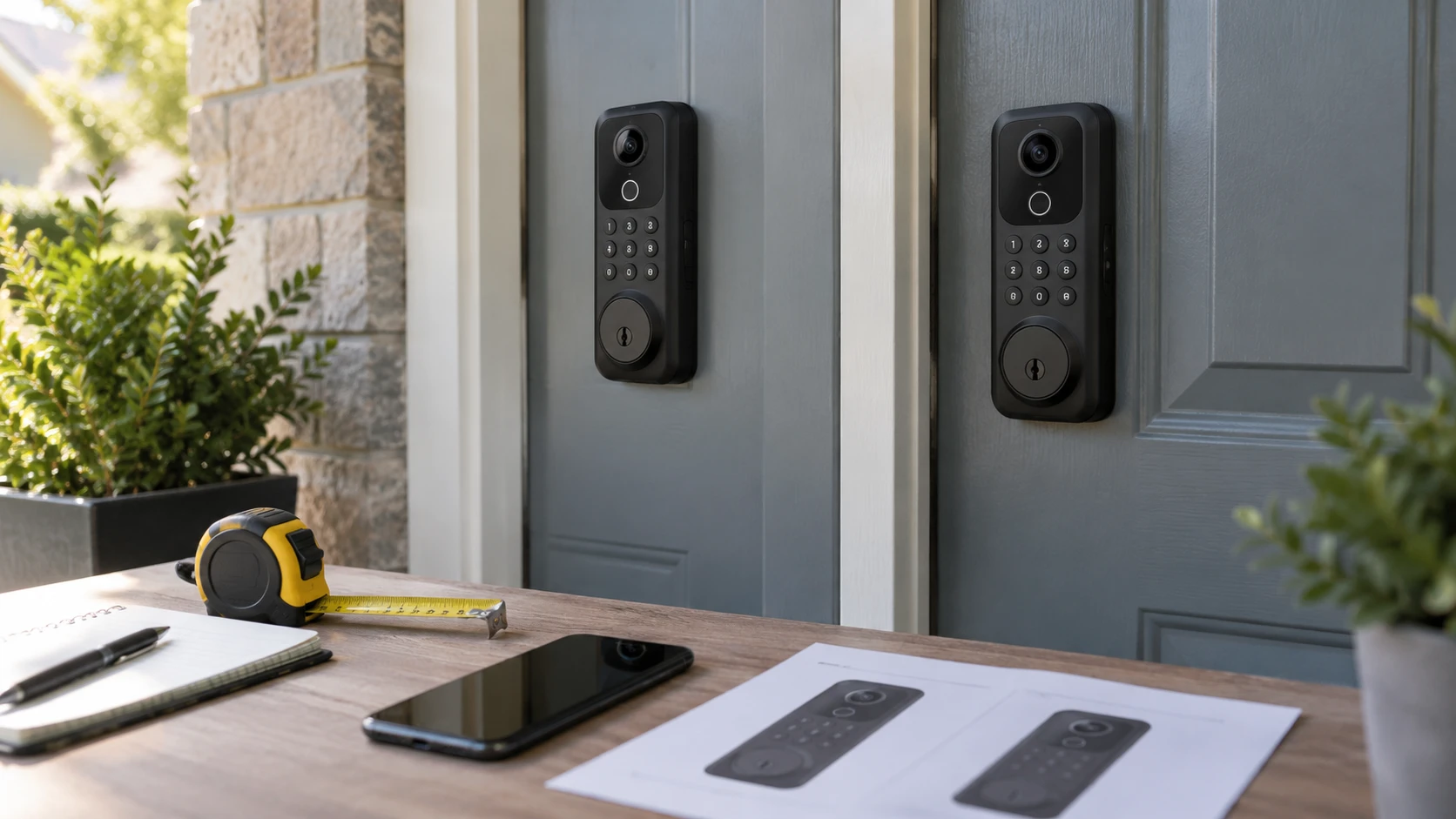
The Devo G1 video smart deadbolt and Hoteel G1 listing describe an unusually similar combination: a camera, doorbell, fingerprint reader, keypad, app control, and physical key in one front-door lock. Both mention built-in 2.4 GHz Wi-Fi, a rechargeable battery rated at 10,000 mAh, IP65 weather resistance, and up to 100 stored fingerprints. Their overlapping numbers are not enough to establish that the hardware, firmware, app support, or warranties are identical. A buyer should identify the exact lock being shipped and check how it fits the door before relying on either product page's feature list.
A video deadbolt is simultaneously a lock, an outdoor electronic device, and a camera. Each role creates a separate test. A lock that does not fit the door cannot secure it properly. A camera that cannot connect or show useful footage may not serve your purpose. A battery that is hard to recharge can turn a convenient entry system into a recurring chore. Use the listings to make a checklist, then verify the exact model number, installation guide, app, power system, and Republeq's catalog terms for the unit you receive.
Compare the product identities first — Hoteel G1 video smart lock
Devo calls its product the G1 and describes a gray video smart deadbolt. Hoteel also calls its black video lock the G1. The shared name and several repeated specifications could reflect related hardware, common marketing copy, or coincidence. The saved descriptions do not prove which explanation is right. Check each Republeq catalog entry for a model number shown on the packaging and device, and compare the manufacturer's manual to the page being offered. A product title alone is not a dependable firmware or accessory identifier.
Check the camera and lock features against photos of the actual unit, not only lifestyle illustrations. Devo specifies a full-HD camera and two-way intercom for a visitor who presses the bell. Hoteel also claims full-HD video and two-way audio. Neither excerpt gives a measured field of view, night-vision range, frame rate, or local video-storage capacity. If seeing a package at the threshold matters, ask for a sample view from the installed height and an explanation of how recordings are kept. A camera integrated above a deadbolt may frame a visitor differently from a separate doorbell mounted higher on the wall.
The Hoteel page states that recorded video uses cloud storage, while also saying home-network connection needs no extra subscription. Those statements address different things. A lock may join Wi-Fi and deliver live alerts without a subscription, yet charge for stored clips or longer retention. Devo says no monthly service fee, but its excerpt does not explain whether video is recorded, where it is stored, or for how long. Request current, written terms for live view, event clips, cloud retention, download, and fees. The absence of a monthly charge for one function does not establish free video history.
Measure the door, bore, and hardware — Hoteel G1 video smart lock
Devo says its lock is designed for standard U.S. wooden doors between 1.38 and 2.17 inches thick, or 35 to 55 millimeters. Hoteel's description also refers to standard U.S. doors and a similar thickness range, though the saved text includes fragmented measurements that require clarification. Door thickness is only part of compatibility. Measure the existing bore hole, backset, edge hole, strike position, and clearance around trim or a storm door. Check whether your door opens inward or outward and whether the handle and lock can coexist without colliding.
A claim in Republeq's catalog that installation takes about 20 minutes is not an installation guarantee. Hoteel gives such an estimate; Devo supplies a list of included screws, keys, cards, and mounting parts. Compare the installation template and packaged components with your door. If a door needs drilling or a modified strike, the work may take longer and may be inappropriate for a rental or fire-rated door. Follow the maker's fastening and alignment instructions. A motorized deadbolt can fail to extend if the door or strike is out of alignment, even when the electronics are working.
Plan how to enter if power or connectivity fails. Both listings include a mechanical-key method, and both describe a way to supply emergency power. Confirm where the keyway and emergency power port sit on the exterior, and whether a key is supplied for every authorized person who needs backup access. Store backup keys somewhere reachable without relying on the locked door itself. An external emergency charge port may allow a brief powered unlock; it should not be assumed to recharge the main battery fully or replace a physical key. Test the backup method with the door open and according to the manual before relying on it.
Entry methods and household access — Hoteel G1 video smart lock
Devo lists fingerprint, passcode, IC card, physical key, smartphone app, and voice control as six ways to unlock. Hoteel lists the same broad categories, including Tuya or Smart Life app control. These counts include methods with different dependencies. A fingerprint reader needs enrolled prints and power. App control may need an account, phone, network, and service. Voice integration requires compatible settings and may limit what commands are permitted for security reasons. A key can work without Wi-Fi but still depends on a correctly installed mechanical cylinder.
Both descriptions say the lock can store up to 100 fingerprints and recognize one in 0.25 seconds. These are listing claims, not observed performance in rain, cold weather, or with wet hands. Ask whether codes and prints are stored locally or in a service account, how to remove a former resident's access, and whether the access log remains available without a subscription. Devo mentions one-time passwords and automatic locking. Hoteel mentions temporary codes and app alerts. Verify the duration, expiry, and offline behavior of temporary credentials in the current manual. Practice deleting one test credential before inviting guests to use the lock.
Auto-lock can be useful when someone forgets to turn the deadbolt, but the timing and conditions matter. Find out whether the lock senses the door is physically shut or merely waits a set number of seconds after an unlock. A bolt that extends while the door is ajar may strike trim instead of securing the opening. Test the lock with the door open and then closed, following the installation procedure. If the household includes children, guests, or a person without a smartphone, decide how each person will enter during a network outage and after a low-battery warning.
Wi-Fi and app setup are separate from security claims — Hoteel G1 video smart lock
Both pages say Wi-Fi is built in and a separate bridge or gateway is unnecessary. Devo specifies 2.4 GHz Wi-Fi and Bluetooth during pairing with a Tuya app. Hoteel also says 2.4 GHz Wi-Fi and describes Tuya or Smart Life app use. Confirm the required network band and whether the household router offers a compatible 2.4 GHz network at the door. A signal that works beside the router can be weak through an exterior wall. Test reception where the lock will be installed, and review the maker's app requirements before changing household network settings.
An app may request notifications, Bluetooth, local network access, or camera permissions. Read the current privacy terms and decide who receives live video and access logs. Turn on account protections the provider actually supports, such as a strong unique password and multifactor authentication, if available. When a resident moves out or a phone is lost, revoke access and rotate shared codes. The listings do not establish how long video or access logs are retained, whether clips are encrypted, or how quickly firmware receives security updates. Those questions deserve direct answers from the supported product identity and service provider.
Devo's page claims BHMA Grade 3 testing; Hoteel's page says it meets BHMA Grade 3. Do not treat those statements as independently verified certification of the exact configuration offered. Ask for a listing or test documentation tied to the model number. IP65 is also a claimed enclosure rating, not a guarantee that every installation or exposed door location will be protected. Check the manufacturer limits for direct weather exposure, operating temperatures, and seals around the mounting surface. Neither claim compensates for a poorly aligned strike or weak door frame.
Battery size does not tell you recharge frequency — battery capacity versus operating time
Both pages advertise a rechargeable 10,000 mAh lithium battery. Hoteel adds an up-to-six-month duration under typical use and acknowledges that video monitoring uses more power. Devo does not provide a comparable runtime in the saved excerpt. The published guide on battery capacity versus operating time explains why a capacity label alone cannot establish how long a device will run. A lock uses energy for radio connection, camera events, notifications, motor movement, and standby operation. Usage patterns and cold weather can affect the interval between charges.
Ask how the battery is removed or charged, whether a spare battery is sold, and how much warning the lock gives before it stops operating. Some households will trigger more video events than others because of a busy sidewalk or frequent deliveries. A camera enabled for long live-view sessions may draw more power than a lock used only for entry. Set up a recharge routine based on actual observed battery level after installation, rather than treating six months as a promise. If an exterior USB port offers emergency power, verify the required connector and safe procedure in the manual.
Do not infer energy capacity by multiplying 10,000 mAh by household outlet voltage. Milliamp-hours refer to battery charge at a particular cell or pack voltage, which neither listing clearly states. A comparable watt-hour number would require the correct voltage and pack configuration. Likewise, do not assume two batteries advertised with the same mAh rating will produce identical runtime if camera firmware or radio behavior differs. The exact shipped pack, firmware version, and recharge method should be part of the identity check.
Choose by verified fit and support — Hoteel G1 video smart lock
The Devo listing gives a relatively detailed included-parts list, door-thickness range, app pairing description, auto-lock claim, and emergency Type-C power port. That information is useful for pre-purchase questions. The Hoteel G1 video smart lock gives an explicit up-to-six-month battery claim and states that recorded video uses cloud storage. Neither page settles the important fee and retention details for the other. Both should be checked against current manuals and service terms before a buyer treats any feature as guaranteed.
If the door measurements or app support cannot be confirmed, pause the purchase regardless of which listing sounds more complete. If both units fit, compare the exact shipped hardware, the availability of replacement batteries and keys, Republeq's catalog return terms, documented firmware support, and the video functions you will actually use. Install and test the mechanical lock, backup key, power warning, remote alert, and credential removal while someone can still access the door by another route. The strongest choice is the one whose physical fit and ongoing support you can verify, not the one with the longer collection of nearly identical claims.