Office Supplies & Stationery
Desktop stapler refill compatibility: check the model first
Compare two desktop staplers and learn how to identify the refill each exact model accepts without treating magazine capacity as a part number.
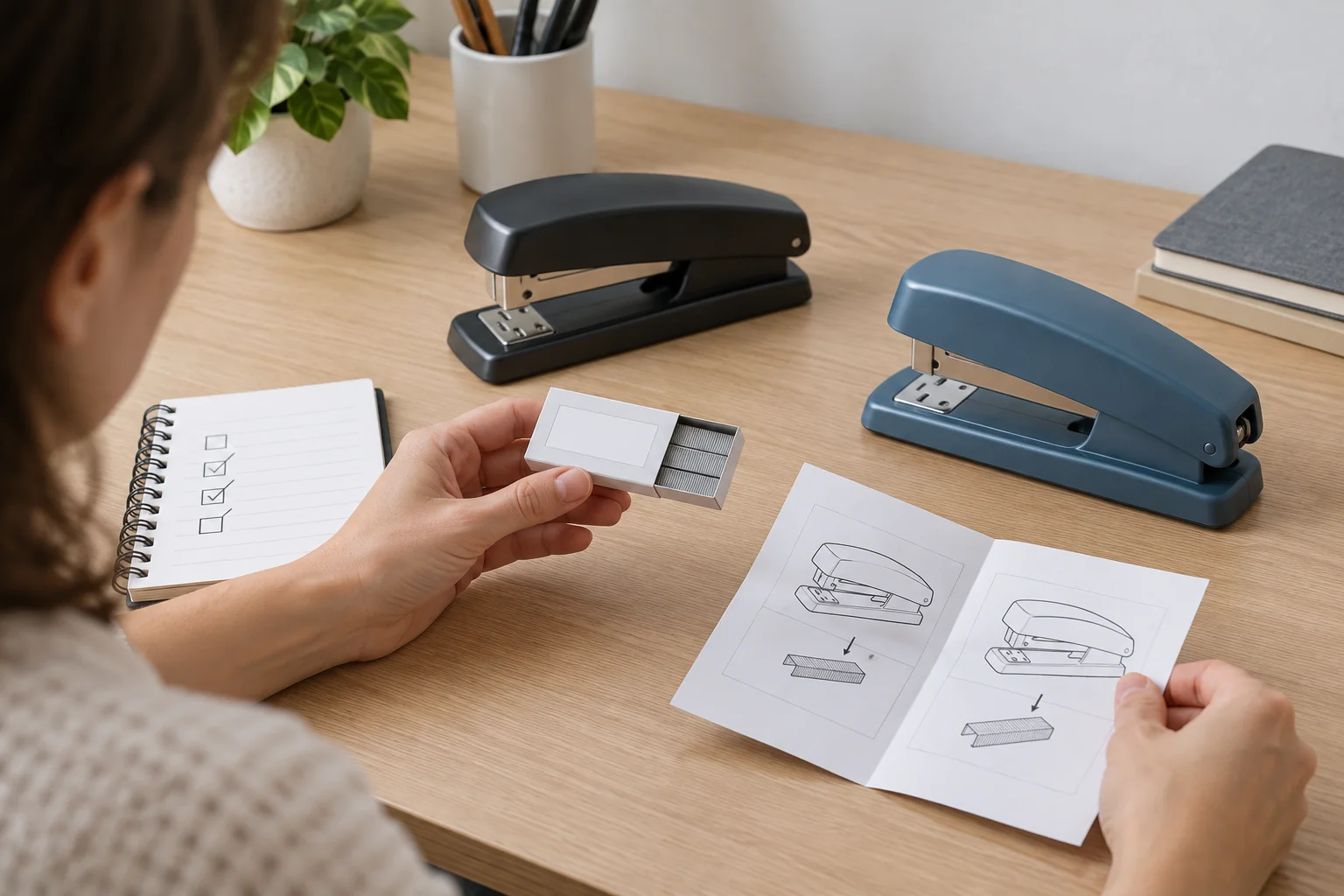
Desktop stapler refill compatibility starts with the exact stapler on your desk and the staple specification its maker gives for that model. A magazine that holds 210 staples tells you how many staples the stapler can carry at one time. It does not tell you the staple's leg length, crown width, wire type, or refill part number. The current Bostitch ergonomic desktop stapler listing describes a 20-sheet capacity and a 210-staple magazine. The Swingline NeXXt desktop stapler listing describes up to 40 sheets and a 210-staple magazine. Those shared magazine counts do not establish that one refill fits both.
Identify the stapler before buying staples
Write down the brand and exact stapler model number from the tool, its package, or its instructions. A stapler may have been purchased years before the current storefront listing appeared. Similar color and shape are weak evidence of model identity, especially where a maker sells several desktop models. The captured Swingline listing identifies model 55657069. The captured Bostitch product description does not give an equally clear model number. If the number is missing from the listing, inspect the stapler itself or the paperwork that came with it rather than assigning the listing's features to an older unit by appearance.
Find the maker's staple specification for that exact model. Look for a named staple series or part number and the staple refill size or loading limits the instructions specify. Then match the refill package to that specification. A package that merely says “office staples” or names the brand generally may leave the decisive compatibility question unanswered. If the package lists supported staplers, check the exact model rather than assuming every stapler from that brand takes the same strip.
If you cannot identify the model, pause the bulk order. You can keep the uncertainty in a short purchasing note: brand visible, model unknown, old refill package available or missing, and maker instructions still to find. That is more useful than recording “210 staples” as though it were a refill identifier. The next action is to resolve the model and refill specification, not to try several unverified strips until one seems to feed.
Separate magazine capacity from refill dimensions
The two product pages each mention a 210-staple magazine. That is a loading-capacity statement about the stapler, not a statement that the wire and legs in two brands' staples are interchangeable. A refill carton can contain many strips, while the stapler holds only part of that carton at once. Even a strip that appears to fit into an open magazine may have a different staple specification. The product captures do not supply the complete dimensions or a cross-brand interchangeability claim needed to approve a common refill.
Use four separate fields on a supply list: stapler model, maker-approved staple specification, refill package identity, and magazine capacity. The first three determine which supply you can responsibly order; the fourth helps estimate how often someone may reload. Keeping them separate prevents the common mistake of using a prominent capacity number as if it were a catalog part number.
Do not infer fit from photographs alone. The angle, scale, and packaging in an online image may hide the differences that matter to the mechanism. A seller's exact compatibility statement or the maker's instructions provide better evidence. If neither is available, ask the seller for the part specification before ordering. For a mixed office, label each opened refill box with the exact stapler models it serves after that match has been established.
Choose the stapler for the paper job
Refill fit and paper capacity answer different questions. The Bostitch page states a 20-sheet capacity. The Swingline page states up to 40 sheets. These are claims for the named products, not a controlled comparison using your paper and not evidence that either model accepts a particular third-party staple. First decide how thick the documents usually are; then verify the appropriate model and its matching refill.
Count sheets, but also consider the actual stack. Covers, folded pages, thicker stock, and uneven edges can make a packet harder to fasten than a neat stack of ordinary sheets with the same page count. Follow the maker's instructions and test the paper you actually use. If the stack exceeds the stapler's stated limit, divide the job or choose equipment meant for thicker work. Extra force will not make an unsuitable staple dimension correct.
For a shared supply cabinet, record which desks handle thin forms and which handle larger packets. A higher sheet-capacity claim can matter to the second group, but it does not by itself justify replacing every stapler or consolidating every refill. The saved product pages do not provide a controlled performance test across paper weights. Treat their capacity claims as starting specifications to check against real work, not as a promise for every packet.
Check the fastening setting before blaming the refill
The Bostitch description mentions an adjustable dual clinch for standard or temporary stapling. The Swingline description mentions an adjustable anvil. The selected setting can change how the staple legs finish beneath the paper. If a known compatible staple produces an unexpected result, check the setting and the model instructions before deciding that the refill itself is wrong.
The published guide to outward-pointing staple ends covers the fastening-result question and the pinning option. This guide addresses the earlier purchasing decision: identifying a refill for a particular desktop stapler. The two questions meet when a test packet looks wrong. Confirm the refill identity and the anvil position, then use the diagnostic guide for the result you see.
Test on a small packet made from the same paper as the intended job. Check whether the stapler feeds cleanly, the pages stay together, and the legs finish in the intended orientation. Keep fingers clear of the stapling point. Follow the maker's loading directions; do not force a strip into a resisting magazine or repeatedly strike a jammed mechanism to see whether an uncertain refill eventually works.
Read the accessory offer, not just its headline
A useful refill offer states the staple type and a precise fit claim. Compare its part number or dimensions with the maker's requirement for your exact model. A product title that says only “standard staples” does not resolve that check. Neither does a count of staples in the box: package quantity helps you plan stock after fit is known, but it cannot prove the staples will feed correctly.
Look for conflicting details before buying. If a title claims broad compatibility but the specifications list only selected models, use the narrower list and clarify the discrepancy with the seller. If the maker's instructions name a particular staple series while an accessory page names a different one, do not silently equate them because both have the same magazine-count number. Save the confirming source or package label with the purchase record so the next order does not depend on memory.
The Swingline listing says it includes starter staples. That may give you a labeled reference when the new stapler arrives, depending on the packaging actually supplied. It does not establish that every Swingline-branded refill fits model 55657069, and it does not tell you how long the starter supply will last at your desk. Estimate ongoing demand from actual use and order only after the required refill has been identified.
The Bostitch listing describes a reload window. It may help a user notice when the magazine is low; it does not identify the replacement staple specification in the captured description. Keep the distinction clear when placing a supply order. “Needs refill soon” and “requires this refill part” are two different observations.
Load a verified refill and keep its identity
When you have a refill that matches the exact model, follow the stapler's loading instructions. Check for a damaged strip or loose fragments before inserting a new one. Seat the staples in the required orientation and close the mechanism normally. If it resists, stop and recheck the part identity, orientation, and any remaining fragment. Do not pry a component that the instructions do not say to release.
After loading, use a small test packet before returning the stapler to a shared desk. If it fails to feed or the result is irregular, check the model instructions and the refill package again. The published office stapler troubleshooting guide helps with symptoms after you have established the right supply and loading procedure. This article does not replace model-specific jam-clearance or repair directions.
Keep the package label with the remaining strips, or transfer the exact maker and part number to a closed, clearly labeled container. In a cabinet with several staples that look alike, an unlabeled open box creates a future compatibility problem. Record the matching stapler model on the storage label only after checking the maker's specification. If two models truly share a refill, document the evidence for each model separately; a common magazine count is not enough.
Make the next purchase from known facts
If several people place supply orders, give them one shared record rather than a verbal instruction to buy “the usual staples.” Include the exact stapler model, the source and date of the maker's refill specification, the approved refill identity, and the desk or cabinet where that refill is used. Revise the record when the stapler changes. A refill that worked in a retired model should not automatically become the default for its replacement. This small amount of documentation is especially useful when a mixed office uses different tools for daily forms and occasional thick packets.
For a new stapler purchase, compare the ongoing supply path as well as the tool's stated sheet capacity. Check whether the maker clearly names its refill, whether that refill is available from a seller you can use, and whether the package information is specific enough for another person to reorder. If a listing leaves the refill question unanswered, contact the seller or maker before treating the tool as a solution for a shared office. This is a purchasing question, not a claim that either stapler is defective or that its included staples are unsuitable.
A practical order note can be brief: “Swingline NeXXt model 55657069; refill specification checked against current instructions; package part number recorded; small test passed.” For the Bostitch product, add the exact model from the physical unit or its paperwork before filling in the refill field. Where that identity or specification remains unknown, leave the order pending instead of turning an assumption into a supply standard.
Desktop stapler refill compatibility is a model-and-specification decision. The Bostitch and Swingline listings describe distinct staplers with different stated sheet capacities and the same 210-staple magazine count. They do not establish a shared refill. Match the maker's requirement to a clearly identified package, test a small packet, and preserve the refill identity for the next order.