Lighting
desk lamp USB ports: read the A and C labels before connecting a device
A plain-language map of a desk lamp power cord, light control and advertised USB-A/USB-C ports, with exact-model questions to resolve before use.
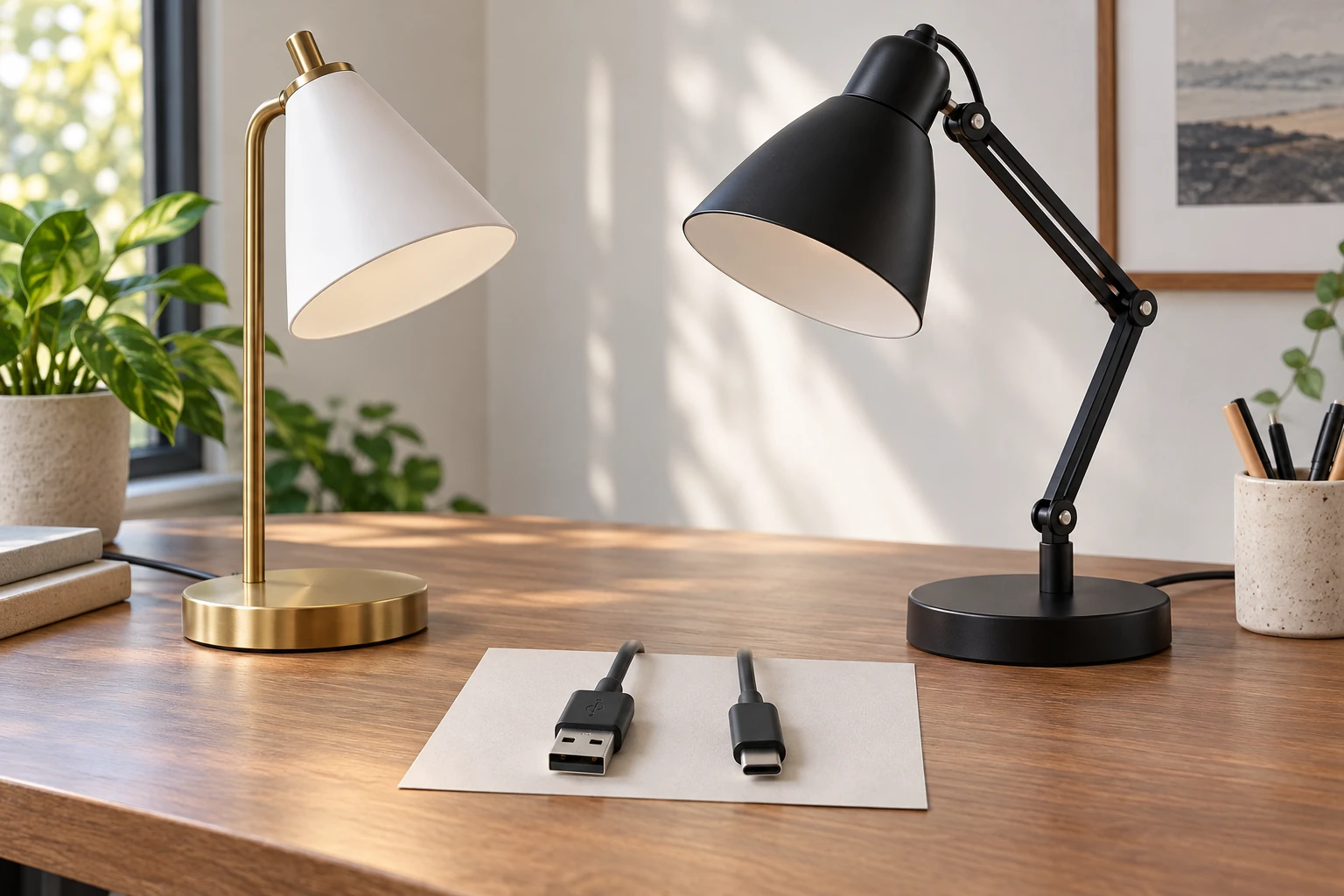
Desk lamp USB ports can look like one convenient feature, but the listing label answers only part of the question. It may identify the connector shape without explaining the available output, which device it supports, or whether the ports operate when the light is off. Start by separating the lamp's own power cord, its light control, and any device connection. Then use the exact model's instructions to answer the remaining questions.
The 360 Lighting Brynn desk lamp listing describes a gold-tone base, white shade, an on-off switch and two USB ports identified as Type-A and Type-C. The 360 Lighting Wyatt desk lamp listing describes a black articulated lamp with a base button and two charging ports labeled A and C. Each gallery has one image showing the whole lamp, but the port sockets are not legible in those images. Treat their location and type as native listing statements until you inspect the delivered model and its manual.
Three separate things in one lamp
A desk lamp with a USB feature still has a way to receive power for its own light. The product's power cord and plug are that input. The lamp control switches or adjusts the light as the maker describes. A USB socket, if supplied, is a separate connection point for another device. It is easy to merge these three roles when a listing puts them into one feature sentence. Keeping them separate helps you ask the right question when something does not work as expected.
Write three labels on a small drawing of the actual lamp: “wall connection,” “light control,” and “USB socket.” Place each label only after you can identify the part on the delivered unit. If the seller image omits the back or side of the base, do not invent a socket position. Find the exact manual, product label or maker diagram. A photograph of the whole lamp establishes its general form; it does not establish the electrical layout hidden from view.
The wall cord is not a USB cable. Plugging the lamp into an outlet according to its instructions supplies the lamp; a USB cable connects a separate device to a matching socket. The presence of one does not replace the other. Do not assume a USB socket can power the lamp itself or that a laptop can supply all the lamp's functions through that socket unless the maker explicitly documents that design for the exact model.
Read the A and C labels as connector shapes
A USB Type-A socket has the familiar wide rectangular opening. A USB Type-C socket has a smaller, rounded, reversible opening. Those names describe the connector shape, not a guaranteed charging speed or device compatibility. Look at the actual socket and at the cable plug you plan to use. A cable with one Type-A end and one Type-C end has two different connectors; the device end and lamp end must each match their own port.
Some listing text says “two USB ports” and leaves the types unspecified. The Brynn and Wyatt native descriptions are more specific: each mentions an A and a C connection on the base. That is still not a complete output specification. The text does not, by itself, tell you the current available from each port, whether both can be used together at a stated output, or what happens when the lamp switch is off. Those details belong in the exact instructions or maker specifications.
Do not force a plug that seems almost right. Check the port marking and the cable connector while the lamp is set up as instructed. If the opening is hard to see, use the model documentation rather than guessing from a distant gallery image. A cable adapter introduces another set of limits; consult the device and adapter instructions before relying on one. This article is a reading guide for labels, not an approval of an unverified adapter or charging arrangement.
Do not confuse the light source with the USB feature
The lamp's bulb or integrated light source has its own model-specific requirements. A USB socket on the base does not establish the bulb type, brightness, dimming behavior or replacement method. The desk lamp light source compatibility guide covers the separate task of matching a replacement light source to an exact model. Keep that question distinct from the shape and operation of the base's USB socket.
Both current native listings describe a bulb arrangement as well as USB ports, but the permitted bulb details differ by model. This article does not transfer a wattage or bulb rule from one lamp to the other. Read the label and manual on the unit you have. The same discipline applies to the USB feature: a similar-looking base on another lamp is not proof that its sockets have the same output or switch behavior.
If the light fails to turn on, the desk lamp external no-light checks cover a different diagnostic path. A working USB socket would not by itself prove the light source is sound, and a lit bulb would not establish that a device is charging through USB. Observe the two results separately. Follow the maker's external checks; do not open the base or attempt an electrical repair from a product photograph.
Questions the listing does not finish
Before connecting a device, find the exact model identifier on the delivered lamp and compare it with the documentation. Record the port types shown there. Look for an explicit output rating, any limits when both ports are occupied, and any instruction about whether USB remains active when the light is switched off. If the document is silent, keep those details unknown rather than filling them with assumptions from another lamp or a generic USB chart.
Check the device's own charging instructions too. The cable, device and lamp each have a role in the connection. A matching connector shape only means the plug can physically meet the socket. It does not prove the lamp provides the output a particular device expects. If the device maker requires a particular adapter or charging method, follow that guidance instead of treating the lamp port as a universal substitute.
Ask whether the USB socket is intended solely for charging or has any other documented role. The word “USB” covers many products, and a lamp listing may not specify data behavior. Do not assume the port exchanges files, controls the light, or connects a computer to the lamp. Keep the purpose limited to what the exact maker instructions state. If a feature matters to your purchase, seek the exact answer before relying on it.
If the port markings are hard to read, note what is actually printed on the delivered base and compare it with a model-specific diagram. A seller may use a simple A/C phrase while the appliance itself uses icons or tiny lettering. Photographing the base for your own reference can help when you later look up the document, but keep any serial number private. Avoid turning an uncertain icon into a firm specification in a household note. The card should help the next person find the right answer, even when today's documentation leaves a field blank.
Make a small model-and-port card
A simple card can prevent confusion when several people share a desk. Write the lamp's exact model, where its manual is stored, the connector shapes visible on the delivered base, and any verified output information from that manual. Leave a blank or “not specified” beside facts the documentation does not provide. Avoid copying a seller's feature line as though it were a complete technical specification.
Keep cables nearby only if they belong to devices actually used at that desk. A Type-C cable can have different plugs or capabilities at its other end, so label it by the device it serves rather than by a vague “fits everything” promise. Route the lamp cord and device cable according to the applicable instructions and the actual workspace. A tidy cable arrangement should not depend on stretching a connector across the desk.
When you replace a device or move the lamp, revisit the card. The new device may have different charging requirements; another lamp model may have different sockets even if it comes from the same brand. Treat the card as a record of one exact setup, not a reusable certification for every product with an A or C label. That small habit keeps the educational point practical.
Use the two listings without borrowing missing facts
The Brynn product image shows a gold-tone freestanding lamp with a white cone shade. The Wyatt image shows a black articulated arm and black shade. Their native accounts identify different model names and describe base-mounted USB features. The photographs establish the overall physical families; they do not clearly show the port openings. A buyer who needs the sockets in a specific place should verify that location on the actual model.
The titles and native descriptions also differ in bulb and physical dimensions. Those differences may matter to light-source selection or desk placement, but they do not fill in USB output specifications. This is why it helps to read an offer in layers: identify the complete lamp, identify the exact model, find the relevant manual, and then confirm the one feature you need. A model number is more useful for that task than a broad label such as “desk lamp with USB.”
If one product has only one gallery image, accept that limit. It may be enough to confirm a whole lamp and its general shape while leaving hidden controls unresolved. An image that does not show the port is not evidence that the port is absent, and the native feature text is not a substitute for a close view or model-specific document when the connection is important. Keep the unknowns explicit.
A short check before use
Find the exact model and manual, identify the power cord and light control, locate each socket on the real base, match the cable connector to the port, and compare the device's requirements with the documented lamp output. If any one of those facts is missing, pause the device connection until it is resolved. Continue to use the lamp for lighting only as its own directions allow; a missing USB detail does not require guessing or experimenting with a device.
Desk lamp USB ports become easier to understand when their role stays separate from the lamp's light and power input. Type-A and Type-C tell you what shape to look for. The exact model documentation tells you whether that connection is appropriate for a particular device and setup. Start with the connector you can see, then verify the specification you cannot see in a photograph.
Identify the exact lamp and port labels before connecting a device.