Laptops & Desktop PCs
Dell Pro Micro vs HP Pro Mini 400 G9: choose installed capacity for your files
Compare Dell Pro Micro and HP Pro Mini 400 G9 by installed memory, local file space, confirmed ports and the cost of a supported upgrade.
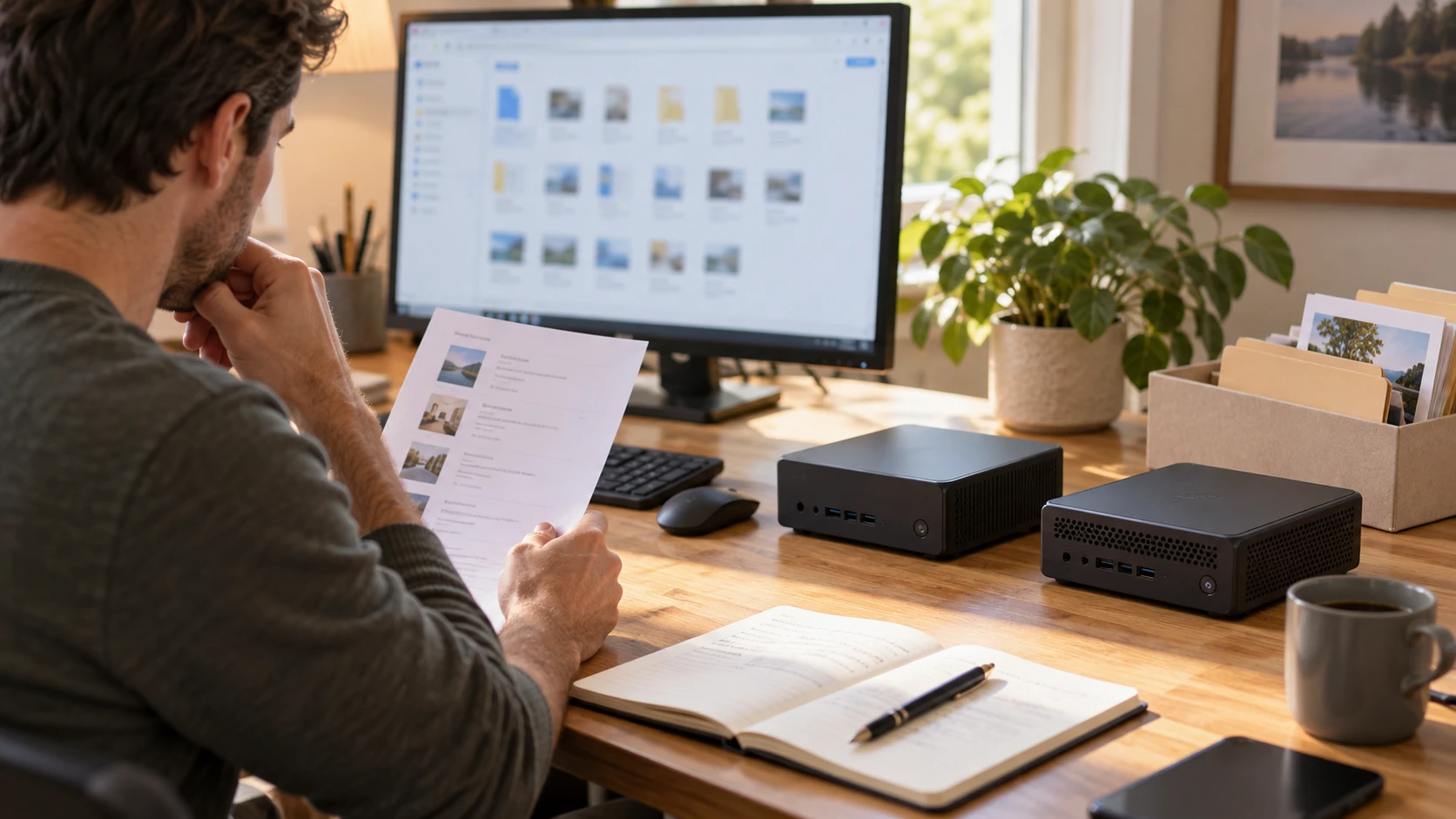
Check how much of your file library must stay on the new desktop when you are offline. The current Dell Pro Micro vs HP Pro Mini 400 G9 offers have substantially different installed capacities: Dell lists 32GB of memory and a 2TB SSD, while HP lists 8GB and a 256GB SSD. Establish what the new computer must hold and run before deciding whether to pay for the larger configuration.
Both are compact desktop computers in Republeq's Desktop Computers category, with Dell and HP identified as their native brands. This comparison follows the actual Pro Micro and Pro Mini offers. HP's mini configuration is a separate product from a ProDesk 400 G9 small form factor desktop; the family name does not make their parts and connections interchangeable.
The illustration shows generic compact desktop computers and a buyer reviewing files. It does not depict these specific retail models or certify the ports shown on either offer. Use the actual listing and unit documentation when planning a connection.
Start the mini PC storage comparison with files you keep locally
The Dell Pro Micro configuration lists a 2TB NVMe PCIe SSD and 32GB DDR5 SO-DIMM memory. HP's description lists a 256GB PCIe SSD with 8GB RAM. The two storage capacities give different amounts of nominal room, without a shared measurement of usable free space after software is installed.
Check the storage occupied on the old computer before choosing a replacement. Count applications and local folders, including files that need to be accessible when the connection fails. A cloud account can contain a library larger than the folders currently downloaded. Establish which files you expect to keep on the new computer, rather than treating an online library total as a local requirement.
A mini PC storage comparison should distinguish space you need immediately from space you might use later. If the existing local library already approaches the HP's nominal capacity, obtain a setup that will hold the work after the operating system and applications are included. The Dell's larger listed drive can be useful for that requirement, even before any question about processor speed arises.
If the work mainly uses websites and a small set of local documents, the HP can remain a candidate once the installed applications and remaining free space are checked. A larger drive is not automatically useful to every buyer. Ask whether current files, required software and expected additions fit the offered configuration without a storage change immediately after delivery.
Neither listing promises a comparable SSD model, measured transfer speed or response time under your workload. Dell's NVMe PCIe wording and HP's PCIe wording identify stated drive descriptions. They do not support a measured claim that opening a particular document takes less time on one complete computer.
Give the installed memory its own requirement
The HP Pro Mini 400 G9 offer describes a new black mini desktop with an Intel i5-14500T, 8GB RAM, a 256GB PCIe SSD and Windows 11 Pro preinstalled. It does not specify the memory generation, module arrangement or available memory slots in the captured description. Those details need confirmation if an addition forms part of the purchase plan.
Dell states 32GB DDR5 SO-DIMM memory at 4800MHz and two DDR5 SO-DIMM slots. The listing does not say how the supplied 32GB is distributed across those slots. A two-slot specification should not be converted into a promise that one remains vacant. Ask for the installed module arrangement before pricing a future memory addition.
Memory and storage answer different capacity questions. RAM supports running applications; the drive retains programs and files. Increasing the drive size does not supply more working memory. Read the requirements for the programs you will run together and check the old computer's memory use during a normal work session before treating either offered amount as enough.
For a task whose stated requirements exceed 8GB, the HP's delivered configuration needs another plan. Obtain a verified supported configuration or choose an offer that supplies the required memory from the start. This avoids buying spare parts before establishing whether they fit the exact mini desktop.
The larger Dell memory amount should be assessed against the actual applications. The two pages do not give a matched test of a crowded browser session, a work program or a creative application. If your requirement is already met by the smaller amount, another feature or the complete purchase cost may matter more than unused capacity.
Keep a compact desktop upgrade separate from the delivered offer
The existing buying guide to barebone and configured mini PCs compares two MINISFORUM X1-255 offers. It checks installed parts and the cost of completing a usable machine. Neither of the Dell and HP offers here is described as barebone: both name installed memory, storage and Windows 11 Pro. The relevant question is the extra work needed if the purchased configuration does not meet your requirements.
If you are already planning a compact desktop upgrade because 256GB will be restrictive, settle the HP storage options before buying the computer and a separate drive. Obtain the supported drive type and case-access instructions, then establish whether a new drive would replace the supplied SSD or fit in a confirmed additional position. HP's short description does not answer those questions. Details for another ProDesk variant cannot establish this mini configuration's layout.
Dell lists two M.2 storage positions with 2280/2230 NVMe wording. Confirm the arrangement and accepted drive lengths for the exact unit, as well as which position the supplied 2TB SSD occupies. The description also contains a hard-drive-interface entry expressed as PCIe x16. Obtain the model's storage specification before using that line to choose a drive.
The live buying guide to mini PC expansion details examines installed components and conflicting memory and storage-slot wording on different MINISFORUM models. Its useful purchase question is whether the slot you plan to use actually remains available. Its memory, OCuLink and drive specifications do not apply to either desktop in this comparison.
Include any necessary installation and setup in the price of a changed configuration. Ask who covers the added parts and how support handles the computer after work has been performed. A lower initial offer can require a separate memory or drive purchase; the two listings do not establish a verified saving after those costs are included.
Match monitors and everyday connections to the actual panel
Dell names DisplayPort 1.4a and HDMI 2.1, with support for two displays stated. It also advertises a maximum resolution of 5120 by 3200 pixels. These statements do not provide a complete simultaneous-display mode table. Confirm the inputs, resolution and refresh rate of the screens you intend to keep, and the modes supported through the proposed cables.
HP's short description does not provide a display-output inventory. Before ordering it for an existing monitor, get the actual connector details and supported signal mode. The Intel processor name and compact desktop form do not establish which video ports are fitted to this unit.
Dell gives a front headset jack, a USB-A 3.2 Gen 1 connection at 5Gbps and a USB-C 3.2 Gen 2 connection at 10Gbps. Its rear list includes two USB 2.0 Type-A and two USB 3.2 Gen 1 Type-A ports. Read those positions with the devices that stay connected and leave accessible sockets for equipment you reconnect regularly.
The front USB-C data specification does not establish that it carries a monitor signal or supports the charging arrangement of a particular peripheral. Ask for those capabilities when you need them. For HP, obtain a full front and rear inventory before budgeting for an adapter or a hub.
Check network access and the complete desk package
Dell's description names Intel AX211 Wi-Fi 6E and Bluetooth 5.3, plus rear RJ-45 networking at 10/100/1000Mbps. HP's captured description does not give equivalent network or Bluetooth details. If the desk depends on wireless access or a Bluetooth input device, confirm the actual HP components instead of assuming they match the Dell.
Neither listing reports a connection test in your room or a guarantee of a particular speed through its walls. Check the network you will use and the place where the computer will sit. If Ethernet is preferred, confirm the socket and cable route on the selected unit rather than planning only around a wireless standard.
Both descriptions name Windows 11 Pro. Confirm the delivered software state, recovery instructions and the required applications separately. Neither captured description establishes an included Office license. A preinstalled operating system should not be counted as access to every program the desk needs.
The two offers do not provide a complete display, keyboard and mouse bundle list in their descriptions. Check the current package contents and include missing equipment in the total. Obtain the correct power hardware and cables for the selected unit, especially when reusing a desk that previously held an all-in-one computer.
Compact wording does not establish a measured footprint or a mounting accessory. Get the exact dimensions and ventilation instructions before placing either computer beneath a shelf or behind a monitor. Leave the power button and frequently used sockets reachable. The pages do not contain comparable fan-noise or thermal measurements.
Choose the capacity you can use without an uncertain upgrade
Dell identifies Intel Ultra 5-235T with six performance cores and eight efficient cores. HP names Intel i5-14500T at 1.70GHz. These component descriptions do not supply a matched performance ranking of the two complete computers. Check application requirements and relevant measured results when processor performance determines the purchase.
Investigate Dell when your immediate local library needs its larger listed drive or your programs require more than the HP's supplied memory. Confirm the installed components and the display and peripheral arrangements you will use. Its detailed connection list is useful for planning, while every claimed capability still needs to match the intended equipment.
Keep HP under consideration when 8GB and the usable space on its 256GB drive meet the work from delivery. Request its actual panel and network details before treating it as a complete alternative. If the plan already includes replacing its memory or drive, verify the supported parts and installation costs before ordering. Compare that confirmed package with the installed Dell configuration for Dell Pro Micro vs HP Pro Mini 400 G9; an assumed future addition should not decide the purchase.