Office Supplies & Stationery
Crooked staple placement in a thick paper stack
Use marked spare stacks and a fixed paper guide to isolate a crooked staple location without damaging a real packet.
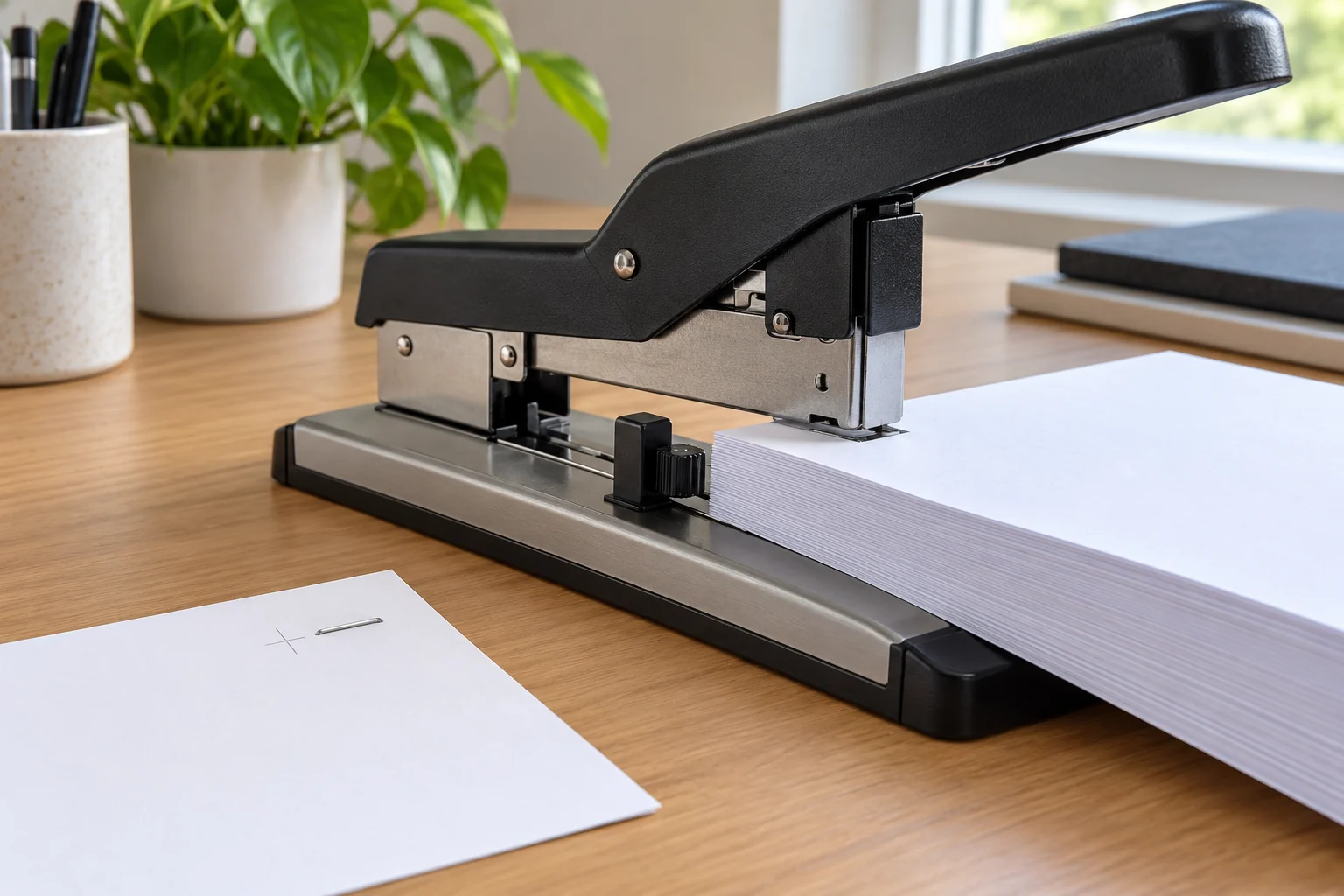
A crooked staple in a thick document does not tell you which part of the setup moved. The paper might have entered at an angle, the depth guide might have shifted between presses, or the stack might have exceeded what that stapler can handle with the staple and paper in use. Treat the next attempt as a small placement test instead of forcing the same document through again. Set aside the real packet, count a spare stack of similar sheets, and look at where a successful staple should land. You can then change one part of the setup at a time and compare the mark on the test paper. If the staple mechanism itself appears damaged or blocked, stop and follow the maker's instructions; an exterior product photo does not show a safe clearing method.
Decide where the staple should land
Before diagnosing a crooked result, mark the intended staple position on a spare cover sheet. The mark needs to describe two distances: how far the staple sits from the paper edge and how far it sits from the top or bottom of the packet. A depth stop usually controls the first distance, while the way you square the sheets against the stapler controls the second. A mark gives you something visible to compare with the result. Without it, “too deep” can mean that the staple landed far from the edge, that the whole packet slid sideways, or that the legs closed unevenly. Those are different observations and can lead to different next checks.
Use a spare stack that resembles the actual document. If you test on one sheet while the real packet is thick, the trial cannot tell you whether the packet is easy to hold square or whether the stapler can complete the same press. Keep the trial modest at first and build toward the intended thickness within the exact maker's limits. Do not rely on a large number in a product title as a guarantee for every paper weight, staple type, and hand position. A maker's stated capacity is a selection clue; the controlled test shows how this particular job behaves. If the trial packet is valuable, make a separate mockup with scrap sheets.
Depth stop setting as a repeatable reference
The Maxwayell heavy-duty stapler listing describes a depth controller and clear position markings. Those features matter when the problem is a staple that lands at a different distance from the edge on each packet. Set the guide to the position required by the document, then place the paper against it without twisting the stack. Make one test press and measure the result against your mark. If a second test lands elsewhere, check whether the paper was held differently or the guide moved. The page does not establish a universal setting or a jam-clearing step, so use the instructions supplied with the exact tool for any adjustment that is not obvious from its controls.
The Qmerlimui heavy-duty stapler listing also describes adjustable feeding depth. Its wording about sheet capacity and depth mixes units in a way that should not be treated as a precise setup chart. For a placement test, the useful fact is that the document can be positioned at a chosen depth. Read the markings on the actual unit and the maker's supplied directions before setting it. The gallery shows a lever-style stapler with a base and guide, but the image alone cannot tell you how a particular setting will behave with your packet. Confirm on scrap paper, then keep the chosen position fixed while you check the other variables.
Paper stack alignment before the press
A neat pile can still rotate as it enters the stapler. Tap the sheets on a flat table to bring their edges together, hold them without bending the near corner, and move the packet straight toward the chosen guide. Watch the top sheet and the bottom sheet. If their corners separate, the staple may look crooked even when the stapler itself places it consistently relative to its base. A temporary paper clip away from the stapling point can help hold a mockup together, but remove it before pressing if it could enter the mechanism. Work on a clean, stable surface so you can see the paper edge and the guide at the same time.
For a booklet or a wide packet, support the loose pages while you position the edge to be fastened. If most of the paper hangs off the table, its weight can pull the near edge out of alignment as the handle moves. Move the stack with both hands until the target point is under the stapling head, then check the guide again. This is a positioning check, not a promise that either example tool accepts every booklet format. The shape and thickness of the folded or layered packet still have to suit the exact machine and staple. If a fold makes the pages spring apart, test the folded mockup rather than a flat bundle of the same sheet count.
Keep the depth setting fixed for two tests
Make one test press, remove the paper, and compare the staple to your pencil mark. Put a second similar stack against the same guide without changing the setting. A matching result points toward a repeatable placement. A different result tells you to examine paper squareness, guide movement, and how the stack was supported before changing the depth again. Write the measured edge distance on the two test sheets. It is easier to see a pattern in two marked trials than in a single damaged page. Do not keep pressing the same set of sheets after a poor result; bent staples and punctures can make the next attempt hard to interpret.
If both staples are straight but consistently too far from the edge, adjust the depth setting in the direction indicated by the exact tool and repeat the test on fresh scrap. If the two edge distances vary widely, establish a more reliable way to seat the paper before adjusting the guide. If the staple location is consistent yet its legs are deformed, stop treating depth as the likely explanation. The staple, paper thickness, and closing mechanism need separate attention, and the seller descriptions here do not provide a safe diagnosis of the internal mechanism. Avoid forcing the handle through a resistance you do not understand.
Separate stack thickness from placement
When a thin test stack staples cleanly and a thicker one does not, keep the depth and paper position the same for a controlled comparison. Add sheets gradually, using the same kind of paper, and stop before exceeding the exact product instructions. Note the first thickness at which the result changes. This does not prove a defect; heavier stock, coatings, folded sections, and an unsuitable staple can all change the job. The observation does tell you that a depth adjustment alone is unlikely to fix that particular packet. A thinner division or another binding method may be more appropriate than repeated force on the same thick stack.
Do not use a claimed maximum sheet count as a target for every document. The Maxwayell product title mentions a high sheet count, and the Qmerlimui description mentions a range, but neither saved page demonstrates how your paper and staple combination performs. The actual maker instructions and the test packet should control the decision. If a packet includes a cover of heavier stock, count it as a different material rather than assuming it behaves like another ordinary sheet. Record the makeup of the successful test stack so you can reproduce it. That note is more useful for a real project than a bare count without paper type.
Check the result without damaging the document
Look at both sides of the test packet. The crown on the front should sit where you intended, and the legs on the back should close in the way specified for the staple and tool. If a leg protrudes, do not drag a finger across it or hand the packet to someone else. Set it aside and check the maker's guidance for removing or correcting a failed staple. A staple with a clean front but poor back can signal a different issue from a staple that landed at the wrong spot. Take a photo of both sides or keep the labeled test sheets if you need to compare a later trial.
Once a spare stack gives a repeatable result, mark the real packet lightly at the intended position, square it, and confirm that the depth setting has not moved. Support the pages as you did during the successful trial. Make one controlled press. Check the front and back before making another staple, since a bad first placement can guide the rest of the packet into an uneven pattern. If the real packet differs materially from the mockup, such as a heavier cover or a fold, run another representative test first. The reason for the mockup is to protect the original pages and make the cause of a poor result easier to see.
Keep refill choice and binder fit separate
If the placement is straight and repeatable but a refill does not feed correctly, the desktop stapler refill compatibility guide covers how to identify the exact model's staple requirement. Magazine size or a generic “heavy-duty” label is not a part number. Do not substitute an unfamiliar staple while troubleshooting position; changing both the staple and guide at once hides which choice altered the outcome. Keep the current known compatible refill in place for the placement test, or establish compatibility from the maker's specification before testing. A bent or blocked staple is a reason to stop and consult that exact tool's instructions, not a reason to guess at a new refill.
Stapling is only one way to fasten a packet. If the document must also fit a ring binder, the hole-punch binder fit guide covers the separate spacing decision for punched pages and rings. A staple that sits neatly on a test sheet can still interfere with a future punch or binding margin. Decide the final use of the packet before marking the staple position. Leave a clear area for any later holes, folds, or trimming. Your marked mockup can show whether those features collide without risking the original document.
Record the setup that worked
Keep one labeled test sheet with the paper type, approximate stack makeup, guide position, and measured staple location. If you produce several packets, check each new batch against that reference rather than relying on memory. A change in cover stock or fold can require another short test. If placement drifts, return to the marked reference and repeat the paper-squareness check before touching the depth stop. If the staple shape changes while the location remains steady, stop and consult the exact tool's instructions for that separate fault. This small record helps you reproduce a clean placement without turning a single crooked staple into a series of damaged documents.