Keyboards & Input Devices
Keep the learner at the controls during a computer help visit
Plan one co-located visit around the learner's chosen task and control of the mouse. Agree what help is wanted before anyone demonstrates.
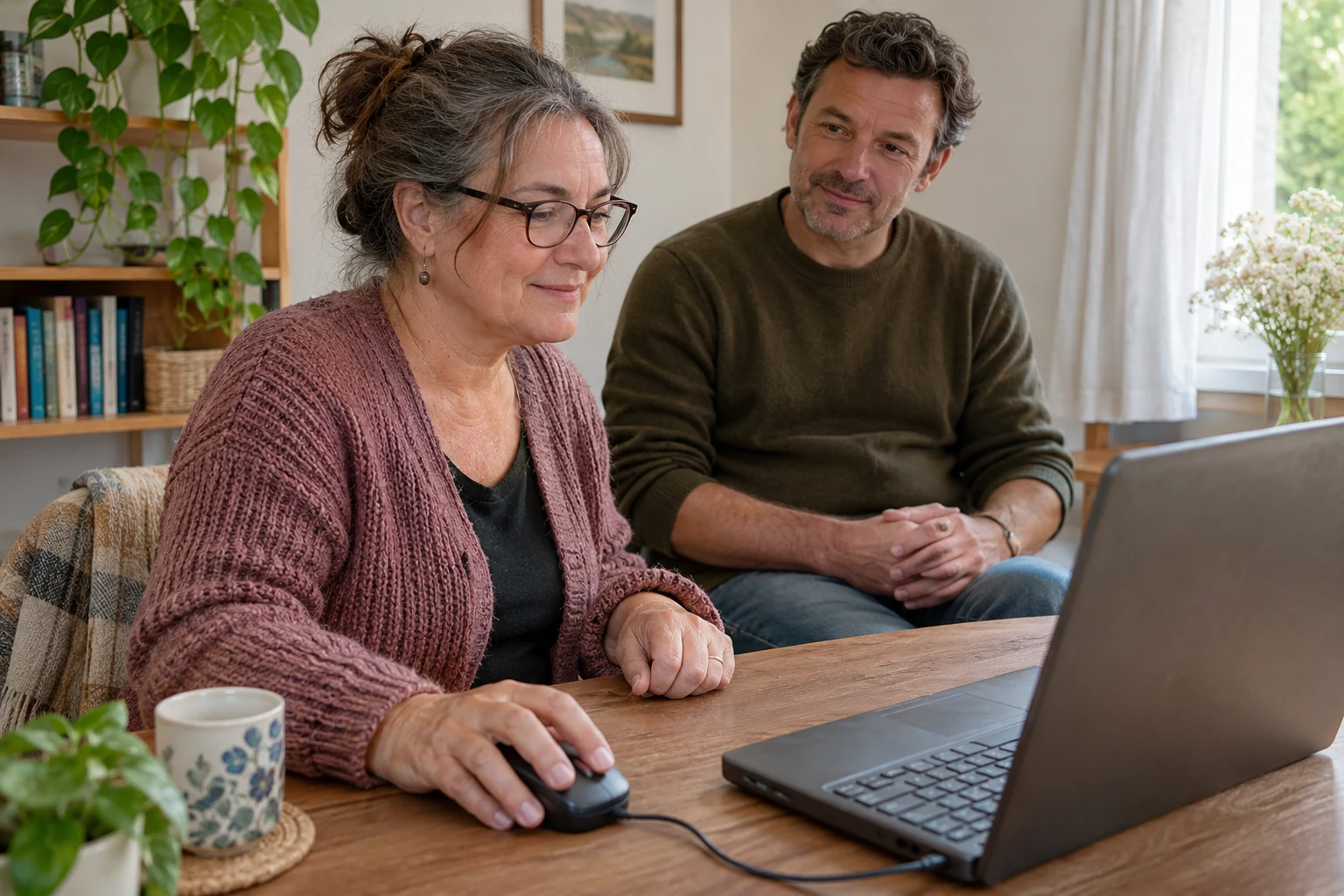
Conceptual co-located computer-help visit; generic people and input equipment, with no actual interface, repair, learning test or exact retail model.
Someone asks you to show them an everyday computer task. You sit beside them, recognize the screen and reach for the mouse. Before taking it, ask what sort of help they want. They may want the task finished, or they may want a chance to try it themselves. Those are different invitations.
A computer help visit can be planned around the second invitation. The willing learner chooses a familiar task to explore and remains the operator. The helper contributes words, attention and an agreed demonstration when wanted. The routine below is a proposal, not evidence of improved learning, a successful repair or a real visit that has already taken place.
Ask what the person wants from the visit
Begin with an ordinary question: would you like me to do this with you, or would you like to try while I explain? Listen to the actual answer. If the person only wants a necessary job completed, do not silently turn it into your preferred lesson. If they want to practise, do not treat speed of completion as the only purpose.
Keep the proposed session small enough to describe. Ask the person to name one everyday task they would like to try in a suitable existing setup. Leave software installation, account access, financial transactions and unexplained technical faults outside this social exercise. Those need their own applicable decisions and instructions. A visit can remain useful without becoming an investigation of every computer question in the house.
Agree that the learner keeps the controls for this attempt. This is an arrangement to discuss, rather than a rule you impose on someone who asked for a different kind of help. Either person can ask to pause. A change of mind can become part of the conversation without being labelled a failure.
Give an explanation before offering a demonstration
For help without taking over, leave your own hands away from the mouse while the other person considers what you said. Describe the next proposed action in words suited to the task and the actual screen. This article supplies no universal menu path or button sequence. If you cannot identify the applicable instruction, leave that technical question open.
Ask whether the explanation was clear enough to try. Avoid treating a pause as permission to grab the controls. The person may be reading, deciding whether to continue or preparing a question. You need their answer rather than an explanation invented on their behalf. A quiet moment can remain quiet while you wait for it.
If you think a demonstration would help, offer it as a separate choice. Say which part you propose to show and ask whether that is wanted. If they agree, keep the demonstration within that agreed part and return control afterward. Do not let one accepted demonstration silently become permission to complete the rest of the task for them.
Let the person describe what they are trying to do
Ask what they expect the next action to accomplish. Their description gives the conversation a specific subject. You might discover that you have been answering a different question from the one they meant. Establish the wanted task before adding more explanation. This is a suggested way to clarify the visit, without a claim that it guarantees understanding.
Use the names the actual instructions and interface provide when those names can be established. If a word is unfamiliar, ask which part needs explaining. Avoid replacing the person's question with a long tour of unrelated features. You can keep another question for later without making the current visit responsible for teaching the whole application.
When someone asks why a particular action is needed, answer that question before proposing another action. If you do not know, say so and identify the information that would be needed. Familiarity with another computer is not a reason to invent an instruction for this one. The helper can contribute an honest limit as well as an explanation.
A fictional visit with the mouse left in the learner's hands
Imagine Brin and Elena have agreed to spend part of an afternoon on a small practice task Brin chose. The computer and application are already available for that task under their applicable instructions. This is an invented household scene. It reports no actual software operation, saved file, device test or measured learning result.
Brin says that he wants to try the task himself rather than have Elena finish it. Elena sits alongside and leaves the mouse with him. She asks which part he wants to begin with. He points to the place that prompted his question. Their agreement now concerns that particular attempt, without committing either person to a continuing tutoring arrangement.
Elena starts explaining, then notices her hand moving toward the mouse. She stops and asks whether Brin wants to hear the explanation again or see a demonstration of that part. He asks her to explain it again. She does so while he retains the controls. The scene illustrates their chosen arrangement; it does not prove that the explanation produced a particular technical outcome.
Later in the fictional visit, Brin wants a demonstration of one detail. They agree which detail Elena will show. After that brief demonstration, she returns the controls and asks what he would like to do next. The story supplies no exact interface or sequence for readers to reproduce. Its subject is the request, the limited permission and the return of the operator role.
Brin eventually says that he wants to leave another question for later. Elena does not extend the visit by opening something else to show him. They identify the remaining question in ordinary words and finish the occasion they agreed. An unfinished technical question can stay unfinished while the social arrangement has a clear ending.
Separate a learning request from a technical obstacle
A request to understand an action differs from an unexplained fault. If the actual screen shows a message you cannot account for, retain the real message and identify the applicable support path. Do not improvise changes merely to keep the visit moving. This proposal gives no repair, reset, permission-change or account-recovery procedure.
The Windows application requirements guide distinguishes the intended task from the application's requirements and a completed output. Use that separate scope if the question concerns whether the actual software and installation support the plan. A patient explanation cannot certify an unknown configuration.
The holiday photo pointer-visibility guide asks about locating the pointer in a proposed viewing arrangement. That is a different preparation question. Leaving the learner in control here does not establish that they can see a particular indicator or that a setting has changed successfully.
If the proposed setup is unsuitable or its requirements remain unanswered, discuss another occasion or a different appropriate task. Do not present a postponed attempt as an actual completed lesson. You can agree what information is needed next while leaving both the technical result and any proposed equipment purchase open.
Read the mouse offers as equipment context
The Cobra wired mouse offer has an Unbranded catalog field. Its single gallery frame shows a black mouse with an integral cable, wheel, controls and a Razer-style graphic. No readable factory model label authenticates the offer. The description's speed, lifespan, comfort and software wording remains untested retail information; none supplies a learning result for this visit.
The M908 wired mouse offer has a NOBRAND catalog field and a Redragon-style graphic in its sole image. The frame also shows an associated adjustment tray with small metallic cylinders, without authenticated supplied inventory here. Its control and sensitivity descriptions give no universal button assignment or demonstration procedure for the learner's task.
Suitable existing input equipment can remain part of the plan. A new mouse is not required by the social proposal, and neither captured offer establishes compatibility with the computer you mean. Confirm any unresolved model or setup question through its applicable information. Leave hardware selection separate from agreeing who will operate during the visit.
End with the part the learner wants to retain
Ask whether a short reminder would be useful and what the person wants it to contain. They may prefer their own words, a reference to the applicable instructions or no note at all. A reminder can identify an unanswered question without declaring the task mastered. Keep the choice with the person who asked for help.
If they want another occasion, ask which part they would like to return to. Do not turn that interest into a standing appointment without agreement. They may want to repeat the same small task, investigate a particular question or leave the subject alone for now. Each answer can be an ordinary ending to this visit.
Keep any equipment order with its own terms
If the conversation raises an equipment purchase on republeq.com, let the buyer identify the actual requirement before choosing how to pay. A willingness to practise does not establish that a new mouse is necessary, and an order confirmation would not establish that the learner completed a task. Check the exact offer, selected variant, supplied package and applicable setup requirements. Review the current delivery information and terms while the purchase is still under consideration. Cryptocurrency is a choice only when the actual checkout presents it. If a buyer prefers USDT, confirm that it is offered for the selected transaction and obtain the required asset, network, amount and receiving destination through the authorized order process. Do not supply those details from memory or copy them from a different purchase. Read any actual fee or conversion term before authorizing a transfer. A helper can explain the question being asked without becoming the buyer or taking over the decision. Keep any unresolved product or payment instruction with the responsible service for clarification. If an authorized order proceeds, retain its acknowledgement and the separate transaction reference. Private keys and recovery phrases have no place in an equipment enquiry or a shared learning note. If payment status is uncertain, reconcile the existing attempt before another transfer is considered. Follow the merchant's applicable procedure for an order change or cancellation rather than assuming that a technical question has suspended fulfillment. This conditional discussion verifies no live checkout, asset availability, network, fee, delivery result, return right or transaction protection. It provides no wallet destination or recommendation to move funds. The learning visit and an eventual purchase can each remain open until the people involved have the actual information and agreement they need.
A computer help visit can leave the learner with a chosen next question and the helper with a clearer understanding of the help wanted. Keep the operator role explicit, ask before demonstrating and return the controls when the agreed demonstration ends. Let the people involved decide whether to continue, rather than making a finished task the price of a pleasant afternoon together.