Crypto Commerce
Cisco Webex Desk Camera USB webcam or TONGVEO PTZ for video calls
Compare Cisco Webex Desk Camera USB webcam by framing, microphones, host connections, mounting and the checks for a desk or meeting room.
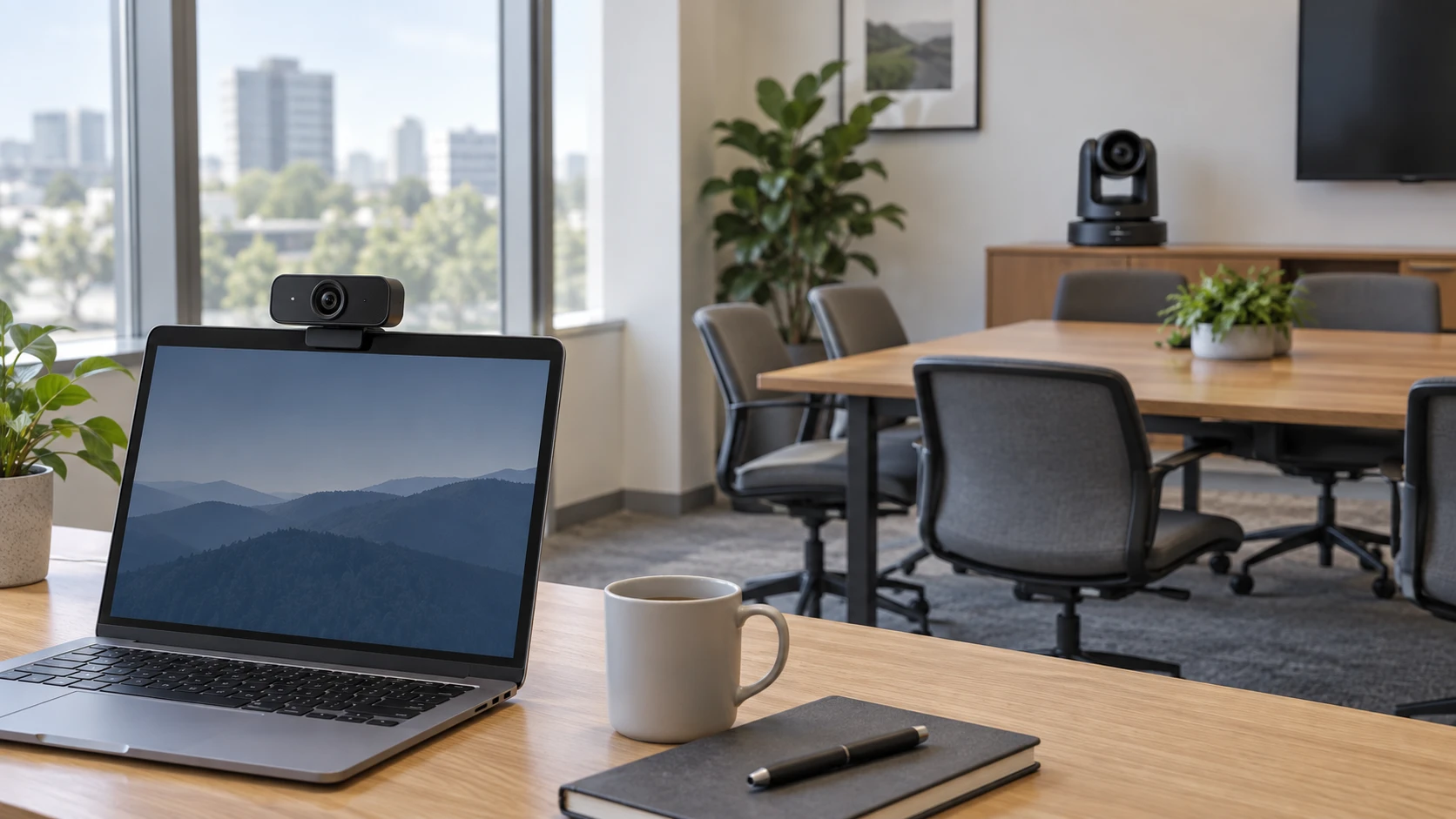
A camera for one person at a desk has a different job from a camera that needs to show a whole meeting table. Cisco's Webex Desk Camera is a USB webcam with built-in microphones and an advertised video mode up to 4K. TONGVEO's model is a USB PTZ camera with 3x optical zoom and 1080p output. Before comparing those numbers, decide who needs to be visible, how far they will sit from the lens, and where the meeting audio will come from.
This comparison uses saved product descriptions from the September 30 catalog capture. Both exact product pages and the related guide were reachable when checked on October 3. The descriptions are claims in Republeq's catalog, not controlled video or microphone tests in your room. Confirm the selected package, computer connection, current software support, and mounting parts before buying.
Choose a view for the seats you have — TONGVEO 3x PTZ USB conference camera
The Cisco Webex Desk Camera USB webcam is presented as a personal camera for a computer. Its listing names a 13-megapixel sensor and video up to 4K. If the user normally sits at one desk, place a prospective camera near the screen and check the framing from a normal working position. You need a comfortable view of the face and shoulders without including more of the room than intended. Ask for the exact field of view and mount adjustment; the saved description does not give a complete placement drawing.
TONGVEO's PTZ camera is aimed at rooms where framing changes. It lists 3x optical zoom, 1080p output at 30 frames per second, and pan-and-tilt controls. Those features may let an operator show the whole table and then move closer to a presenter. They also introduce a practical question: who will move the camera during a call? A preset that covers the usual seats may be more useful than a control nobody knows how to operate. Check the current manual for preset setup and whether the controller you expect is included.
Draw the room from above. Mark the table, farthest chair, screen, doors, and proposed camera position. Take a phone photo from that position to see whether people block one another or sit at very different distances. The photo will not reproduce either camera's optics, but it can expose an obvious placement problem. At a desk, note the window and main light source as well as the monitor. A high-resolution camera still produces an awkward call if its lens is aimed into a bright window or placed far below eye level.
TONGVEO advertises a wide-to-narrow range as its lens zooms, but the saved text is not a clear plan for your exact table geometry. Ask for a field-of-view diagram at both ends of the zoom range. Cisco's higher stated sensor resolution could allow a detailed personal view when the host and application support it; it does not guarantee a better remote image. Lighting, exposure, compression, and meeting-platform limits all affect what other participants see.
Define the problem you are trying to fix. Are back-row faces too small? Does a presenter leave the frame? Is one person at a desk washed out by a window? An optical-zoom room camera can address a different issue from a personal webcam. Make a short local recording as well as a live call. If the local video looks good but remote participants receive a poor image, investigate the platform and connection before assuming the camera is at fault.
Plan sound separately from picture — TONGVEO 3x PTZ USB conference camera
Cisco describes two built-in microphones. That is a relevant feature for a person speaking near the monitor, but the listing provides no measured pickup radius or promise that keyboard noise will disappear. Test the mic from the user's actual sitting position. Speak normally, type, and let a remote listener judge whether the voice is clear. If it is distant, microphone placement or room noise may be the issue even when the video looks excellent.
The TONGVEO catalog emphasizes video, PTZ control, and room coverage. It does not establish a complete microphone-and-speaker system for a meeting table. Do not buy it on the assumption that everyone in the room will be heard through the camera. Identify the microphone, speaker, and conferencing computer separately, then check how the meeting app selects each device. A room can have sharp video and unusable audio if the chosen mic is too far from the back seats.
The published guide on meeting-room camera and audio setup checks compares other equipment. Its Barco and Logitech specifications do not transfer to these cameras. The useful approach is to draw the signal path: camera to computer, microphones to computer, and sound back to the room. Check the path during a call from the farthest seat, not only from the person setting up the equipment.
Room surfaces and loudspeakers also affect what a remote participant hears. If a microphone sits near a speaker, ask how the meeting application handles echo. Test with more than one person talking in turn. The saved product listings offer no acoustic measurement for your space. When audio is the main complaint, a new camera alone is unlikely to be a complete plan unless its microphone actually serves the relevant seats.
Check the complete USB path — TONGVEO 3x PTZ USB conference camera
Cisco lists USB-C and USB-A connection possibilities, Windows and macOS support, and use with Webex applications. The description also says it is certified for Microsoft Teams and works with other video applications. Confirm which cable or adapter is included with the exact offer and which current operating-system versions are supported. Basic video in a third-party app and access to all camera-management controls may have different requirements.
The Cisco listing describes Control Hub management as part of Cisco Webex subscriptions and mentions a standalone Desk Camera app for initial setup and user settings. If an IT team needs centralized management, verify the subscription and deployment requirements before treating that as an included benefit. An individual user may only need the local app's setup controls. The saved text does not establish that every management function is available without a subscription.
TONGVEO lists USB 2.0 plug-and-play operation and several control routes, including a computer, PTZ keyboard, and conferencing software. It names older Windows and macOS versions and several meeting applications. Those are compatibility claims from the listing, not a guarantee that every current app exposes pan, tilt, zoom, and presets in the same way. Check the current driver and control instructions, particularly on a managed computer where installing software may need IT approval.
Look at the actual route between the camera and the computer. A meeting room may use a long cable, table hub, dock, or the USB port on a display. Confirm that the display's port really connects to the meeting computer and that every adapter carries the required data and power. Test the complete cable path before mounting the camera high on a wall. A camera can work when plugged directly into a laptop yet fail through an untested extension.
Neither the Cisco up-to-4K mode nor the TONGVEO 1080p output guarantees that a live meeting will transmit at that resolution. The app, account, computer, network, and call settings can all limit what leaves the room. Compare a local recording with the remote view under the same lighting. That separates camera and placement problems from problems introduced later in the call path.
Mount and operate the camera — meeting-room camera and audio setup checks
TONGVEO describes desk, monitor, wall, tripod, and upside-down ceiling mounting options, with a ceiling bracket and screws named in the saved description. Verify which parts come with the selected package, the camera's weight, and whether its controls can correct an inverted image. A permanent mount needs a safe cable route and a way to reach the device for maintenance. Rehearse the PTZ movement you expect during a typical meeting before settling on a position.
Cisco's personal-camera role suggests placement near the screen, but its short catalog text does not specify every mounting feature or a privacy cover. Check the exact unit for clip, angle adjustment, or tripod compatibility rather than borrowing assumptions from another webcam. Put the lens close to eye level and inspect what appears behind the speaker. A brief test call often resolves a framing question faster than a product photograph.
Decide who can operate a room camera and how it is turned off after a call. TONGVEO mentions control interfaces and presets; the listing does not describe your office's access rules. A software mute button is not a physical lens cover. Agree on a clear off procedure if the room is occupied between meetings. For a desk camera, the user should likewise know which application can activate it and where the activity indicator is on the exact unit.
Confirm the selected offer — TONGVEO 3x PTZ USB conference camera
At the September 30 capture, Cisco's minimum listed price was $278.23 and TONGVEO's was $446; both were marked available. Those are dated catalog figures, not current quotes. Compare today's exact-model price with the included cable, mount, controller, warranty, and any required software or subscription. A lower camera price is not necessarily a lower room-system cost if microphones and speakers still have to be added.
Cisco's saved description mentions a one-year limited hardware warranty. TONGVEO advertises a three-year warranty and support response target. Read the current terms and confirm the support route for the Republeq's catalog you choose. A camera installed in a meeting room should have a documented way to update firmware and recover from a failed call setup, but the catalog does not provide a full maintenance procedure for either product.
The TONGVEO 3x PTZ USB conference camera is the one to investigate for a room with several seats or a moving presenter, provided you have an audio and control plan. Cisco is the simpler candidate for one person at a computer who may use its built-in microphones. Test the intended computer and meeting app, then make a call from the farthest or noisiest position each camera is meant to serve.