Crypto Commerce
Caydo P1 art projector vs Dracolight M8 for art tracing or movie nights
Compare Caydo P1 art projector by image transfer, HDMI, phone setup, focus, size, audio, and room fit.
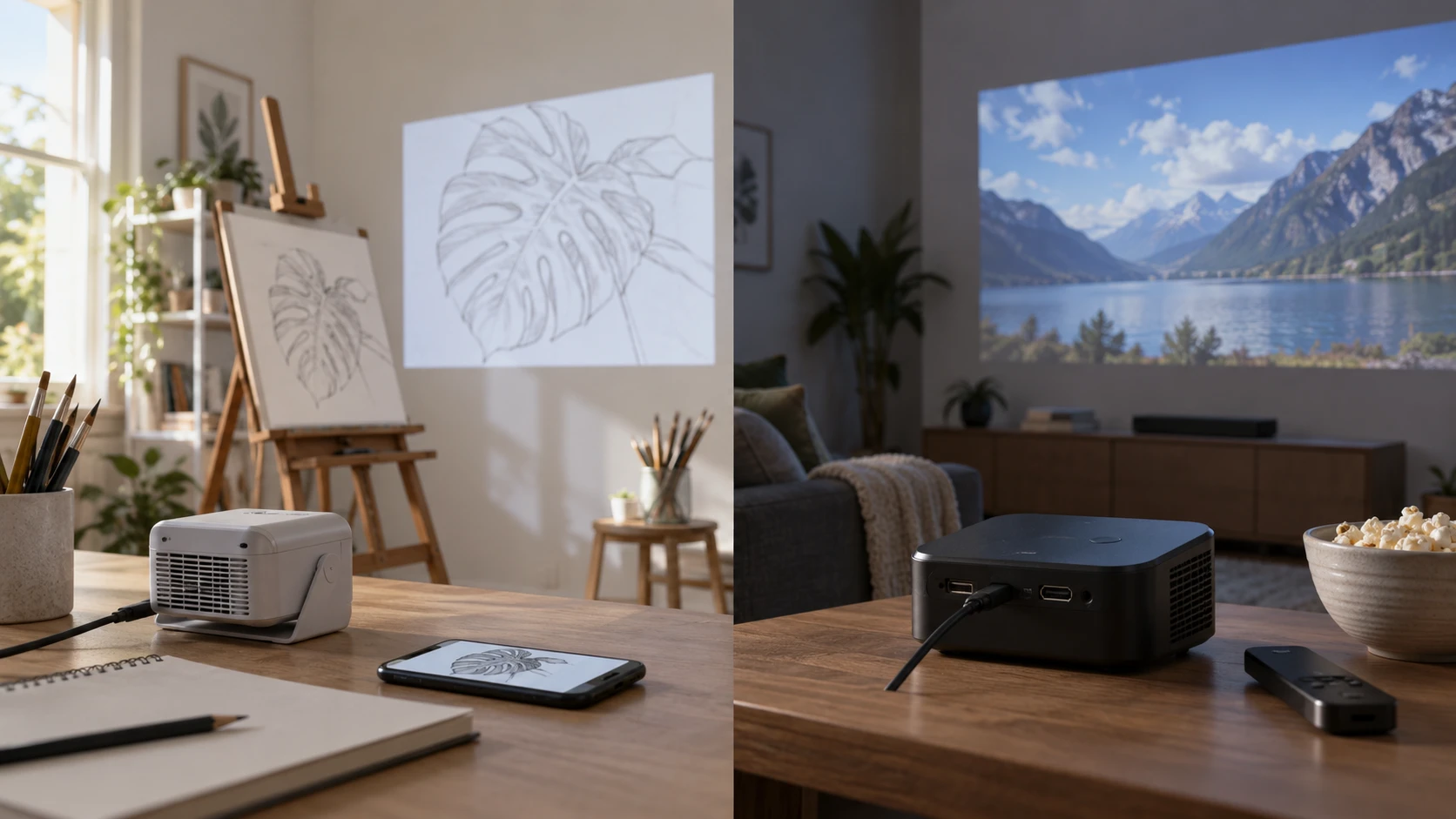
The Caydo P1 art projector is described as a tool for tracing and sketching images on a wall, easel, blackboard, or whiteboard. Its drawing software supplies grids, rotation, zoom, and image effects. Dracolight M8 is described as a compact home projector with HDMI, USB, AV, and audio connections, plus a 30 to 120 inch stated image range. Both can show an image, but the best setup depends on whether you need a drawing reference at arm's length or video from a laptop, console, or media player.
The published guide on display connection planning explains why a source and screen need a compatible path for both picture and sound. It does not test these projectors. Write down the source of your images: files copied to the projector, a phone, a streaming device, or a computer. Then check the route for that exact source. The wrong assumption about a port or wireless feature can turn an otherwise suitable projector into a pile of adapters.
Begin with the work on the wall — Dracolight M8 mini projector
Caydo's source describes an Exclusive Drawing Assistant with flexible zoom, 360-degree rotation, a full-screen mode, and grid overlays. It also names Gridify, Sketchify, Comicize, and Monochromize modes, plus a remote button for the tools. These are specific advantages to investigate if you trace a design or scale it onto a canvas. Confirm how a file is loaded and whether the projector can keep the image still while you draw. The saved excerpt does not state supported file formats or how precise its scaling is.
Dracolight's description does not list a drawing app or grid overlay. It does list a 25 to 100 percent zoom function and 16:9 and 4:3 aspect-ratio choices. Those controls may help fit a picture to a wall. A tracing grid on Dracolight would have to come from a compatible external source, so check that route before planning a drawing session. Caydo has the grid in its drawing software. For a film or photo on a screen, that art software may go unused.
Try a representative image on the surface you will use. A smooth white screen, rough wall, dark board, and translucent canvas can make the same projection look different. Check whether pencil marks remain visible while the projected lines are bright enough to follow. Neither saved source supplies a measured tracing-accuracy test or an image-quality result on each surface. If you plan a large mural, test whether the projected reference stays sharp at the required size before outlining anything permanent.
Trace the image source and controls — Dracolight M8 mini projector
Caydo says images can be transferred directly to the projector without internet, and it names Eshare, AirPlay, and MiraCast for streaming. The source also lists dual-band Wi-Fi and two-way Bluetooth 5.0, with an explicit warning that Bluetooth handles audio rather than video. Check the phone, app, and file-transfer steps before a workshop where Wi-Fi may be unavailable. Direct transfer can be useful in that setting, but the excerpt does not explain storage capacity or whether every image type can be copied.
Dracolight lists HDMI, USB, and AV ports, along with compatible sources that include laptops, TV boxes, game consoles, and storage drives. Its box is said to contain an HDMI cable and an AV cable. That makes the wired route easier to understand for a conventional video source, although the saved listing does not give port versions or supported file formats. A phone cannot connect to this projector through a USB cable alone, according to its source. A suitable Micro USB, Type-C, or Lightning to HDMI adapter is required and is not included. Verify the adapter for your exact phone.
Dracolight also lists Bluetooth-compatible devices, built-in speakers, and an audio output, but it does not define the supported Bluetooth profiles or video behavior. Do not treat a Bluetooth label as a way to send a movie picture. For Caydo, the audio-only Bluetooth limit is explicit. Test audio with the actual speaker or headphones you want to use. If a video source sends sound over HDMI, check where that sound emerges and whether you can control its volume without crossing the room.
The controls are different enough to warrant a setup trial. Caydo's description emphasizes drawing modes and a dedicated remote shortcut; its remote requires two AAA batteries that are not included. Dracolight names remote and on-device buttons, which may be useful if the remote is misplaced. Confirm which functions are accessible without an app or remote. For art work, a quick rotation or grid change may matter. For a movie, source selection, focus, volume, and pause access are more likely to shape the experience.
Measure distance, size, and alignment — Dracolight M8 mini projector
Caydo states a projection distance from 3.1 to 10.5 feet and a display capability up to 100 inches. Its source lists auto-focus and keystone correction. Dracolight lists a 30 to 120 inch image range, including a 100-inch example, but does not provide a throw-distance table in its short excerpt. Mark the wall or screen size you want and measure from that surface to the possible projector position. A claimed diagonal range does not guarantee the desired picture at every available distance. For a shared class or group viewing, test whether people at the side can read small details under normal room lighting, not just whether the image reaches the wall.
For tracing, the projector may need to stand near an easel where a person can work without casting a shadow. For a movie, it may sit behind the audience or on a table between seats. Those placements ask different things of the same room. Caydo's auto-focus and keystone features may speed adjustment, but their source does not quantify the correction range or final sharpness. Dracolight's zoom can resize the image, yet it does not answer focus or horizontal alignment. Place the lens as squarely as possible before relying on digital correction.
Dracolight is listed as measuring 6.74 by 5.28 by 2.96 inches and weighing 0.72 kg. It can sit on a table or mount on a tripod or ceiling, according to the source. Caydo is called portable but the saved excerpt does not give comparable body dimensions or weight. If you will move a projector between studios or rooms, check the case, power supply, and mount fit rather than assuming the more compact-looking product is easier to carry. Protect the lens cover and cables during transport.
Caydo says it supports 4K video, but its saved excerpt does not state the native panel resolution. Dracolight states support for 1080p Full HD and a maximum 1920 by 1080 resolution. These specifications describe accepted video formats; they do not provide a measured side-by-side result at the wall. View the same fine-lined drawing or subtitle on both at the size you need. Use the source material and focus setting you expect to use at home, since both can change how much detail remains visible.
Check light, sound, and the complete kit — display connection planning
Dracolight lists an LED display rated at 6500 Lux. That is not a directly comparable ANSI-lumen rating and cannot establish how bright a 100-inch picture will look across a lit room. Caydo's saved source gives no matching brightness figure. Test under the light you will really use: a drawing table may need room lighting, while a movie room can often be dimmed. A picture bright enough for a dark wall may wash out on a whiteboard beside a window. Neither short source supplies a controlled comparison of those situations.
Caydo says its sealed optical core reduces dust entry and black spots, with a lamp life claim up to 10,000 hours. Dracolight describes temperature control as reducing fan noise by 80 percent, without a baseline or test condition in the excerpt. Treat both as manufacturer claims and look for maintenance instructions and an actual sound sample. A quiet projector is useful during a lesson or dialogue-heavy film, but an unqualified percentage does not tell you how it sounds from the normal seat.
Dracolight's listed box includes the projector, lens cover, remote, power supply, HDMI and AV cables, and manual. Caydo's saved excerpt names the remote battery requirement but does not give a complete package inventory. Confirm the cables and power arrangement for the configuration being sold. A planned wall or ceiling mount may require separate hardware for either unit. Before an event, set up the entire chain, play one file, and check picture, sound, control, and the time it takes to recover if a connection drops.
The Dracolight M8 mini projector is easier to plan around a wired home-video source because its listing names HDMI, USB, AV, cables, and a compact body. Caydo's drawing controls and direct image transfer suit a different setup: an artist working close to the projected surface. Before choosing, measure where the projector can stand and try one actual drawing file or movie clip through the intended connection. You will learn whether the picture is usable in that room and whether you can work without blocking it.