Crypto Commerce
Canon SELPHY QX20 sticker printer — Card-sized keepsakes or a craft-label kit?
Compare Canon SELPHY QX20 sticker printer by Canon's card and square dye-sub paper, HP's ZINK craft bundle, phone connection, included media, and scrapbook…
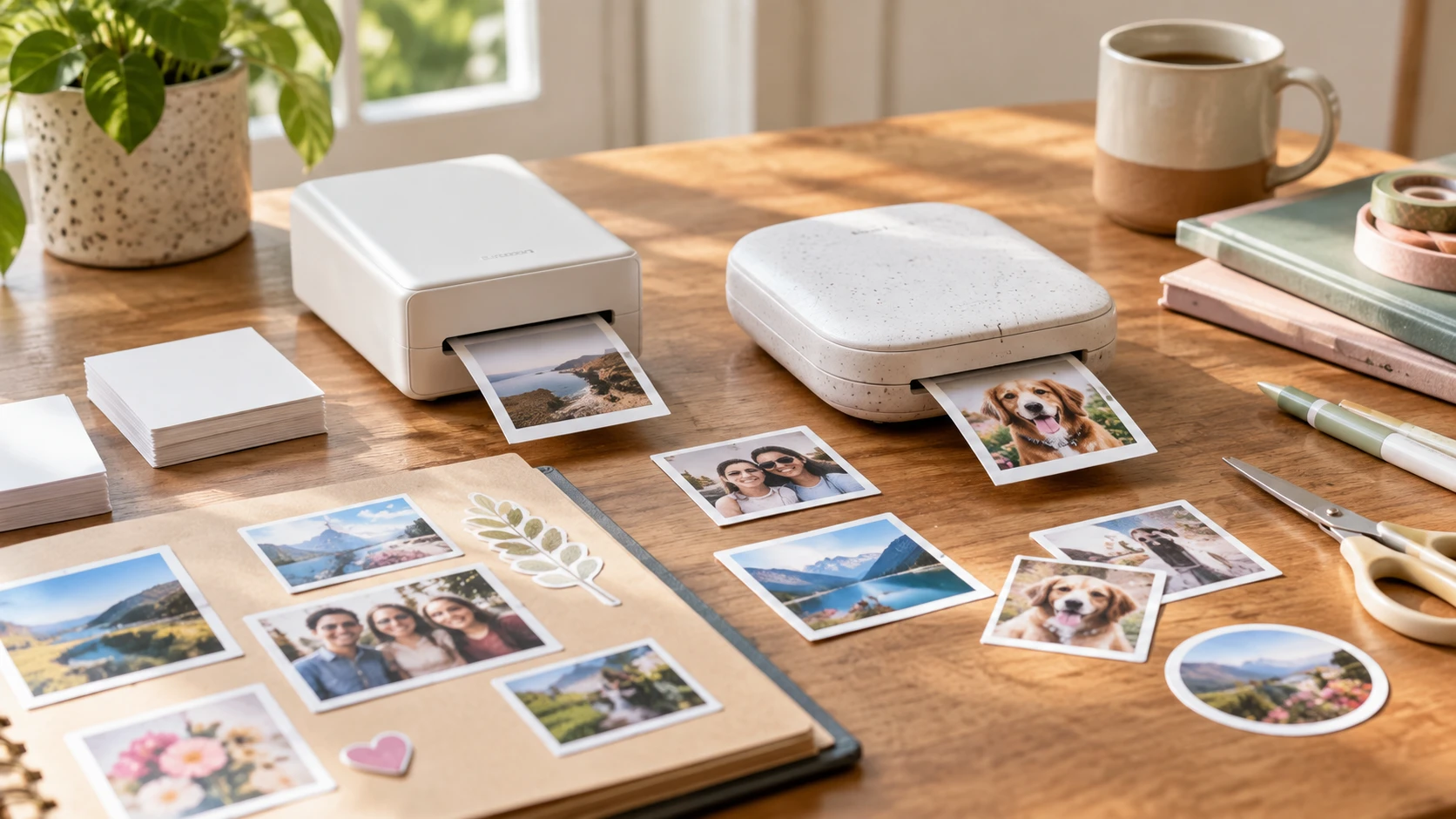
The Canon SELPHY QX20 sticker printer is a portable, battery-powered dye-sublimation unit with an integrated paper tray. Its saved description names two sticker-paper formats: XC-20L card size at 2.1 by 3.4 inches and XS-20L square at 2.7 by 2.7 inches. Paper is not included in the listed box. That makes the first decision surprisingly concrete: pick the intended shape, then buy the matching stock before planning a scrapbook session.
Image framing matters on a small sticker. The published guide to photo print size and resolution checks can help when selecting phone images for those formats. A wide group shot may make every face tiny on a square print, while a close portrait may fit a card format differently. Try one image in the printer's app and inspect its crop at the size you plan to keep. The guide addresses image and print sizing, not a measured quality comparison between these two printers.
The HP Sprocket Panorama craft printer is presented as a palm-sized ZINK photo, label, and sticker printer. Its saved bundle includes ZINK paper, a protective carrying case, a photo album, sticker set, tape, scissors, markers, and sticker frames. It connects to iOS and Android devices by Bluetooth and uses the HP Sprocket Panorama app for filters and layouts. The listing does not specify a finished print dimension, so confirm the available paper format before designing a page around a particular sticker size.
Let the album page set the format — photo print size and resolution checks
Canon's two stated formats support different placements. A 2.1-by-3.4-inch card-sized print can sit beside a handwritten caption or inside a slim pocket. A 2.7-inch square makes a compact, balanced tile for a grid of moments. Both are sticker paper in the saved description, but the media codes differ. Check the code on a refill pack; a paper purchase for one format should not be assumed to serve the other without a specific compatibility statement.
The card and square formats have similar overall print area but very different outlines. A landscape scene may need a tight crop for the square, while a vertical portrait can use the card shape more naturally. Check the crop preview for hands, faces, and any sign or date that gives the image meaning. If the app offers a border, look at the final image area inside it. The paper dimensions describe the sticker, not necessarily the exact area occupied by the photograph after a layout is applied.
The HP bundle's description emphasizes labels, stickers, and a craft workflow. It mentions a paper cutter on the printer, yet it does not state paper width, maximum cut length, or the number of sheets or prints supplied. “Panorama” in the product name is too vague to use as a measurement. If you need a strip to fit a particular planner column or an album margin, get the dimensions of the current HP media first. Test one printed label against the actual page before buying a large refill supply.
The two printers also invite different image choices. A small face on a busy background may disappear once reduced. A close-up of a person, pet, ticket stub, or landmark can carry its subject more clearly. That is a composition check, not a claim that either printer changes a photo's detail. Keep the original image on the phone, create a separate crop for the intended paper, and look at a trial print in the album's usual light before committing to a whole batch.
For a school project or travel journal, sketch where photographs, dates, and handwriting will go. Count how many printed pieces the page really needs. That count determines how much refill paper to bring and whether the fixed card or square sizes are convenient. HP's included album and decorating tools may help someone start immediately, but the saved source does not state how many prints its included paper supports. Canon's package explicitly requires a separate paper purchase.
Keep a small inventory before inviting others to print. Note which stock fits the Canon format you chose, how much HP media is in the bundle after a test, and where replacement supplies can be obtained. A pack label can be more useful than a printer-family name when several compatible-looking products sit on the shelf. Set aside a few sheets for mistakes or changes of mind. A birthday album with twenty planned images often needs more than twenty pieces of paper once friends start trying crops and captions.
Compare the printing methods without guessing at quality — HP Sprocket Panorama craft printer
Canon describes dye sublimation. Its listing says finished prints are instantly dry, water-resistant, and ready for a marker, with a design-life claim of up to 100 years. Those are product claims, not a durability test under the heat, sunlight, adhesives, and handling of a particular album. A sample print can show immediate color and surface appearance. Long-term fading or water resistance needs evidence beyond a fresh page from either device.
HP describes ZINK Zero Ink technology and says cartridges, ribbons, and toner are unnecessary. Its listing calls the prints smudge-proof and fade-proof. Treat those absolutes as marketing language until tested; a scrapbook may spend years in light or humidity conditions that the product text does not define. ZINK also requires its own compatible paper. “No ink cartridge” should not be mistaken for “no consumables.” Check the cost and availability of the actual refill stock for the amount of printing you plan.
These technologies use different media systems, so the paper supplies are not interchangeable. The source does not include the same photo printed on both, calibrated color measurements, or a controlled fade test. There is no grounded color-quality ranking here. If reproducing a particular shade is important, print a photograph with familiar skin tones and another with a strong saturated color, then compare the real output. Save the settings used so a later refill can be checked against the first batch.
The Canon description mentions a pattern-overlay capability associated with the earlier SELPHY QX10. The HP app description names filters and creative layouts. Those are design tools, but the listings do not map every overlay or template option. If a particular border, collage, or caption arrangement is essential, confirm it in the current app before buying paper for a project. A decorative preview may also leave less room for the photograph at these small dimensions.
Check the phone connection at the table — HP Sprocket Panorama craft printer
Canon uses a QR-code Wi-Fi connection with Android and iOS devices, according to the saved listing. HP connects those phone platforms over Bluetooth. Neither source gives a supported phone-model matrix or a measured setup time. If the printer will be passed among several people at an event, test how a second phone connects and whether everyone needs the same app or account. A printer that works smoothly with one person's phone may still take setup work when guests take turns.
Canon's built-in battery and integrated tray are listed portability features. The HP description names a USB-C port, power button, and case, but it does not specify battery runtime or charging time. Do not infer a longer event capacity for either from its size. Charge the unit, pack any required cable, and run enough sample prints to learn how long your own session can continue before a recharge or paper refill.
HP's case has a compartment, mesh elastic pocket, and detachable strap in the saved description. That may simplify carrying the printer, paper, and craft tools together. Canon's source does not list a carrying case. The HP bundle's scissors, markers, frames, and album may matter if this is a one-time party project; an experienced scrapbooker who owns those tools may value the media format and print process more than the accessories. Compare the box contents to what is already on the craft table.
Plan for interruptions. If the phone loses its connection while an image is being sent, check whether the print finished before sending it again. Keep the paper flat and clean, and follow the device's loading instructions for the exact stock. Neither listing states that a failed transmission can be safely repeated without wasting media. A small trial before the event is less frustrating than discovering a paper or connection problem in front of everyone.
Buy for the project you will make — HP Sprocket Panorama craft printer
Canon gives the clearest source-backed answer when the project calls for a 2.1-by-3.4-inch card sticker or a 2.7-inch square. Its battery, integrated tray, Wi-Fi QR setup, and dye-sub process are spelled out; buy the chosen stock separately. HP's Sprocket Panorama kit is oriented toward a craft session with included ZINK paper, an album, case, and decorating tools, plus Bluetooth and an app. Confirm its print dimensions and included paper quantity before choosing it for a precise layout.
Make one page before printing a whole album. Pick a group photo, a portrait, and a label or caption image. Crop each for the intended position, make the prints, and check whether the text and faces remain legible at arm's length. Then count the paper and supplies the finished album will require. That page is a better buying reference than the printer's name or a promise that every print will resist fading forever.