Crypto Commerce
Canon PowerShot V1 vlogging camera — Camera bundles for moving footage and spoken pieces
Compare Canon PowerShot V1 vlogging camera by movement, framing, audio accessories, high-frame-rate claims, storage, and power planning.
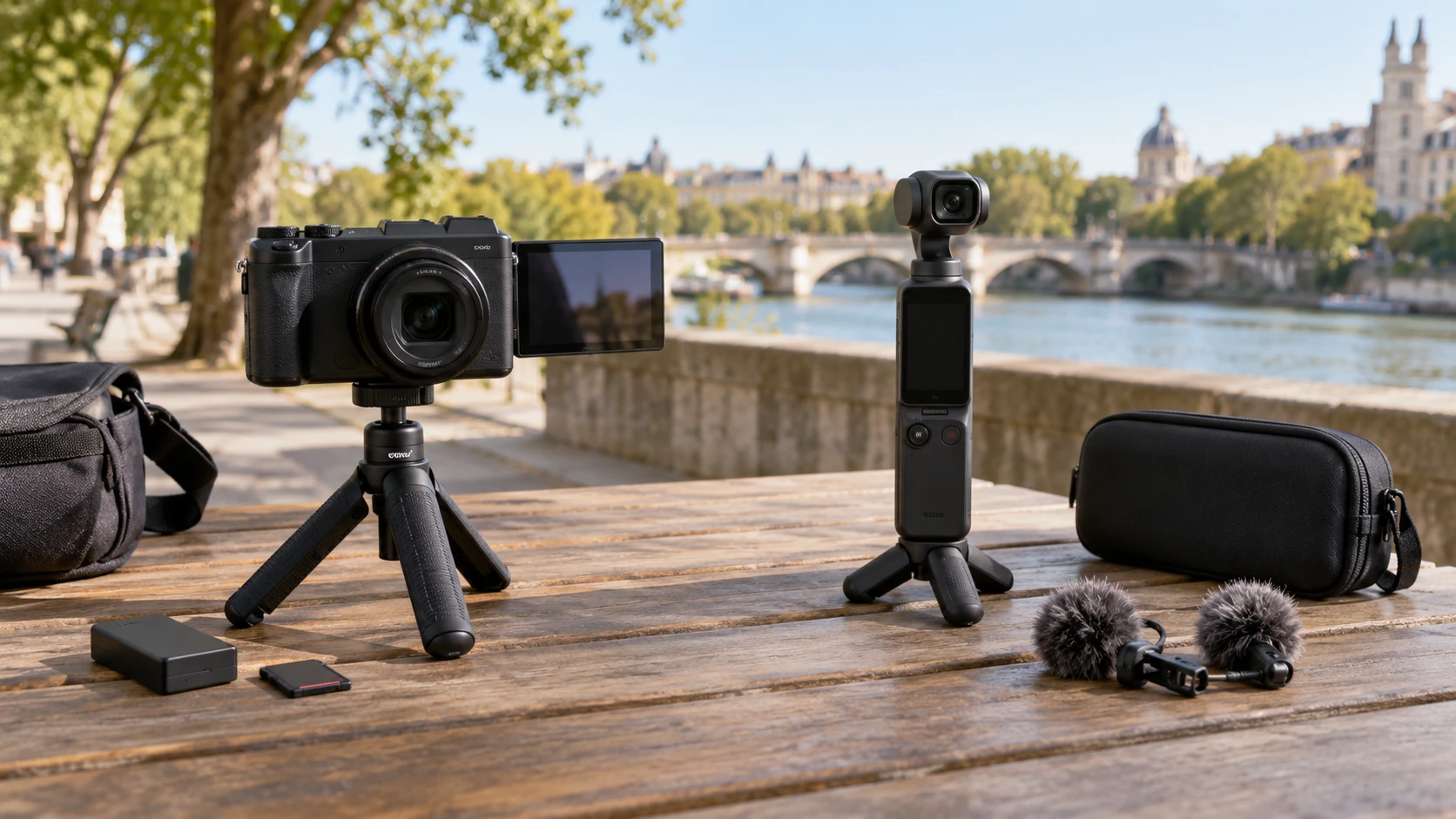
The Canon PowerShot V1 vlogging camera is offered here as an international-version bundle with an articulating screen, a 64GB card, a replacement battery, and a flexible tripod. A published guide to camera battery planning away from charging helps frame a full-day shoot, but it does not measure either bundle here. The DJI Osmo Pocket 3 vlogging camera lists a three-axis stabilized camera, a rotating two-inch screen, a case, and two lapel microphones. Their saved descriptions support different shooting plans; they do not contain matched footage or audio tests.
Match the camera to the movement in a shot — DJI Osmo Pocket 3 vlogging camera
DJI names built-in three-axis stabilization and face or object tracking. That combination is relevant to walking while talking, following a person through a room, or making a moving tour without carrying a large support rig. The listing does not show sample footage at the pace, lens view, or lighting you will use. Stabilization helps manage camera movement, but it cannot correct every jolt, poor framing decision, or subject that leaves the frame. Watch current sample clips for your kind of movement before choosing on a feature label alone.
Canon's listing emphasizes face-detecting autofocus that follows a subject while moving or filming solo. It does not give a corresponding stabilization specification in this saved row. That is an evidence gap, not proof the camera lacks one. If walking video is central to your work, check the exact camera manual and representative footage, including whether any stabilization setting changes the field of view. If you mostly record a seated interview or overhead demonstration, the flexible tripod in this bundle may matter more than a motion-control headline.
Framing screens suit different working positions — DJI Osmo Pocket 3 vlogging camera
Canon describes a fully articulating touchscreen for self-framing, overhead shots, and low-angle work. A screen that can face the operator may help when the camera is on a tripod and no one stands behind it. The saved row does not state screen size, brightness, or whether every cable leaves it free to rotate. Check the position you need with an external microphone attached. A screen can have a useful hinge and still be hard to see in bright daylight.
DJI lists a two-inch rotatable touchscreen for composing and reviewing footage. Its small built-in screen could suit a compact handheld setup, while the rotation may make vertical and horizontal framing quicker. The listing does not document the screen's exact rotation sequence or how controls change between orientations. Try to visualize your most common shot: a short vertical clip, a horizontal interview, or a top-down product view. Look for a current demonstration of that exact move rather than assuming either screen solves every angle.
Similar sensor labels do not settle image quality — DJI Osmo Pocket 3 vlogging camera
Both saved listings use a one-inch sensor description. That shared label is not a side-by-side image test. Lens design, processing, exposure, focus behavior, and recording settings also affect a clip. Canon's Republeq's product-page text claims 4K capture and richer color than most phones; DJI's says up to 4K at 120 frames per second. Canon's row gives no frame-rate table, so this comparison cannot state that it lacks a high-frame-rate option. DJI's maximum mode may have limitations that the short row does not explain.
If slow motion is a key reason to buy, find the exact recording-mode tables, including resolution, frame rate, crop, autofocus, audio behavior, storage requirements, and heat limits. A 120-fps headline may be useful for action inserts while ordinary interviews use a different mode. If you deliver videos at a specific format, check that format first. Do not choose by a maximum setting that you will rarely edit or that your recording workflow cannot sustain.
Audio starts with the people in the scene — DJI Osmo Pocket 3 vlogging camera
Canon's description mentions a built-in microphone and the option to connect an external microphone. The bundle list does not include a dedicated microphone. That may be fine for narration recorded close to the camera, but a person several steps away may need a separate audio setup. Confirm the input connector, supported microphone types, and monitoring options from the exact manual before buying an accessory. The saved row's claim of clear built-in sound does not establish performance in wind or a noisy room.
DJI's bundle lists two lapel microphones. That sounds useful for an interviewer and guest, but the product text does not specify their models, wireless receivers, connectors, or recording path. Do not assume both can be captured on separate channels or that they plug directly into the camera. Verify the box contents and a current connection diagram. A bundled microphone is valuable when its actual wiring and placement fit the scene; otherwise it can add setup time just before an interview.
Inspect what the two bundles really include — DJI Osmo Pocket 3 vlogging camera
Canon's saved package list names the camera, a 64GB SF-G TOUGH UHS-II SDXC card, LP-E17 replacement battery, padded bag, HDMI Micro cable, battery charger, flexible tripod, USB-C cable and adapter, cleaning kit, card wallet, and reader. It is a long list, but included does not mean every accessory is the one you would have chosen separately. Confirm the replacement battery's manufacturer, supported charging method, and the exact card specification on the current offer. The listing calls this an international version, which deserves separate warranty and regional-service verification.
DJI's saved bundle list is shorter: camera, Deco Gear case, and two lapel microphones. It does not list a memory card, spare battery, or external charger. That absence in the row should prompt a package check, not an assumption about internal storage or charging. Compare the complete ready-to-shoot cost after confirming the accessories each setup requires. A bag and microphones serve different needs, so counting the number of box items does not tell you which bundle is more complete for your videos.
Power planning for a day away — camera battery planning away from charging
Canon's bundle includes a replacement battery and charger. The saved description does not provide recording minutes per battery, charging time, or the behavior of the camera while connected to USB-C power. The replacement battery may extend a field day, but only after you verify compatibility and carry both batteries charged. Note when you can change one without interrupting a long take. If the charger needs an outlet, a travel day may still require another power plan.
DJI's row does not give a runtime or list a spare power accessory. It would be wrong to infer how long the camera runs from its small body. Check the exact manufacturer's battery guidance for the settings you will use, especially high-frame-rate recording and screen brightness. Write a schedule for the longest day: minutes filming, breaks between locations, available charging stops, and time needed to offload footage. The guide's planning method applies to both setups without borrowing battery figures from another model.
Storage and transfer cannot be an afterthought — DJI Osmo Pocket 3 vlogging camera
Canon's listing specifies a 64GB memory card and reader. That gives an apparent starting path for capturing and moving files, but it does not say how many minutes of your chosen 4K mode fit. Bit rate changes that answer. Check the camera's approved card types and calculate storage against the modes you will actually record. Keep room for extra takes and a copy of important footage before formatting the card again.
DJI's listing does not specify storage media or a bundled reader. Find the exact camera's storage requirements and transfer options before the first shoot. High-frame-rate footage can fill media quickly; a full card can end a session just when the subject is ready. Consider how files move to your editing device and how you will back them up while traveling. Neither saved listing establishes transfer speed or an editing workflow, so those details need current documentation.
Size, grip, and mounting in daily use — DJI Osmo Pocket 3 vlogging camera
Canon's row calls the camera compact and travel-friendly, and the bundle includes a flexible tripod. DJI's row calls the Pocket 3 a compact setup with built-in stabilization. Neither provides complete dimensions or weights here. Handle comfort can vary more than a product photo suggests. If you film one-handed, check the control reach and the risk of blocking a microphone or lens with your fingers. If you place a camera on a desk, verify how it stands and whether the bundled support is stable at your preferred angle.
A gimbal-style handheld camera and a compact camera on a tripod invite different habits. One may encourage short moving sequences; the other may make planned, repeatable framing easier. That is a workflow judgment, not a claim that either camera is limited to one type of shot. List the clips you need each week and the support you will carry to make them. Accessories should solve a known filming problem rather than become extra pieces to pack.
Purchase and support questions — DJI Osmo Pocket 3 vlogging camera
Canon's Republeq's catalog marks the V1 bundle as an international version. That can affect warranty and service terms; the saved row does not explain the applicable region or administrator. Confirm the exact model variant, included charger and plug, return policy, and manufacturer support before paying. A camera body with many accessories is less attractive if a warranty claim would be difficult to make from your location.
DJI's listing describes a bundle assembled with a Deco Gear case and two microphones. Verify which items are original camera accessories and which come from the Republeq's catalog bundle. Ask for the written warranty terms for the camera and each added accessory. The listing does not establish how those terms interact. Keep the product ID and package contents clear so a replacement or return request refers to the correct offer rather than a different Pocket 3 kit.
Choose around two real shooting days — DJI Osmo Pocket 3 vlogging camera
Imagine one walking shoot and one seated interview. For the walk, decide how you will hold the camera, monitor framing, capture voice, and keep it powered. For the interview, decide whether one or two people need microphones and how you will check sound before a long take. Canon's saved bundle gives a spare battery, card, charger, and tripod; DJI's gives built-in three-axis stabilization and two listed lapel microphones. The missing specifications are different for each.
Neither saved row proves which camera produces better-looking footage or clearer sound in your setting. Confirm the exact recording modes and accessory connections, then watch examples that match your lighting and movement. A useful bundle is one whose known parts cover the shoot you will actually do, with a workable way to power it and bring the files home.