Crypto Commerce
Canon MF753CDW reconditioned color laser printer vs Oki B731DN Office Printers
Compare Canon MF753CDW reconditioned color laser printer by workflow, speed, paper, supplies, and service.
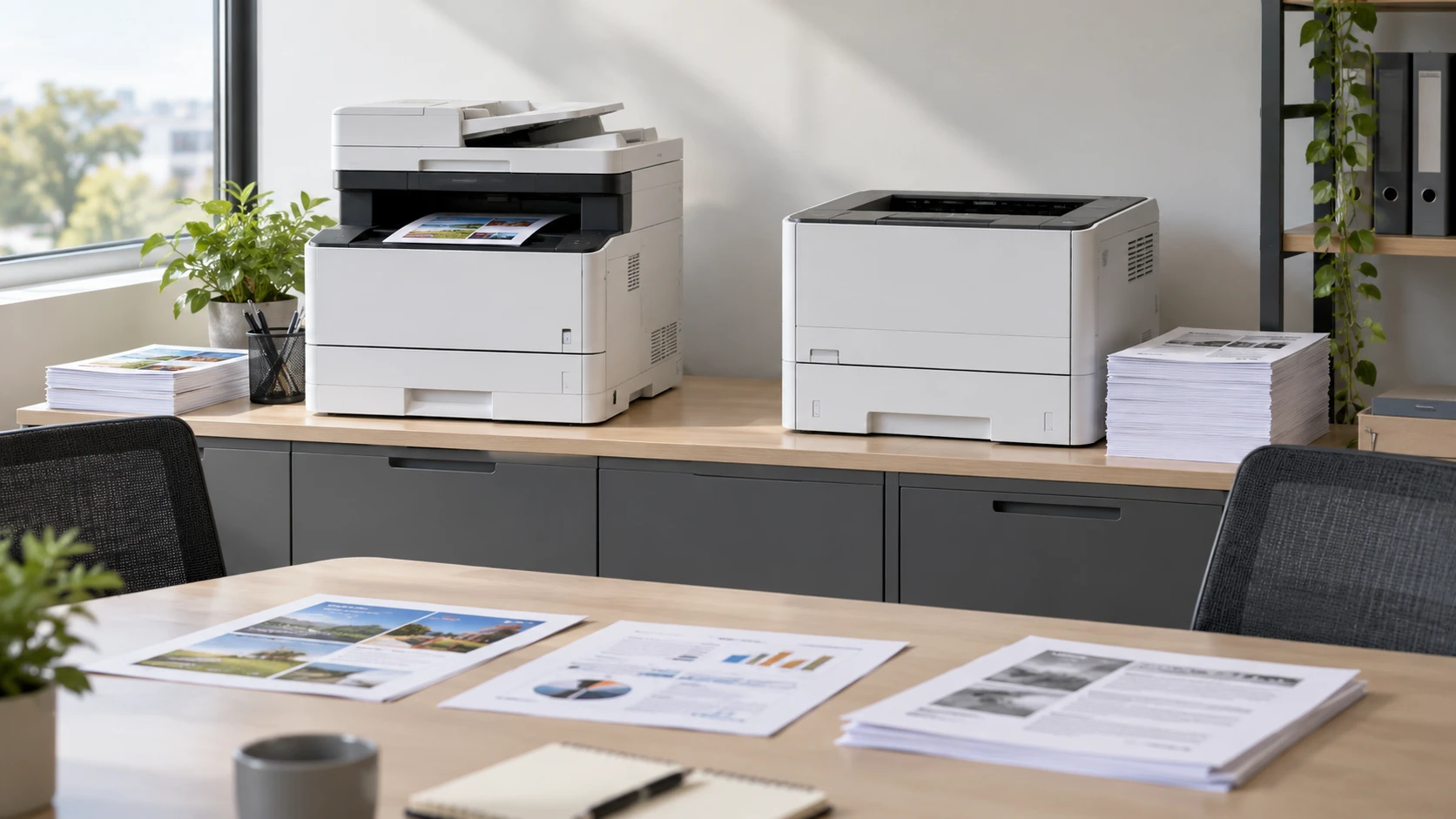
The Canon MF753CDW and Oki B731DN belong on different office shortlists. Canon's saved listing describes a manufacturer-reconditioned color laser machine that prints, scans, copies, and faxes. Oki's describes a monochrome LED printer designed for long document runs, with a larger paper supply and a higher stated maximum print speed. The useful question is which jobs employees actually send to the device: color packets and scanned forms, or frequent black-and-white documents in volume.
The catalog descriptions are not controlled tests in the same office. A maximum pages-per-minute figure does not include every pause for processing, duplexing, paper changes, or a crowded network. Use the specifications to plan a trial with representative files and the people who will maintain the printer.
Start with color and the tasks around printing — Oki B731DN monochrome workgroup printer
The Canon MF753CDW reconditioned color laser printer is described as a four-in-one device: print, scan, copy, and fax. A small office that receives signed paper forms may value the scanner as much as the printer. Its saved row names a flatbed for originals up to letter size and a 50-sheet single-pass duplex automatic document feeder for scanning and copying documents up to legal size. Verify how it handles mixed-size originals, staples, and the file destinations your staff uses before replacing a separate scanner.
Canon's color output can distinguish charts, annotations, and presentation pages when those distinctions matter to the recipient. It does not mean every document should be printed in color. Set ordinary text jobs to black-and-white if that is the office standard, and check whether users can choose the right default without navigating a confusing menu. The saved description does not include a measured color-page cost or a photo-quality evaluation, so a real sample page is necessary if client-facing color is part of the purchase decision.
The Oki B731DN row identifies monochrome output. It is a candidate for proposals, reports, memos, spreadsheets, and other text-heavy runs that do not depend on color. The saved row does not list scanning, copying, or fax functions. If employees rely on those tasks, keep a separate workflow or confirm current Oki documentation before treating one printer as a complete replacement for the Canon. A fast black-and-white device can remove a queue without meeting every office need.
Ask staff to bring the files they print repeatedly. A one-page letter, a 50-page report, a color chart, and a double-sided legal document expose different strengths. Count the pages that must be in color, the pages that need to be scanned, and the pages that can wait for a shared machine. The choice may be one multifunction printer, a dedicated monochrome workgroup printer, or a split setup, depending on actual volume and the cost of managing two devices.
Speed claims and real throughput — Oki B731DN monochrome workgroup printer
Canon's listing gives an ISO print-speed claim of 35 pages per minute for letter-size color duplex output. Oki lists a maximum monochrome print speed of 55 pages per minute and a first-print figure of five seconds. Those numbers are not directly comparable without their test settings. A short job can be dominated by wake-up and processing time; a long report is more likely to show the difference in sustained engine speed. Run the same ordinary work files through each candidate before assigning a shared printer to a busy team.
Oki's row names a monthly duty cycle of 280,000 pages. That is a durability ceiling, not a recommendation to print that many pages every month. Ask for the recommended monthly volume and maintenance schedule for the exact unit. A workgroup that prints a few hundred pages may gain little from a very high duty-cycle claim, while a high-volume office should check service access and supplies as carefully as speed.
The Oki lists a standard 530-sheet input tray plus a 100-sheet multipurpose tray, for a stated standard input capacity of 630 sheets. Its saved row says maximum input capacity can reach 3,160 sheets with additional trays. Confirm which optional trays are actually compatible and their cost. The listing also gives a 100-sheet output tray and a 500-sheet output bin, but it does not explain every configuration. A large input supply reduces refills only if the finished pages can be collected and sorted without piling up.
Canon's row does not give an input-tray capacity or a recommended monthly volume. Do not assume it matches the Oki's high-volume paper path. Ask how many sheets fit the current Canon configuration and whether legal paper uses a dedicated tray or an adjustment to the main tray. For a shared office, the time spent opening drawers and reloading special paper can outweigh a modest difference in rated pages per minute.
Both rows mention automatic two-sided output. Canon's ADF also supports single-pass duplex scanning, a separate capability. Check that the computer's print driver defaults to the intended duplex setting and that staff can choose one-sided output for labels, envelopes, or forms that require it. Test a long two-sided job for page order and curl. A duplex feature on a spec sheet is useful only when the resulting stack is ready for the next step.
Paper types and output detail — print-image resolution and size guide
Oki names plain paper, envelopes, bond paper, and banner paper in its media list, plus A4, A5, B5, letter, legal, executive, Com10 envelopes, and custom sizes. It claims a maximum monochrome resolution of 1200 by 1200 dpi. Check the supported weight and feed path for the specialty stock your office actually buys. A format name alone does not prove that an envelope or banner will feed well from a specific tray in a long batch.
Canon's description says its ADF handles documents up to legal size and its flatbed handles originals up to letter size. Those are input-original limits for scanning and copying, not a complete list of printable paper sizes. Ask for the print media specification separately. A legal-size paper workflow may be easier on a machine with a clear tray setup, but the saved row does not settle how Canon's output path handles every stock type.
The published print-image resolution and size guide concerns the relationship between an image file and its final printed dimensions. It is relevant when an office prepares graphics for a report or handout: a printer's dpi claim cannot repair a small source image. The guide does not establish photo quality or color accuracy for either Canon or Oki. If image output matters, print a known file at the size it will actually be used.
A chart that looks readable on a large monitor may become cramped on letter paper. Preview the page at final size, then test fine lines, small type, and grayscale patterns. Oki's monochrome output may need a revised chart palette or hatch patterns to distinguish categories. Canon can use color, but its saved row does not quantify registration, gamut, or how heavy color coverage changes cost. Check the final paper rather than assuming the file preview tells the whole story.
Connections and office software — Oki B731DN monochrome workgroup printer
Canon lists Wi-Fi, USB-B, and Ethernet, controlled through a five-inch color touchscreen. That gives several ways to place it on a network or connect it directly to a workstation. Determine which path the office will actually support. A wired Ethernet connection may fit a shared device in a fixed location, while Wi-Fi can help when cabling is difficult. Verify network security, driver support, scan destinations, and whether the display's workflow is clear to occasional users.
Oki lists USB 2.0 and Gigabit Ethernet, plus an LCD display and USB direct printing. The saved row does not name built-in Wi-Fi. Check the current manual before buying it for a location with no network cable. Its listed language emulations include PCL 5e, PCL 6, PostScript 3, Direct PDF, XPS, IBM ProPrinter, and Epson FX. These can matter to older applications or managed print queues, but compatibility should be tested with the actual office software and driver package. A language list is not proof that a particular legacy form prints correctly.
If employees use laptops or a shared print server, test connection and authentication from each required operating system. Oki's row names Mac and PC platforms without version detail; Canon's saved row gives no comparable operating-system list. Print a representative file, then scan a multi-page document through the Canon and verify where the resulting PDF lands. A device that prints from one computer but cannot deliver scans to the team's workflow is only partially installed.
Supplies, service, and room fit — Oki B731DN monochrome workgroup printer
Canon's saved package includes four high-yield compatible toner cartridges: black, cyan, yellow, and magenta. It states rated yields of 7,600 pages for black and 5,500 pages for color at five-percent coverage on letter or A4 paper. Those test yields are not a monthly cost forecast. Pages with large graphics can use toner faster. Confirm the cartridge brand, current compatibility, replacement availability, and whether the manufacturer-reconditioned warranty covers the supplied consumables.
Oki's saved package lists a starter toner cartridge rated for 10,000 pages. Compare replacement toner, imaging components, and scheduled maintenance costs before treating a starter cartridge as a permanent advantage. The row does not provide a cost per page. Ask for local supply pricing and the service interval at the team's expected volume. A printer that saves time in the queue can still be expensive to run if supplies or repairs are difficult to source.
Canon's row calls the unit manufacturer-reconditioned and gives a one-year manufacturer warranty. Verify the Republeq's product description of the reconditioning, what was replaced, the page count if disclosed, and how returns work. Oki's saved row gives a one-year limited warranty with on-site service information. Confirm that on-site coverage applies in the office's location and what response time is offered. The two warranty phrases cannot be assumed to provide the same service.
Oki's saved dimensions are roughly 16.1 inches high, 17.1 inches wide, and 19.6 inches deep, with an approximate weight of 59.5 pounds. Check the table's load capacity and leave room to open trays and reach the rear connection. The Canon row does not provide dimensions, so measure the current product before designating a shelf. Also account for noise and heat near workstations; neither saved row gives comparable acoustic figures for a normal print run.
Both products were available in the saved catalog snapshot, but current stock and price can change. Include optional trays, cables, replacement toner, and delivery in the comparison. If fax is required, confirm the telephone or service connection the Canon needs. If all documents are black and white but a separate scanner already works well, the Oki may be the simpler queue choice. If staff needs frequent scans, copies, fax, and color from one station, Canon's multifunction design deserves a trial.
Run a representative office test — Oki B731DN monochrome workgroup printer
Test the Canon with a double-sided color packet, a legal-size scan through the ADF, and a copy job from the touchscreen. Test the Oki B731DN monochrome workgroup printer with the longest recurring report, an envelope batch, and the office's normal network queue. Record setup time, print time, paper handling, and any intervention.