Product Compatibility & Accessories
Cameo 4 blade compatibility: a shared material name is not enough
Check Cameo 4 blade compatibility using the Silhouette Rotary and 3mm Kraft offers, their documented actions, material guidance and separate mat requirements.
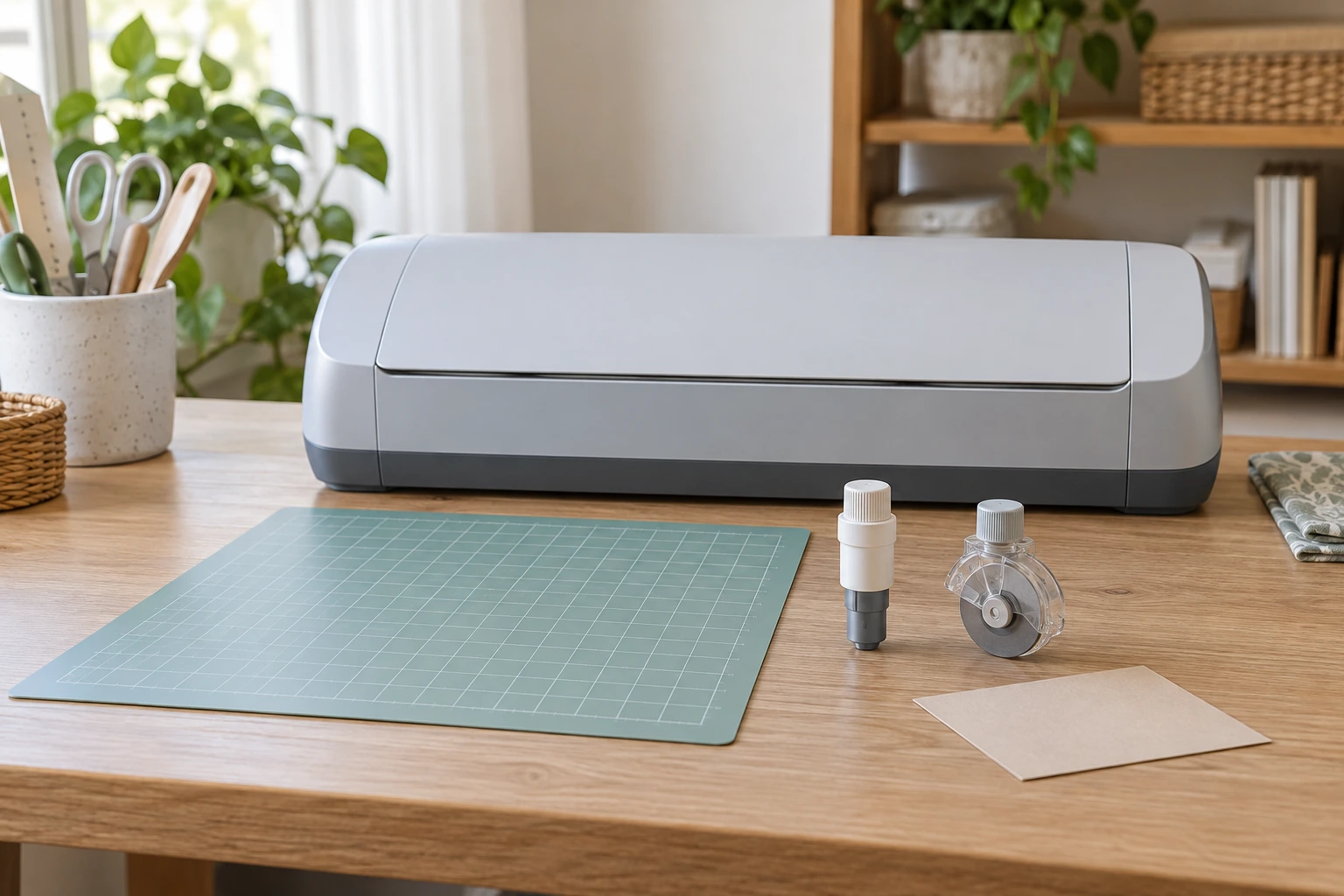
Cameo 4 blade compatibility needs a particular machine, tool and material together. Finding leather in a manufacturer's material examples does not select the complete cutting arrangement. Silhouette describes different actions for its Rotary Blade and Kraft Blade, with different adjustment accounts. Establish the actual material and the applicable tool guidance before choosing a bulk accessory offer.
Leather appears in Silhouette's current Rotary Blade support description and in its dated introduction to the 3mm Kraft Blade for Cameo 4. To choose between those accounts, identify the actual piece and the documented setup it needs. This article compares the documented roles without installing blades, prescribing settings or reporting a cutting trial.
Identify the machine before selecting the accessory
Begin with the actual machine identification, including the generation and any relevant model suffix. Keep that identity with the manufacturer's current tool information. Cameo alone leaves the machine generation unresolved. Do not select an accessory from a familiar brand name while leaving the particular machine undecided.
The two retail offers considered here both name Cameo 4. This establishes their stated target, without identifying the unit you own. If the machine is shared, confirm which unit will perform the work before ordering. The tool bought for another machine in the same room should remain attached to its own compatibility information.
Read the actual 3mm Kraft offer as one identified part
The Silhouette SILH-BLADE-KRAFT-2 six-pack offer describes six stainless-steel Kraft blades with a blade-length range of 0.1 mm to 3 mm. Its identifiers include SKU sku-1859018986 and UPC 197220217421. It names the Silhouette Cameo 4 machine, sold separately, and gives the catalogue size as 3 mm.
Retain the complete item code when seeking the matching tool information. Silhouette's general Kraft support account discusses both 2 mm and 3 mm options. A reply about Kraft blades as a family may therefore leave the selected version unresolved. Ask about SILH-BLADE-KRAFT-2 and the actual machine rather than treating every reference to a Kraft blade as interchangeable.
The rotary offer names a different cutting tool
The Silhouette Cameo 4 Rotary Blade offer describes plastic-and-metal construction and the right, high-pressure carriage of Cameo 4. It lists compatibility with a Cameo 4 cutting mat, sold separately, and recommends a strong-grip, high-tack mat. Its title says 6 Pack, while the description says six packs.
Confirm what that order supplies if you need a particular number of individual blades. The word pack does not itemize its contents. The stated bulk arrangement does not change the tool's role or make a mat part of the supplied inventory. Keep the blade offer and any separately required accessory identified on their own terms.
Rotary and Kraft blade actions differ
Silhouette's current support page describes the rotary and Kraft blade actions differently. The Rotary Blade rolls a circular cutting edge across the material. Its examples include cotton fabric, leather, felt and wool, with cutting described without a stabilizer backing. That is the manufacturer's tool account, without a demonstrated result on the material you have.
The Kraft support page describes a broader blade angle and slope than standard Ratchet, AutoBlade and Manual Blade types. Its specialty-material examples include craft foam, chipboard and acetate. It lists manual adjustment and 2 mm or 3 mm blade-length options. Those details distinguish the Kraft family from the Rotary Blade's separately described action.
The same maker's Rotary support specifications state no adjustment and a blade-length range up to 1 mm. Do not copy the Kraft offer's 0.1 mm to 3 mm adjustment account onto that tool. Nor should the presence of a circular blade be treated as a measured guarantee for every fabric or leather listed under a broad material name.
Material support beyond the name needs the actual piece
For material support beyond the name, identify what you intend to cut before asking which accessory to buy. Retain the material supplier's actual description and any relevant specification. A note containing only leather leaves the particular sheet unresolved. The manufacturer's broad examples do not supply the identity, thickness or other requirements of that sheet.
Describe the intended result as well. Cutting a chosen outline from a sheet and making a different craft component can ask different questions of a proposed setup. Give the supplier the design and material information needed to answer the actual task. Do not turn another person's successful project into permission for a different unidentified piece.
If the material has backing or other attached layers, include that actual construction in the enquiry. A product description naming the visible face does not necessarily describe the complete item you intend to use. Obtain applicable information for the whole material, rather than transferring an example about an unspecified piece of leather to a layered craft product.
Keep the dated 3mm introduction within its scope
Silhouette's October 2019 introduction describes the 3mm Kraft Blade for Cameo 4 as slicing craft materials including foam, burlap, leather and acetate. It identifies carriage 2 on Cameo 4 and relates the tool's depth to that machine's increased clearance. These are statements about that identified tool and machine in the dated introduction.
Current support information discusses additional newer machines for the Rotary Blade and refers readers to a tool-compatibility chart for Kraft options. The older introduction should not become a current claim that no later machine supports the accessory. Keep this article's purchase question on the actual Cameo 4 combination, and obtain current matching information if another machine is proposed.
A blade-length label is not a universal material allowance
The selected Kraft offer labels its numerical range as blade length. That number does not, on its own, establish that every material with a matching stated thickness can be cut successfully. The actual material, applicable tool requirements and intended cutting arrangement remain part of the decision. Keep the feature label when copying the number into a purchase enquiry.
Silhouette's Blades Overview identifies frequency of use, total cutting-line length, design intricacy, material type and cutting settings as factors in blade lifespan. That source supplies another reason to describe the actual design when seeking guidance. It gives no measured lifetime for either retail offer. A pack of repeated blades does not establish how many finished pieces that particular project will produce.
Keep the cutting mat in the configuration
The rotary retailer description recommends strong grip and high tack. Silhouette's support pages say a Strong Tack Cutting Mat may be recommended for some materials, and the dated 3mm introduction also discusses a stronger-hold mat for some materials. Retain those qualifications while obtaining guidance for the actual material and accessory.
A mat being sold separately matters to the order. Check whether an existing mat is the actual supported accessory for the proposed arrangement before treating it as available equipment. A familiar colour or a mat that physically sits nearby does not identify its applicable specification. This article supplies no adhesive preparation, loading, surface treatment or substitute-mat method.
Automatic tool detection and blade adjustment have different roles
Silhouette's October 2019 Cameo 4 Auto Tool Detection explanation says a metal strip on its tools or tool adapters identifies the inserted tool to the machine and software. The software then populates tool and action options in the Send panel. It describes an Auto label beside the selected tool or action. This is the maker's description of a Cameo 4 identification feature, without a demonstration on your machine.
That detected identity remains different from the adjustment method in a blade specification. The current Kraft account names manual adjustment, while the Rotary account says no adjustment. An automatically populated tool name does not change those separately stated methods. Nor does the detection description establish the thickness or construction of your material. Keep the actual material and matching requirements in the selection process even when the software identifies an inserted tool.
Software guidance belongs with the selected tool
For the Rotary Blade, Silhouette's current support page says to use pre-created Silhouette Studio settings when the material type is listed. That points to a named tool-and-material account in the software. It is different from guessing settings from the retail pack count or the largest blade-length figure on another accessory.
Use the instructions applicable to the actual machine, tool and material when proceeding beyond selection. This guide does not reproduce cutting-force values, pass counts, cap-turning steps or a powered trial. If the material is absent or a setting remains uncertain, obtain the relevant manufacturer's guidance before treating the setup as established.
Read a tool chart with its exact item identity
Silhouette's current chart separately names Rotary Blade, item SILH-BLADE-ROTARY, and 3mm Kraft Blade, item SILH-BLADE-KRAFT-2. It labels both rows Type C. Those literal row identifiers help distinguish the named tools from 2 mm Kraft options elsewhere in the chart. They do not make all blade-family names equivalent.
The retail rotary description does not separately state that item code. Confirm the supplied tool identity where a chart-based answer depends on it. Read the applicable chart's complete model columns, symbols and conditions rather than treating an extracted blank cell as a compatibility result. A machine or accessory change requires its own matching entry.
A practical enquiry can carry one complete proposed arrangement
Imagine an explicitly fictional craft worker who owns a Cameo 4 and has a piece sold simply as leather. They have not yet established which documented material description matches it or which mat is appropriate. Both blade descriptions contain a familiar material word, but neither has answered those missing questions. Buying six of either tool would leave them open.
The worker can obtain the material's actual information, identify the intended outline and check the corresponding manufacturer requirements. Their enquiry should name the actual machine and proposed blade, alongside the mat and material information already established. A reply about a different piece or another machine can remain useful background without being relabelled as an answer to that combination.
Use the related blade guide for its different interface question
The oscillating-tool blade-fit guide keeps the actual FEIN and Diablo offers attached to complete mounting designations, part numbers and additional tool restrictions. Here, the two named Cameo 4 accessories already present a more specific material-and-action question. The oscillating tools' mounts and operating ratings supply no cutting-machine attachment method.
The external DVD-drive compatibility guide separates the actual TerraStock and Inspiraflux offers' host, media and software requirements. That distinction helps keep the machine, accessory, material and software roles visible in this craft enquiry. Its USB and disc requirements do not establish a Silhouette setting or material allowance.
Order the accessory after the configuration is established
Choose the actual tool and supplied quantity after obtaining the information that settles the intended arrangement. Retain any unanswered rotary pack-content question and keep a separately required mat on the order plan. A bulk package can supply repeated accessories, but it cannot resolve an unknown material or replace the matching instructions.
For Cameo 4 blade compatibility, the useful conclusion names the actual machine, the particular blade and the documented material-and-mat arrangement. A material word shared by two source descriptions is a starting point for that enquiry. Continue through the applicable manufacturer's instructions only after the missing configuration questions have been answered.