Crypto Commerce
Blair Tech 600G4 gaming bundle vs STGAubron ABR1924: buy a desk setup or a tower?
Compare Blair Tech 600G4 gaming bundle by graphics, storage, Windows edition, displays, ports, and total setup cost.
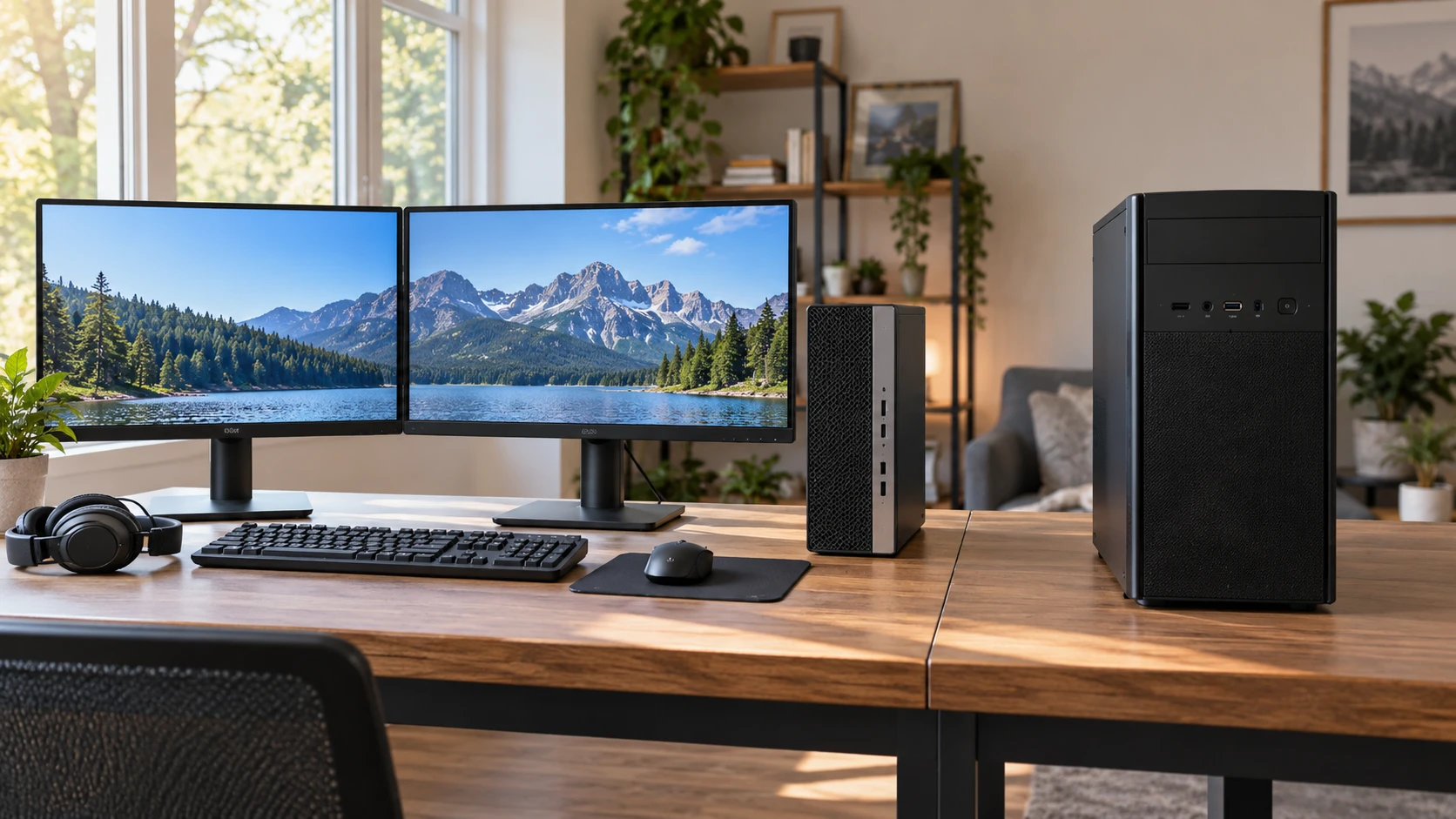
These listings invite a comparison of graphics cards and processors, but their package boundaries differ first. The restored Blair Tech 600G4 is offered as a gaming desk bundle with two 24-inch monitors and several accessories. The STGAubron ABR1924 listing describes a gaming desktop tower with an RX 580 graphics card, 1TB SSD and connection ports. If you already have a suitable display, the tower may be the cleaner purchase. If you are starting from an empty desk, the Blair package may save a series of separate orders. Price the complete setup before treating either product's headline price as the cost of a playable system.
The Blair Tech 600G4 gaming bundle is built around a refurbished HP 600 G4 chassis according to its saved description. It lists an eighth-generation six-core Intel Core i5, 16GB DDR4 memory and an AMD Radeon RX 550 with 4GB of graphics memory. The title gives a 512GB SSD while the body describes a 500GB NVMe M.2 SSD. That difference may reflect rounding or a package inconsistency; the saved evidence does not decide. Confirm the installed drive capacity and health on the exact delivered unit.
Hardware in the tower — STGAubron ABR1924 desktop
STGAubron lists an eighth-generation six-core Core i7 processor with a speed up to 4.10GHz, 16GB of DDR4 RAM, a 1TB SSD and an AMD Radeon RX 580 with 8GB GDDR5 memory. On paper, that is a different graphics and storage configuration from Blair's RX 550 and approximately half-terabyte SSD. Paper specifications identify the parts, not the frame rate of a particular game. The cards may also differ in condition, driver version and cooling. Ask for a test with the games, screen resolution and graphics settings you intend to use.
The STGAubron description claims 60 or more frames per second across a long list of titles, including demanding games. It does not provide the resolution, preset, test scene or version for that sweeping claim. Do not treat the entire game list as a performance guarantee. Pick two or three games you actually play and ask for frame-rate evidence at stated settings. A competitive title at low detail and a new visually demanding game are very different workloads, even when both launch successfully.
Blair's saved listing is more restrained: it describes 1080p play at low-to-medium settings in games such as Fortnite, Minecraft, League of Legends, Valorant and Rocket League. That still needs confirmation for your desired frame rate, but it defines a plausible test condition. If you care about streaming gameplay at the same time, include the streaming software in the test. A system that plays a title alone may behave differently when recording, voice chat and browser windows are active.
What arrives on the desk — dual-monitor gaming desk connections
The Blair package describes two new 24-inch LCD monitors, a wired RGB keyboard and mouse, RGB speakers and soundbar, USB headset, 2K webcam and deskpad. That is a broad starter kit. The source does not give monitor resolution, refresh rate, panel type or input ports. “New monitors” therefore does not tell you whether they are suited to a fast game or color-sensitive work. Confirm their exact model numbers and the cables included with the bundle. If one screen is for play and the other for chat or reference, a different monitor specification may be acceptable for each position.
The STGAubron saved source does not list a monitor, keyboard, mouse or headset in the package. Assume those still need a separate purchase or an existing one, unless the current Republeq's catalog confirms a bundle. Its tower price can be attractive to a buyer upgrading an older PC while retaining a good display. For a first gaming desk, add the actual screen, input devices, audio and webcam you need. A pair of monitors and accessories can exceed the difference between the two tower prices.
Plan dual-monitor gaming desk connections before choosing the bundle. STGAubron lists HDMI, DisplayPort and DVI, but the saved source does not state which outputs can be used simultaneously or at what refresh rates. Blair's description omits the graphics card's output layout and the included monitors' inputs. Verify all three ends of the intended connection: computer port, cable and display input. A bundle can contain two monitors and still require a particular cable or adapter for the arrangement you want.
Storage and daily applications — STGAubron ABR1924 desktop
Blair's title and description disagree between 512GB and 500GB for its SSD. Either is much smaller than the 1TB figure on the STGAubron listing. Make a list of the games you will keep installed at the same time, plus recordings, editing files and a reasonable update margin. A person who rotates through a few esports titles may be comfortable with a smaller drive. Someone who downloads large games and keeps video clips locally may value the larger listed capacity. Confirm the actual usable storage after Windows and bundled software occupy space.
Both machines list 16GB of memory. That can cover many ordinary gaming and school tasks, but the saved descriptions do not specify whether memory slots are free, whether installed modules are matched or how expansion works. If a future upgrade is central to the purchase, ask for the board and case details before ordering. The same goes for drive space and power supply capacity. A desktop case may appear easy to modify, yet an older refurbished office chassis and a purpose-built tower can have very different physical constraints.
Blair says Windows 11 Pro is installed on its refurbished unit. STGAubron lists genuine Windows 11 Home 64-bit. Pro may help with a work or school requirement, but verify the actual organizational policy and license activation. For a household game library, the edition difference may matter less than the hardware and software you run daily. Check the delivered system's activation status and current updates during the return period, especially with a restored computer.
Network, peripherals and ports — STGAubron ABR1924 desktop
Both sources list WiFi 6. Blair mentions Bluetooth without a version in the saved description; STGAubron specifies Bluetooth 5.0. Wireless labels do not guarantee a good connection at a particular desk. Test the PC where it will sit, including any wall or metal desk nearby. STGAubron also lists an RJ-45 Ethernet port for a wired network path. Blair's saved summary does not provide a complete rear-panel port map, so ask for one before planning a wired connection or several USB accessories.
The Blair package includes a wired keyboard and mouse, USB headset and webcam. Count the USB connections those items require, along with any controller, external drive or microphone you already own. If too many accessories need a hub, include that in the setup plan. STGAubron names serial, HDMI, DisplayPort and DVI in addition to Ethernet but does not give a full USB count in the saved description. Verify the precise port layout and how the graphics card outputs are arranged before buying an adapter.
For two monitors, check the desired resolution and refresh rate of each rather than relying on a single “supports dual monitors” assurance. A desktop may drive two displays for ordinary work yet offer different limits at higher refresh rates. The active video outputs, monitor inputs and cable versions all matter. Get the monitor model numbers from Blair and your existing monitor model from the STGAubron plan, then make a connection table before ordering.
Refurbishment and warranty questions — STGAubron ABR1924 desktop
Blair explicitly describes its 600G4 as restored and refurbished. The source says hardware validation and system stress testing have been completed, with technical support and a return policy. Those are useful claims, but the saved source does not provide the test log, drive health, cosmetic grade or return window. Request the exact condition and written terms. When it arrives, check fan noise, ports, storage health and the two included monitors while the return period is open.
STGAubron's saved description does not label its tower as restored. That absence does not establish a new-in-box condition or a particular warranty. Confirm the current condition shown for the exact item in Republeq catalog statement, package contents and return rights separately. Test the advertised RX 580 and 1TB drive identity as delivered. A long game list is a marketing claim; an actual sustained run of your chosen title is stronger evidence of stability.
The different age and component mix also make power and noise worth checking, although neither source gives a comparable measured figure. STGAubron lists four RGB fans. More fans in a description do not predict a quiet desk or a cool GPU under load. Blair's refurbished office-based chassis deserves its own thermal check with the installed graphics card. A 20-minute test under the game and screen settings you plan to use is more useful than inspecting the case lights.
Price the complete system — STGAubron ABR1924 desktop
The saved catalog prices are $1,050 for Blair and $885 for STGAubron. These are snapshot prices and the packages are not equivalent. Blair includes two monitors and desk accessories; STGAubron's source describes a tower. If the displays and peripherals in the Blair bundle meet your needs, the package may be efficient despite its smaller SSD and RX 550. If you already own a suitable screen and want the STGAubron's listed RX 580 and 1TB configuration, compare its tower with the cost of any missing peripherals and cables.
The STGAubron ABR1924 desktop is the candidate to investigate for a tower with the advertised RX 580 and larger SSD. Blair offers a fuller desk package with a defined restored condition and new monitors. Resolve the Blair drive figure, both display connections and the exact game performance you need before choosing. A complete purchase is the computer, displays, cables and support terms that work together on your desk.