Crypto Commerce
Beetronics 8VG7M industrial monitor vs GZCW portable monitors for fixed and laptop setups
Compare Beetronics 8VG7M industrial monitor by resolution, inputs, power, mounting, and intended use.
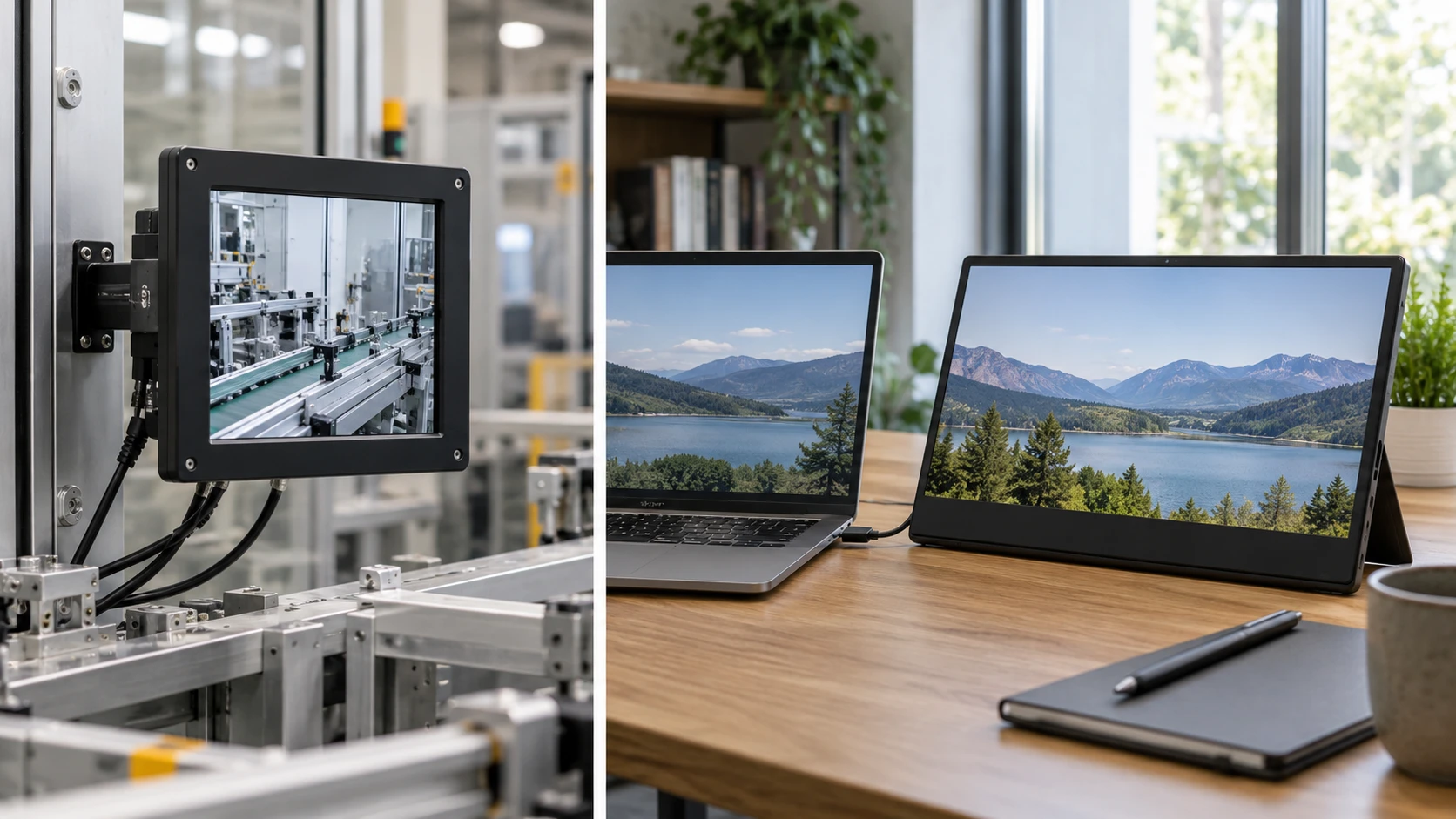
The Beetronics 8VG7M industrial monitor is an eight-inch screen described for continuous professional use, with several video inputs, flexible power requirements, and mounting options. GZCW's 15.6-inch display is described as a portable laptop expansion screen with a built-in stand and USB-C or mini HDMI connection. They serve different jobs. Beetronics may fit a kiosk, equipment rack, or compact control area where an image must stay visible in a fixed position. GZCW is meant to add a larger viewing area beside a laptop. The sensible choice begins with the source device and installation site, not with which screen has more pixels.
The published guide on screen aspect ratio for displays explains why the shape of a screen should match the content it shows. Its examples are general, not tests of these two products. Beetronics lists a 4:3 panel at 1024 by 768 pixels. GZCW lists 1920 by 1080 pixels, a 16:9 grid. A square-looking control interface or older camera feed might make better use of a 4:3 area; a modern laptop desktop and wide video are usually prepared for 16:9. Check the actual content before buying. Scaling or letterboxing can leave less usable image area than the panel's diagonal suggests.
Resolve the Beetronics resolution wording — screen aspect ratio for displays
The Beetronics title and description both pair “1024 x 768” with the phrase “Full HD.” Those terms conflict: Full HD normally refers to 1920 by 1080 pixels, while 1024 by 768 is a lower-resolution 4:3 grid. Treat 1024 by 768 as the specific number to verify for the exact 8VG7M unit, and check with Republeq to explain the Full HD wording. It may describe an accepted input signal rather than the physical panel, but the saved source does not establish that. Do not order it for fine text or high-detail monitoring until the native panel resolution and supported input modes are confirmed.
GZCW's source gives a straightforward 15.6-inch 1920 by 1080 IPS panel and a 60 Hz refresh rate. That provides more workspace for a second document, browser, or call window than the smaller Beetronics panel on the listed figures. Yet the extra pixels do not automatically make small text comfortable at every viewing distance. Try the normal font size and scaling you use on your laptop. A portable screen placed too far behind a keyboard can make a sharp image harder to read. The larger diagonal is useful when the screen sits where you can view and reach it without twisting your neck.
Beetronics describes an IPS panel with wide 178-degree viewing angles and a fully dimmable backlight. Those claims may matter if several people see a status screen from different positions or if the display operates in changing room light. GZCW also lists IPS but does not give a viewing-angle number in its short excerpt. Its on/off and brightness controls are named. If the display will face a customer queue, workshop, or vehicle cab, check brightness and reflections in that location. Neither source supplies a complete brightness test, so do not assume one will remain readable in direct sun.
Match the connector to the equipment — GZCW 15.6-inch portable monitor
Beetronics lists HDMI, VGA, BNC, and RCA inputs. That range could help when a control system or camera still uses an older video connection while a computer provides HDMI. Confirm the signal format and resolution accepted on the exact port, especially for analog sources. A connector's physical shape does not guarantee that every camera or legacy device will produce an image the panel can show. The listing says the ports face down from the rear, a detail worth checking if the screen will sit near a wall. Leave room for cable bends, strain relief, and access during maintenance.
The Beetronics source also names a USB-A port for direct media playback, including looping videos and slideshows. If you plan a small sign or information display, ask which file types, resolutions, and storage formats the player accepts. The excerpt does not provide that compatibility list or explain how a playlist is controlled. Test a real file before building an installation around the feature. A USB port used for media playback is different from the USB-C connection on GZCW, which the latter listing presents as a display path. Confusing those roles can lead to the wrong cable or source device.
GZCW says it connects through USB-C 3.1 or higher or a mini HDMI-compatible input, and works with Windows and ChromeOS without driver installation. Confirm that your laptop's USB-C port supports video output; the connector shape alone does not prove it does. For mini HDMI, check how the display receives power at the same time. The saved package list includes a USB 2.0 power cable and a mini HDMI cable, but it does not give a complete power-draw specification. Lay out the laptop, screen, and cables on a table before deciding whether the arrangement remains portable for your daily commute.
The GZCW box is described as containing the display, a USB-C 3.1 cable, a USB 2.0 power cable, and a mini HDMI-compatible cable. Verify those accessories with the current offer, particularly if the laptop has only full-size HDMI or a different USB-C implementation. A short cable can force the second screen uncomfortably close to the laptop, while an adapter may need its own power or signal support. Beetronics's saved description does not list bundled video cables. For a fixed installation, build a connector and cable list from the actual equipment rather than assuming a needed adapter will be included.
Plan power and physical placement — GZCW 15.6-inch portable monitor
Beetronics accepts a stated 9-to-36-volt input range. That flexibility may be useful in equipment installations, but the saved text does not specify the adapter, connector polarity, or power draw. Have the installer check the manual before connecting it to a vehicle, cabinet supply, or battery system. GZCW's short source instead emphasizes laptop connectivity and includes a USB 2.0 power cable. Neither description establishes that every laptop can power the screen over one cable. If a single-cable setup is important, verify it with the exact computer and display before making it part of a travel kit.
Beetronics can sit on a collapsible desktop stand or attach to a 75 mm VESA mount, according to its source. It also describes landscape and portrait orientation. Those options suit a fixed dashboard or narrow signage column, provided the content software can rotate correctly. Check the complete mounting dimensions and weight before selecting an arm or enclosure. GZCW lists a desktop stand and a weight of 820 grams. It does not name a VESA pattern or portrait mode in the saved excerpt. A light portable screen still needs a stable surface; a crowded airplane tray or shallow desk may leave little room behind the stand.
The two physical formats change how you handle the screen day to day. A small mounted display can stay connected to the same equipment and show one control view repeatedly. A laptop expansion screen may be opened, aligned, and packed away each time you work. GZCW's larger panel could make long documents easier to read; Beetronics's compact 4:3 panel may fit a machine opening where a wide display cannot. Ask for overall width, height, depth, and bezel dimensions. Neither source gives enough exterior measurements to approve a specific cutout, bag, or shelf from the screen diagonal alone.
Decide what continuous use means here — GZCW 15.6-inch portable monitor
Beetronics markets the 8VG7M for long professional operation and names industrial, marine, healthcare, security, retail, and point-of-sale settings. Those are intended-use claims, not proof that any particular installation meets industry requirements. Its saved description also states a two-year warranty. Confirm the current warranty terms and operating environment, including temperature and humidity limits, for the exact model. If the screen will run all day as signage, ask how the USB media loop behaves after a power interruption. Test the actual restart sequence before deployment; an unattended display needs predictable recovery more than a long list of possible industries.
GZCW's source does not make a comparable continuous-duty or warranty claim. That omission does not mean it cannot be used for a full workday, but it leaves the duty cycle and support terms to verify. If you will pack it with a laptop, check how the panel and ports are protected in transit. The listing gives 820 grams for the display, but not the total carrying weight with stand, power equipment, and cables. Add those items to your travel plan. A second screen is only convenient when its setup time and luggage space fit your routine.
Neither saved description provides measured color accuracy or a complete response-time test. A dashboard, document, and video feed have different demands, but neither listing supports a claim that one is better for professional color work. For Beetronics, settle the native-resolution conflict first. For GZCW, confirm that the laptop can output 1080p at 60 Hz through the chosen port. Then examine a sample of your real content at the expected distance. A compact control screen that presents a few large labels can be effective despite a lower pixel count; a spreadsheet may need the larger GZCW area.
The GZCW 15.6-inch portable monitor offers a larger 16:9 FHD workspace, named laptop connections, and a stand for temporary desk use. Beetronics offers an 8-inch 4:3 panel, more legacy video inputs, flexible-voltage and mounting claims, and direct media playback for a fixed role. Verify the Beetronics panel's actual pixel grid, each screen's power path, and the source signal before ordering.