Crypto Commerce
Beelink GTi12 12900H mini PC vs SEi14 125H: which small PC fits the job?
Compare Beelink GTi12 12900H mini PC by CPU, memory upgrade ceiling, storage slots, display outputs, Ethernet ports, and saved catalog price.
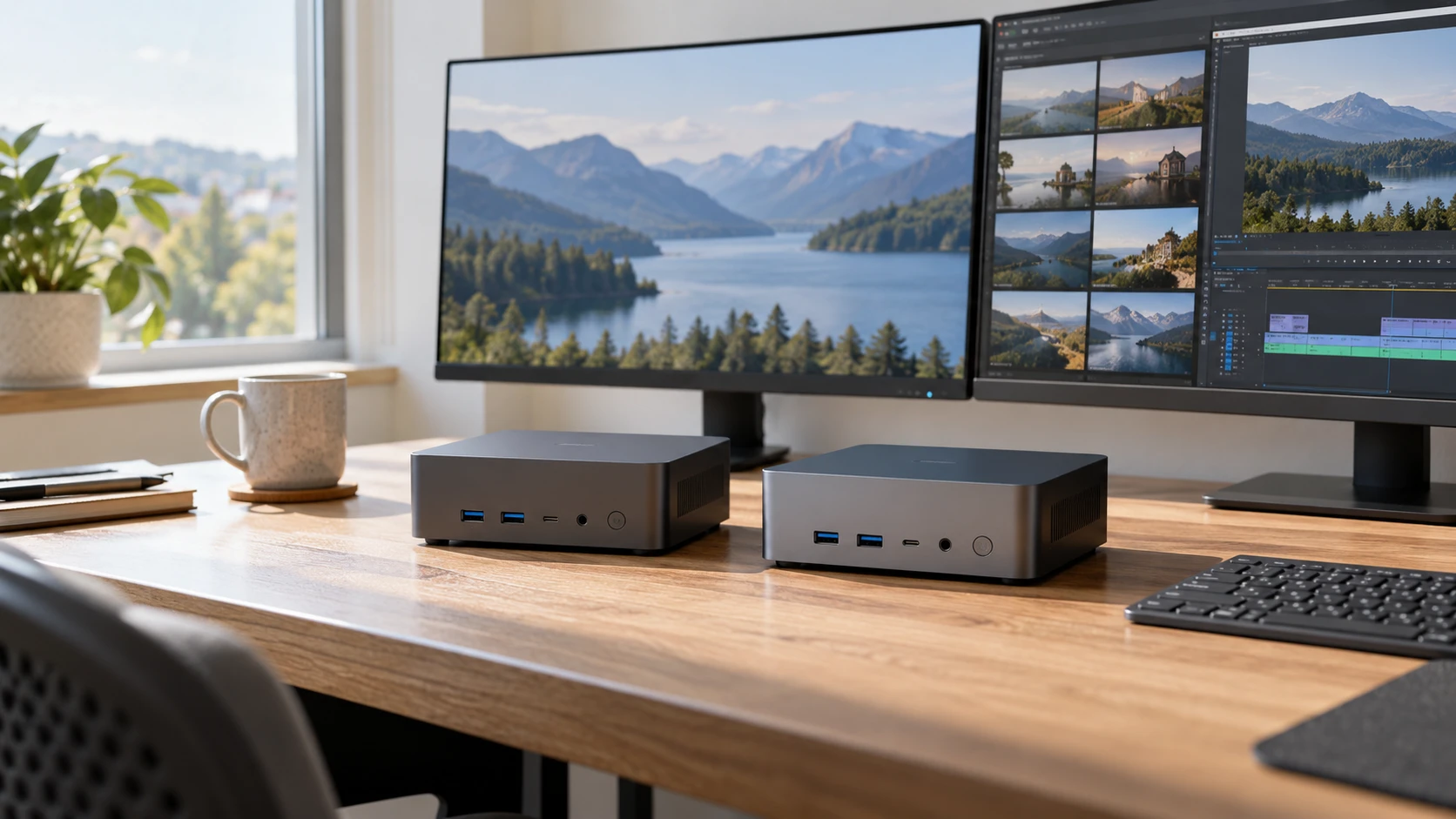
The two Beelink machines in this comparison arrive with the same headline memory and storage amounts: 32GB of RAM and a 1TB SSD. They also offer two M.2 storage slots, three listed display connections, and Windows 11 Pro preinstalled. Those similarities make the model names surprisingly easy to skim past. A closer reading of the listings points to different reasons to buy each one. The GTi12 has a Core i9-12900H, two 2.5G Ethernet ports, and a lower saved catalog price. The SEi14 has a newer Core Ultra 5 125H, faster listed memory, and a higher memory upgrade ceiling.
This is a comparison of the specific configurations in the saved product listings, not every GTi12 or SEi14 sold elsewhere. Check the current store pages for price, availability, and the exact configuration before ordering. The snapshot recorded $977 for the Beelink GTi12 12900H mini PC and $1,025 for the SEi14. That $48 difference is small enough that port needs or a planned memory upgrade could matter more than the initial price.
What the processor names tell you — Beelink SEi14 125H mini PC
The GTi12 listing specifies a 12th Gen Intel Core i9-12900H with 14 cores, 20 threads, 24MB of Smart Cache, and boost speed up to 5.0GHz. The SEi14 listing specifies a Core Ultra 5 125H with 14 cores, 18 threads, 18MB of Smart Cache, and turbo frequency up to 4.5GHz. Those are meaningful specification differences, but the listings do not provide a shared benchmark, thermal limit, or workload test. A higher boost number alone cannot tell you how either complete mini PC will perform during an hour of sustained work.
For work that often keeps many CPU threads busy, the GTi12's 20-thread specification is a reason to examine it first. That includes the kind of heavy multitasking and server activity named in its listing. It is not a promise that it will finish every task faster. Software behavior, cooling, power settings, and the particular workload all affect an observed result. If your main work is ordinary office software, browser tabs, and media playback, the processor table by itself is a weak reason to pay for hardware you will not use. In this pair, the listed prices happen to favor the GTi12, so the practical question is what the rest of each machine gives you.
The SEi14's Core Ultra branding signals a different generation of Intel platform, but this listing gives no directly comparable application results. Its documented advantages are easier to pin down elsewhere: DDR5-5600 memory instead of the GTi12's DDR5-4800, and a maximum listed memory capacity of 96GB instead of 64GB. Neither number establishes a noticeable speed difference in a particular program. They do establish that an owner planning a large memory upgrade has a larger stated ceiling on the SEi14.
Memory and storage after the first year — Beelink SEi14 125H mini PC
Both units start with 32GB. That is useful because the decision does not hinge on an immediate RAM purchase. The GTi12 row says its DDR5-4800 memory can be expanded to 64GB. The SEi14 row says its DDR5-5600 memory can be expanded to 96GB. If a future project has a specific memory requirement above 64GB, the SEi14 has the clearer path according to these listings. If your current workload sits comfortably within 32GB, the larger ceiling is only an option, not a benefit you will feel on day one.
Each machine includes a 1TB SSD and two PCIe 4.0 M.2 slots. The listings describe support for up to 8TB of internal storage. They do not say precisely how the supplied drive occupies those slots or whether the stated 8TB is a per-drive or combined practical limit. Anyone buying a second SSD immediately should confirm the free slot, supported drive dimensions, and current capacity guidance with the Republeq's catalog. A two-slot specification is a useful planning clue, but it is not a substitute for checking the installed configuration before you buy another part.
Storage expansion matters differently for a home media library and a work desktop. A media server may fill its included terabyte quickly and benefit from an internal second drive. An office computer may keep most files in shared storage and leave the included drive untouched for years. The hardware supports a plan; it does not decide which plan makes sense. Work out how much local data you actually expect to keep, then compare the installed SSD and expansion cost with the price of the whole machine.
Display outputs and desk setup — mini PC expansion path guide
Both product rows list HDMI, DisplayPort 1.4, and Thunderbolt 4 as routes to as many as three monitors. On the GTi12, the Thunderbolt 4 connector is described as carrying 40Gbps, DisplayPort 1.4, Thunderbolt, and power delivery. The SEi14's full-featured Type-C connector lists USB, DisplayPort 1.4, Thunderbolt 4, and power delivery. Each also lists a separate Type-C data connection. If a single-cable display setup is the purpose of the purchase, compare the exact monitor and dock requirements with the port descriptions instead of assuming every Type-C socket carries video.
The published mini PC expansion path guide offers a useful checklist for thinking about ports and future peripherals. It covers different mini PCs, so its model-specific conclusions do not transfer to either machine here. Use the checklist to count the actual displays, storage devices, network connections, and USB accessories that will live on your desk. A three-monitor claim helps only if the chosen screens and cables fit the available outputs.
The listings also mention integrated graphics and 4K media playback. The GTi12 text refers to Intel Iris Xe eligibility and Intel Arc Graphics support, while the SEi14 specifically lists integrated Intel Arc Graphics at 2.2GHz. Those descriptions are not a matched graphics performance test. Before selecting either unit for a particular game, editor, or display refresh rate, check that application's requirements and seek tests of the exact configuration. For media and regular desktop use, the documented display connections are the firmer comparison.
Networking is the clearest port difference — Beelink SEi14 125H mini PC
The GTi12 lists two 2.5G Ethernet RJ-45 ports. The SEi14 lists one 2.5G Ethernet RJ-45 port. A second built-in network connection can be useful when a small PC has to connect directly to two wired networks, or when a project calls for a dedicated network interface. If the computer will connect to a single router, one port may be all you need. Do not pay attention to the number two merely because it appears larger in a table; map the ports to cables you intend to attach.
The GTi12 also lists five USB 3.0 10Gbps ports, an SD card slot, two audio jacks, and the video and Type-C connections described above. The SEi14 lists two USB 3.2 10Gbps ports, two USB 2.0 ports, a 10Gbps Type-C data port, two audio jacks, and its video and network connections. There is enough difference in these layouts to warrant a small desk inventory. Count high-speed external drives separately from low-bandwidth keyboard or mouse receivers. The number and type of available ports will affect whether a hub becomes part of the purchase.
Neither row provides a complete physical port diagram or describes every cable included in the box. If the machine must fit into a fixed cabinet or use a particular dock, ask for the current rear and front panel images and verify the connector arrangement. The listing's word "compact" is not a measured dimension. This is especially relevant when the PC will sit behind a display, where cable clearance can be more limiting than the size of the case itself.
Software and operating assumptions — Beelink SEi14 125H mini PC
Both listings say Windows 11 Pro comes preinstalled and mention Linux, including Ubuntu, for development or server use. That is a useful starting point for a developer or home-lab buyer, but the descriptions do not certify a particular distribution, kernel, driver combination, or peripheral. If Linux support is decisive, look for current reports about the exact network and wireless hardware in the unit being sold. If Windows is the intended operating system, confirm the license and setup terms shown on the live product page at checkout.
The server language on these pages should also be read with care. Plex, database learning, and server setups are use cases mentioned by the Republeq's catalog; the rows provide no noise measurement, power draw under load, uptime record, or storage reliability test. For an always-on machine, those omissions matter. You can still choose one of these models, but plan around backup, placement, and electricity use using evidence beyond these product descriptions.
A purchase decision that survives the spec sheet — Beelink SEi14 125H mini PC
The GTi12 is the more direct fit when you want its specific combination of 20 listed threads, two 2.5G Ethernet ports, an SD slot, and the lower snapshot price. It is especially worth a closer look if dual wired networking is already on your requirements list. Its 64GB memory ceiling could become the limiting specification for someone planning very large local workloads, so make that forecast before treating the price difference as a saving.
The SEi14 is easier to justify when the planned machine needs the listed 96GB memory ceiling or when its mix of two high-speed USB-A ports, two USB 2.0 ports, and a separate Type-C data port fits your accessories. Its Core Ultra 5 125H and DDR5-5600 specification may appeal to buyers seeking that platform, but a platform label is not a substitute for measurements of the software you run. At the saved prices, you would be spending $48 more for this configuration; the live price could differ.
A final check is straightforward. Write down your current RAM use, number of wired network connections, number and type of displays, and any external drives or card readers. Then confirm those requirements against the two live listings. If you need only one network port and will never approach 64GB of memory, the decision may rest on the current total price and whichever USB layout is more convenient. If the 96GB ceiling is a firm requirement, the Beelink SEi14 125H mini PC has the documented capacity in this comparison. Keep any performance prediction conditional until you find a test of the exact machines doing your kind of work.