Troubleshooting & Repairs
Barcode scanner reads but no text appears: check each stage
Describe the actual scanner indication and receiving-application result before selecting a model-specific troubleshooting entry.
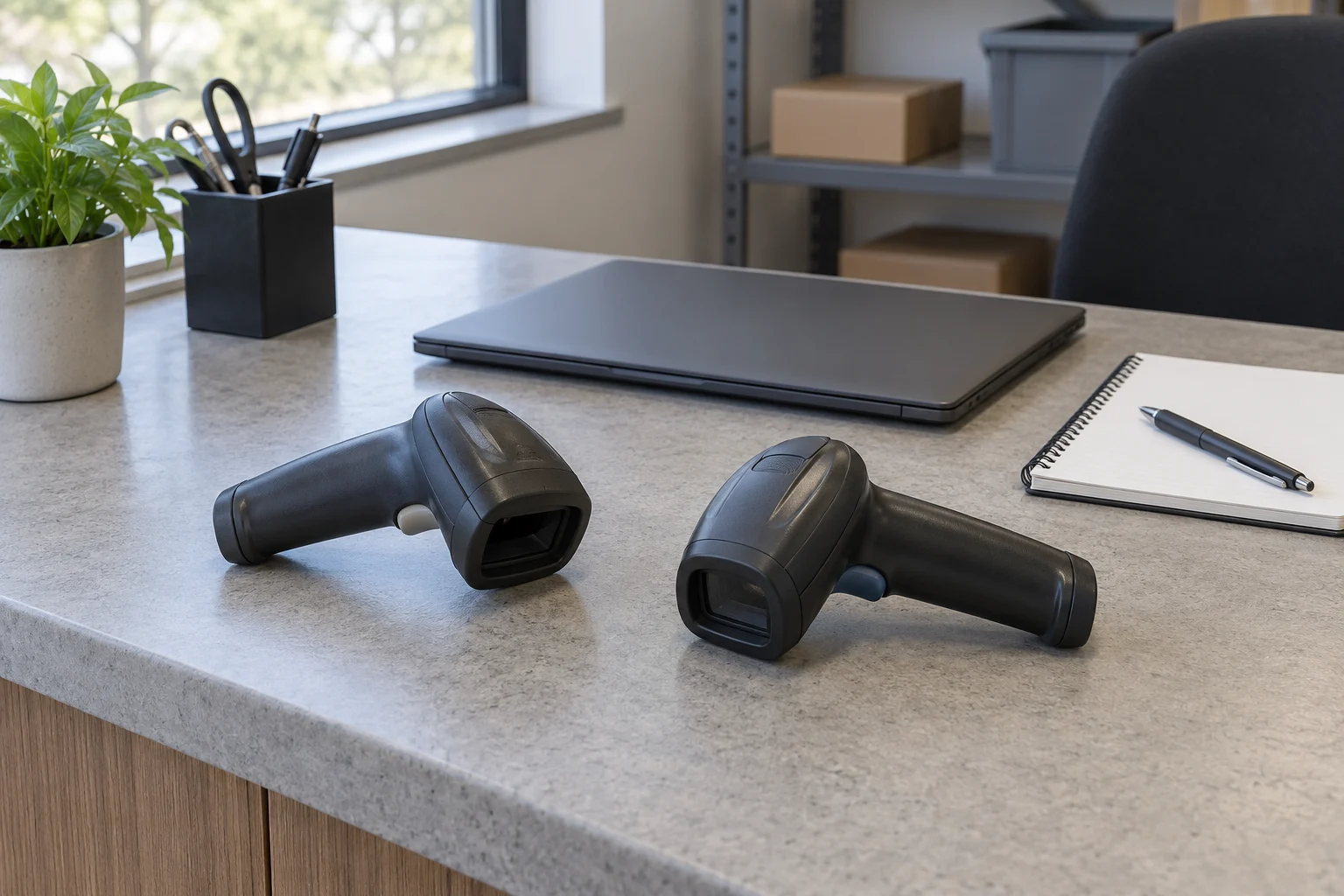
A barcode scanner reads but no text appears needs a more precise account of the event. Record what the scanner did and what the intended receiving application showed. An aiming pattern, an indication described in the matching instructions as a decode, and text visible in an application are separate observations.
Keep the actual scanner and host arrangement identified while investigating. This guide organizes the problem for a model-specific support question. It supplies no programming barcode, reset procedure or live checkout test. Use the actual equipment and application instructions for any permitted diagnostic operation.
Describe what you mean by reads
Start with the observation behind that word. You may have seen an aiming pattern, heard a sound or watched an indicator change. Write what actually happened before assigning a meaning to it. Match that observation to the applicable instructions for the actual model and configuration.
If you only remember a sound, retain that limited account. Do not silently add a successful decode, a completed transmission or a confirmed transaction. Preserve the information you actually have in this first description so support can select the applicable troubleshooting entry.
A useful note can say that the aiming pattern appeared and the expected field remained empty, if those are the events you observed. Another note may include a particular indicator sequence that you can reliably describe. These accounts leave different questions open, even though neither ended with the desired text on screen.
Ask the person who operated the scanner what they saw if you were not present. Keep their observations attributed to them. Two people can help reconstruct an event without either supplying an action or indicator the other did not witness.
Match the scanner before reading its troubleshooting table
The Zebra DS2208 offer identifies a black handheld scanner, catalog model 145673 and SKU 2370048942, with direct workstation or notebook use described. Zebra's DS2208 reference guide, MN-002874-14EN, separates no aiming pattern, aiming without decoding, decoding without host transmission, and incorrectly displayed host data.
Its troubleshooting table names host-type configuration and cable connection among possible causes of decoding without transmission. Wrong displayed data has its own entry. These are possible causes attached to specified observations, not a diagnosis of the unit in front of you. Use the matching instructions and authorized support for a configuration change.
Check the actual unit's identification against the manual before applying an entry. A retail category or a familiar scanner shape cannot establish the interface, cable or configuration in use. Keep a mismatch unresolved until the applicable instructions have been established.
Decode and host transmission are different observations
For decode and host transmission, identify which observation remains unconfirmed. A troubleshooting entry that begins with a completed decode should not be selected solely because an aiming pattern appeared. Conversely, a reliably identified decode indication should remain in the account when the intended application still shows nothing.
The distinction can shorten a support conversation. State the actual model and the indication you matched to its instructions, then describe the receiving application's result. This gives the support person the two sides of the event without treating the empty field as a complete explanation of what failed.
Keep timing in ordinary observed terms. If text appeared only after a later action, identify that action and the sequence you remember. Do not assign a precise delay unless it was measured. A later visible result should not be quietly rewritten as the result of the first scan.
If you cannot establish whether decoding occurred, say so. That uncertainty is useful information when choosing the next permitted check. It is more accurate than a confident statement that the scanner reads everything but the computer receives nothing.
Identify the application and intended destination
Write down which application and field were intended to receive the result. Describe what was visible there before and after the event, including an actual message if one appeared. Keep an empty field, changed text and an application error as distinct outcomes.
If the application showed an unknown-item message, preserve that message rather than summarizing it as no scan. If unexpected characters appeared, retain those actual characters when permitted by the workplace's information rules. The observed screen result helps define the question without proving which component caused it.
Include a recent application or workstation change if you know one occurred. Keep its time and identity factual. A change that happened before the symptom may be worth investigating, but the order of events alone does not establish causation.
Use the application's authorized test or support process for a further check. Do not improvise by scanning into a live transaction or a field whose behavior you do not understand. Record what the permitted check actually demonstrates, and retain any application-specific limits attached to it.
Barcode scanner host settings need their own identity
For barcode scanner host settings, establish the connection and configuration actually being used. Ask the person responsible for the system if that information is not available to the operator. An interface named somewhere in a manual is not evidence that the current installation uses it. Include the actual workstation model and operating system when available so support can identify the installation.
Keep the cable or connection question attached to the actual scanner and host. A connector that appears familiar does not identify the complete setup or confirm that the supplied part matches its requirements. Obtain the applicable connection information before replacing a part or changing a setting.
Preserve any existing configuration record before an authorized support action. The person responsible for the installation needs to know what was in place and what changed. This guide does not provide a replacement configuration or tell you which host type to select.
A setting change should answer a specific unresolved question. Keep the observed result with that change, then use the system's support procedure if the problem remains. Several unrelated changes made together can leave the original cause and the effect of each change unclear.
Keep the Honeywell offer separate
The Honeywell Xenon 1900 offer identifies a black decoded handheld 2D imager, SKU 48283648 and UPC 033584143481. Its description names a sensor for barcode capture and mentions high-density, standard-range and extended-range focal options. Those options do not identify which configuration a particular supplied unit has.
The listing also describes the TotalFreedom 2.0 platform for image processing, decoding or data formatting applications. That retail statement supplies no operating or programming procedure here. Obtain the instructions for the actual Honeywell unit and configuration rather than applying the earlier Zebra table to it.
Keep the manufacturer and model in every support enquiry. If an answer describes a cordless variant or another model, ask how it applies before using its procedure. A similar product name does not establish that its connection, indicator or programming information belongs to the offered unit.
Preserve the barcode and the actual result
Identify the item or permitted sample involved in the event in a way the responsible support team can use. Retain the actual printed symbol or an approved record if workplace rules allow it. A different label encountered later should not quietly become the evidence for the original problem.
Describe visible damage or an unusual surface if you observed it, without declaring the symbol unreadable merely because the application did not show the expected result. Keep the physical condition and the receiving application's behavior as separate information for the investigation.
If a later permitted check uses another sample, name that change in the account. A successful result with one sample addresses that sample and the conditions of that check. It should not erase the earlier unresolved event or establish that every other label will behave identically.
Identify the station in a report about working elsewhere
If someone reports that the scanner worked elsewhere, ask which actual scanner and station they mean. Record the workstation and application involved if that information is available. A result from an unidentified station leaves important parts of the comparison open.
Keep the scope of that earlier result precise. The report may mean that text appeared in a different application, that another barcode was used or simply that the aiming pattern appeared. Ask for the observation behind the summary before using it as evidence for the current problem.
If authorized support compares stations, preserve what changed between the checks. Identify the scanner, connection and receiving setup used for each actual result. Do not present several changed conditions as an isolated test of one component. A comparison can remain useful while its limits are made explicit.
When several similar scanners are shared, use the unit identification available through the workplace's equipment records. A statement about one unit should stay with that unit. This prevents an earlier successful check from being attached to a different scanner merely because both were kept at the same counter.
Keep programming material out of an improvised test
Use only the actual instructions selected by the person authorized to manage the equipment. This article includes no setup symbol to scan. If a support response supplies programming material, establish the intended model, setting and scope before the authorized operator applies it.
Keep configuration material distinguishable from the ordinary item labels used in the task. A support instruction can change a setting; it should not be treated as an interchangeable test item. Retain the instruction and the actual outcome with the equipment record.
Ask for the next model-specific diagnostic when the available information cannot establish a cause. A precise unresolved report can be acted on without pretending that a reset, a replacement scanner or an application change has already been justified.
Use related guides for the limited question they address
The caliper zero-check guide explains the scope of one reference check. The connection here is keeping a single successful observation limited to what it actually established. A result with one barcode and one receiving setup should not become a claim about every label or application.
The Logitech G309 and Rival 650 guide separates a basic peripheral connection from software requirements and the complete desk arrangement. That distinction helps define the host question here. Its receiver, pairing and power instructions remain with those mice and supply no scanner configuration.
Leave the next support question specific
Keep the actual model, applicable manual, connection information you established, observed indication and application result together. Include the permitted checks that were actually carried out. Leave missing settings and unobserved events open so the support person can identify what evidence is still needed.
When a barcode scanner reads but no text appears, the next step depends on what reads means and what happened at the receiving application. Preserve those details while seeking the matching instructions and authorized assistance. An empty field can begin the investigation without being treated as a completed diagnosis.